CM602all_EJM8AESM_Service Manual.pdf - 第338页
Machinery Part Replacement Main Body Remarks Item Connect the terminals. Phillips screwdriver #2 Screw M4 4 pcs. Put the terminal cover back on. Phillips screwdriver #2 Screw M4 4 pcs. Switch on the main power. Turn the …
Machinery Part Replacement Main Body
Remarks
Item
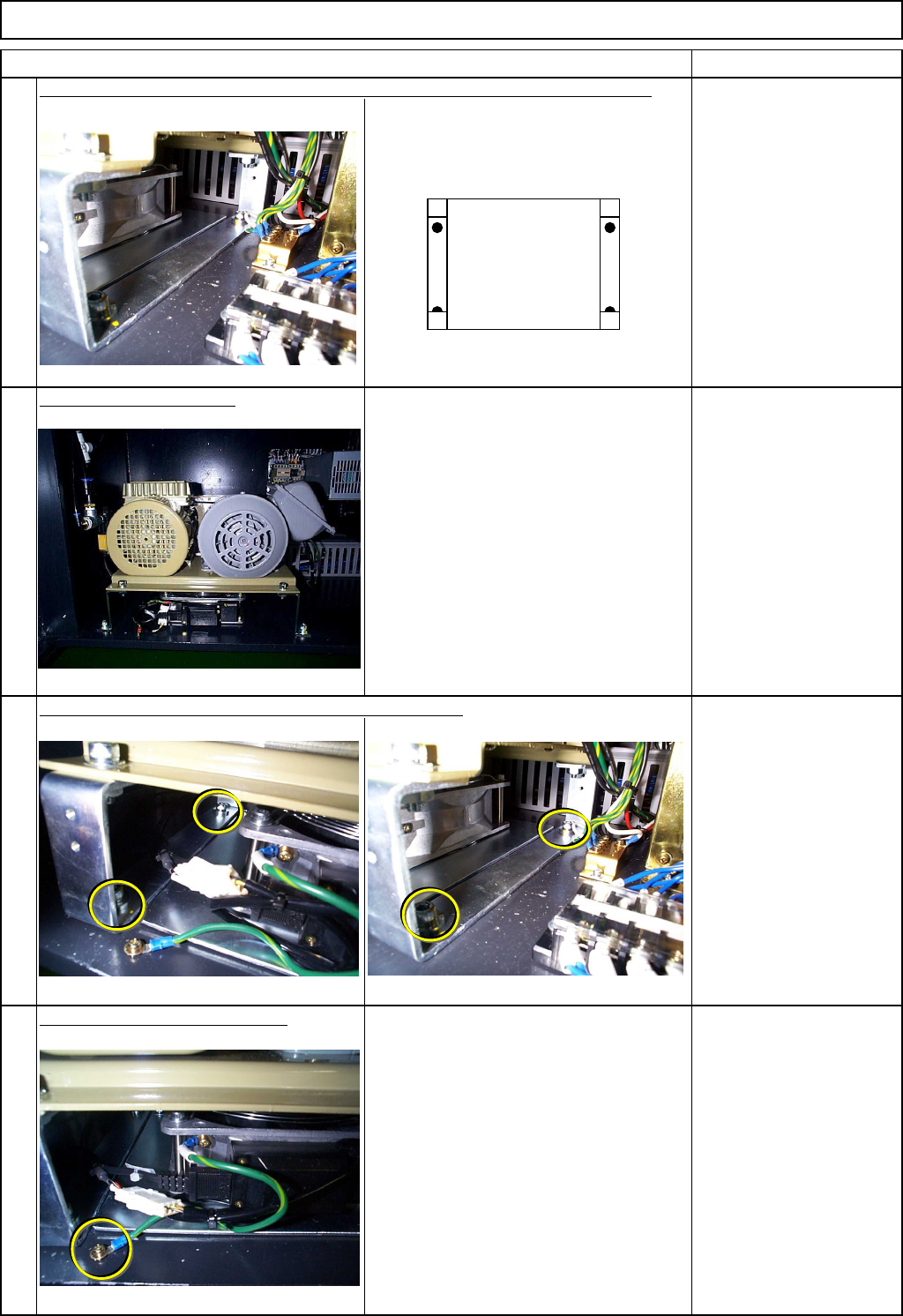
Replace the vacuum pump bracket. (Take care with orientation of the bracket.)
How to distinguish orientation:
Hole position is different for the front and
the inner sides.
Allen key 6 mm
Screw M8 4 pcs.
Install the vacuum pump.
Allen key 6 mm
Screw M8 4 pcs.
Tighten the bolts of the vacuum pump holding bracket.
Allen key 6 mm
Screw M8 4 pcs.
Put the fan earth cable back on.
Phillips screwdriver #2
Screw M4 1 pc.
13
14
15
16
EJM8A-E-SMA050104-A01-00
Page 5-1-4-5
Machinery Part Replacement Main Body
Remarks
Item
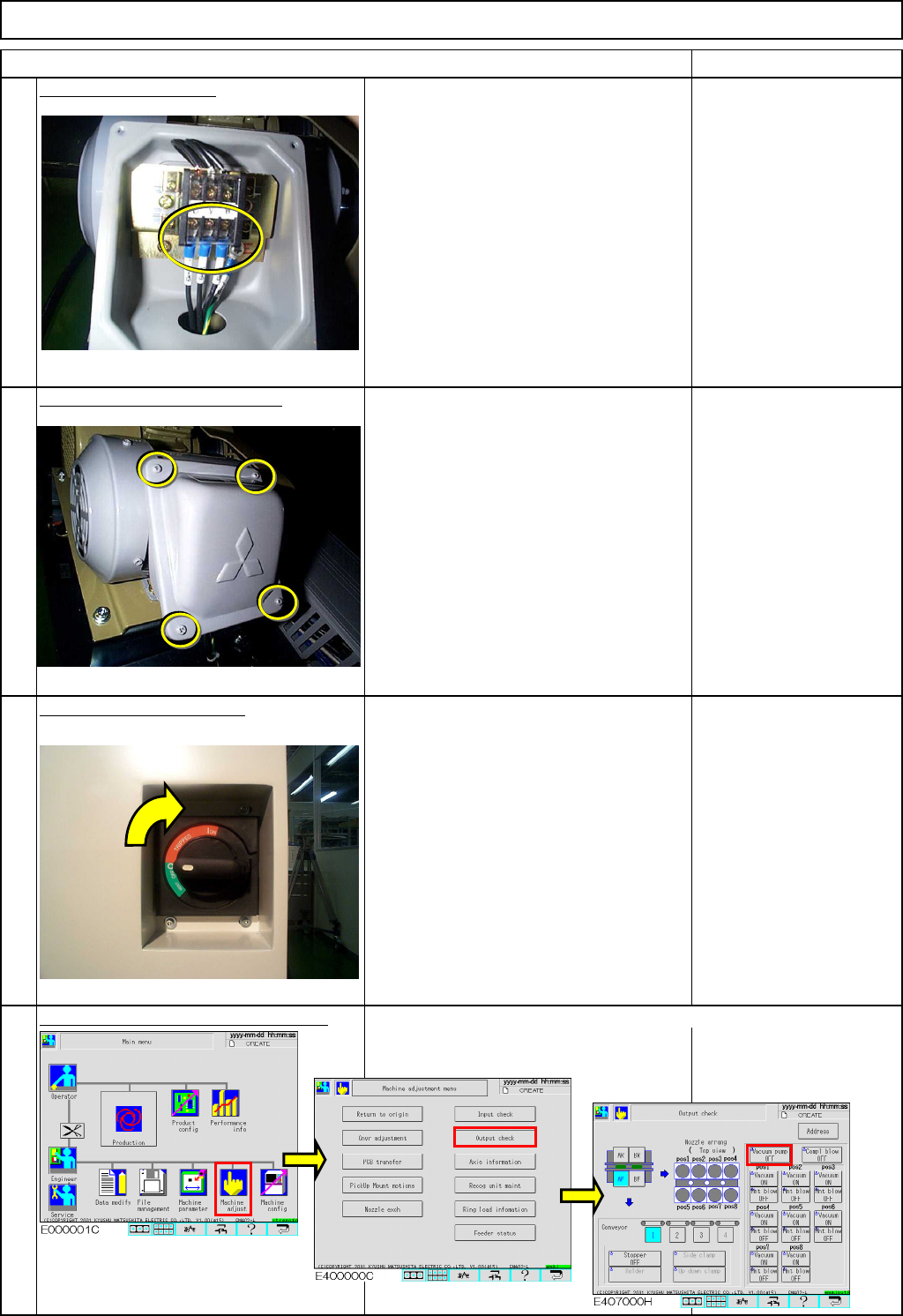
Connect the terminals.
Phillips screwdriver #2
Screw M4 4 pcs.
Put the terminal cover back on.
Phillips screwdriver #2
Screw M4 4 pcs.
Switch on the main power.
Turn the switch to the right.
Check the direction of motor rotation.
If the motors rotates in the reverse direction,
return to Step 17 and change the phase. Specification:
Vacuum pressure:
96 kpa or higher
17
18
19
20
EJM8A-E-SMA050104-A01-00
Page 5-1-4-6
Machinery Part Replacement Main Body
Remarks
Item
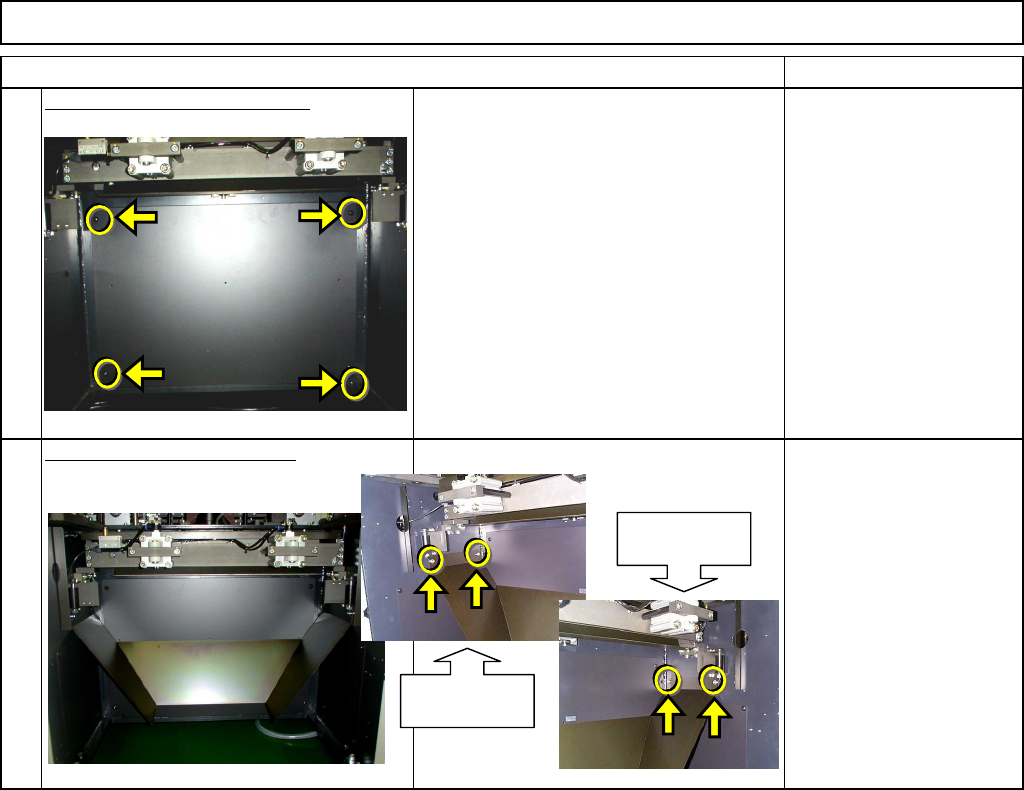
Put the bottom cover back on.
Phillips screwdriver #2
Screw M4 4 pcs.
Put the lower chute back on.
Allen key 4 mm
Screw M5x12mm 4 pcs.
Thick washer 4 pcs.
21
22
Chute holding
section (left)
Chute holding
section (right)
EJM8A-E-SMA050104-A01-00
Page 5-1-4-7