CM602all_EJM8AESM_Service Manual.pdf - 第359页
Be careful of magnetism when working on the parts. 8 7 Item 5 Put a cover over the X-axis secondary parts to avoid letting a tool be attracted. 6 Remarks Use a non-magnetic Allen key (M5). Main Body Move the beam towards…
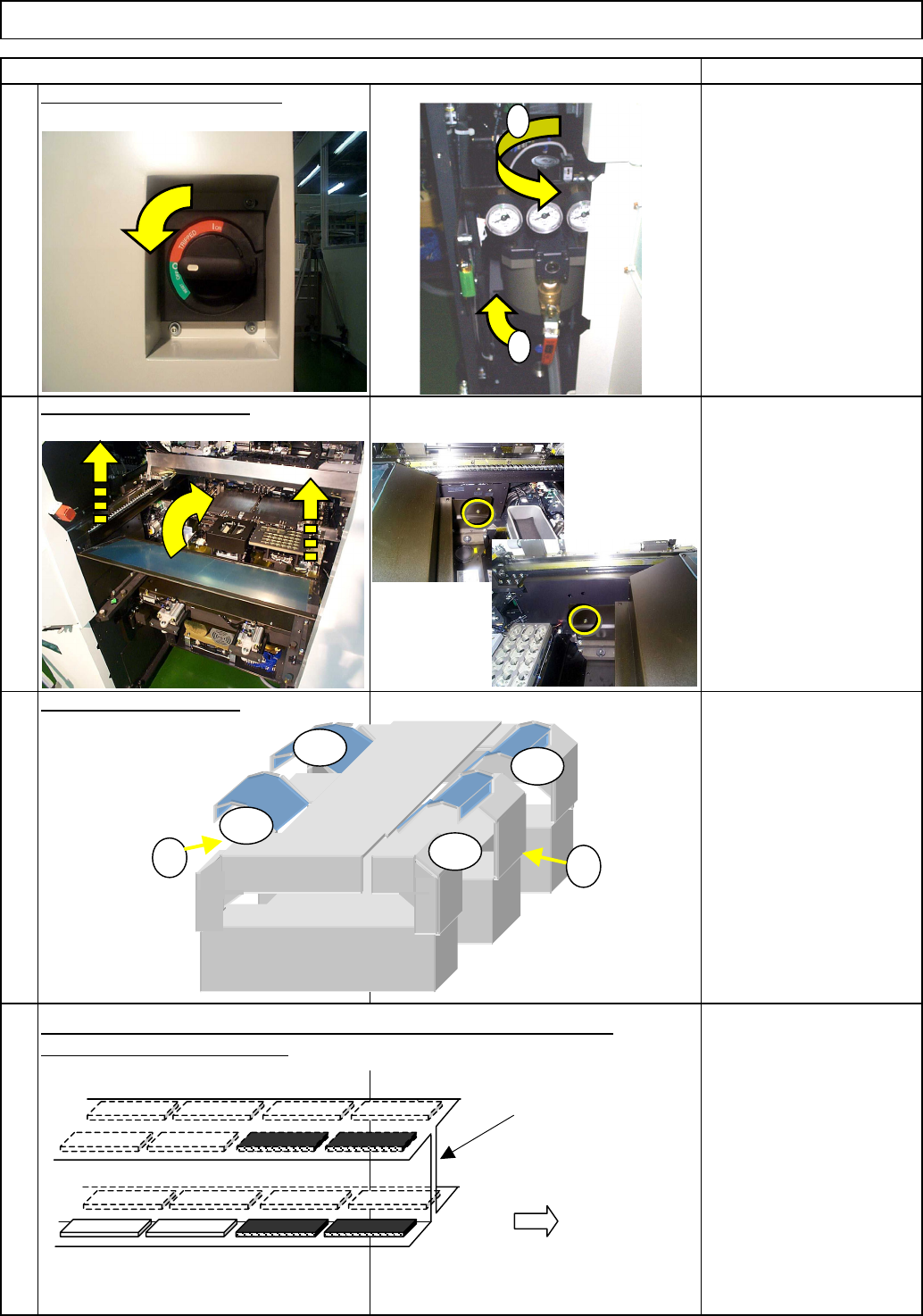
Remove the secondary parts from the desired stage, referring to "Y-axis
Secondary-Part Replacement."
3
4
Remarks
Main BodyMachine Part Replacement
Wrench 3 mm
Screw M4 (Special) x 2
1
Item
Turn off the power and the air.
Remove the side covers.
Remove the feeder cover.
2
1
2
AF
BR
AR
BF
1
2
Stage A
Stage B
Operator's side
Ex. Remove the four secondary-parts from the AF as shown above.
Center frame
EJM8A-E-SMA050108-A01-00
Page 5-1-8-2
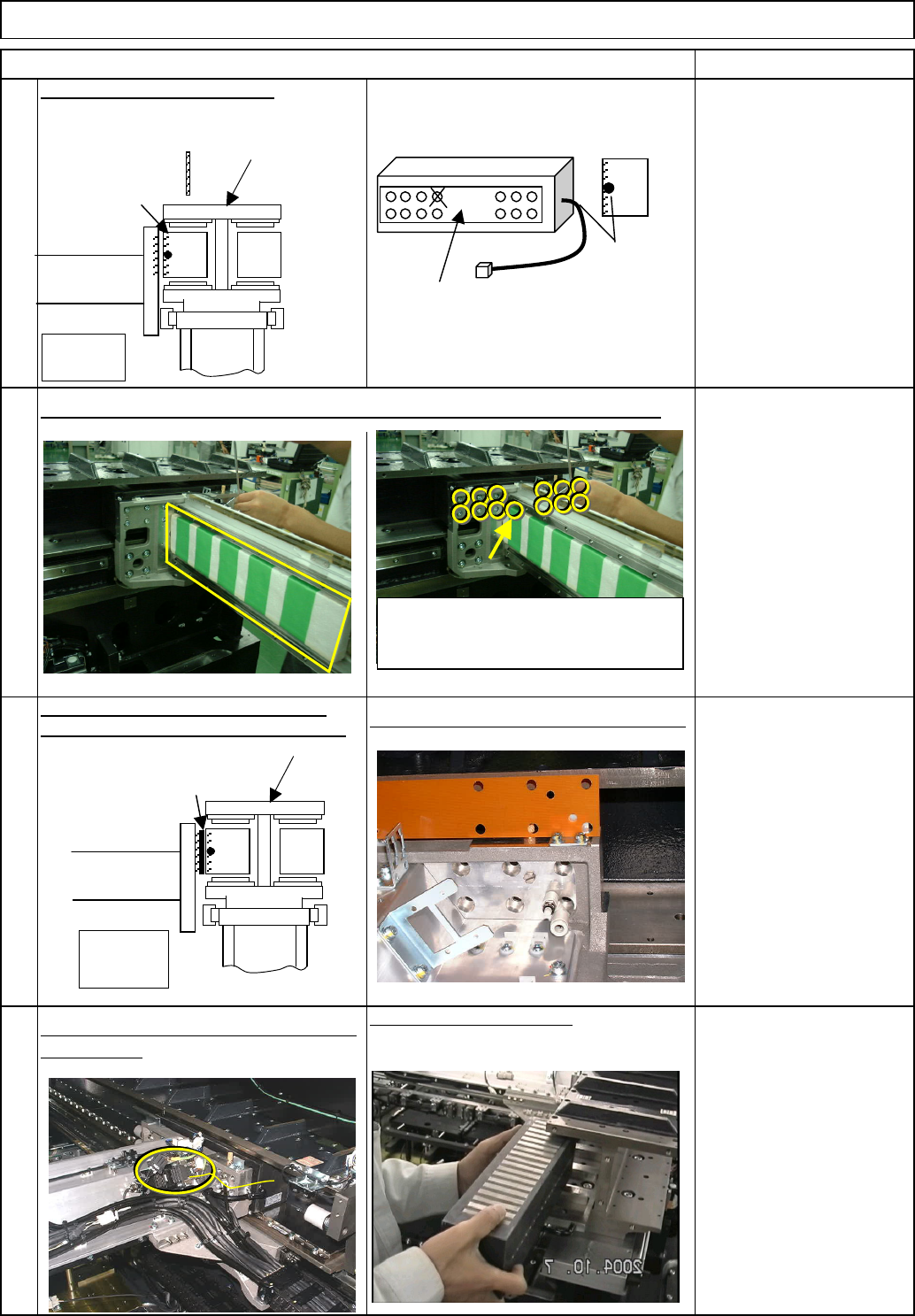
Be careful of magnetism when working on the parts.
8
7
Item
5
Put a cover over the X-axis secondary parts to avoid letting a tool be attracted.
6
Remarks
Use a non-magnetic Allen
key (M5).
Main Body
Move the beam towards you.
Machine Part Replacement
Remove the brown plate from the space
between the secondary part and the beam.
Picture after the brown plate is removed
Remove the primary-part connector and
the cable tie.
Remove the primary part.
Center frame
Stage
A
When seen from operator
Primary part
Beam
(
Mountin
g
p
osition
)
Cable
(Diagonally shaded
area: Mount position)
Side of primary part
Front of primary part
Although there are14 primary-part
holding bolts, one hole is not used. (X
mark)
The primary part is heavy; hold it with
your hand when loosening the bolts
so as not to let it drop.
Center frame
Stage A
When seen from operator
Brown plate
Beam
Brown plate
EJM8A-E-SMA050108-A01-00
Page 5-1-8-3
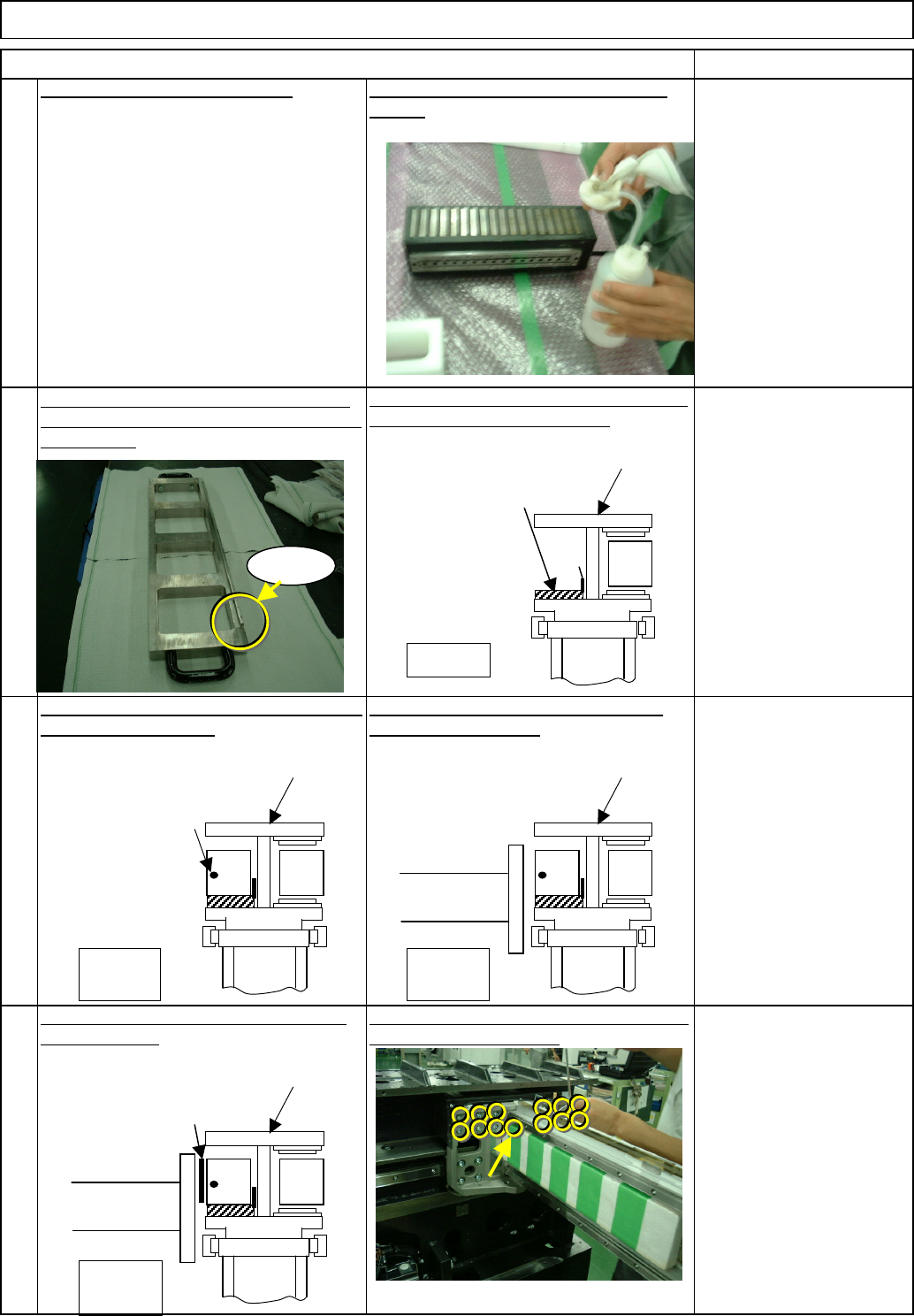
Be careful of magnetism when working on the parts.
10
11
Item
Main Body
Remarks
Mount the Y-axis primary-part-slide stand on
the center frame as shown below.
Mount the primary part on the stand, aligning
the part with the convex.
Move the beam towards you to position it
next to the primary part.
Position the Y-axis primary-part-slide stand
so that the convex comes to the center of the
center frame.
9
With the brown plate in, lightly tighten the 13
primary-side holding bolts.
Machine Part Replacement
12
Use a non-magnetic Allen
key (M5).
Put the brown plate between the beam and
the primary part.
Clean the new primary part with cloth and
alcohol.
Move the beam to the rear side.
Center frame
Stage A
When seen from operator
Y-axis primary-part-slide
stand
Convex
Convex
Stage
A
The cable position
should be at left.
Stage
A
Beam
Stage A
Beam
Brown plate
When seen from operator
Center frame
Center frame
When seen from operator
Center frame
When seen from operator
EJM8A-E-SMA050108-A01-00
Page 5-1-8-4