CM602all_EJM8AESM_Service Manual.pdf - 第405页
Machinery Part Replacement Remarks Item Transfer Head Assembly (8-nozzle type) Phillips screwdriver #1 Round cross-head screw M3 x 4 Remove the cable tie and the earth cable. Phillips screwdriver #2 Round cross-head scre…
Machinery Part Replacement
Remarks
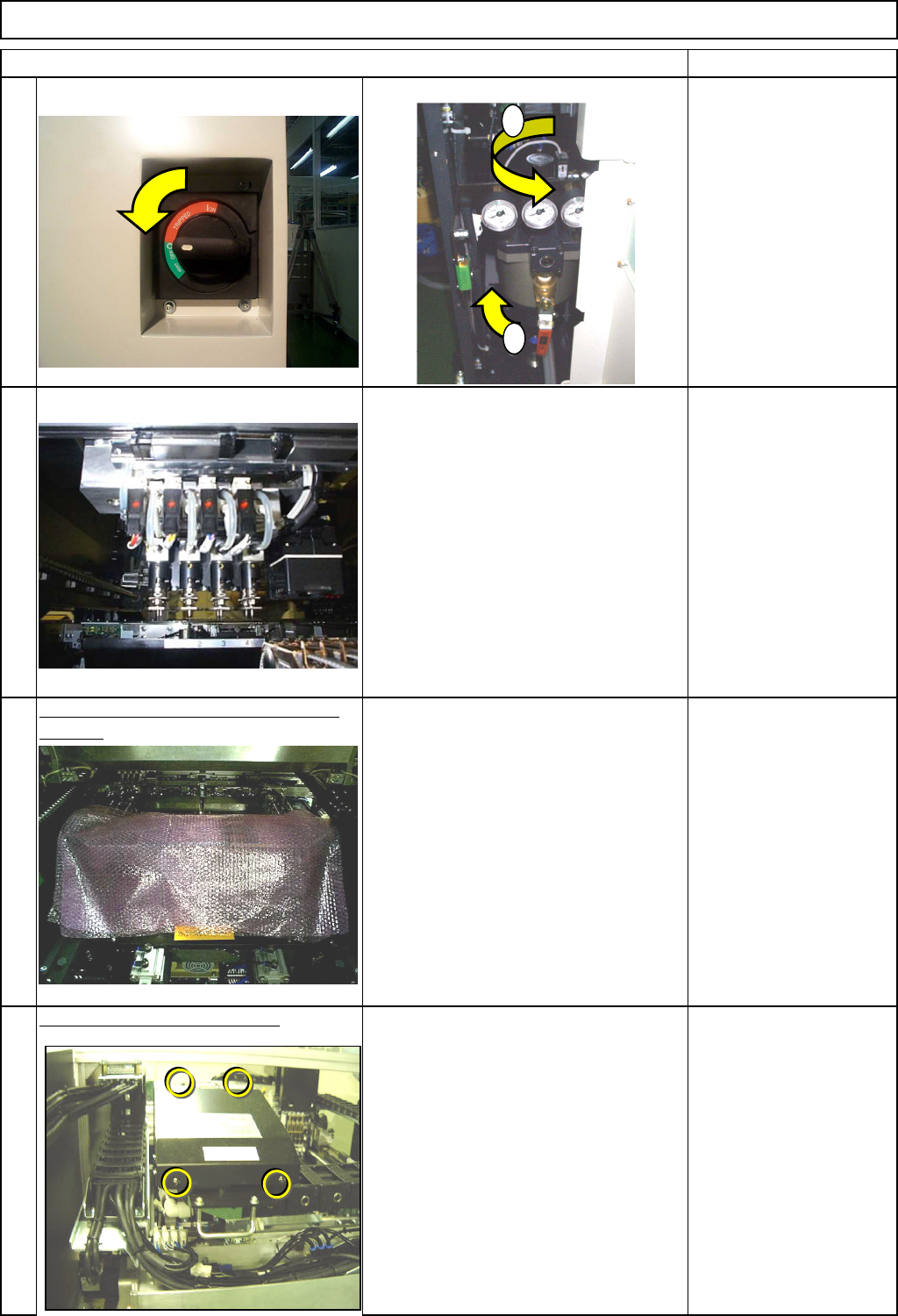
Switch off the power and the air supply.
Remove all nozzles from the head.
Place bubble wrap over the line sensor
camera.
To prevent damage in case the head
assembly falls onto the camera.
Bubble wrap
Remove the upper head cover.
Phillips screwdriver #2
Round cross-head screw
M4 x 4
3
Item
4
1
2
Transfer Head Assembly (8-nozzle type)
1
2
EJM8A-E-SMA050301-A01-00
Page5-3-1-2
Machinery Part Replacement
Remarks
Item
Transfer Head Assembly (8-nozzle type)
Phillips screwdriver #1
Round cross-head screw
M3 x 4
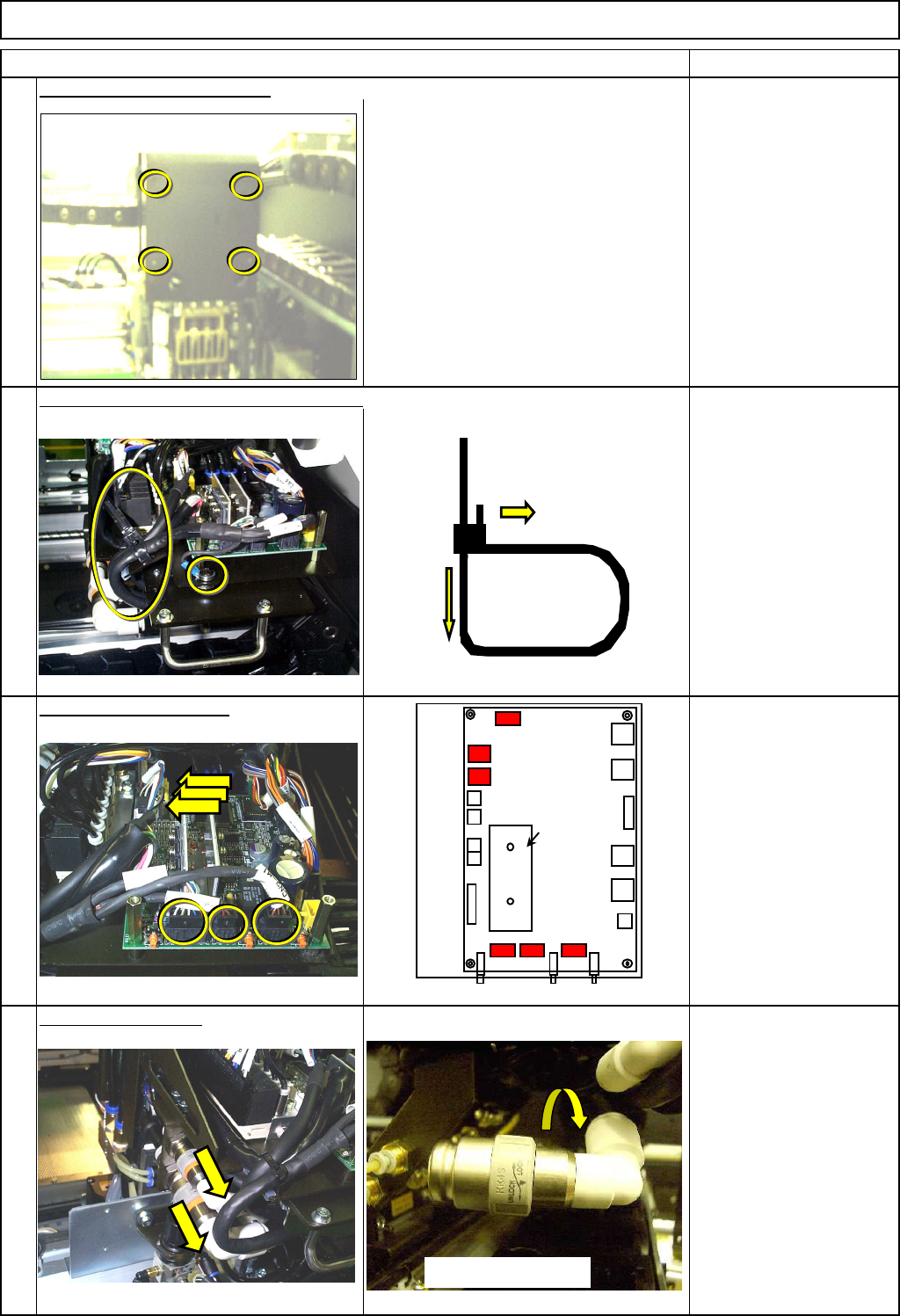
Remove the cable tie and the earth cable.
Phillips screwdriver #2
Round cross-head screw
M4 1pc.
Remove the connectors.
Remove the air tube. Remove the air tube.
Remove the front head cover.
6
5
8
7
Put down the pin.
Pull it out.
CN13
MC15CX
Heat sink
CN3
SW1
CN1
CN12
CN16
CN11
SW2
CN2
SW3
CN10
CN4
CN5
CN7
CN6
CN9
CN8
CN15
CN14
Turn and remove.
EJM8A-E-SMA050301-A01-00
Page5-3-1-3
Machinery Part Replacement
Remarks
Item
Transfer Head Assembly (8-nozzle type)
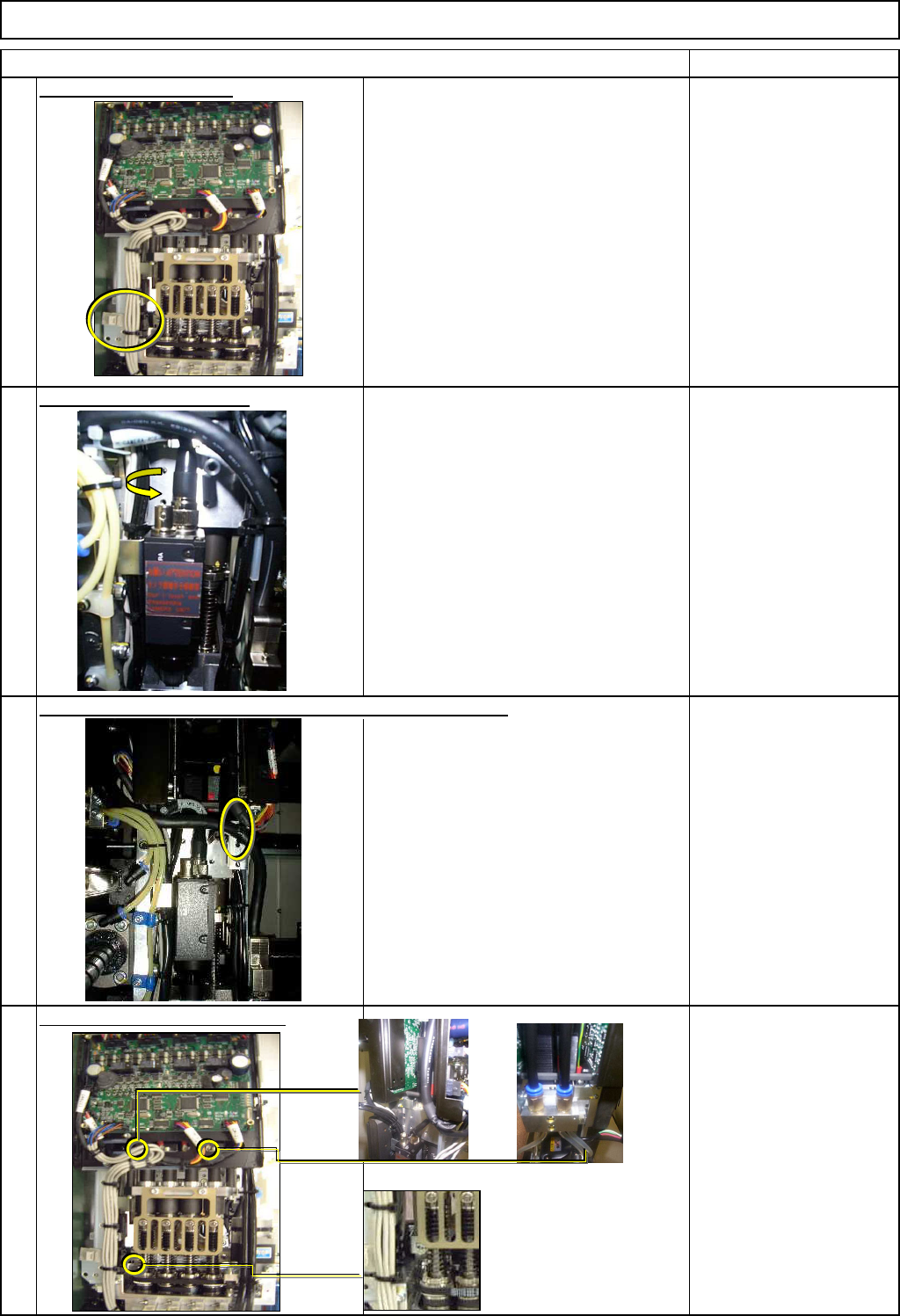
Remove the LED cables.
Remove the camera cable.
Camera connector
Remove the head holding bolts.
Allen key 5 mm
Pipe
Screw M6 x 3
After removing the screw,
hold the head.
(Otherwise, the head may
fall down.)
Remove the cable ties from the LED and the camera cables.
9
10
11
12
EJM8A-E-SMA050301-A01-00
Page5-3-1-4