CM602all_EJM8AESM_Service Manual.pdf - 第605页
Machinery Part Replacement Remark Item 12-Nozzle Head Unit Put bubble wrap on the line camera sensor. To prevent the head from falling down. Bubble wrap Remove the upper head cover. Phillips screwdriver #2 M4 truss 4 pcs…
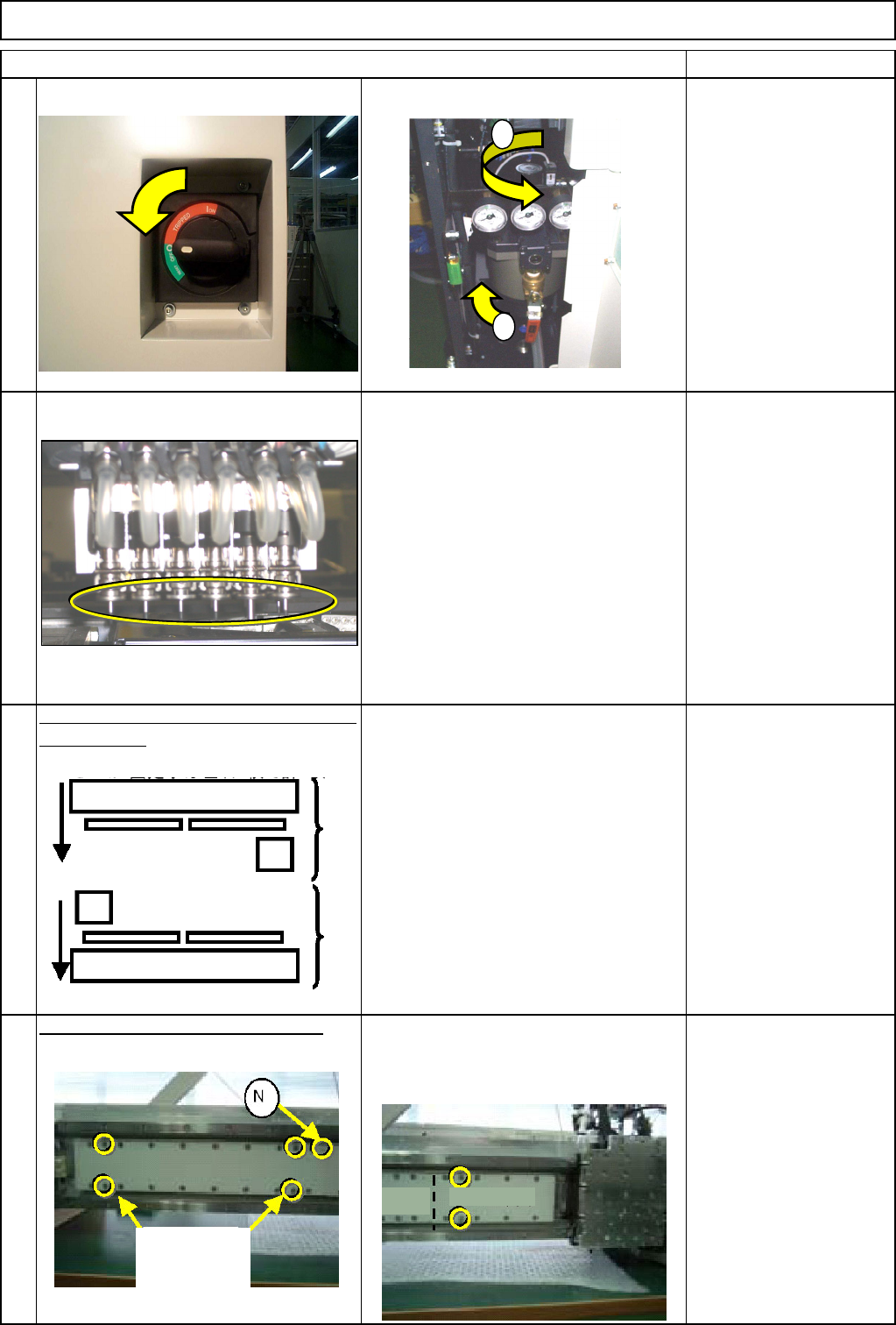
Machinery Part Replacement
Remark
Turn off the power and the air supply.
Remove all the nozzles from the head.
Move the front and the rear beams towards
the front side.
Put the cover on the secondary part.
* Magnets are installed. To ensure safety,
use the covers when working on the
machine.
Cover (Large) Bolts x 4
Cover (Small) Bolts x 2
* Non-magnetic Allen
keys
Item
1
2
3
4
12-Nozzle Head Unit
1
2
(Large) Cover (Small)
Bolts
accompanying
the machine
R
ea
r
Front
EJM8A-E-SMA051001-A01-00
Page 5-10-1-2
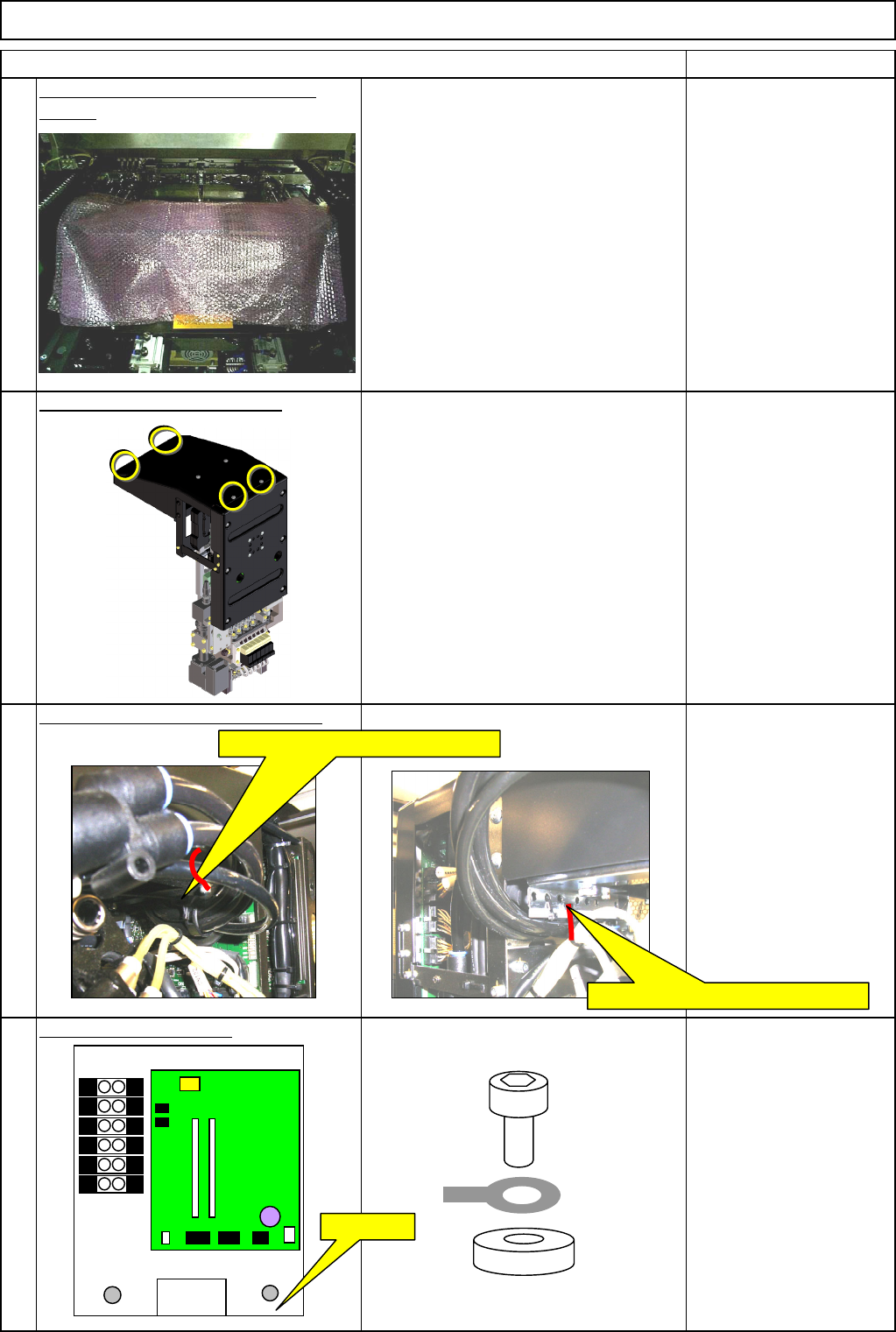
Machinery Part Replacement
Remark
Item
12-Nozzle Head Unit
Put bubble wrap on the line camera
sensor. To prevent the head from falling down. Bubble wrap
Remove the upper head cover.
Phillips screwdriver #2
M4 truss 4 pcs.
Remove the tube-securing cable tie.
Nippers
Remove the earth cable.
Thick washer
Screw M4 x 8L 1 pc.
8
7
6
5
Remove the AF and BR cable ties.
Remove the AR and BF cable ties.
FG⇒Earth
EJM8A-E-SMA051001-A01-00
Page 5-10-1-3
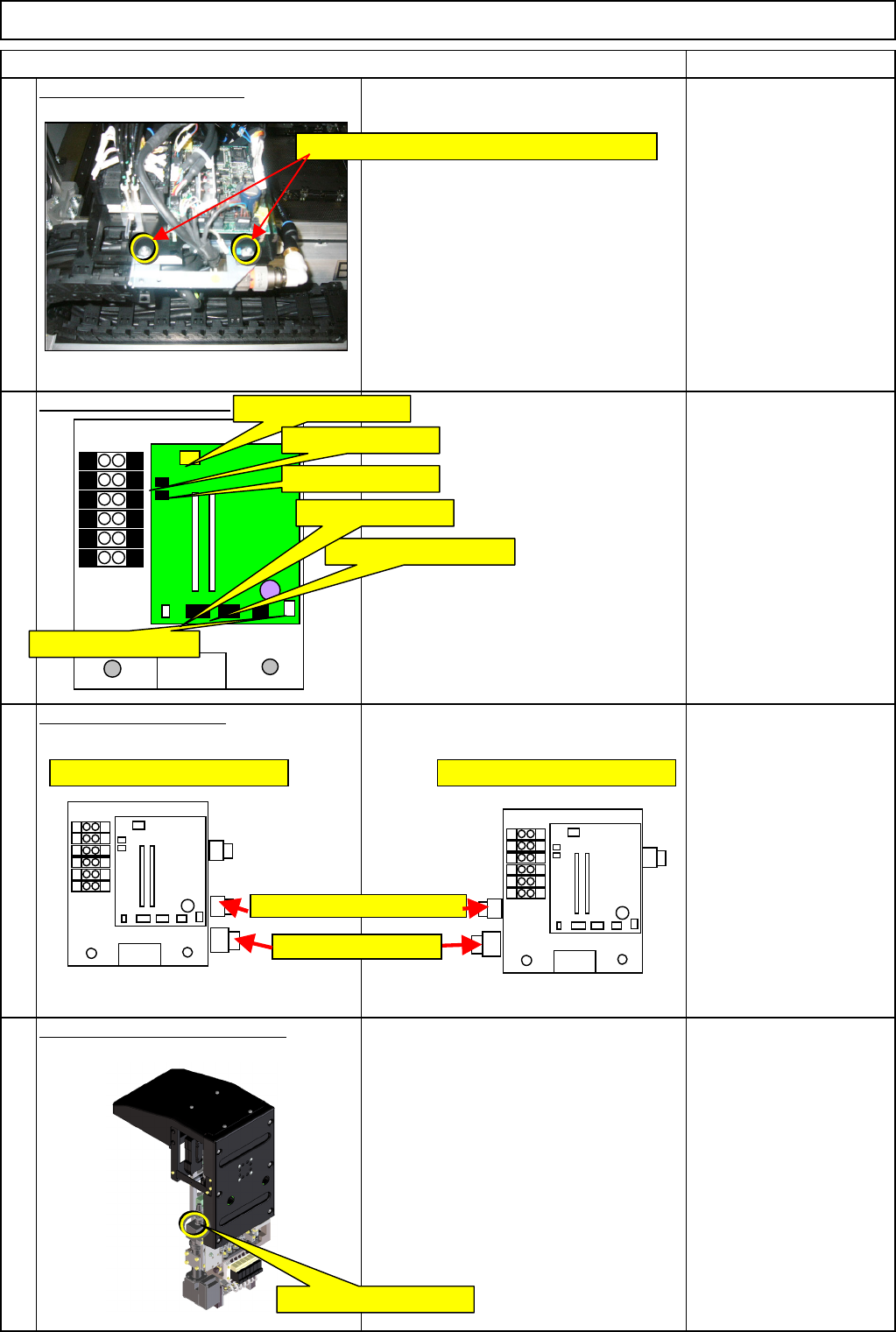
Machinery Part Replacement
Remark
Item
12-Nozzle Head Unit
Remove the holding bolts.
Screw M4 x 8L 2 pcs.
Thick washer
Remove the connectors.
Remove the tube joints.
Remove the camera connector.
12
10
11
9
C12-M(st,No)⇒CN12
C8-M(st,No)⇒CN8
C9-M(st,No)⇒CN9
CN2-M(st,No)⇒CN2
CN11-M(st,No)⇒CN11
C1-M(st,No)⇒CN1
Remove the M4×8L screws and the washers.
Positions of AF and BR joints Positions of AR and BF joints
Vacuum release joints
Vacuum joints
Head camera connector
EJM8A-E-SMA051001-A01-00
Page 5-10-1-4