CM602all_EJM8AESM_Service Manual.pdf - 第672页
Machinery Part Replacement Remarks Item 12-Nozzle Head Teaching Press [Unlock] and [Xyaxis org offset mgf teach] simultaneously. The head camera recognizes the mark. The offset for the magnification of the camera is ente…
Machinery Part Replacement
Remarks
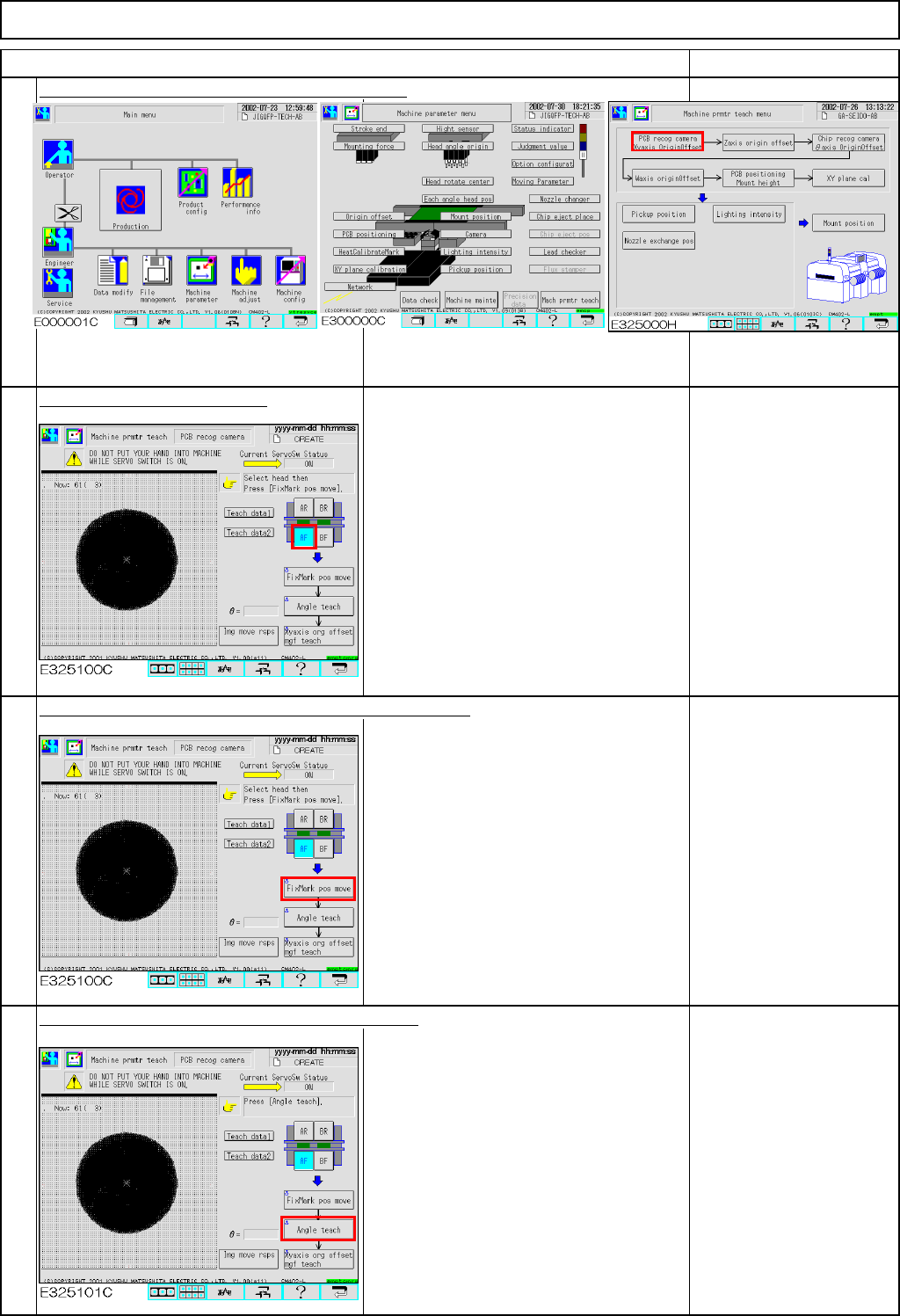
Press [PCB recog camera Xyaxis OriginOffset].
Select the stage to be taught.
Press [Unlock] and [FixMark pos move] simultaneously.
The head camera for the selected stage
moves to the heat calibration mark.
The head camera recognizes the mark.
The offsets for the X- and the Y-axes are
entered.
If the mark is not
displayed on the window,
adjustment with the XY-
axis origin jig failed.
Press [Unlock] and [Angle teach] simultaneously.
The head camera recognizes the mark.
The offset for the angle of the camera is
entered.
"Angle teach" error:
If the theta is out of the
range of +/- 0.2°,
this error will occur.
See Section 5-11-1
"Head Camera
Adjustment - Focus and
Theta."
1
Item
12-Nozzle Head Teaching
2
3
4
EJM8A-E-SMA051102-A01-00
Page 5-11-2-2
Machinery Part Replacement
Remarks
Item
12-Nozzle Head Teaching
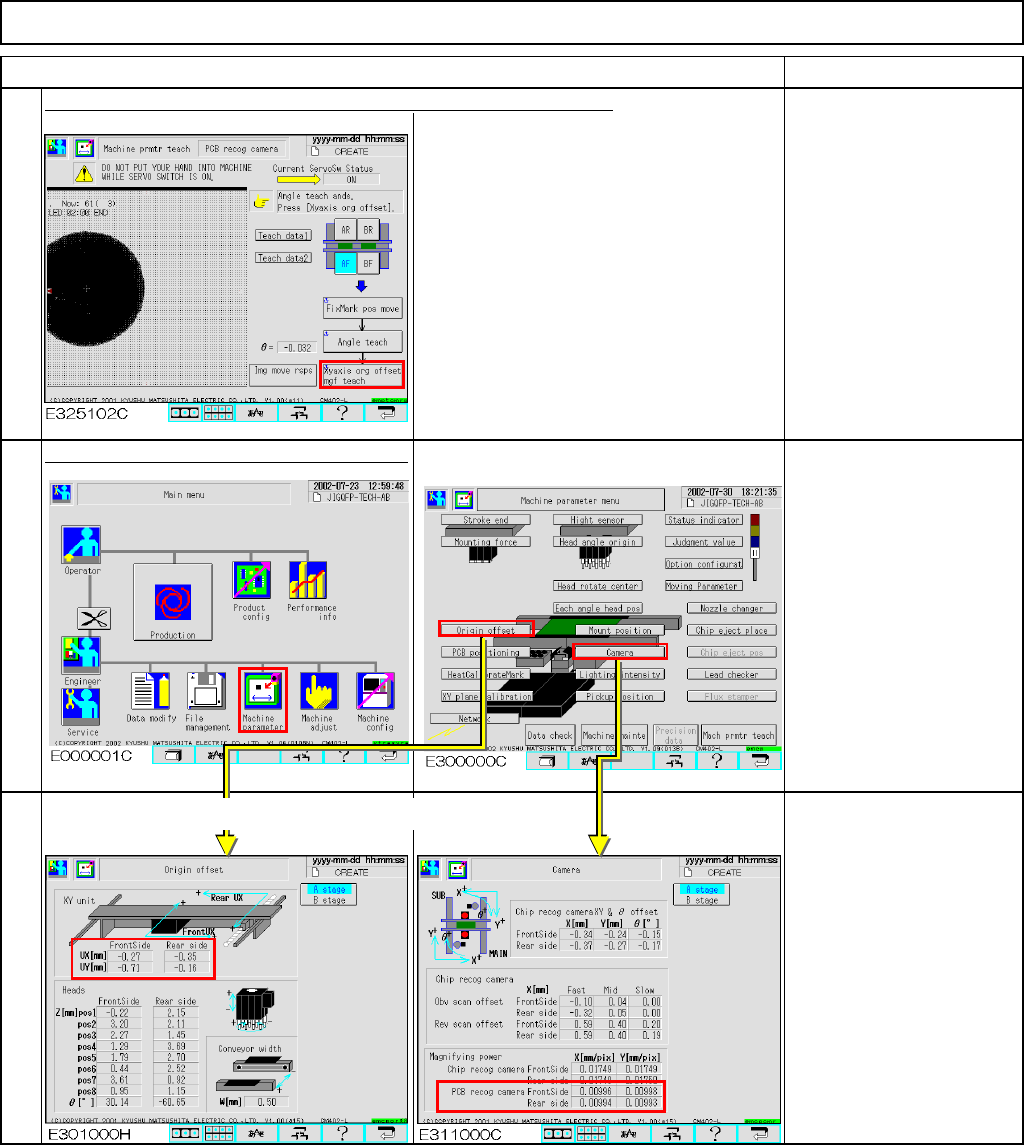
Press [Unlock] and [Xyaxis org offset mgf teach] simultaneously.
The head camera recognizes the mark.
The offset for the magnification of the
camera is entered.
Press [Unlock] and [Run] simultaneously.
Offset range:
Board recognition
camera:
X mag.: 0.0096 to 0.0104
Y mag.: 0.0096 to 0.0104
Origin offset:
X: -2.0 mm to +2.0 mm
Y: -2.0 mm to +2.0 mm
5
6
7
Offsets are entered automatically into the screen below:
EJM8A-E-SMA051102-A01-00
Page 5-11-2-3
Machinery Part Replacement
・Tools
None
・Jig
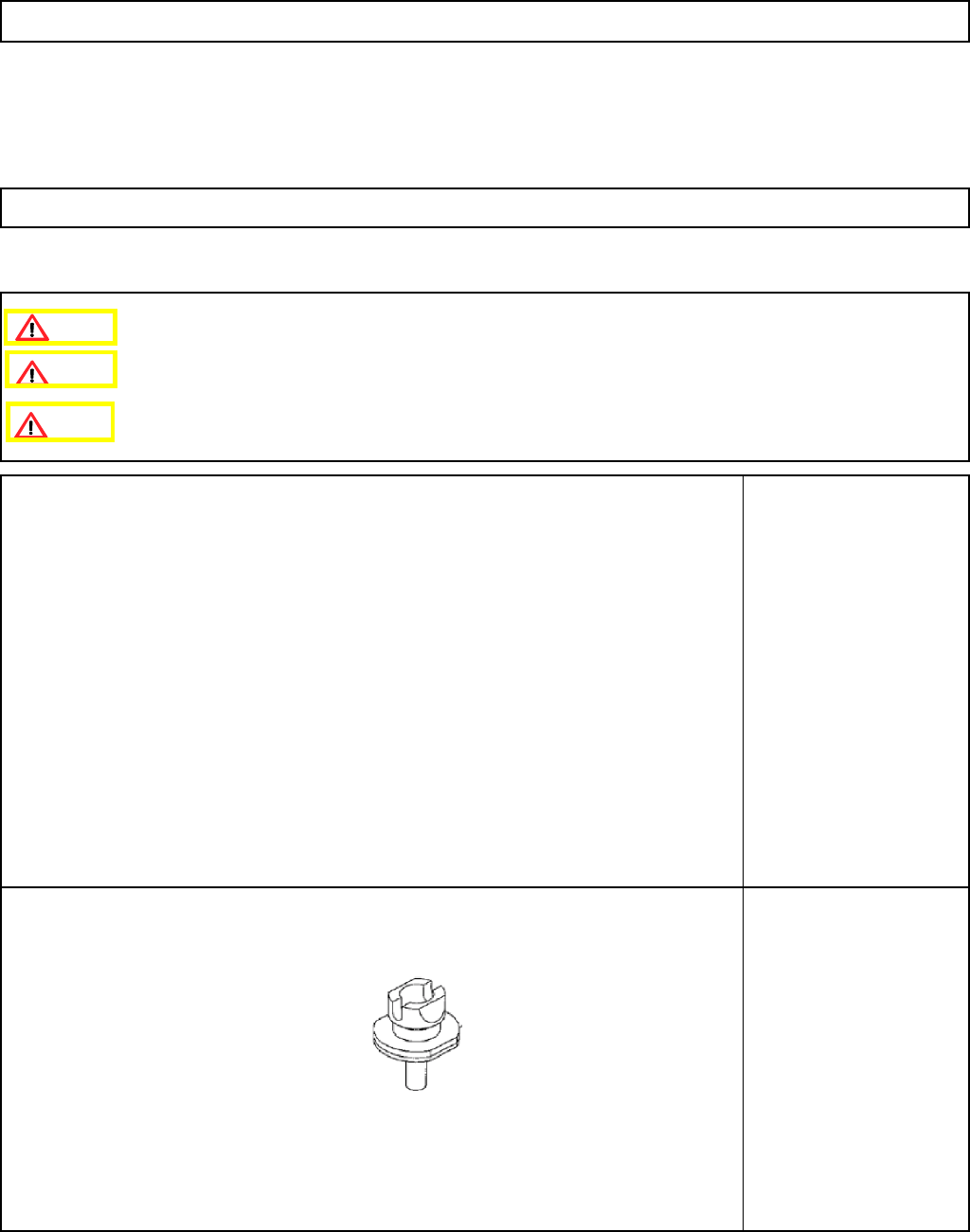
Nozzle 130S:
1 pc or 8 pcs.
12-Nozzle Head Teaching
5-11-3 Z-axis Origin Offset
Clean the upper surface of the thermal correction pole beforehand.
Remove the feeder cover.
This section describes the procedures for setting the offset for the Z-axis origin.
Caution
Dange
r
Warning
EJM8A-E-SMA051103-A01-00
Page5-11-3-1