CM602all_EJM8AESM_Service Manual.pdf - 第675页
Machinery Part Replacement Remarks 12-Nozzle Head Teaching Item Press [Jig setting]. When selecting [Gang]: Fit twelve nozzles (130S). When selecting [Head No.]: Fit twelve nozzles (130S). Press [Height org tch]. • Durin…
Machinery Part Replacement
Remarks
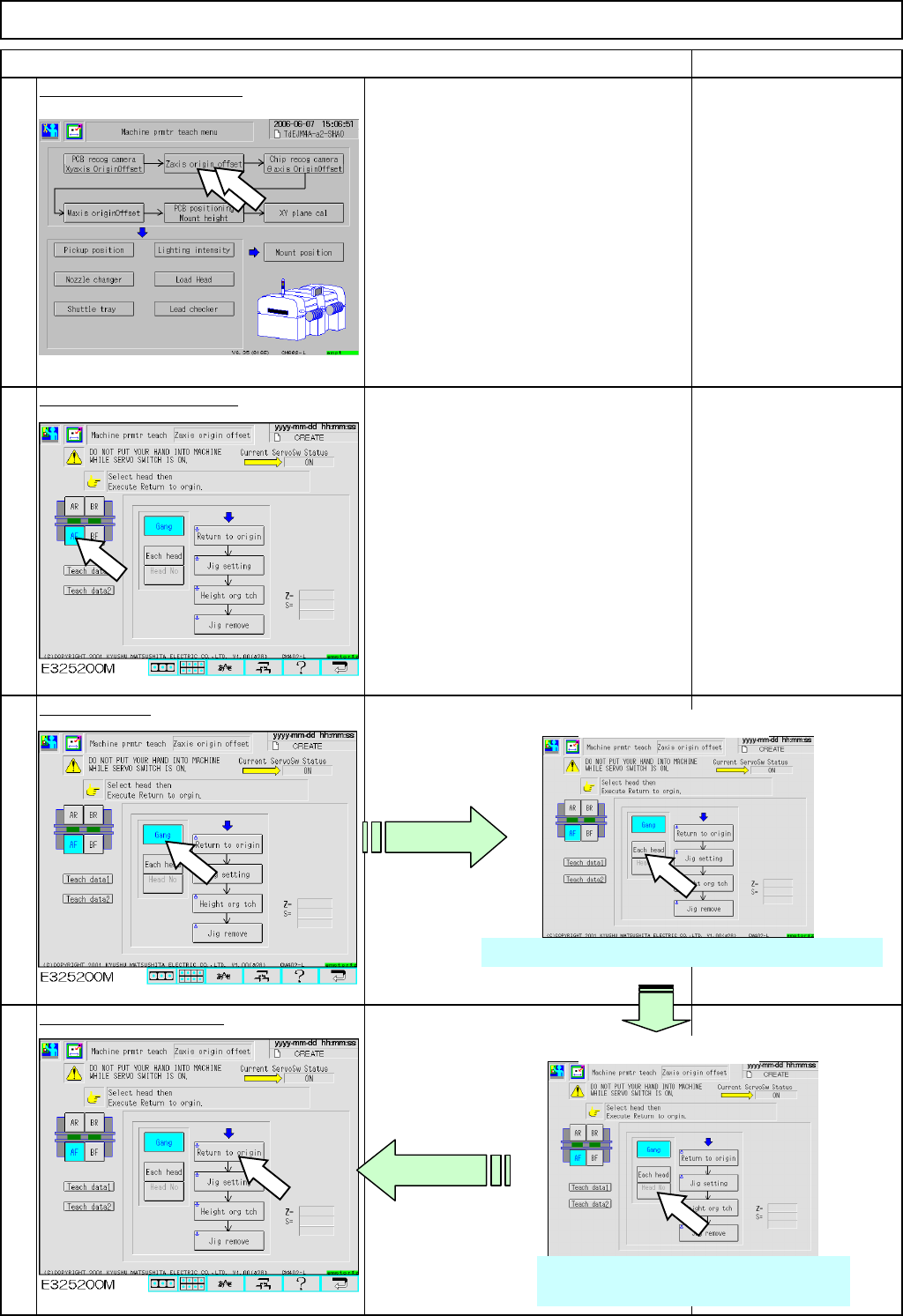
Press [Zaxis origin offset].
Select the stage to teach.
Select [Gang].
Press [Return to origin].
12-Nozzle Head Teaching
Item
1
2
3
4
When NOT selecting [Gang]:
Select the head number.
3-1 Press [Each head].
Pressing [Each head] highlights [Head No.] below.
3-2 Press [Head No.].
Pressing [Head No.] changes the head
numbers from1 to 12 one by one.
EJM8A-E-SMA051103-A01-00
Page5-11-3-2
Machinery Part Replacement
Remarks
12-Nozzle Head Teaching
Item
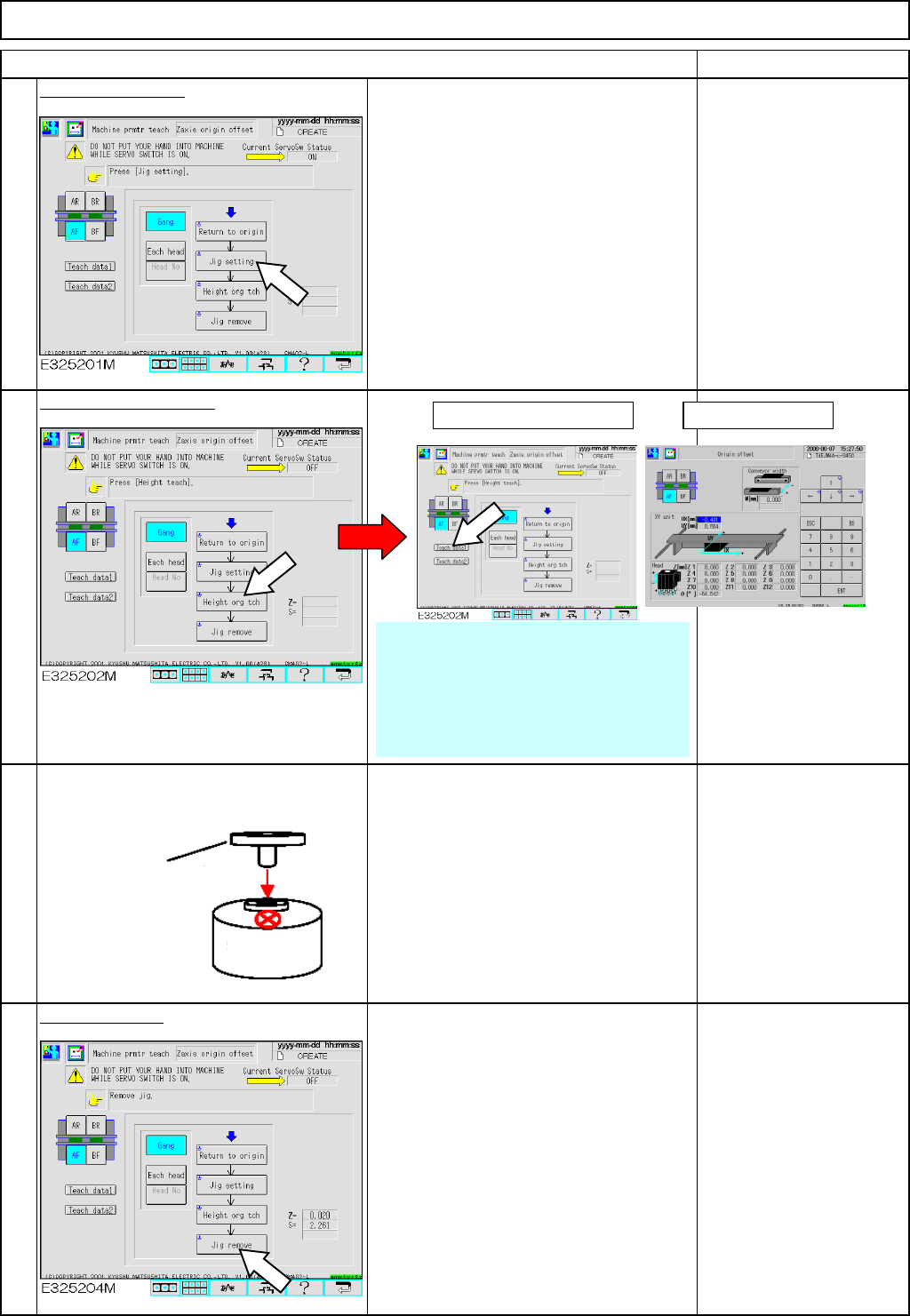
Press [Jig setting].
When selecting [Gang]:
Fit twelve nozzles (130S).
When selecting [Head No.]:
Fit twelve nozzles (130S).
Press [Height org tch].
• During height origin teaching, the
nozzle descends to the top (X mark) of
the thermal correction pole until the
vacuum pressure rises to approximately
90 with vacuum ON.
• After that, the nozzle ascends 0.1 mm,
and descends at a pitch of 0.01 mm.
Remove the jig.
7
8
5
6
Check
確認
(1) Press [Teach data1]. (2) Check offsets.
Origin offset range for
each nozzle
⇒ -0.5 mm to + 0.5
mm
* After teaching, check the height of
the nozzle visually.
* Since the vacuum is measured
during teaching, check the ends of the
nozzles to use are not worn or
deformed before teaching.
Nozzle 130S
Thermal
correction
EJM8A-E-SMA051103-A01-00
Page5-11-3-3
Machinery Part Replacement
Tools
None
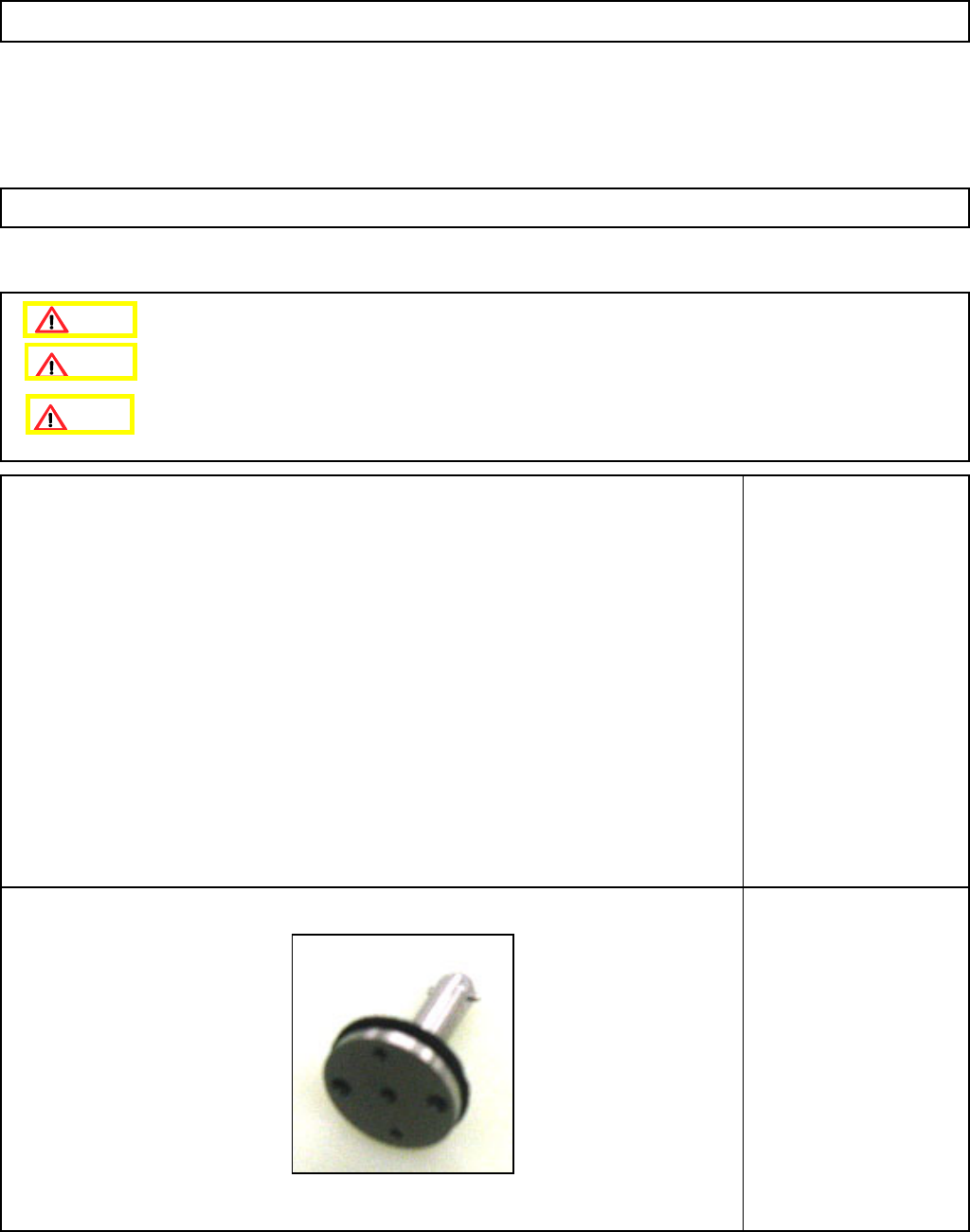
Jig
5-hole 12-nozzle-camera-
teaching Jig
12-Nozzle Head Teaching
5-11-4 Chip Recognition Camera --- θ−Axis Origin Offset
Remove the nozzle holders.
Remove the NG box.
This section describes the procedures for setting the offset for the origin of the chip recognition camera theta axis.
Caution
Dange
r
Warning
EJM8A-E-SMA051104-A01-00
Page 5-11-4-1