CM602all_EJM8AESM_Service Manual.pdf - 第688页
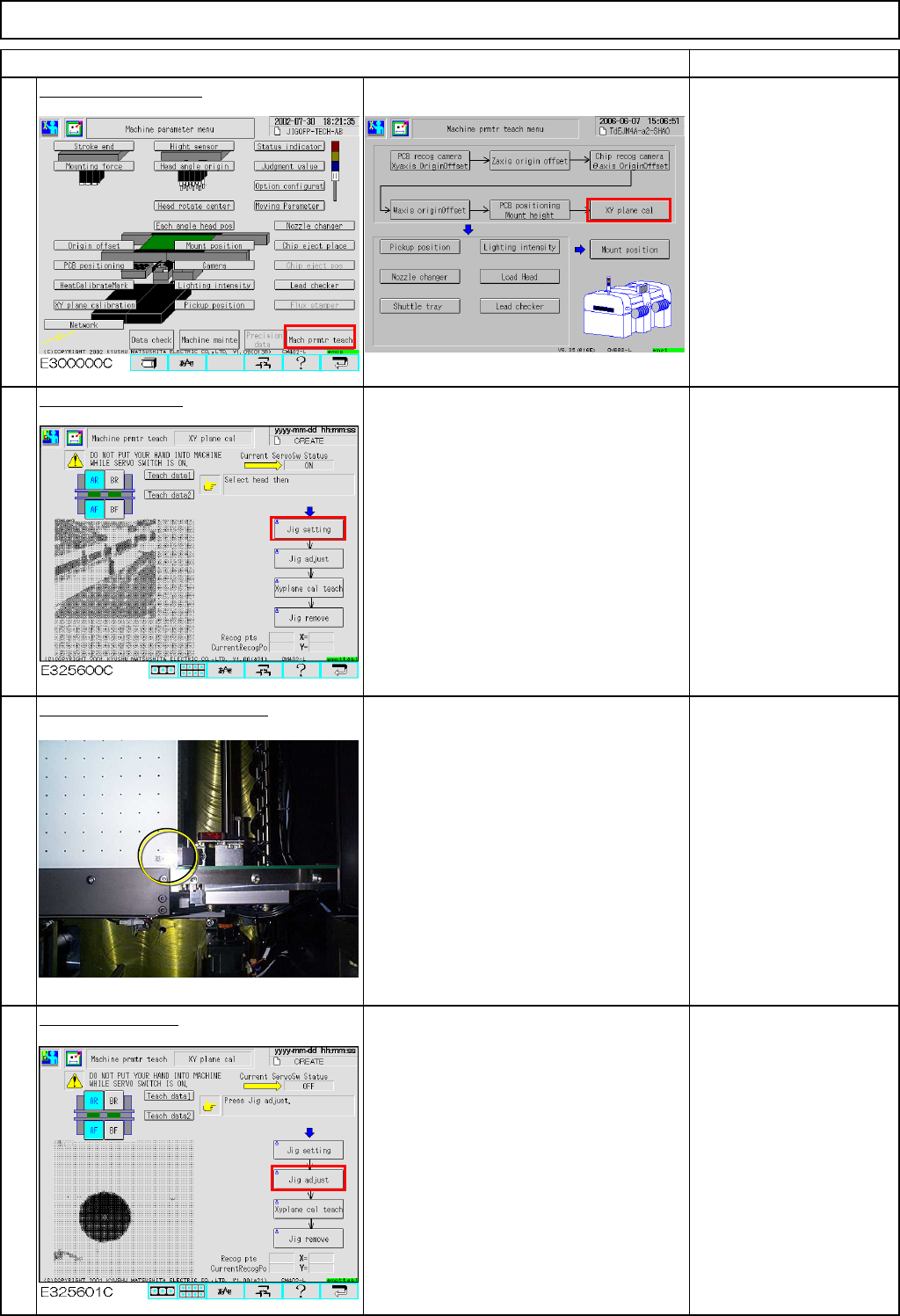
Machinery Part Replacement Remarks Press [XY plane cal]. Conveyor width is adjusted to 460 mm automatically. Press [Jig setting]. The AF head moves away. Place the jig on the conveyor. Place the jig by hand, pressing the…
Machinery Part Replacement
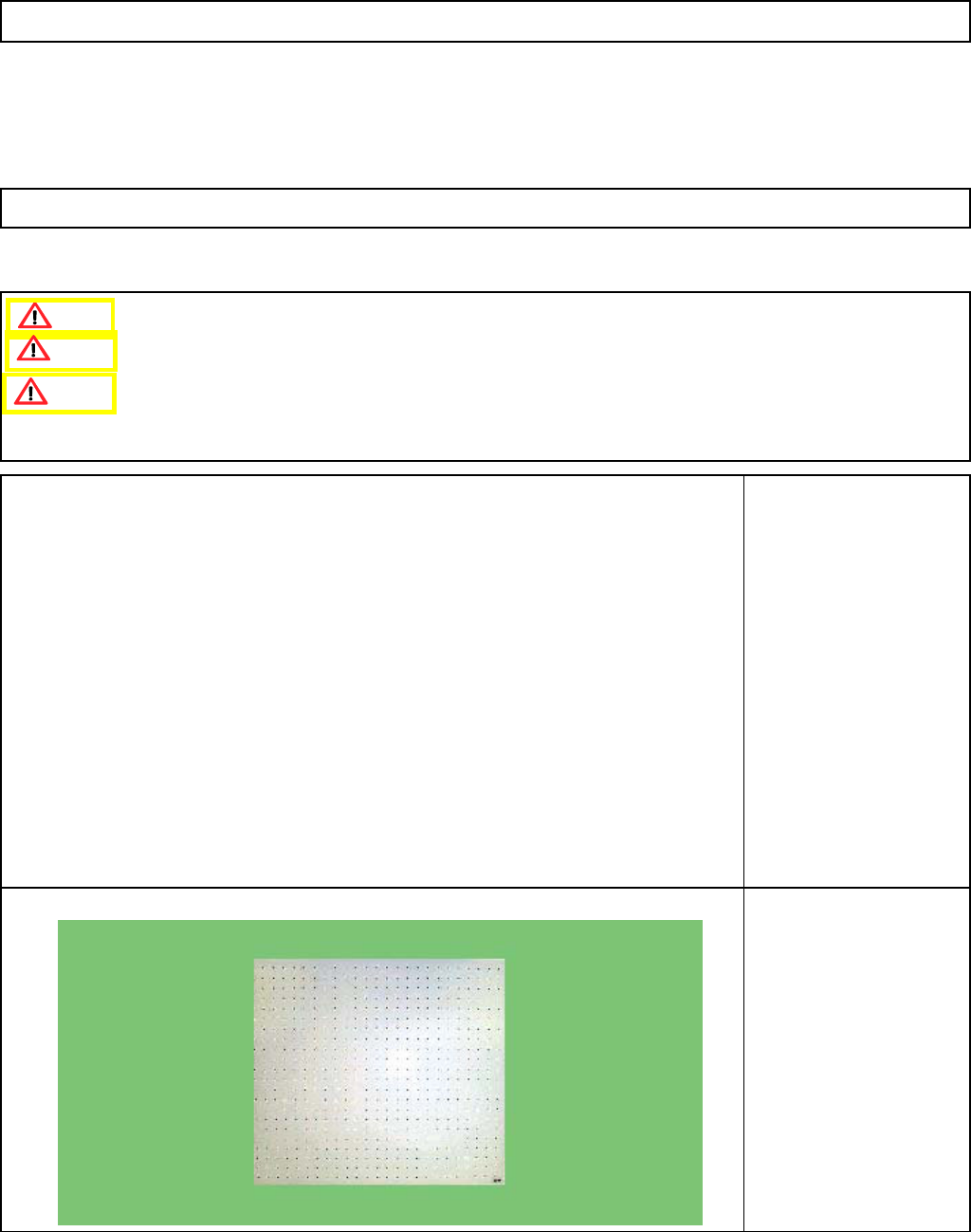
This section describes the procedures for carrying out the XY plane calibration.
Tools
None
Jig
FM-1045
XY plane calibration jig
510 mm x 460 mm
Remove dirt from the
recognition side of the jig
with soft cloth.
12-Nozzle Head Teaching
5-11-7 XY Plane Calibration
Remove the support pins beforehand.
Handle the jig with care since it is made of glass.
This calibration should be carried out on the operator's side; it cannot be performed at the rear.
Caution
Dange
r
Warning
EJM8A-E-SMA051107-A01-00
Page 5-11-7-1
Machinery Part Replacement
Remarks
Press [XY plane cal].
Conveyor width is
adjusted to 460 mm
automatically.
Press [Jig setting].
The AF head moves away.
Place the jig on the conveyor.
Place the jig by hand, pressing the
reference-mark corner of the jig against
the fixed conveyor and the board
stopper.
Press [Jig adjust].
The jig is clamped in the Y direction.
(Option)
Check that the jig is
locked once clamped in
the Y direction.
12-Nozzle Head Teaching
Item
3
4
1
2
EJM8A-E-SMA051107-A01-00
Page 5-11-7-2
Machinery Part Replacement
Remarks
12-Nozzle Head Teaching
Item
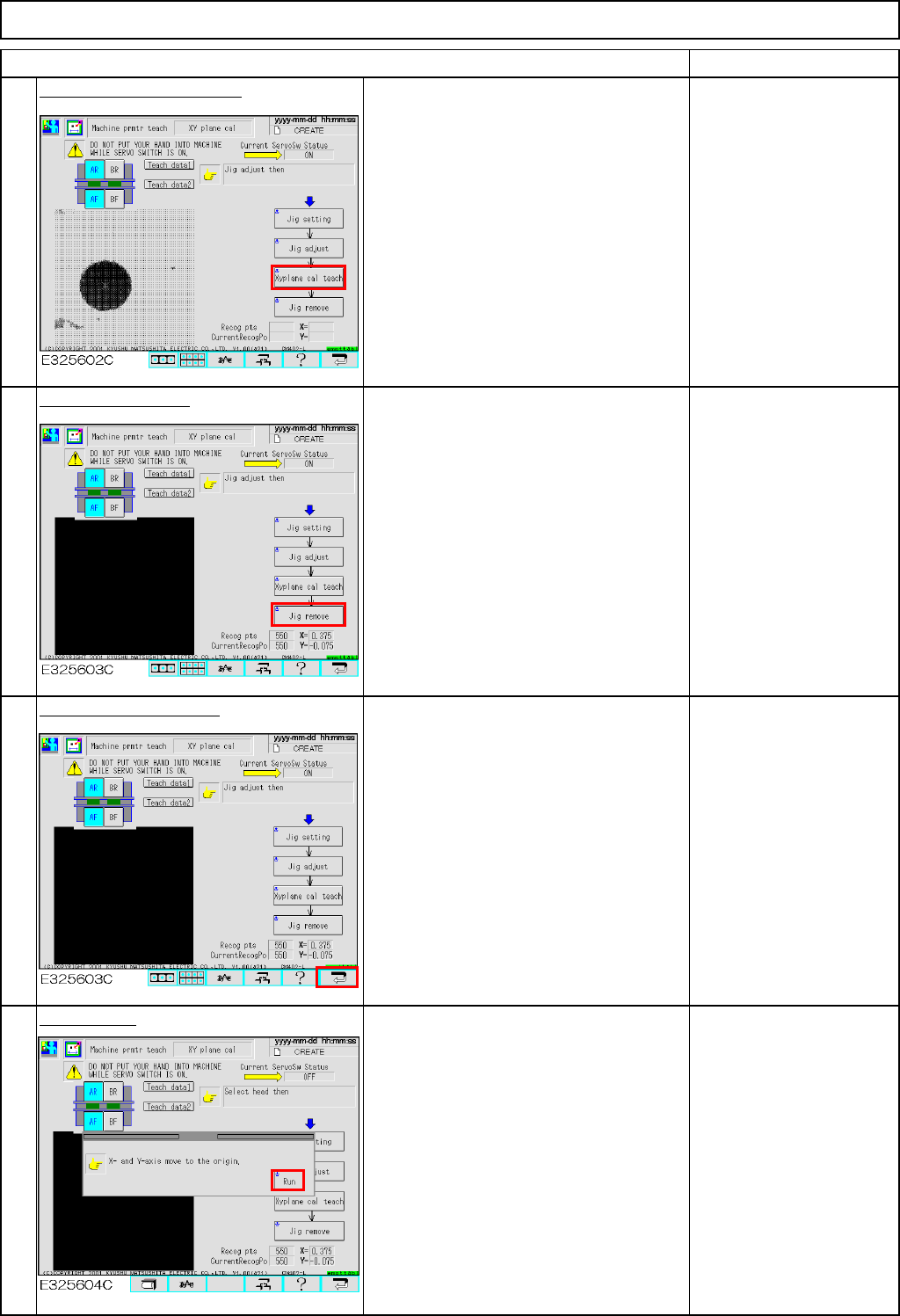
Press [Xyplane cal teach].
The jig is clamped in the Z direction.
The AF head recognizes the dots on the
jig. Then the AR head recognizes them.
Press [Jig remove].
Both AF and AR heads move away.
Once they finish moving away, remove
the jig.
Press the "Return" key.
Press [Run].
5
7
8
6
EJM8A-E-SMA051107-A01-00
Page 5-11-7-3