CM602all_EJM8AESM_Service Manual.pdf - 第706页
Press [Production]. Select the stage to teach. Press [ESC]. Press [Yes]. Press [Yes]. * The machine parameters are saved automatically when returning to the main menu. 12-Nozzle Head Teaching Remarks 13 Item mounting. Pr…
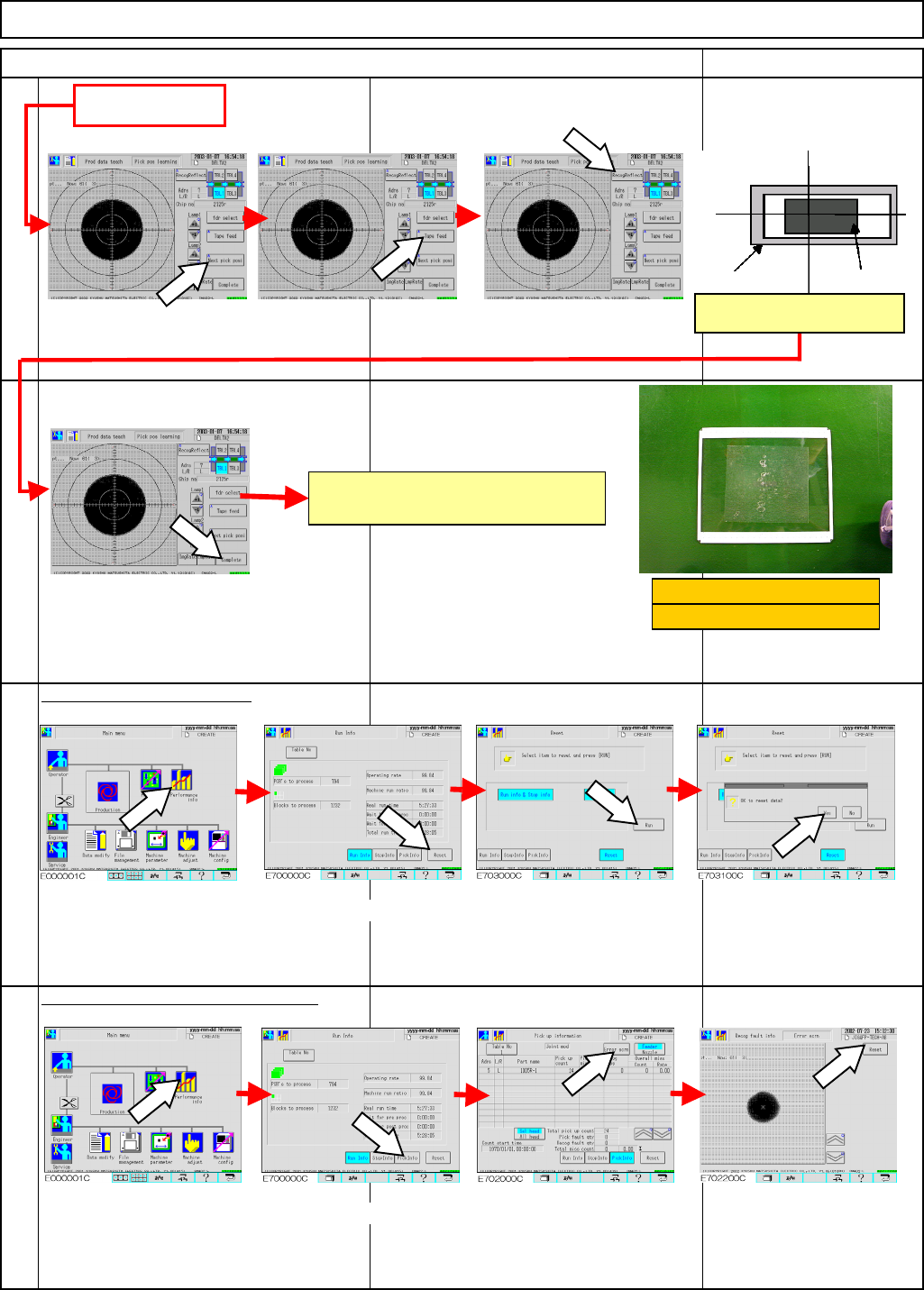
Press [Complete].
Press [Performance info]. Press [Reset]. Press [Run].
Press [Yes].
Press [Performance info]. Press [Pick Info]. Press [Error scrn].
Press [Reset].
RemarksItem
12-Nozzle Head Teaching
Press [Next pick posi].
P
ress [RecogReflect]
10
Machinery Part Replacement
9
12
Reset the recognition-error screen.
Reset the production data.
11
From Step 8
Press [Tape feed] to feed a
component to the pickup
position.
Ta
p
e
p
ocke
t
Component
Check the tape pocket is
p
ositioned in the center.
Repeat all the above steps for
each stage.
Mount-position-teaching jig
240 x 216 glass board
EJM8A-E-SMA051111-A01-00
Page 5-11-11-4
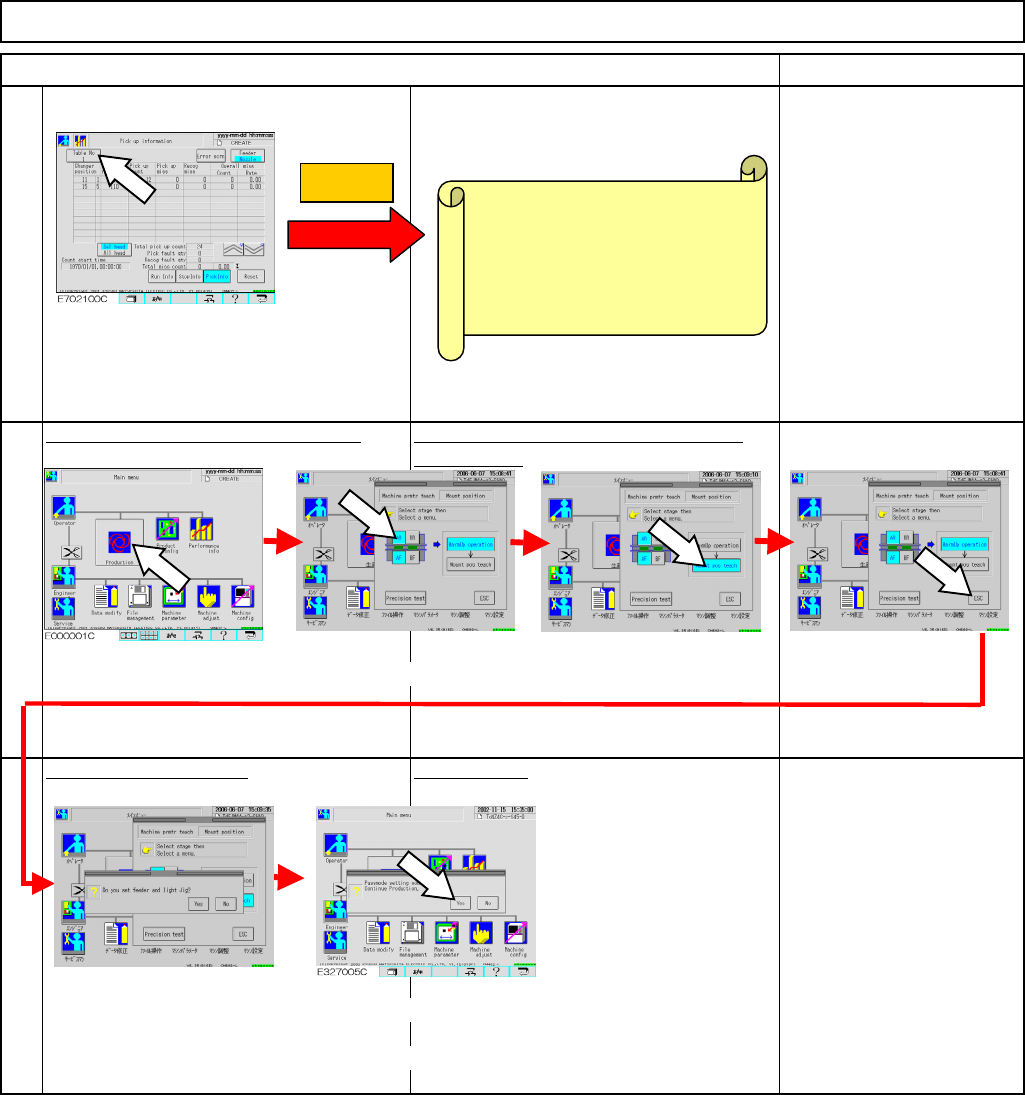
Press [Production]. Select the stage to teach.
Press [ESC].
Press [Yes]. Press [Yes].
* The machine parameters are saved automatically when returning to
the main menu.
12-Nozzle Head Teaching
Remarks
13
Item
mounting.
Press [ESC].
Press [Production] to start teaching. * Change double-sided tape for each
Press [Mount position].
14
15
Machinery Part Replacement
Press [Mount pos teach].
• After board recognition is
finished, plug in the light box
and turn on the light.
• When mounting starts, cycle
stop is displayed
automatically.
• When both mounting and
recognition are finished,
return to the main menu and
remove the board and the
light box. The teaching is
finished.
Caution
• To reset an error screen:
Stage A ⇒ Select Tables 1 and
2 and reset the screen.
Stage B ⇒ Select Tables 3 and
4 and reset the screen.
EJM8A-E-SMA051111-A01-00
Page 5-11-11-5
Machinery Part Replacement
This sections lists the differences between 12-nozzle-head and 8-nozzle-head teaching jigs.
Tools
None
Jig
12-Nozzle Head Teaching
5-11-12 12-Nozzle-Head-Teaching Jig
Caution
Dange
r
Warning
EJM8A-E-SMA051112-A01-00
Page 5-11-12-1