CM602all_EJM8AESM_Service Manual.pdf - 第783页
Remark Item Component-Thickness-Measuring Unit Option Part and Accessory Replacement Chan g e the am p lifier out p ut t yp e to "1." Settin g of nozzle rear line ( 7 to 12 ) CN39 36 35 34 Check the condition o…
Remark
Item
Component-Thickness-Measuring Unit
Option Part and Accessory Replacement
Out
p
ut-2 threshold settin
g
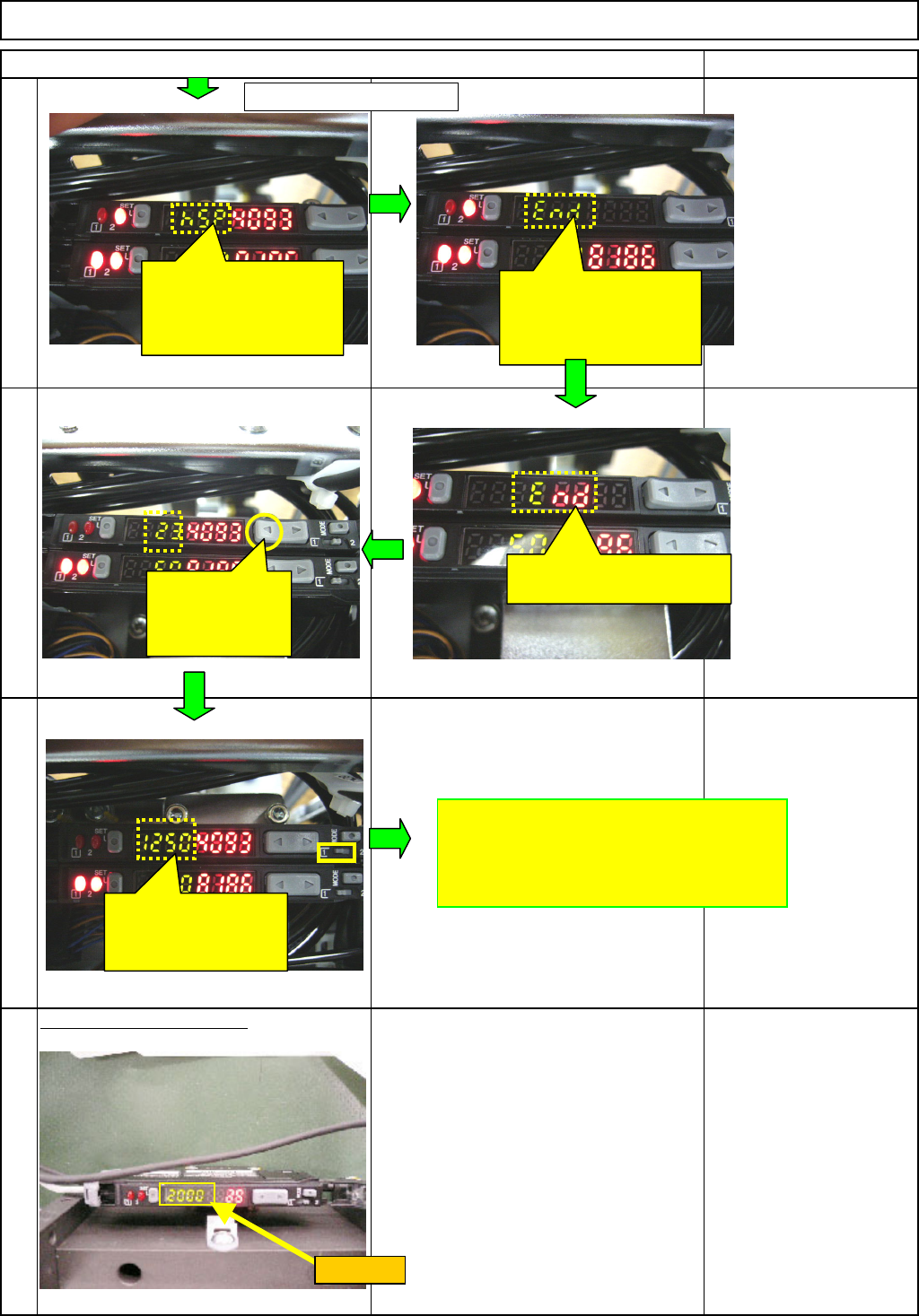
Press the "Manual" button until the value
becomes 2000.
32
30
31
33
Check "hsp"and press
the Mode button.
* Do not hold it down for
a long time.
Check "End"and press
the Mode button.
* Do not hold it down for
a long time.
"End" is displayed and the
original display is returned.
Hold down the
"←" of the
Manual
button
until
1250
Check "1250" and
change the channel
switch from 1 to 2.
End of
amplifier setting
From the previous page
Threshold
EJM8A-E-SMA060401-A01-01
Page 6-4-1-10
Remark
Item
Component-Thickness-Measuring Unit
Option Part and Accessory Replacement
Chan
g
e the am
p
lifier out
p
ut t
yp
e to "1."
Settin
g
of nozzle rear line
(
7 to 12
)
CN39
36
35
34
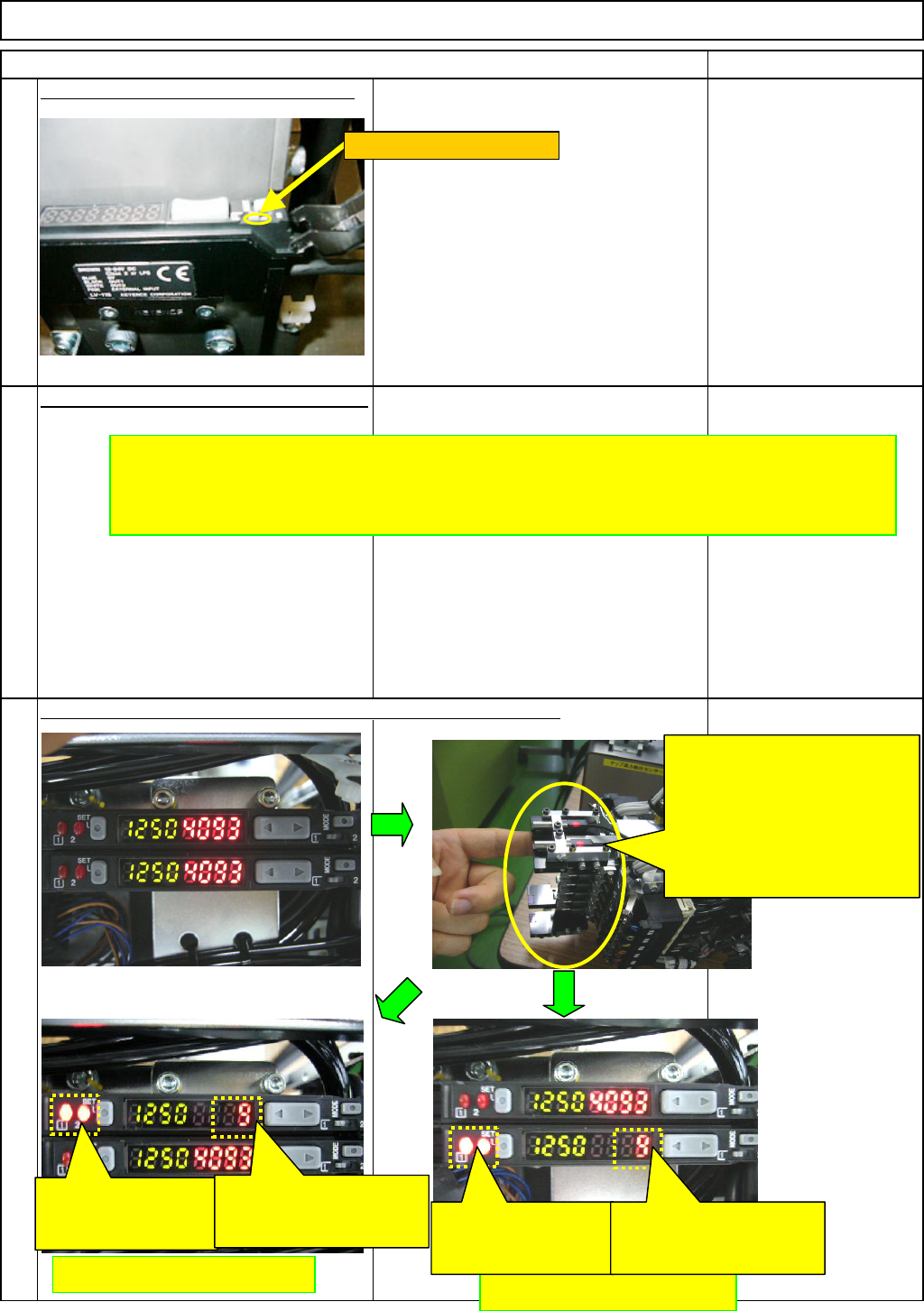
Check the condition of the amplifier with the sensor light blocked.
Repeat the above-mentioned procedures
to set the other amplifier.
After finishing setting the
amplifier, blocking the light
of the front (1 to 6) and the
rear sensors (7 to 12) one by
one, check the condition of the
amplifier for the front and rear
separately.
Rear sensor (7 to 12)
Front sensor (1 to 6)
With the sensor light
blocked, this light
should be turned ON.
With the sensor light
blocked, the value should
be reduced.
With the sensor light
blocked, this light
should be turned ON.
With the sensor light
blocked, the value should
be reduced.
Switch the channel to "1."
EJM8A-E-SMA060401-A01-01
Page 6-4-1-11
Remark
Item
Component-Thickness-Measuring Unit
Option Part and Accessory Replacement
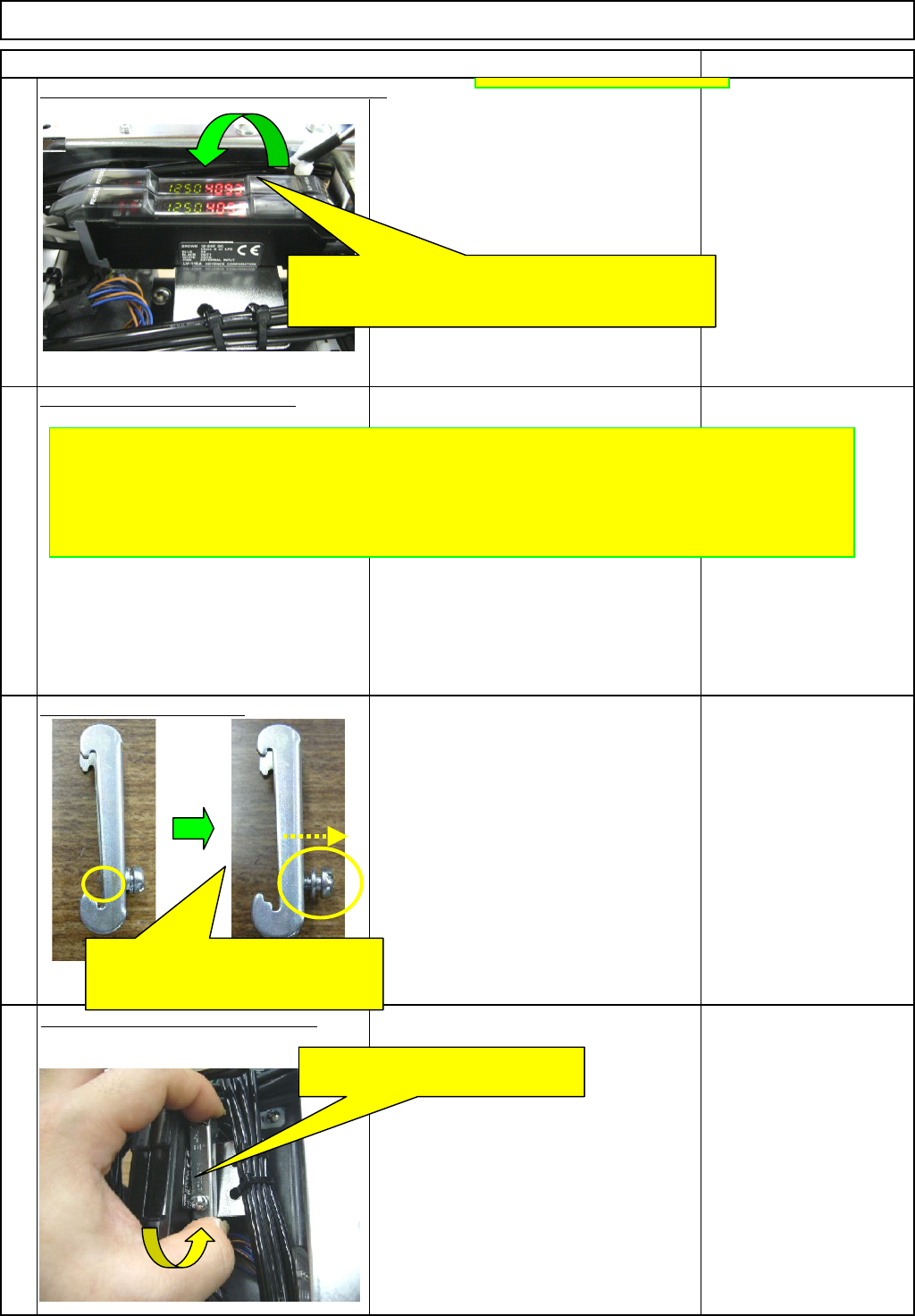
Check the value of the amplifier.
Pre
p
are the holdin
g
bolts.
Fit the am
p
lifier-holdin
g
bolt.
(
1
)
Phillips screwdriver #2
Screw M4
37
38
39
40
Close the amplifier cover, and finish setting.
()
When everything is all right, close the amplifier cover
and finish setting.
* If no good is found, review the amplifier setting.
Block the light with the filter, and check each value (front and rear)
of the amplifier is 600 or more.
* If a value is less than 600, re-adjust the sensor until the
value is 600 or more.
Loosen the holding bolt until the end
of it does not come out to the
rear side of the bracket.
Press the bolt end of the bracket
against the cables to lock that end.
EJM8A-E-SMA060401-A01-01
Page 6-4-1-12