CM602all_EJM8AESM_Service Manual.pdf - 第810页
Option Part and Accessory Replacement Component-Thickness-Measuring Unit Remark Press [Z-axis origin offset]. Select the table to be taught. When teaching the Z-axis only: * Press [ChipThickness] so that it will not be s…
Remark
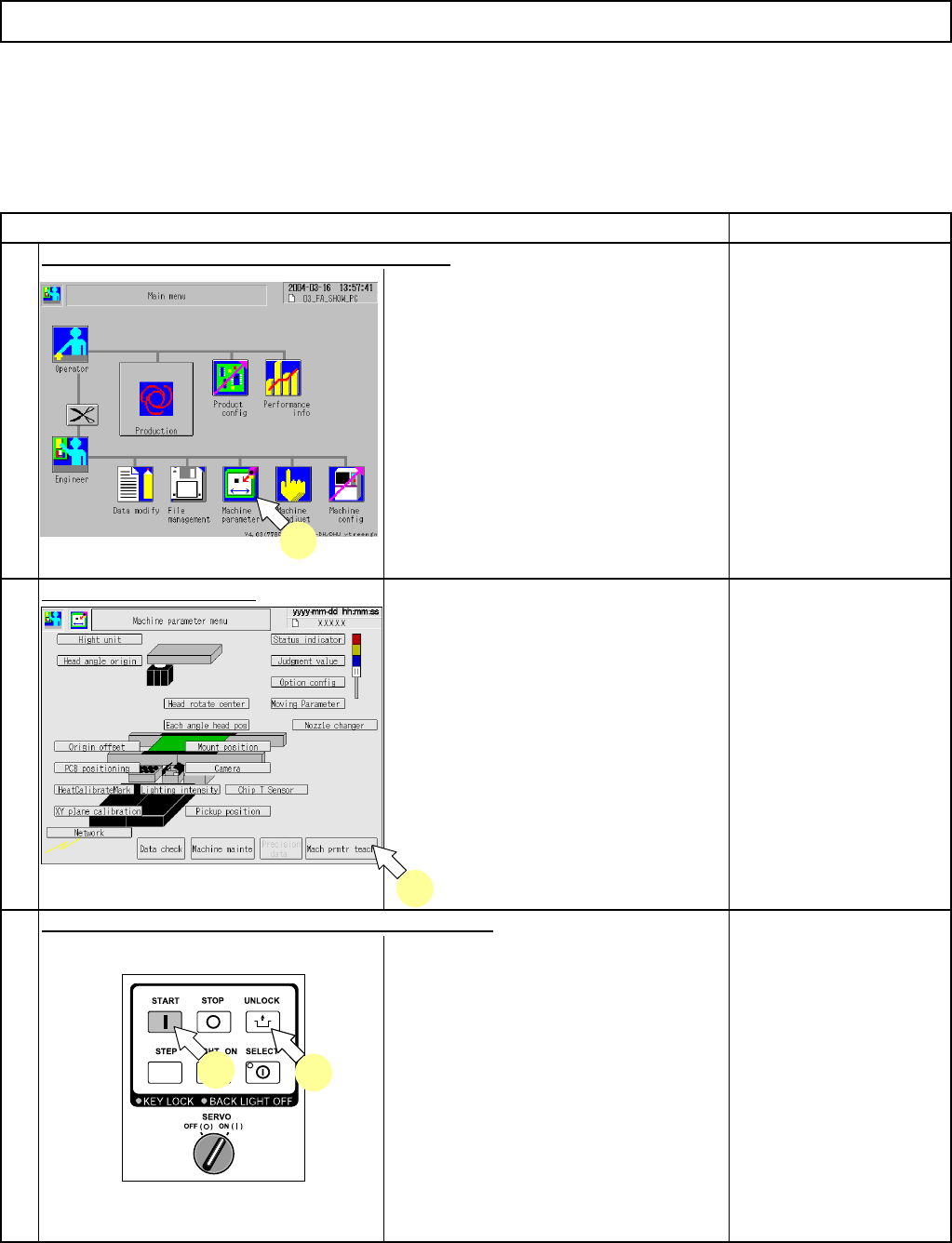
Select [Machine parameter] from the main menu.
• The machine-parameter menu screen
is displayed.
Press [Mach prmtr teach].
The "Machine parameter teaching"
screen is displayed.
2
3
(A) When Nozzles 130S are used for all the nozzle positions with the component-thickness sensor (Head-
mounted type) used (Batch teaching):
Item
1
Press [UNLOCK] and [START] on the operation panel.
Option Part and Accessory Replacement
* A component-thickness sensor (head-mounted type) is an option for the high-speed head (12-nozzle type).
The following procedures are applied to the high-speed head (12-nozzle type) only.
Component-Thickness-Measuring Unit
2
1
3
33
EJM8A-E-SMA060403-A01-00
Page 6-4-3-2
Option Part and Accessory Replacement
Component-Thickness-Measuring Unit
Remark
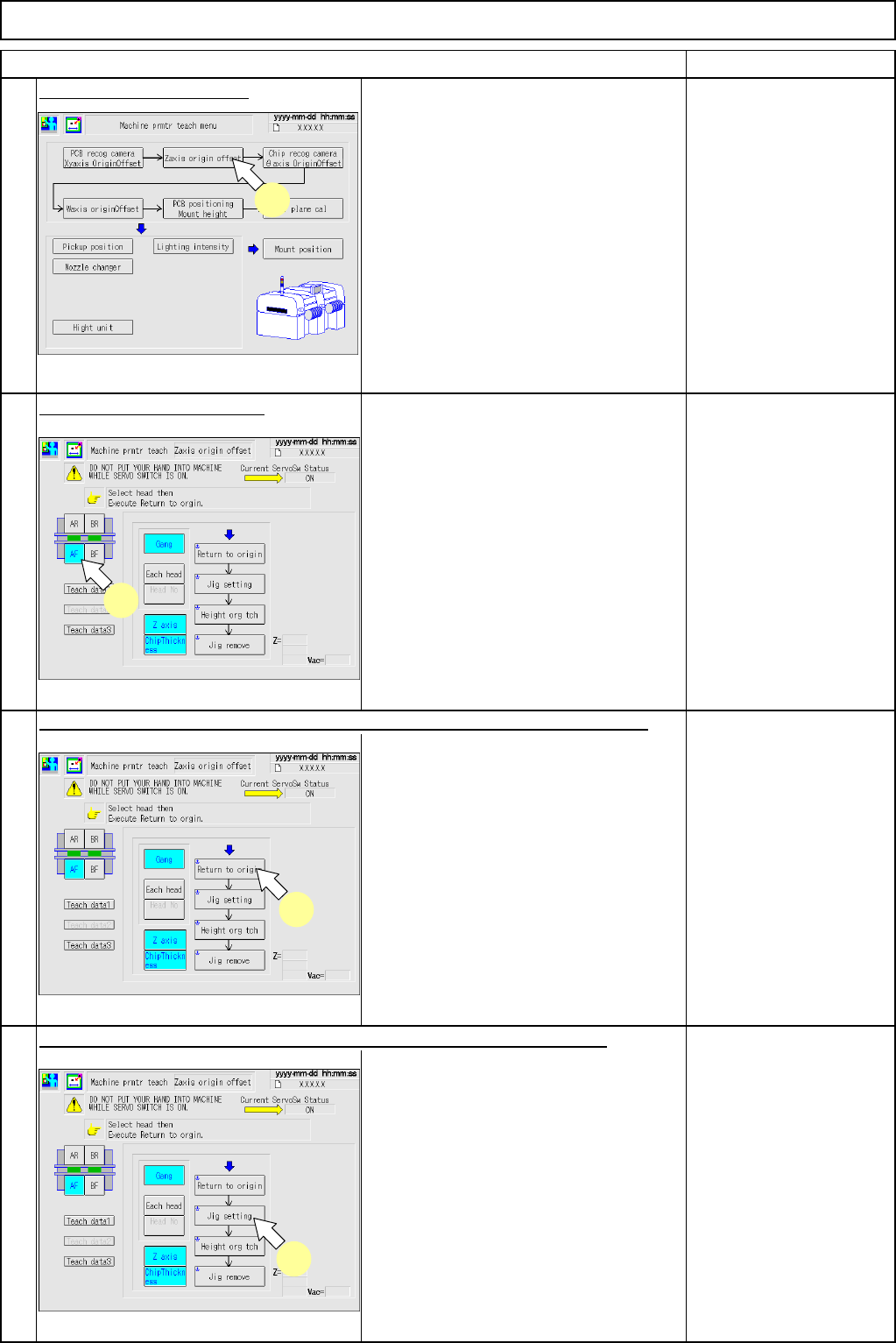
Press [Z-axis origin offset].
Select the table to be taught.
When teaching the Z-axis only:
* Press [ChipThickness] so that it will not
be selected.
When teaching chip thickness only:
* Press [Z axis] so that it will not be
selected.
Press [UNLOCK] on the operation panel and [Jig setting] simultaneously.
Item
6
4
5
Press [UNLOCK] on the operation panel and [Return to origin] simultaneously.
7
4
5
6
7
EJM8A-E-SMA060403-A01-00
Page 6-4-3-3
Option Part and Accessory Replacement
Component-Thickness-Measuring Unit
Remark
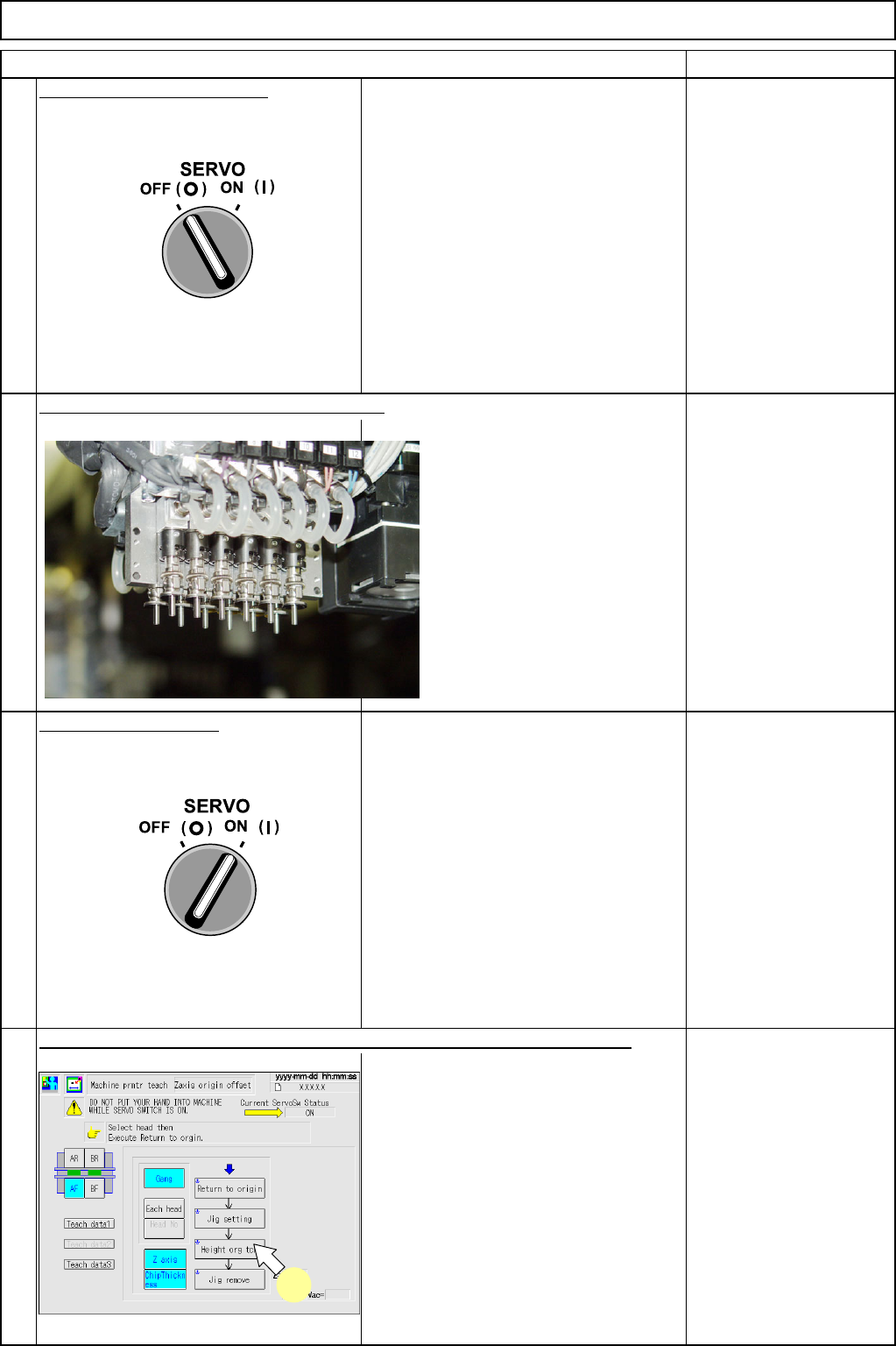
Turn off (O) the servo switch.
Open the safety cover.
Close the safety cover.
Turn on (I) the servo switch.
• Start teaching.
* Once teaching is finished, check a
message "Measurement is finished." is
displayed and proceed to the next
procedure.
9
8
Item
Fit Nozzles 130S on all the nozzle positions.
Press [UNLOCK] on the operation panel and [Height orig tch] simultanously.
10
11
11
EJM8A-E-SMA060403-A01-00
Page 6-4-3-4