CM602all_EJM8AESM_Service Manual.pdf - 第82页
. Check that the warning appears as shown at right when the plate is pulled and the hook is lowered. . Each time "SET" is pressed, [Setup before shipping] the reading is changed as follows: P_1 ; 0.450MPa P_2 ;…
* When the motor power
is off, select "Unlock"
and "Start."
48
a little
.
below:
47
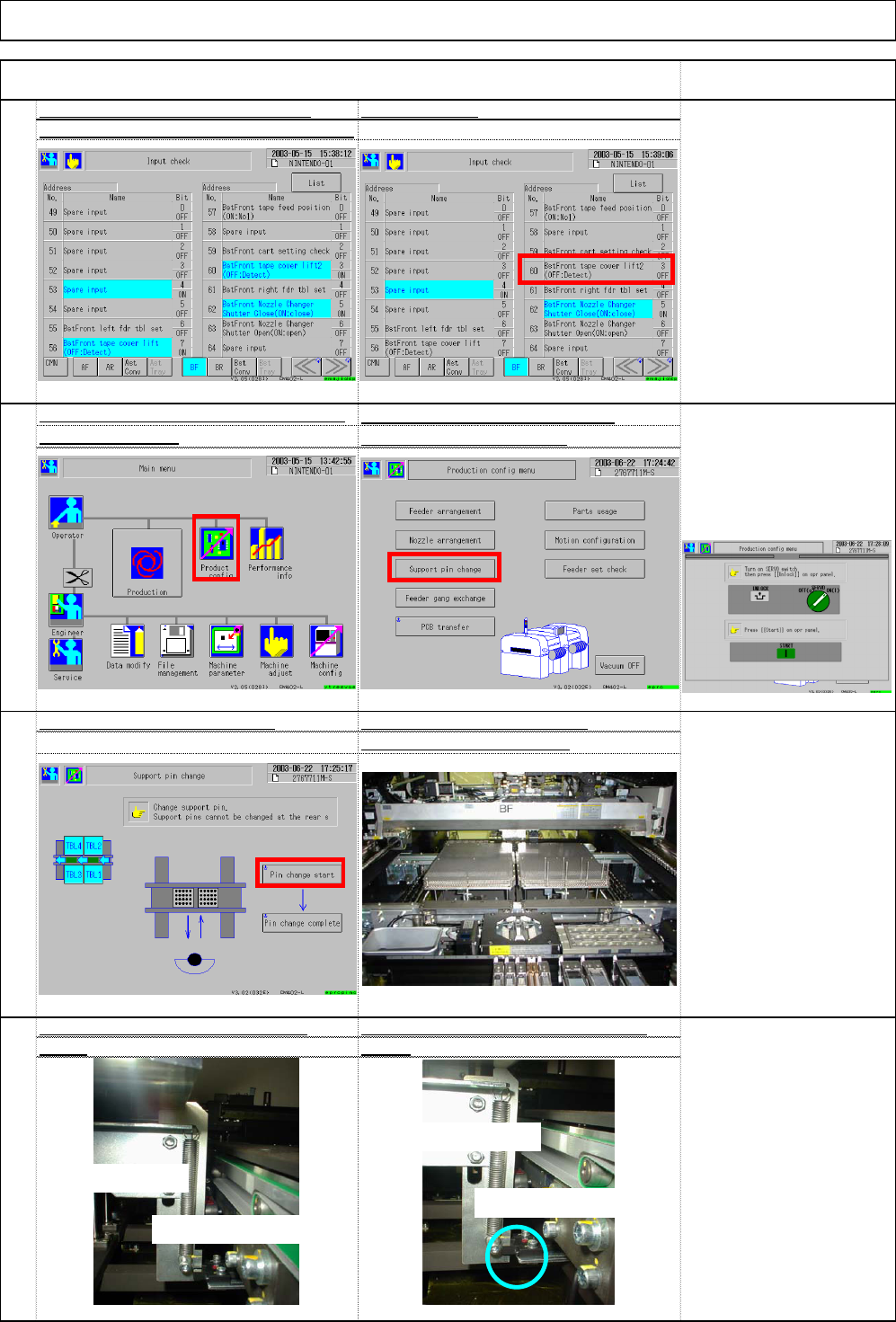
"UNLOCK" (1) Pin change star
t
The head moves inwards and
the support plate moves up.
Lower the dog and pull the plate o
u
The support interlock sensor is show
n
46
Check detection of the width adjustment
Select (1) [Product config] an
d
interlocks. 2 pcs.
(2) [Support pin change].
Installation Machine Installation
45
Check the tape float sensor of each when it is open
stage :when the tape float cover is close
d
Item Remark
(1)
(2)
(1)
Light beam passes.
Light beam is cut.
Dog raised
Dog lowered
EJM8A-E-SMA020103-A01-00 Page 2-1-3-13
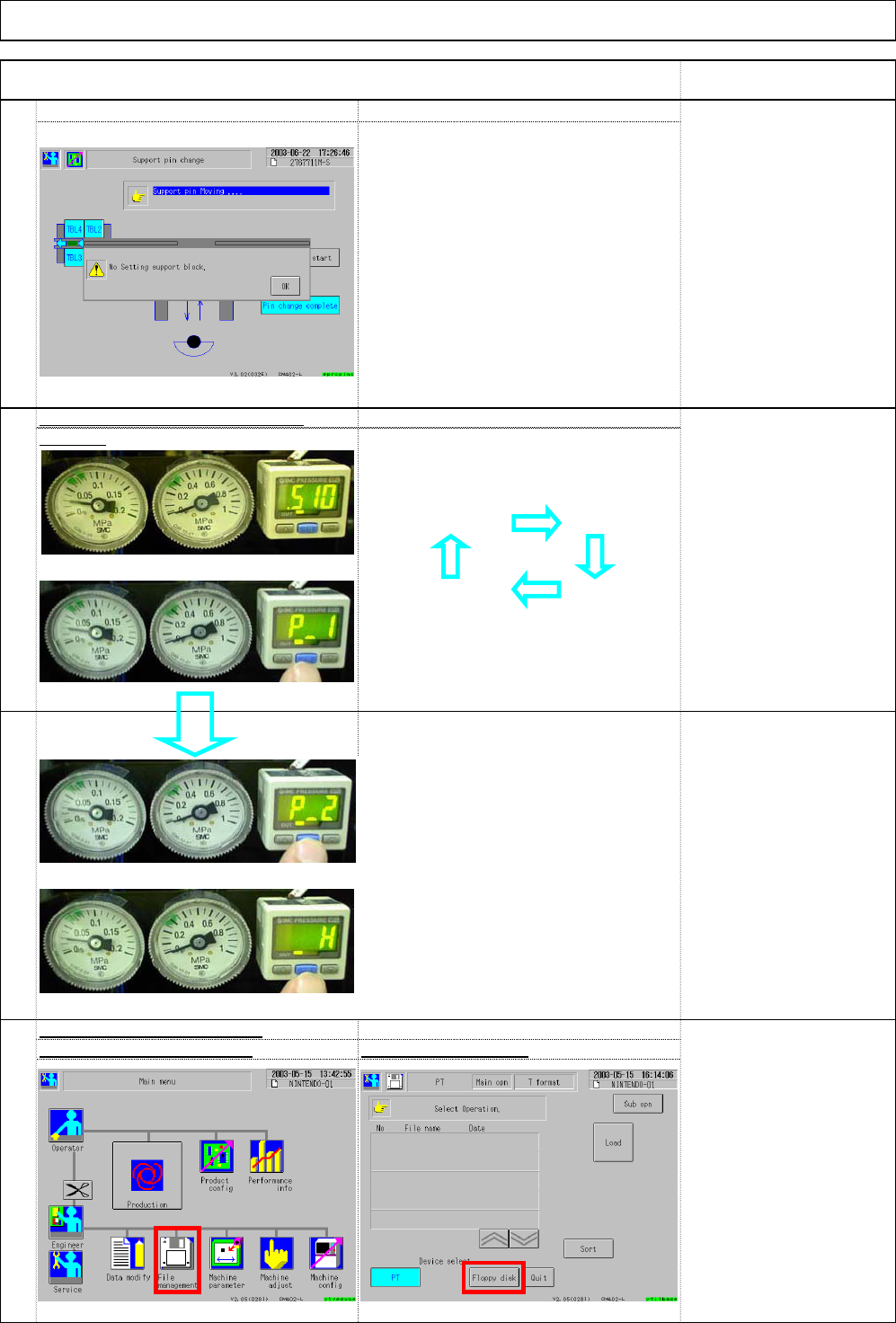
. Check that the warning appears as
shown at right when the plate is
pulled and the hook is lowered.
. Each time "SET" is pressed,
[Setup before shipping]
the reading is changed as follows:
P_1 ; 0.450MPa
P_2 ; 0.600MPa
_ H ; 0.050MPa
. Enter the lowest pressure into P1.
[Specifications]
* When air pressure is affected easily
by factory's conditions, adjust P-1
Air pressure: 0.49MPa
and P-2 according to those
conditions.
Size of Inlet: 3/8
Error example:
Amount of air supplied:
The other machines were stopped at the
150L/min
factory finishing time so the main air
Others
pressure rose and exceeded the
8L/min is necessary
maximum limit.
for each bulk feeder
Installation Machine Installation
Item Remark
49
Setup guide
0.4 Mpa.
. It was set before shipping; check only.
50
Check that the air pressure is set t
o
51
Select (2) Floppy diskSelect (1) File management
.
Select [Floppy disk] from
the window at left.
52
Check saving to a floppy disk
(1)
(2)
(3)
(4)
『P_2』
『_ H』
(1)
(2)
[Current reading] [P_1]
EJM8A-E-SMA020103-A01-00 Page 2-1-3-14
56
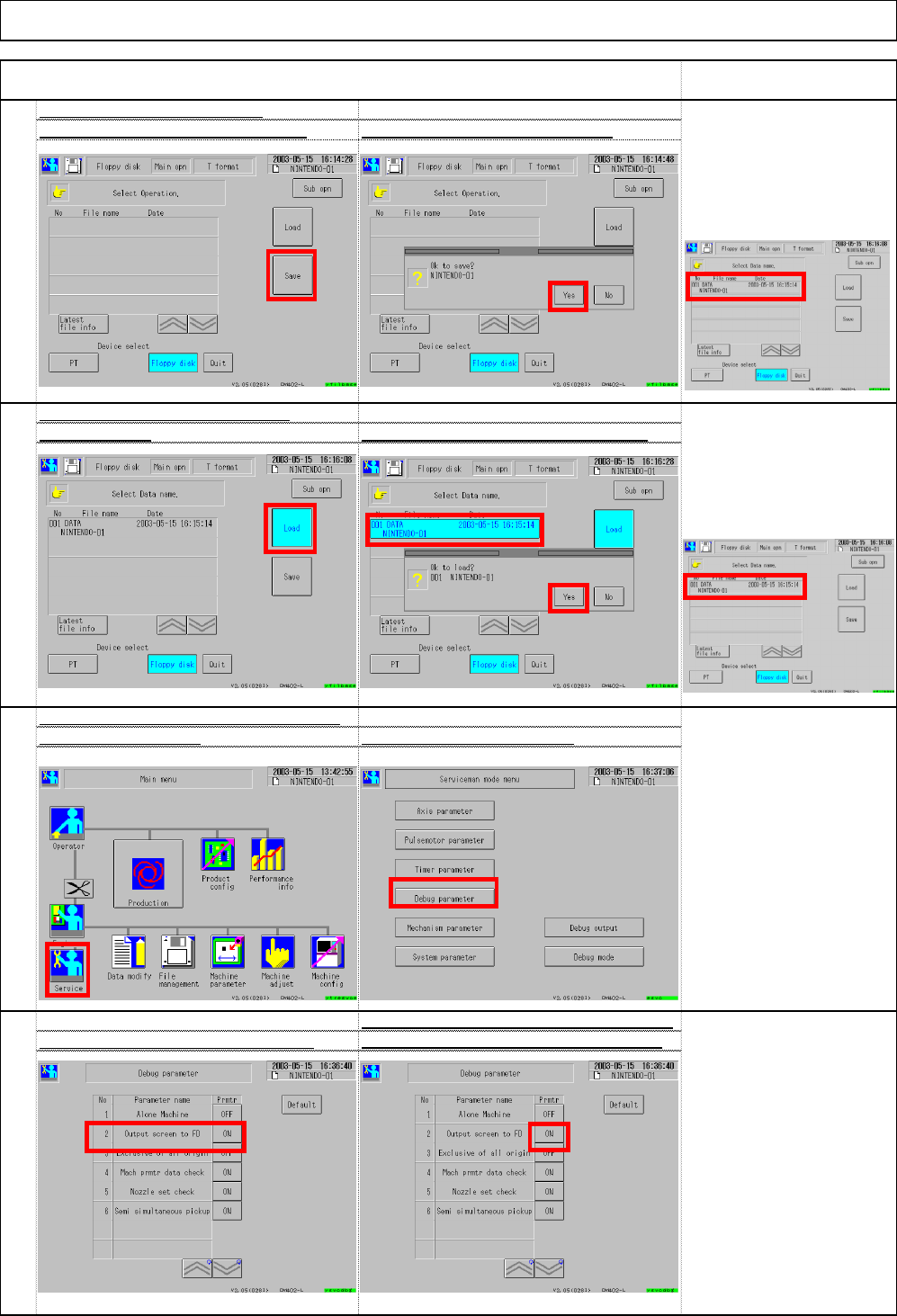
Each time the button shown below is pressed,
Set ③"Output screen to FD" to OFF
④"ON" and "OFF" are displayed alternately.
55
Set ③ "System parameters - Output pu
t
screen to FD" to OF
F
Select ② Debug parameter
.
54
Check loading from a floppy disk
Select ①Load. Select ② data name and then ③ Yes.
[Judgment]
The machine should be
operated normally. File
name is displayed
Insert a floppy disk. Select ③ Save. Select ④ Yes. ⇒ Saving starts
.
[Judgment]
There should be no problems
with loading. The window
below shows conditions.
Check saving to a floppy disk
Installation Machine Installation
Item Remark
53
(3)
(4)
(1)
(2)
(3)
(1)
(2)
(3)
(4)
File name should
be displayed.
EJM8A-E-SMA020103-A01-00 Page 2-1-3-15