CM602all_EJM8AESM_Service Manual.pdf - 第855页
Remarks Item Option Part and Accessory Replacemen t PCB-Warp-Sensor Unit * Before cutting off the cable tie, check the "tie" position. (Caution) Do not put the cable in the head so that it is not necessary to r…
Remarks
Item
Option Part and Accessory Replacemen
t
PCB-Warp-Sensor Unit
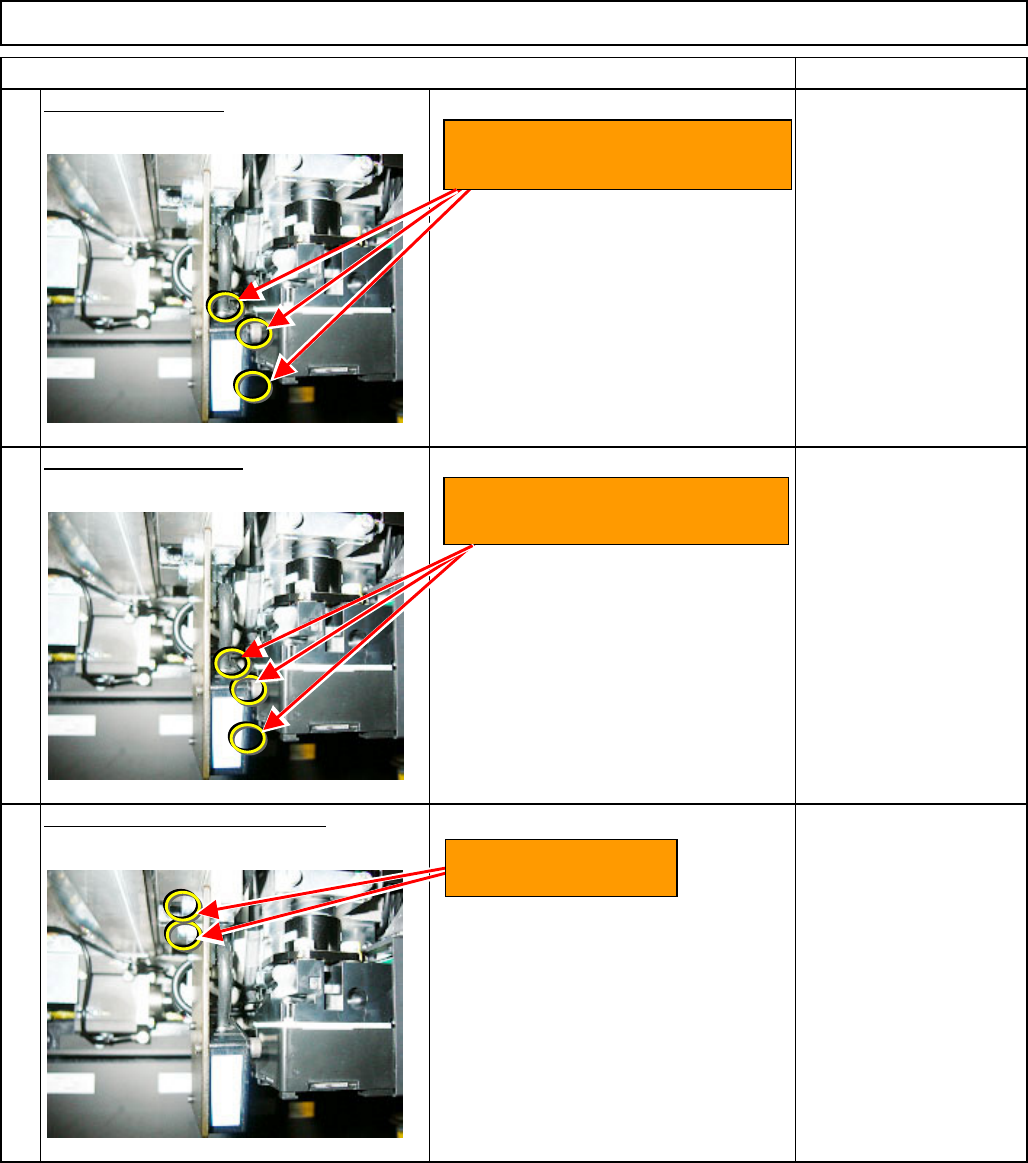
Remove the sensor.
Wrench M4
CB4-18 (3 pcs.)
Install the new sensor.
Wrench M4
CB4-18 (3 pcs.)
Put the sensor bracket back on.
Wrench M4
M4 x 14L (2 pcs.)
10
9
11
Loosen the three special bolts
CB4-18. Remove the sensor.
Install the sensor with three
special bolts CB4-18.
Install the bracket
with two M4x14L bolts.
EJM8A-E-SMA060503-A01-00
Page 6-5-3-4
Remarks
Item
Option Part and Accessory Replacemen
t
PCB-Warp-Sensor Unit
* Before cutting off the cable tie, check
the "tie" position.
(Caution)
Do not put the cable in the head so that
it is not necessary to remove the PCB-
warp-sensor cable when replacing the
head.
* Before cutting off the cable tie, check
the "tie" position.
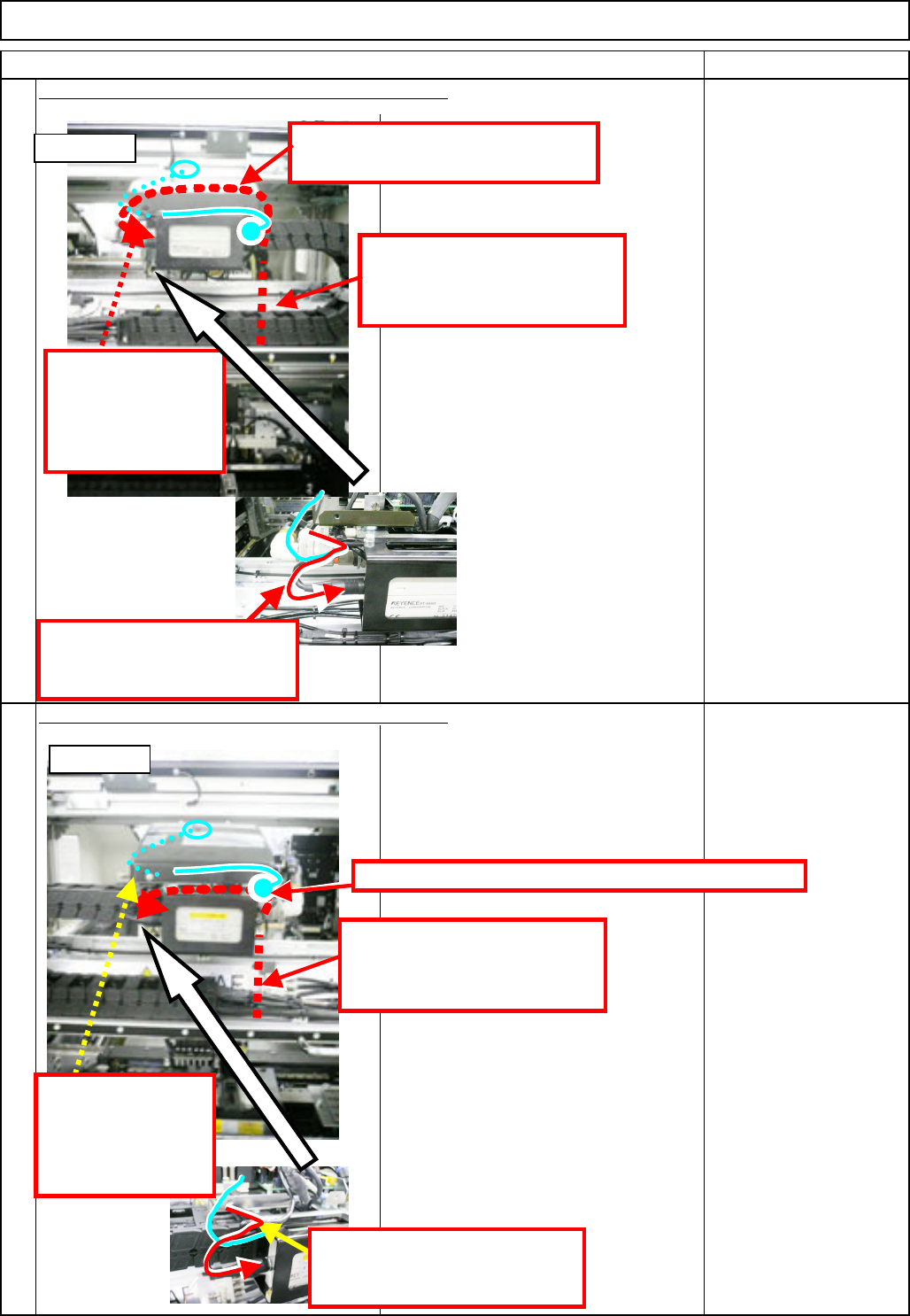
Placing and securing the sensor cable. (AR and BF)
Placing and securing the sensor cable. (AF and BR)
12
13
Put the cable through the upper board
and to the front left.
Tie the cable along
with the LED-light
and the head-camera
cables behind the
bracket.
AR and BF
Aligning the cable with the
grease tube, tie the cable and
the tube with a cable tie.
Put the cables behind the amplifier, and to the front left.
AF and BR
Put the cable through the air
j
oint, and connect it to the
amplifier.
Tie the cable along
with the LED-light
and the head-camera
cables behind the
bracket.
Put the cable through the air
j
oint, and connect it to the
amplifier.
Aligning the cable with the
grease tube, tie the cable and
the tube with a cable tie.
EJM8A-E-SMA060503-A01-00
Page 6-5-3-5
Remarks
Item
Option Part and Accessory Replacemen
t
PCB-Warp-Sensor Unit
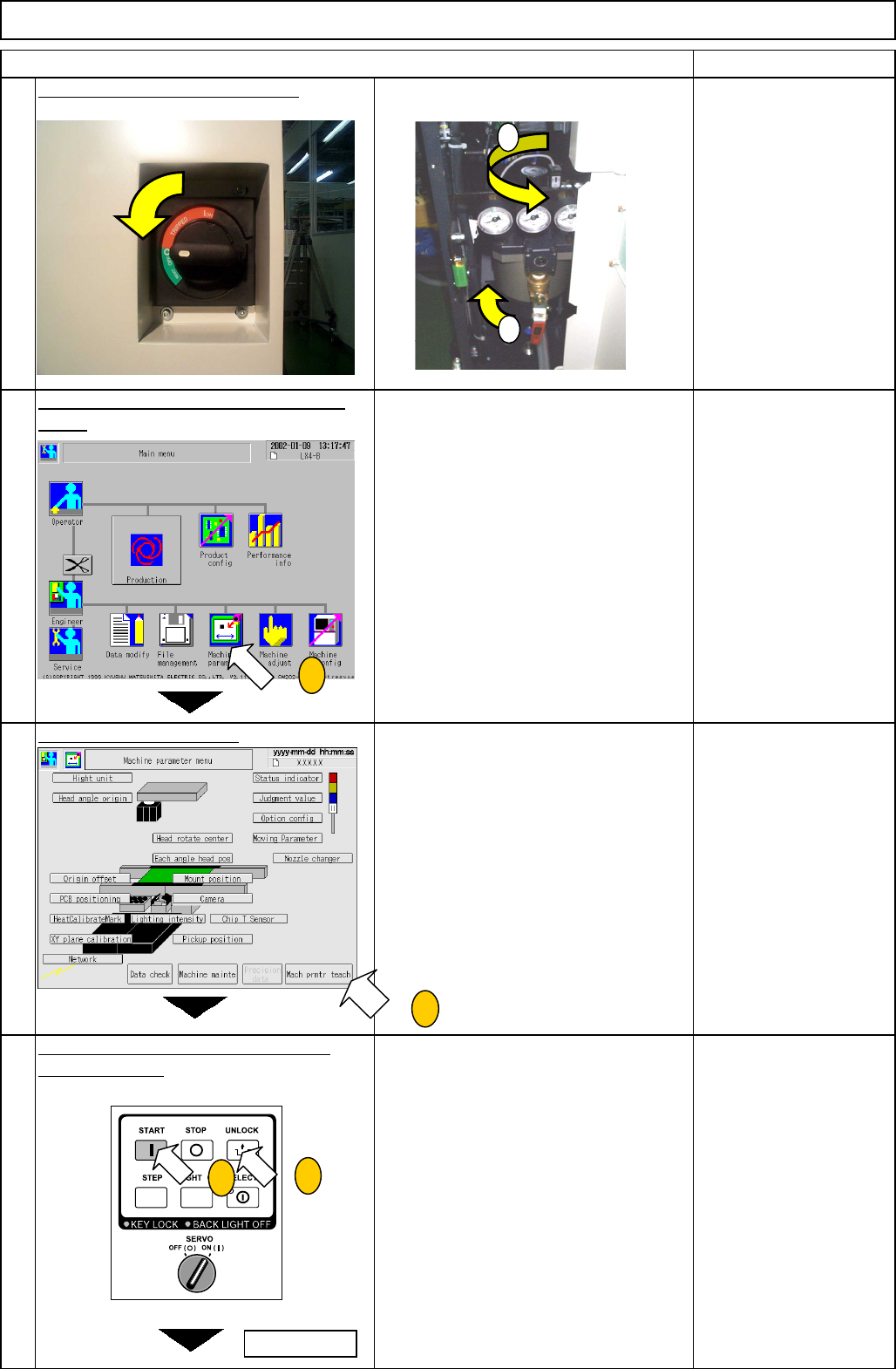
Turn on the power and air supply.
14
Press [Machine parameter] on the main
menu.
15
• The main menu of the Machine
Parameter is displayed.
Press [Mach prmtr teach].
16
• Press [Mach prmtr teach].
Press [UNLOCK] and [START] on the
operation panel.
17
• The "Machine parameter teach"
window is displayed.
* After the "return-to-origin" process, the
window is displayed.
1
2
1
2
3
3
To next page
EJM8A-E-SMA060503-A01-00
Page 6-5-3-6