CM602all_EJM8AESM_Service Manual.pdf - 第87页
* To add the data to the machine list, press "Entry(E)." 72 Select (3) data name . Select (4) Yes . 71 Machine Main Men u Select (1) File management . Select (2) Load. 70 "Machine List Entry" windo w …
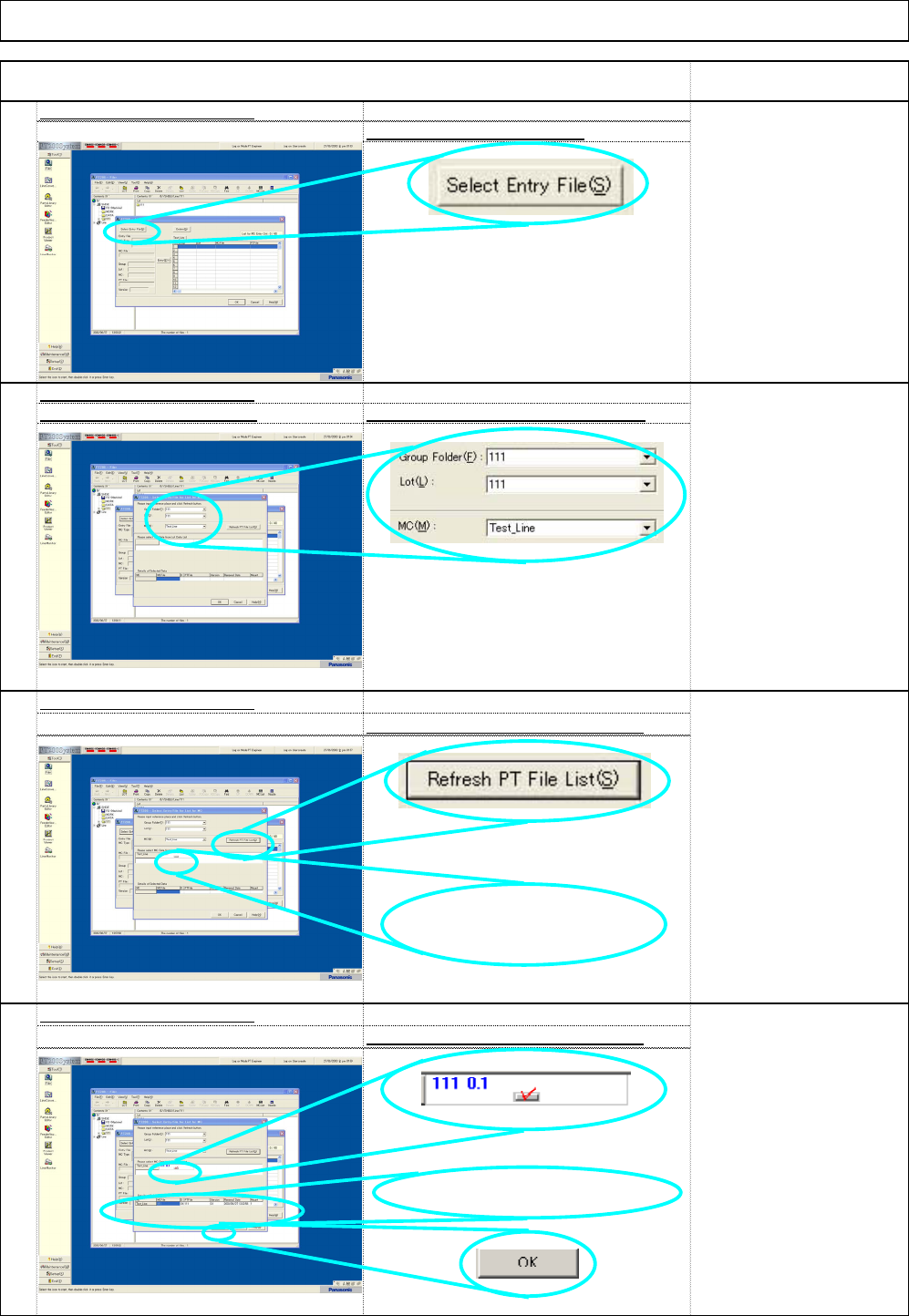
Details of the selected data is displayed.
RemarkItem
Installation Machine Installation
65
"Machine List Entry" windo
w
Select "Select Entry File(S).
"
66
"Machine List Entry" windo
w
Select data from the list box Select "Group", "Lot" and "Machine.
"
67
"Machine List Entry" window
Select "Refresh PT File List (S).
"
"Machine List Entry" window
68
Select machine data from module 1.
The data version is
displayed here.
EJM8A-E-SMA020103-A01-00 Page 2-1-3-18
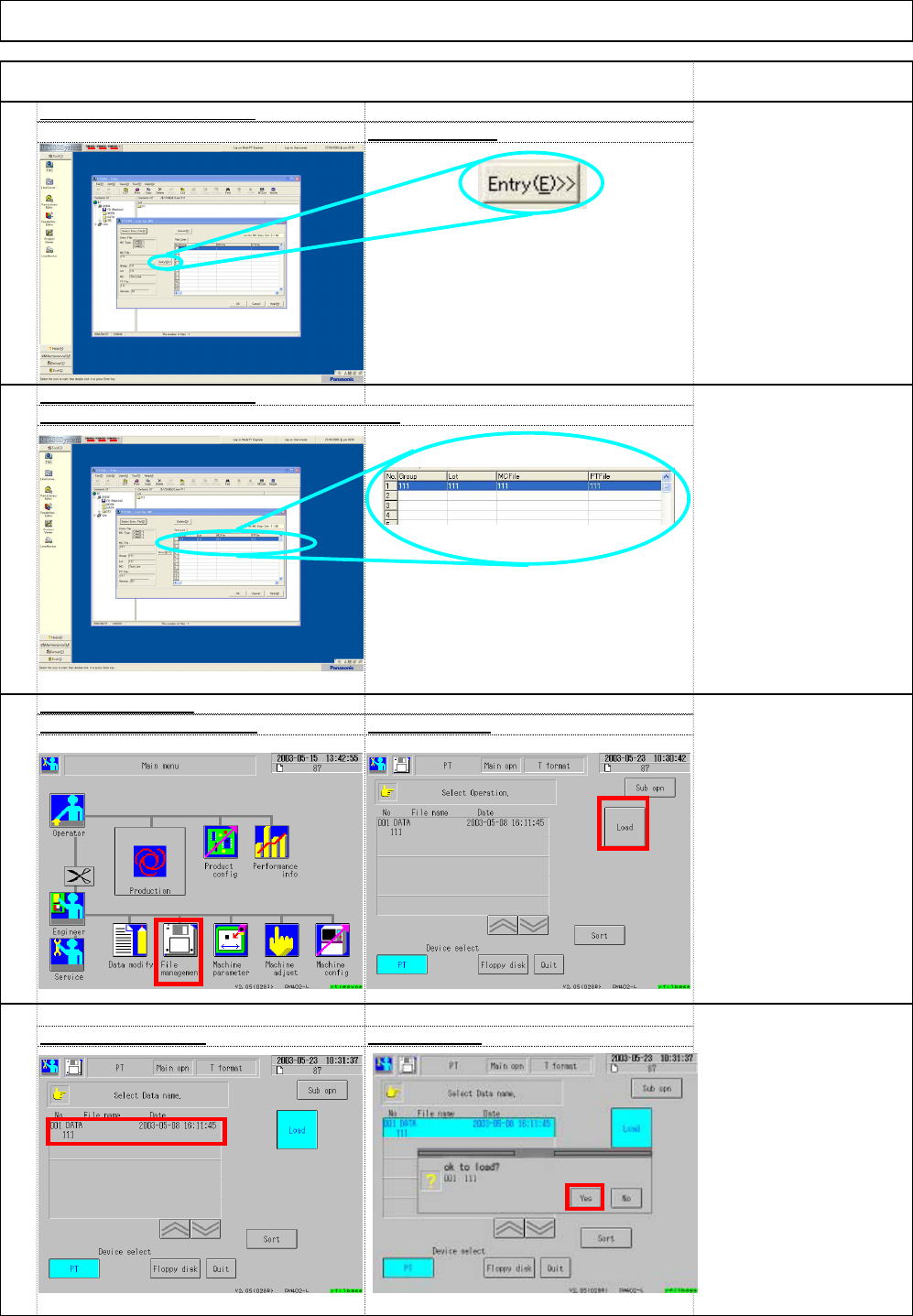
* To add the data to the machine
list, press "Entry(E)."
72
Select (3) data name
.
Select (4) Yes
.
71
Machine Main Men
u
Select (1) File management
.
Select (2) Load.
70
"Machine List Entry" windo
w
Check the data are entered in the machine lis
t
Item Remark
69
"Machine List Entry" windo
w
Select "Entry(E)
"
Installation Machine Installation
60
%
(1)
(2)
(3)
(4)
EJM8A-E-SMA020103-A01-00 Page 2-1-3-19
74
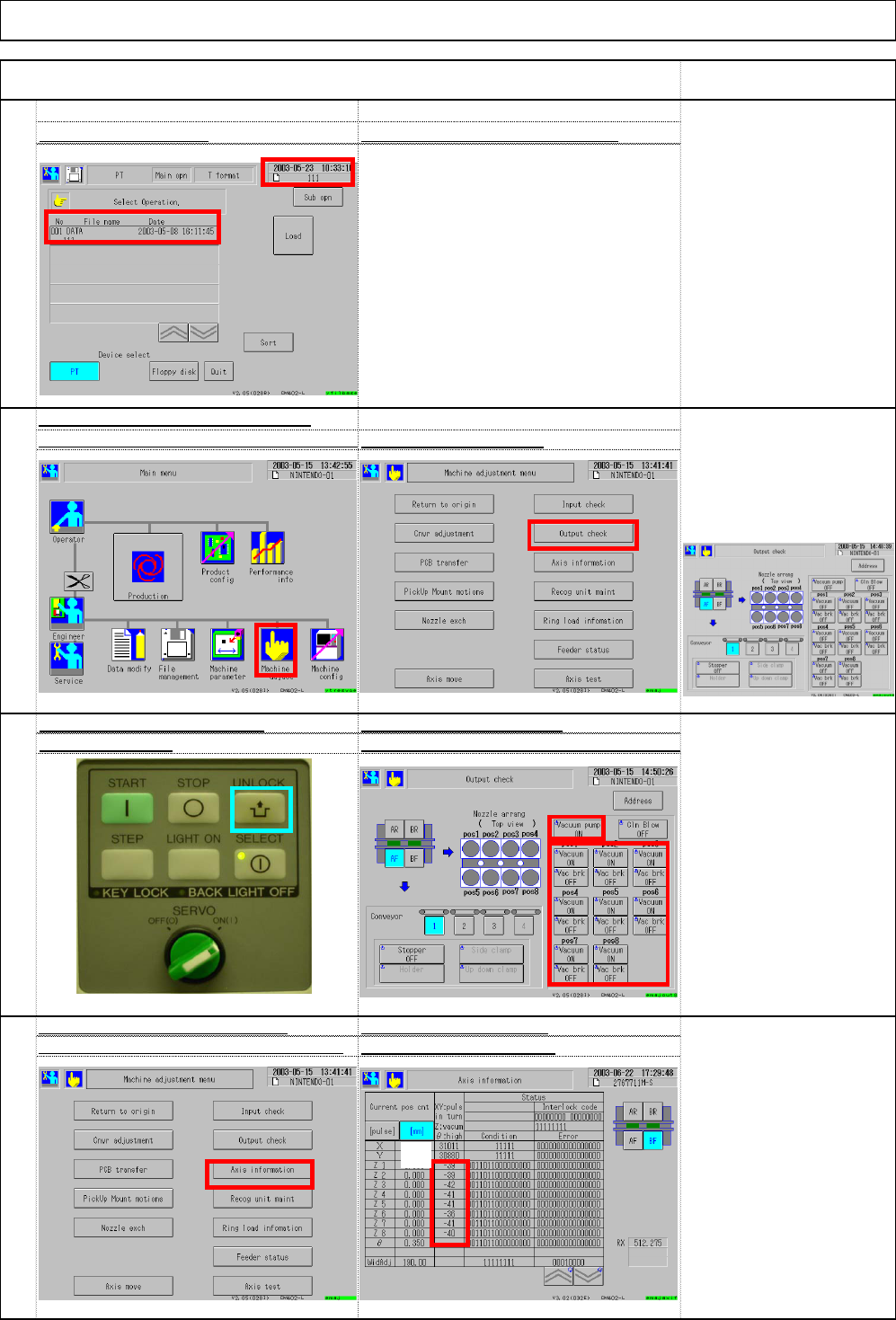
Check the vacuum value of the vacuum
checking method
:
(1) Unlock + (2) Vacuum pump (3) Vacuu
m
75
High-speed vacuum pressure Turn on the vacuum pump
76
After turning on "Vacuum," go to the
Check vacuum pressure
"Machine adjust." Select (4) Axis information
with (5) Axis information
* There should be no large
difference among vacuum
pressures.
(Normally, there is 1 to 2
difference.)
* To change "Vacuum" to
"ON," press "Unlock" and
"Vacuum."
Turn on all vacuum pumps
and vacuums.
sensor of each head. Select (1) Machine adju
s
Select (2) Output check
.
"Out
p
ut check" window
73
Check (5) file name.
Check ⑥ loading date and etc
.
Installation Machine Installation
Item Remark
(5)
(1)
(2)
(1)
(2)
(4)
(5)
(3)
(6)
EJM8A-E-SMA020103-A01-00 Page 2-1-3-20