CM602all_EJM8AESM_Service Manual.pdf - 第871页
PCB-Warp-Sensor Unit Option Part and Accessory Replacement Remarks • The head moves to the evacuation position. Turn off ( O ) the servo switch. Open the safety cover. Press the jig until it makes a close contact with th…
Remarks
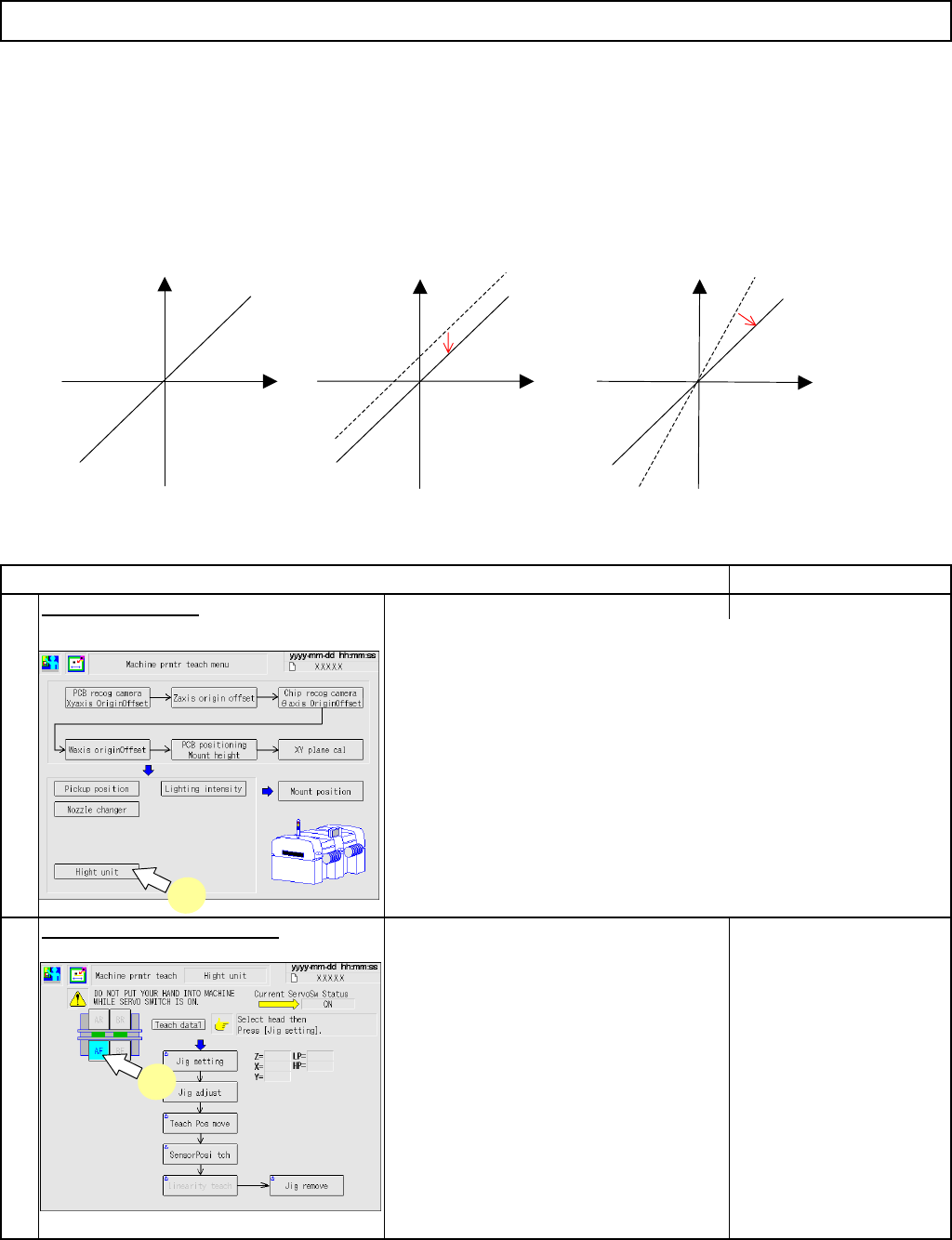
Press [Height unit].
• The conveyor width is adjusted automatically.
Select the table to be taught.
Item
1
2
utput adjustment
* This correction adjustment realizes an output close to the proper value.
Preparation
Remove all the support pins.
* Before teaching the PCB position and mount height, check no polarizing plates are attached to the head
camera.
PCB-Warp-Sensor Unit
Option Part and Accessory Replacement
Proper output
Output adjustment with amplifier "0-
ADJ"
(This adjustment should be done using
the 2-mm position of the jig.)
Output
Actual distance
1
2
Output
Output
Output adjustment with amplifier
"SPAN"
(This adjustment should be done
using the 0-mm position of the jig.)
Actual distance
Actual distance
EJM8A-E-SMA060505-A01-00
Page 6-5-5-2
PCB-Warp-Sensor Unit
Option Part and Accessory Replacement
Remarks
• The head moves to the evacuation
position.
Turn off
(
O
)
the servo switch.
Open the safety cover.
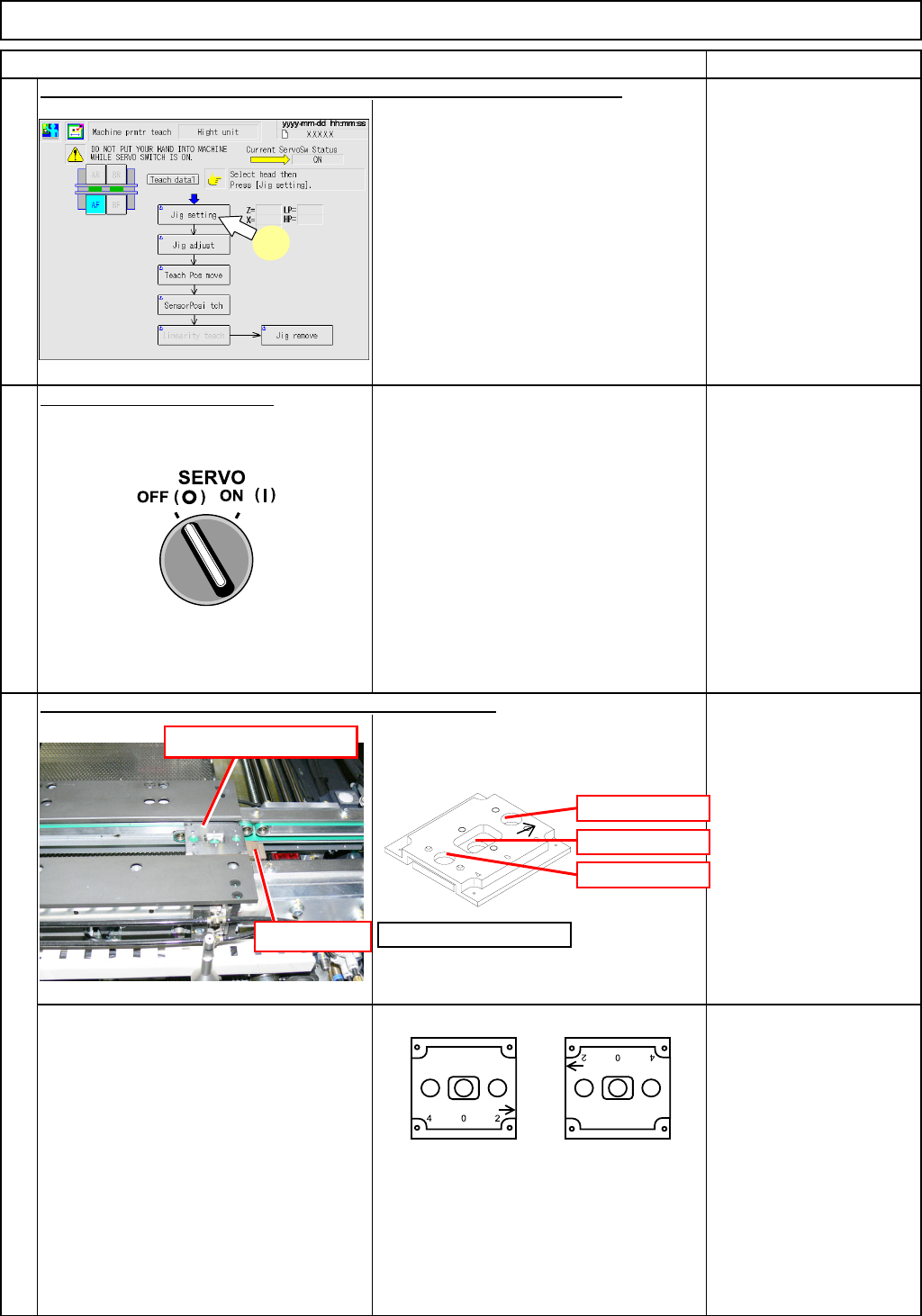
Press the jig until it makes a close
contact with the PCB stopper.
* Position the jig so that the arrow on the
height-measuring jig is positioned in the
direction shown at right.
5
3
4
Item
Press [UNLOCK] on the operation panel and [Jig setting] simultaneously.
Put the height-measuring jig on the 1st mounting position
Height-measuring jig
PCB stopper Height-measuring jig
Front
Left-to-right flow
Front ref.
Inner-side ref.
3
0 mm
2 mm
4 mm
Front
Right-to-left flow
Front ref.
Inner-side ref.
EJM8A-E-SMA060505-A01-00
Page 6-5-5-3
PCB-Warp-Sensor Unit
Option Part and Accessory Replacement
Remarks
Close the safet
y
cover.
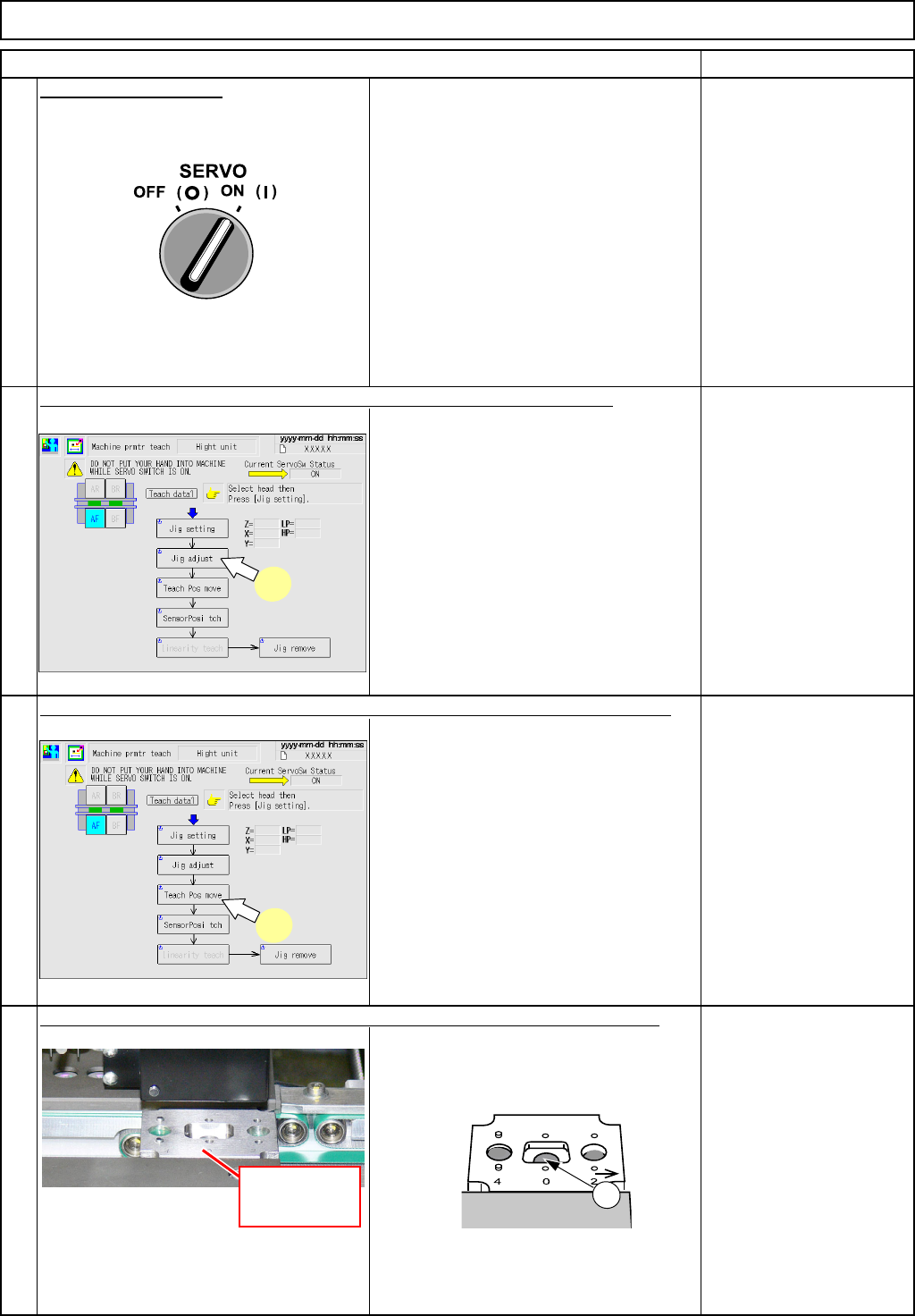
Turn on (I) the servo switch.
Press [UNLOCK] on the operation panel and [Jig adjust] simultaneously.
• The height-measuring jig is clamped.
• The transfer head (sensor) moves to
the "0-mm" position of the height-
measuring jig.
Item
Check that the sensor light comes in the center
c of the "0-mm-position" hole.
9
Press [UNLOCK] on the operation panel and [Teach Pos move] simultaneously.
6
8
7
7
Height-
measuring jig
1
8
EJM8A-E-SMA060505-A01-00
Page 6-5-5-4