CM602all_EJM8AESM_Service Manual.pdf - 第977页
Remove the machine side covers. ( Both sides ) Philli p s screwdriver #2 Note: Basic rule for cabling . Put the power cable into the thinner duct. . Put the signal cable into the thick duct. . When the two cables cross e…
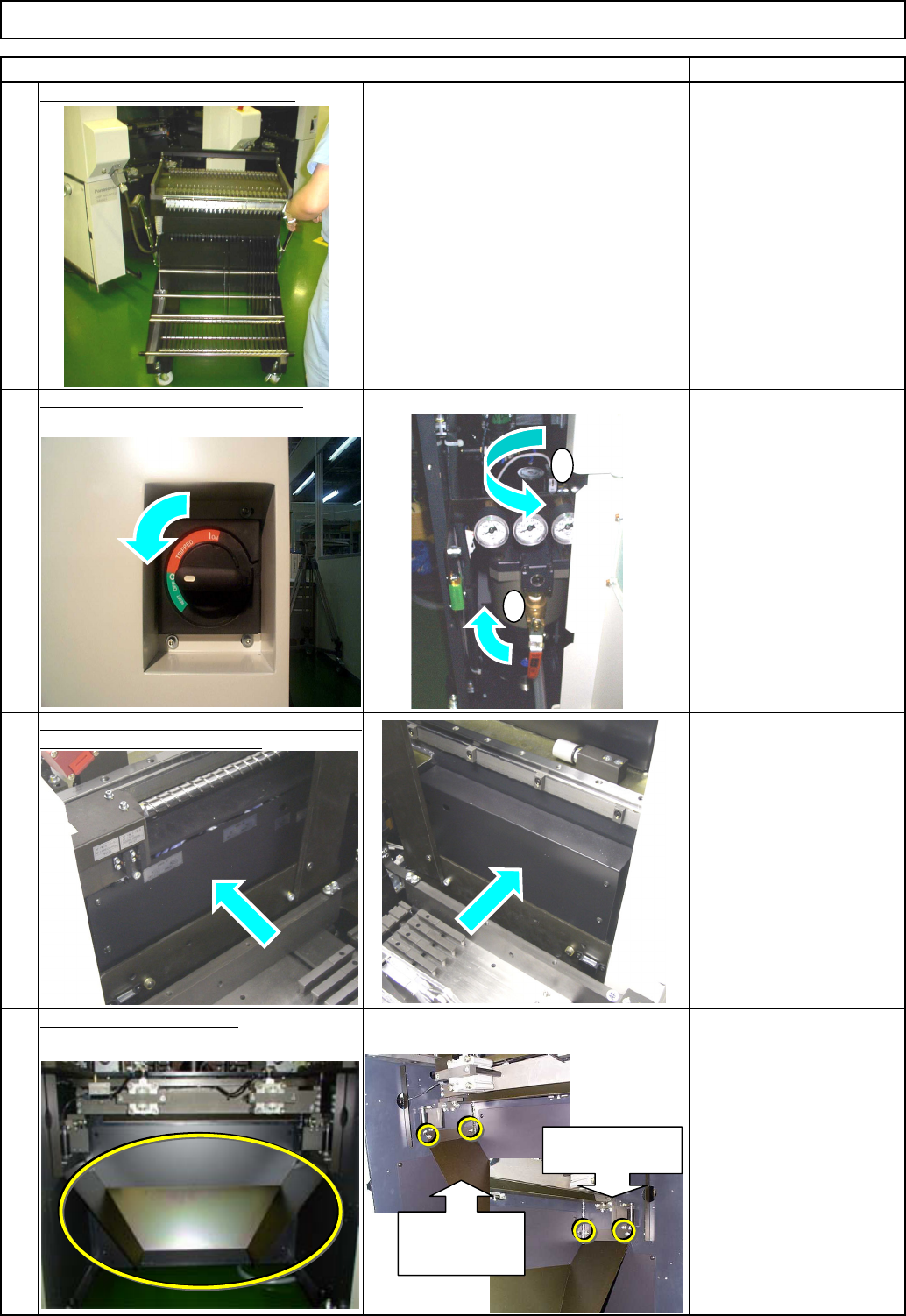
Remove the side covers from the feeder
section.
(
AR and BR sta
g
es
)
Tray
4
2
1
Item
Turn off the power and air supply.
Remarks
Remove all feeder change carts.
3
Shuttle Tray
Remove all lower chutes.
Allen key 4 mm
M5 x 12 mm 4 pcs x 4
Thick washer 4 pcs x 4
1
2
Left chute
installing
section
Right chute
installing section
EJM8A-E-SMA070117-A01-00 Page 7-1-17-2
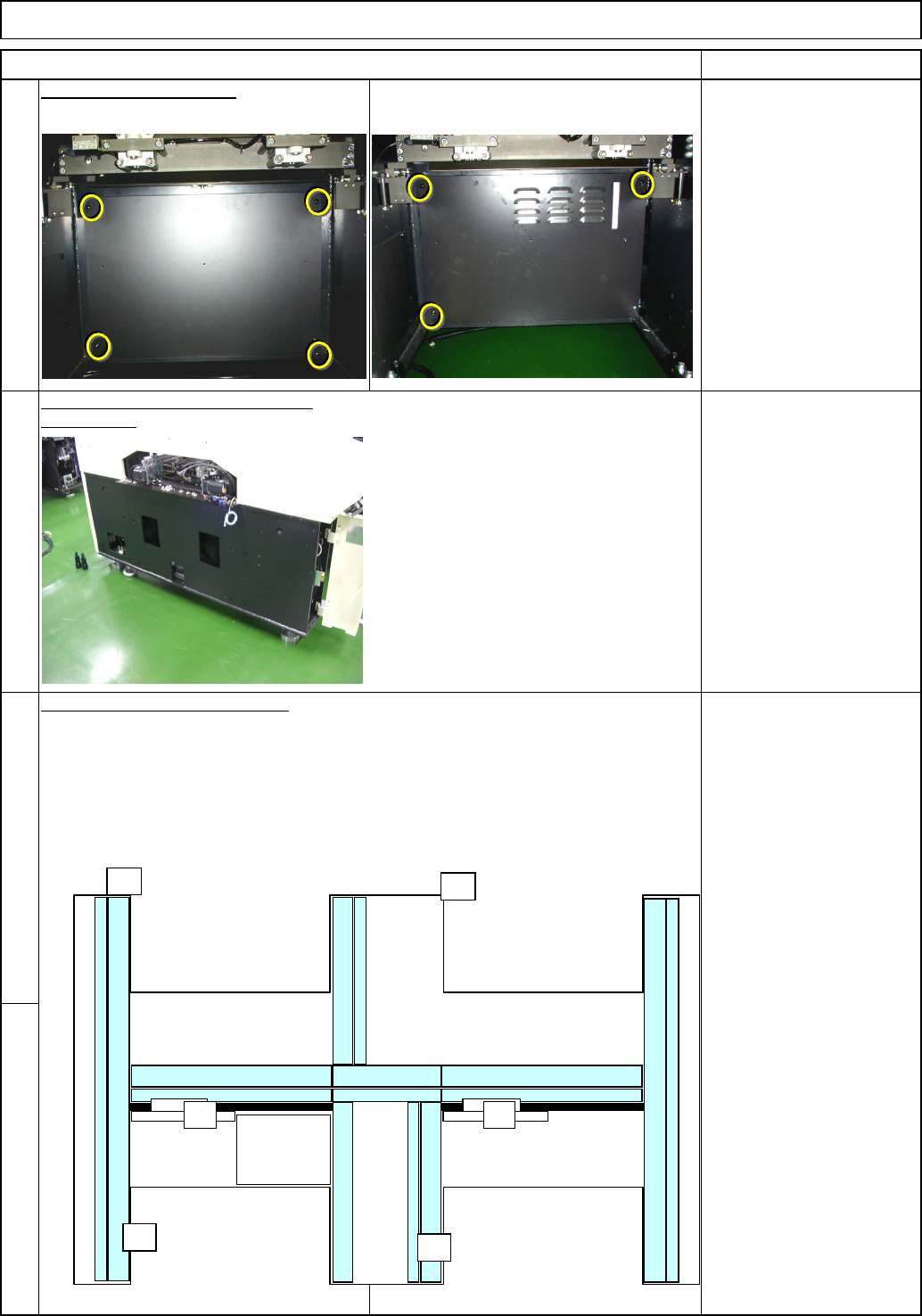
Remove the machine side covers.
(
Both sides
)
Philli
p
s screwdriver #2
Note: Basic rule for cabling
. Put the power cable into the thinner duct.
. Put the signal cable into the thick duct.
. When the two cables cross each other, put the power cable under the signal cabl
e
Remove the box covers.
6
5
8
Remove the cap from the duct.
Remarks
Tray Shuttle Tray
Phillips screwdriver #2
Button head screw 6mm
15 pcs.
(3 pcs on AF)
7
Item
AF
A4A4
POWER
UNIT#1
POWER
UNIT#2
CPU BOX
AR
BF
BR
EJM8A-E-SMA070117-A01-00 Page 7-1-17-3
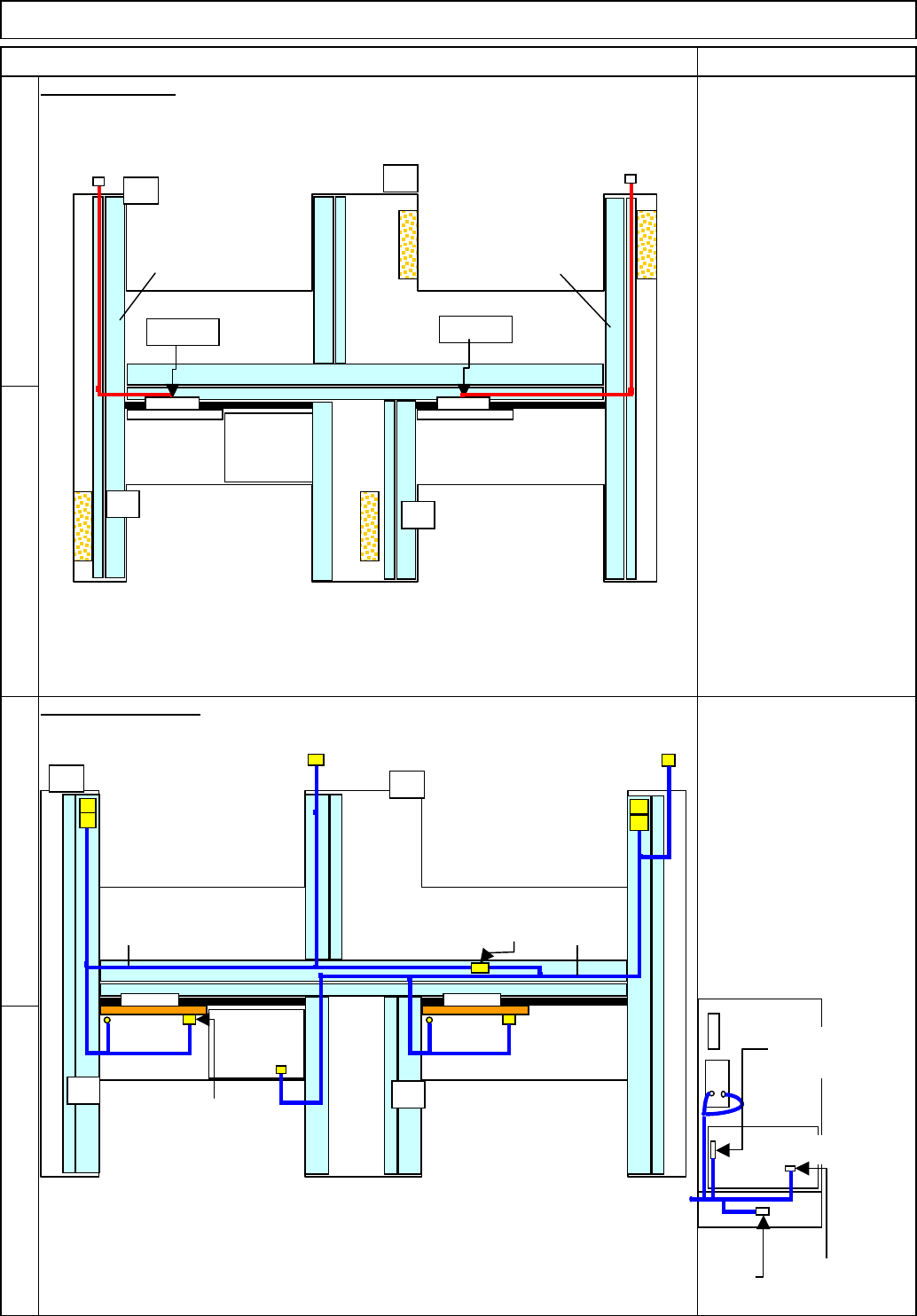
(1) Standard Cable Connectors N2 to N5 are not used.
(2) The standard connector TRYS1 should be secured near RY.SA with a cable tie.
(3) Standard Cable Connectors N1 to N9 are not used.
(4) The standard connector TRYS1 should be secured near TRY.SB with a cable tie.
AC Cable Layout
11
10
12
9
91030:
A stage tray signal cable
91040:
B stage tray signal cable
Signal Cable Layout
Item Remarks
Shuttle Tray
91010:
TYR.P1 to TYR.R1
91020:
TYR.P2 to TYR.R2
Tray
AF
TYR.P2
POWER
UNIT#1
POWER
UNIT#2
CPU BOX
AR
BF
BR
TYR.P1
TYR.R1
TYR.R2
9102091010
AF
POWER
UNIT#1
POWER
UNIT#2
CPU BOX
AR
BF
BR
RF2RF2 TRY.SB
N1-N9
TRY.SA
N2-N5
NF0FCX
CN13-NJ
STCV11 STCV21
STHD2
STHD-S
STHD1
STHD-S
ITRY-P/R
91030
91040
Connection of Power Unit
RF1
RF2
NF2ACX
TRY EP
Change to a
short connector.
Change to the
standard cable.
EJM8A-E-SMA070117-A01-00 Page 7-1-17-4