CM602all_EJM8AESM_Service Manual.pdf - 第999页
Connect the signal and power cables and the tubes. AR: Put the cables and the tubes on the front left, and secure them as shown below. BR: Put the cables and the tubes on the rear right, and secure them as shown below. S…
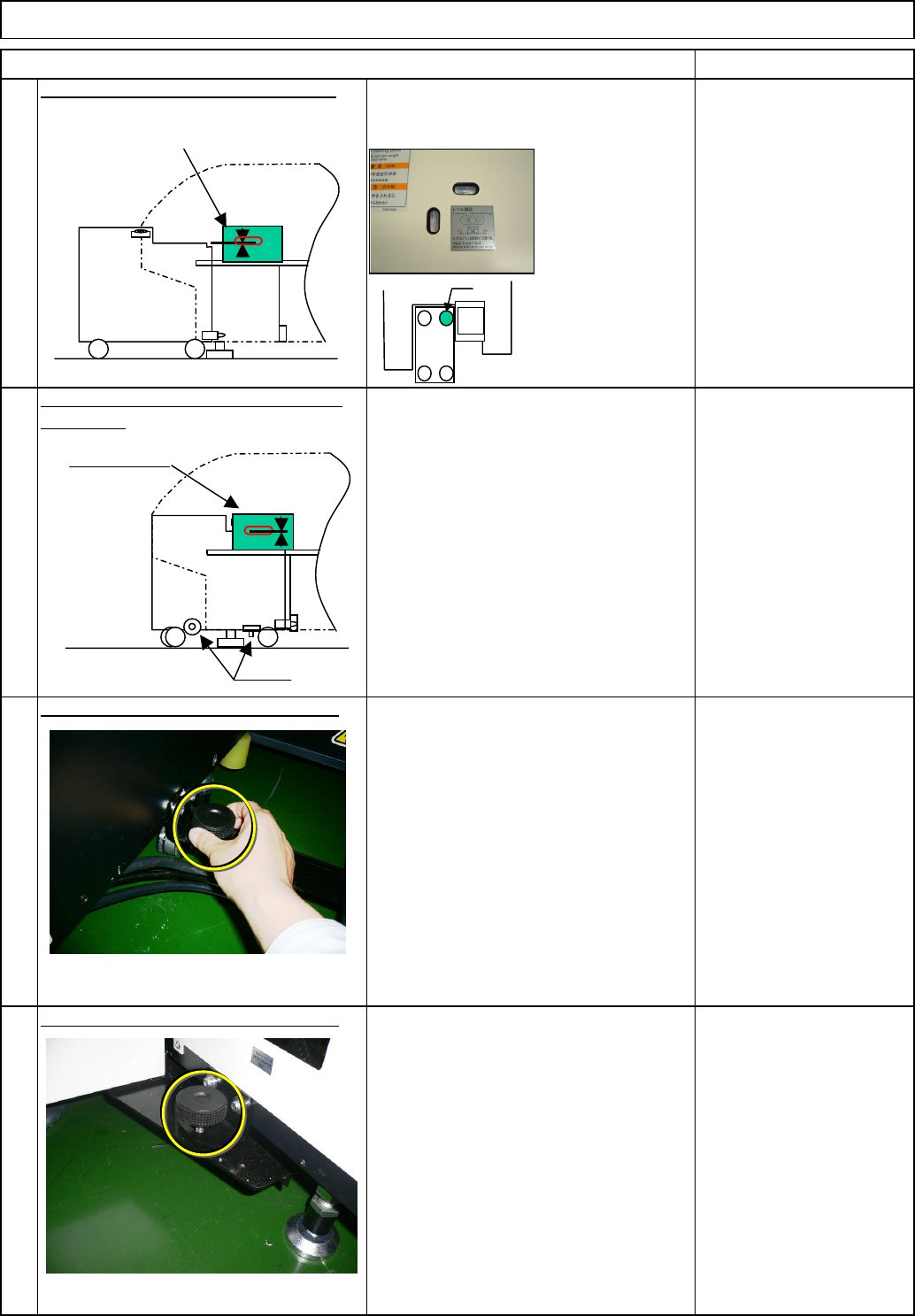
Check the position of the holding bolt.
⇒ within
+/-0.3mm/m
⑤ Connect the tray to the machine with
the holding bolts. (Fix the two positions
with the manually-turning handle.)
Right of the machine: Fix one position
⑤ Connect the tray to the machine with
the holding bolts. (Fix the two positions
with the manually-turning handle.)
Left of the machine: Fix one position
After inserting the DT50S, re-check
the level. ⇒ within 0.3mm/m
After inserting the DT50S, check the
height of the DT50S by checking the
height difference between the 6-series
holding feeder cover and the tray.
⇒ A=within 0/-1mm
Connect the tray to the machine with
the holding bolts. (Fix the two positions
with the manually-turning handle.)
Tray Direct Tray
Checking the levels mounted in the
machine, level the tray.
Level the tray by adjusting the caster.
Wrench 300 mm
Check the position of the holding bolt.
of the tray.
Re-check the levelness and the height
6
7
8
5
Item
* Tighten the nut for
the caster "a" only.
Remark
②
a
③
Holding bolts
⑤
⑤
④
6-series-holding
feeder cover
6-series-holding
feeder cover
EJM8A-E-SMA070201-A01-00
Page 7-2-1-3
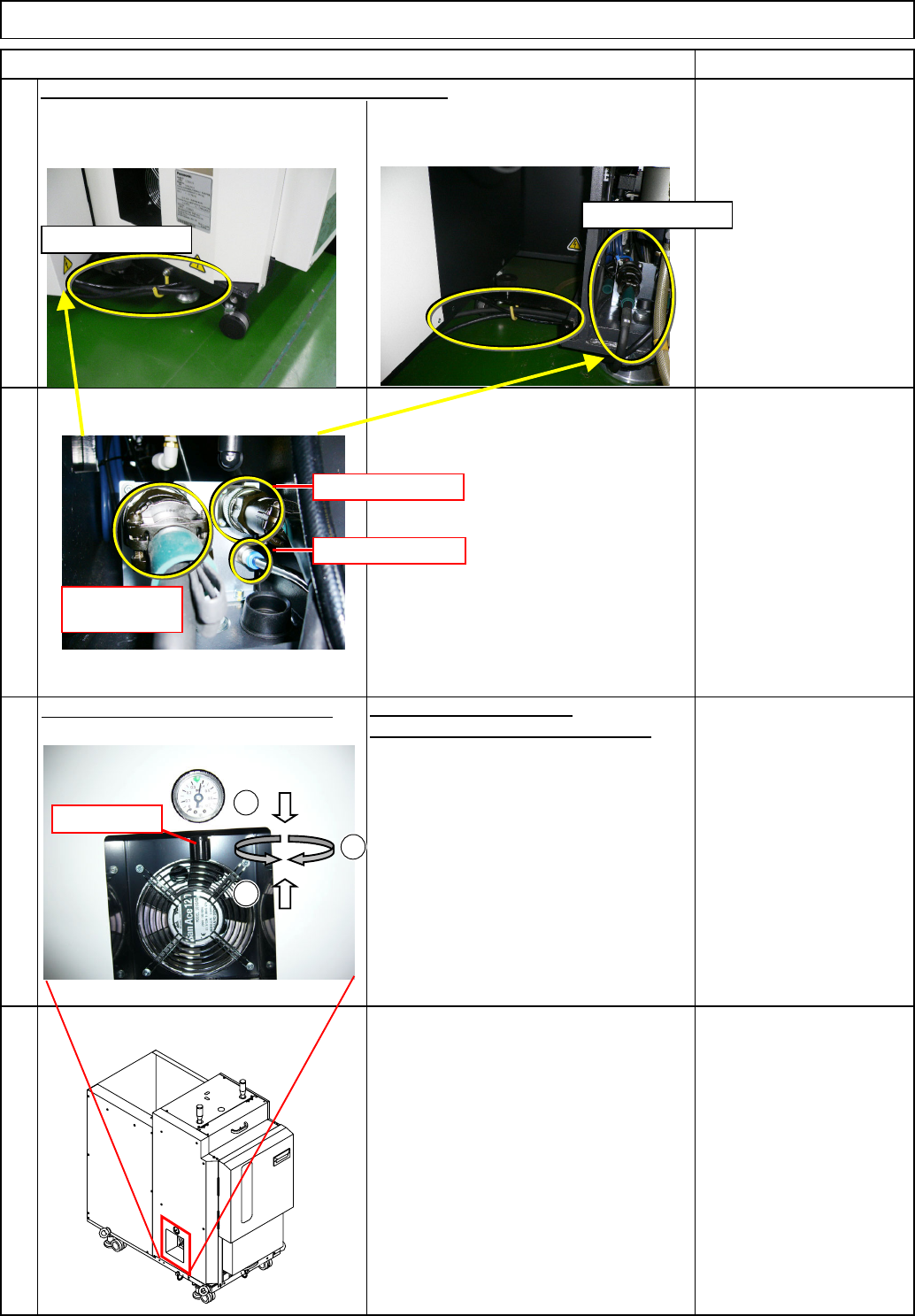
Connect the signal and power cables and the tubes.
AR: Put the cables and the tubes on the
front left, and secure them as shown
below.
BR: Put the cables and the tubes on the
rear right, and secure them as shown
below.
Specified air pressures:
0.3 MPa to 0.35 Mpa
2. If out of range, adjust the pressure by
turning the regulator.
1. Check the operating air pressure
.
Unlock
Tray Direct Tray
10
11
Check the operating air pressure.
12
Adjust the pressure.
Loc
k
Turn on the power switch.
Item Remark
9
Power cable
Communication
cable
Air tube
1
2
3
Regulator
Where to connect
Where to connect
EJM8A-E-SMA070201-A01-00
Page 7-2-1-4
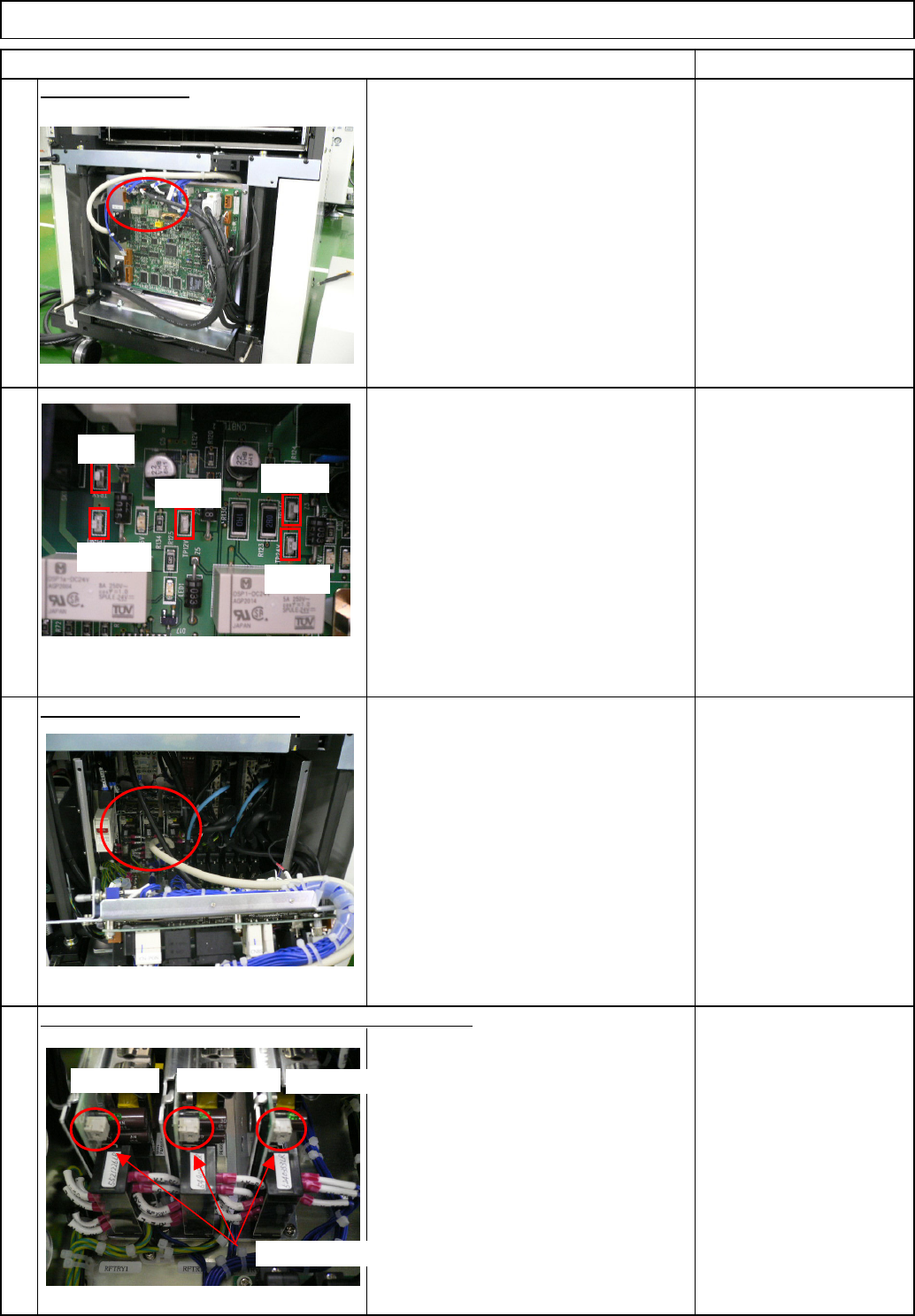
Measurement positions:
(5.05V±0.03V)
DC12V:between TP12V and TPGNG
(12.0V±1.0V)
DC24V:between TP24V and TP24G
(24.0V±0.3V)
Adjust the voltage. (if necessary)
Power supplies and Adjustment volumes (if necessary)
Direct Tray
Remark
15
To adjust the voltage, use each power
volume for DC5V, DC12V, and DC24V
in the box.
14
DC5V: between TP5V and TPGNG
Check the DC5V, DV12V, and DV24V
using the check terminals on the
NF24CX on the front side of the box.
16
Check the voltage.
13
Item
Tray
TP5V
TPGND
TP12V
TP24G
TP24V
DC5V power
Adjustment volume
DC12V power
DC24V power
EJM8A-E-SMA070201-A01-00
Page 7-2-1-5