SP1 Maintenance Handbook (Chi Ver1.5).pdf - 第10页
SP1 Maintenance Handbook 10 Chap ter 1 High Ac curacy & Speed Screen Printer 1 3 2 维 护 条 件 本 P ar t 介 绍了设 备维 护作 业时 的工 作环境 与作 业工 具等内 容。 1. 在共同菜 单单击 “手动模式 ”。 2. 出现了生产准备窗 口后,单击<刮刀更换 >键再单击<安全位置 >键,使 Squeegee …
Chapter 1
维护条件
SP1 Maintenance Handbook
9
Chapter 1
High Accuracy & Speed Screen Printer
1
3
2
维护条件
本Part介绍了设备维护作业时的工作环境与作业工具等内容。
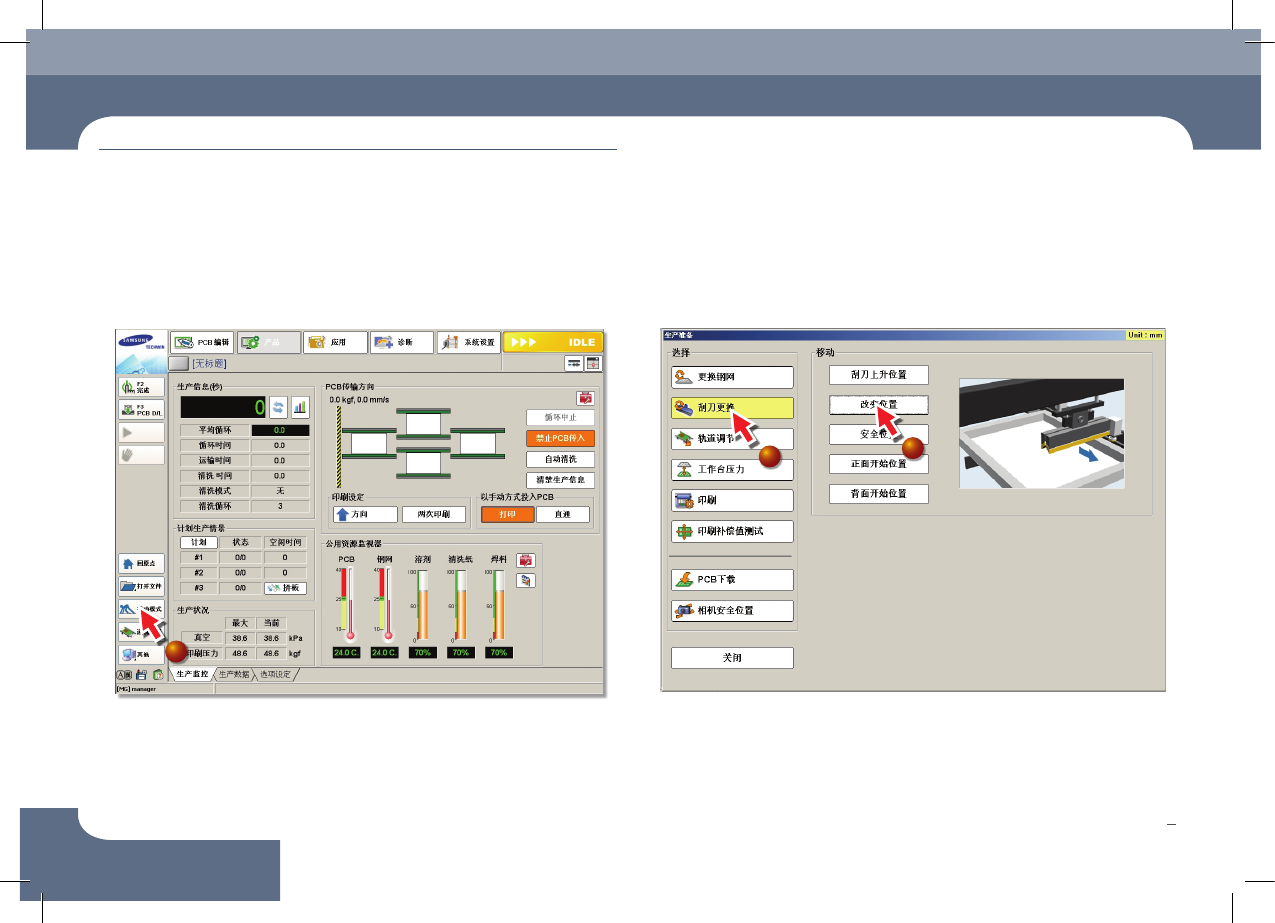
1. 在共同菜单单击“手动模式”。
2. 出现了生产准备窗口后,单击<刮刀更换>键再单击<改变位置>键,使Squeegee
Module移动到设备正面。
3. Squeegee Module移动到正面(变换位置)
SP1 Maintenance Handbook
10
Chapter 1
High Accuracy & Speed Screen Printer
1
3
2
维护条件
本Part介绍了设备维护作业时的工作环境与作业工具等内容。
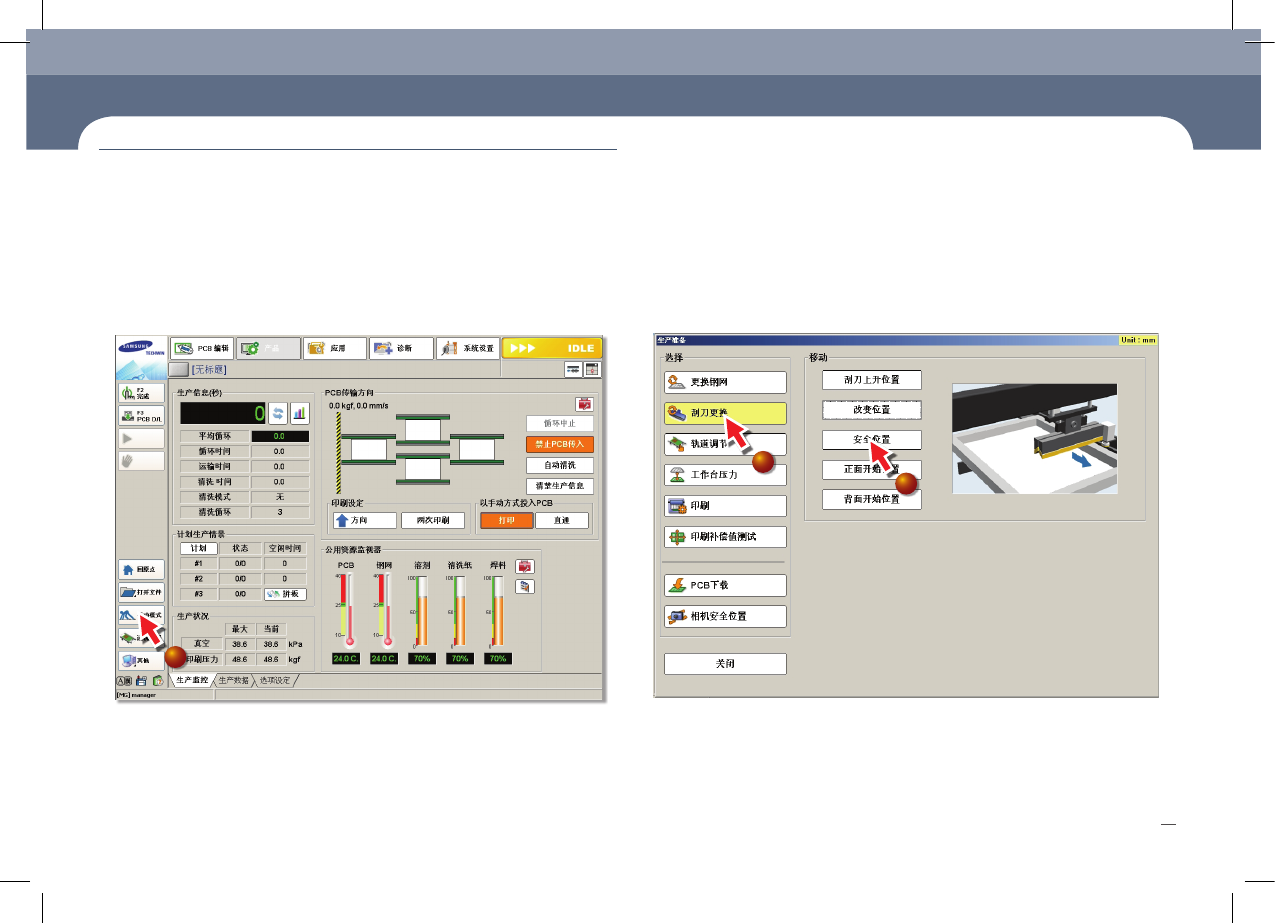
1. 在共同菜单单击“手动模式”。
2. 出现了生产准备窗口后,单击<刮刀更换>键再单击<安全位置>键,使Squeegee
Module移动到设备背面。
4. Squeegee Module移动到背面(安全位置)。
Chapter 1
维护条件
SP1 Maintenance Handbook
11
Chapter 1
High Accuracy & Speed Screen Printer
1
2
维护条件
本Part介绍了设备维护作业时的工作环境与作业工具等内容。
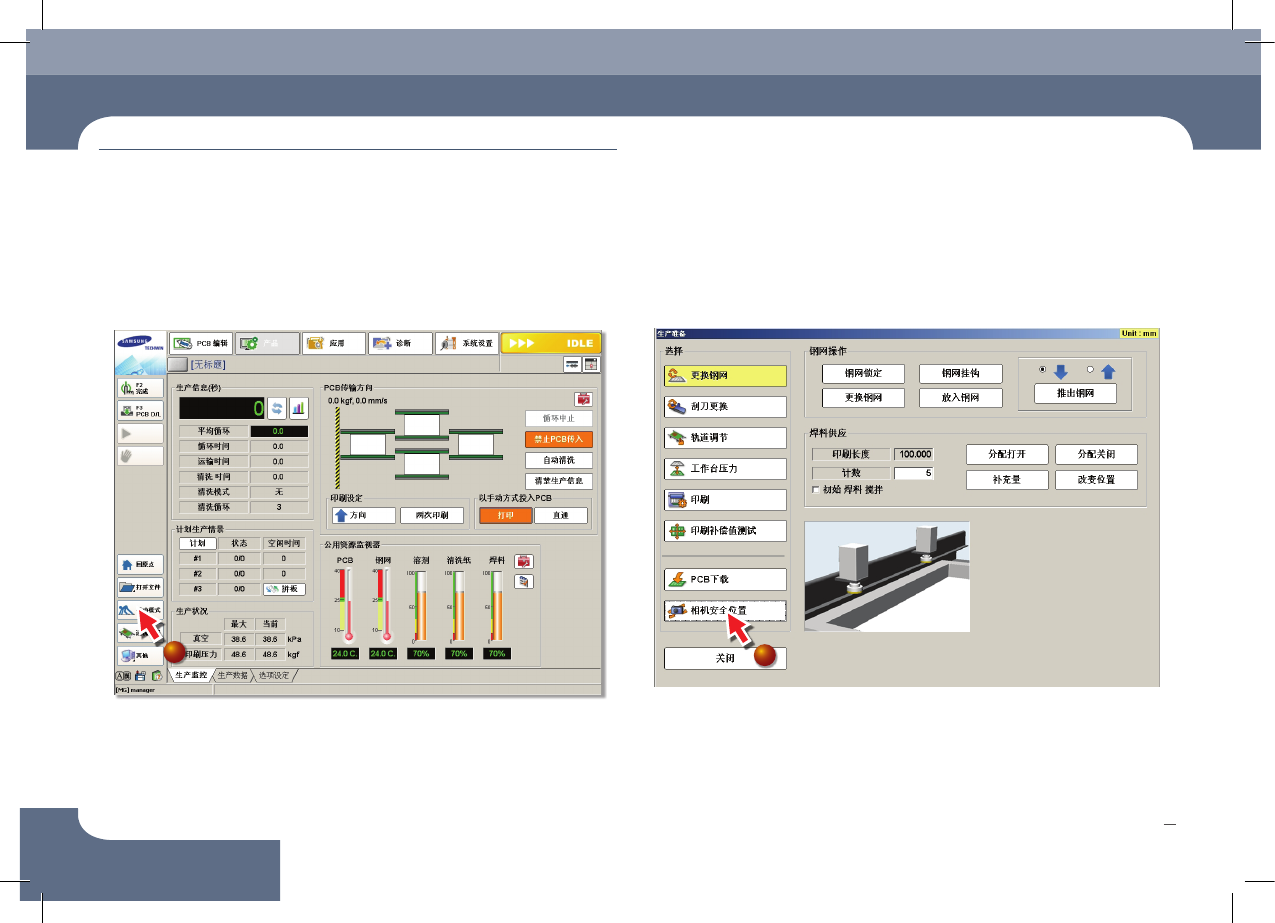
1. 在共同菜单单击“手动模式”。
2. 出现了生产准备窗口后,单击<相机安全位置>键,使Camera Module移动到设
备背面。
5. Camera Module移动到背面(安全位置)。