SP1 Maintenance Handbook (Chi Ver1.5).pdf - 第30页
SP1 Maintenance Handbook 30 Chap ter 3 High Ac curacy & Speed Screen Printer <W in de r 上安 装了 新纸 卷 (P ap er ) 后的 状态 > Ai r Bl owe r V acu um Pa pe r 输 送R oll er Pa pe r Win de r Pa pe r Re win de r So lv en t C…
SP1 Maintenance Handbook
29
Chapter 3
High Accuracy & Speed Screen Printer
Chapter 3
每日检查
2mm
8mm
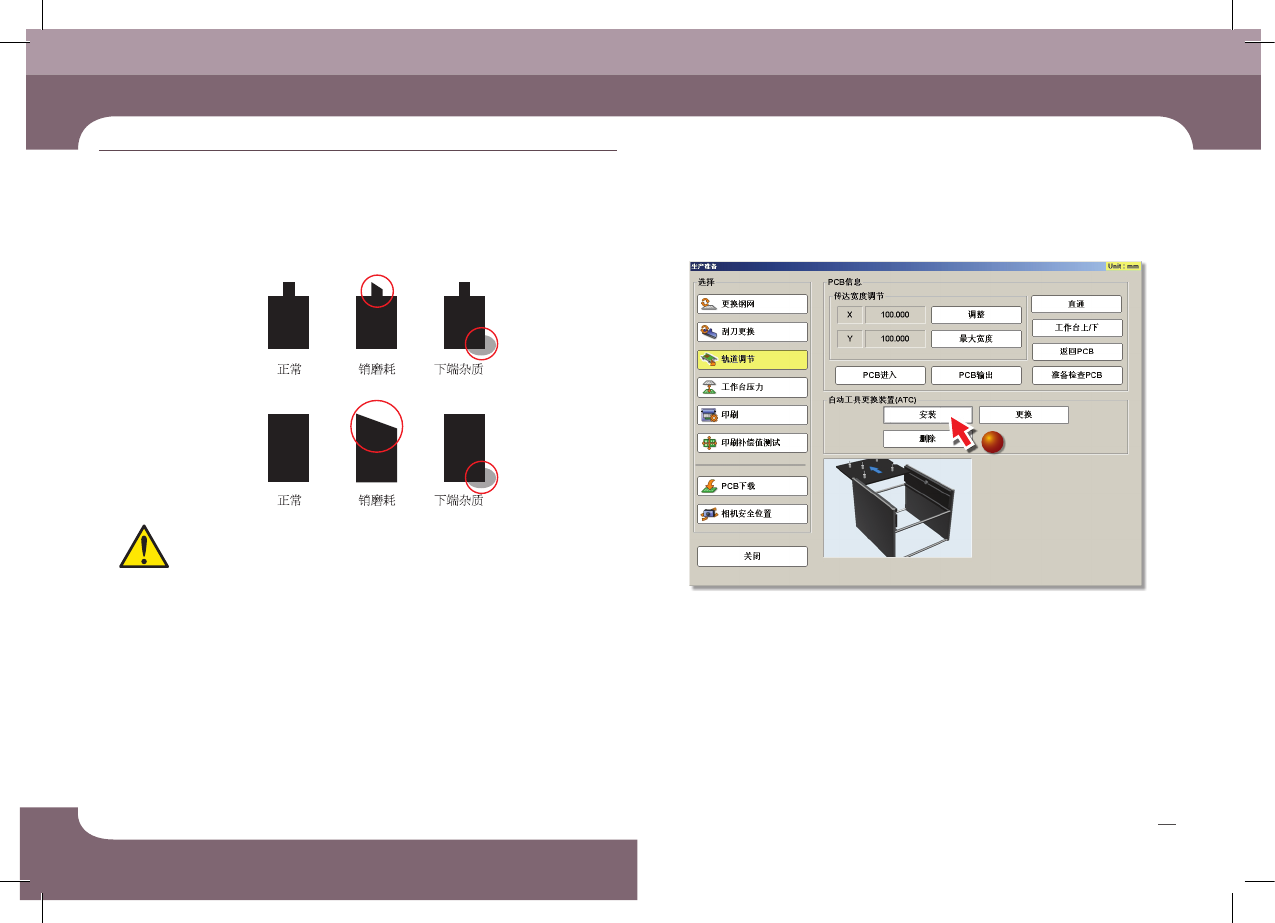
3. 销(Pin)下端遭到杂质(Solder Paste等)之类的污染时,拆下销后清扫。
4. 因为Backup Pin受损而更换Pin时,请参阅Operation Handbook的“Backup Pin
的设定”后安装。
5. 单击自动工具更换装置(ATC)的<安装>键后安装ATC。
每日检查
如果使用Air Gun时没有戴上护目镜,可能会伤到眼睛。清扫时必须带上护目镜。
注意
5
SP1 Maintenance Handbook
30
Chapter 3
High Accuracy & Speed Screen Printer
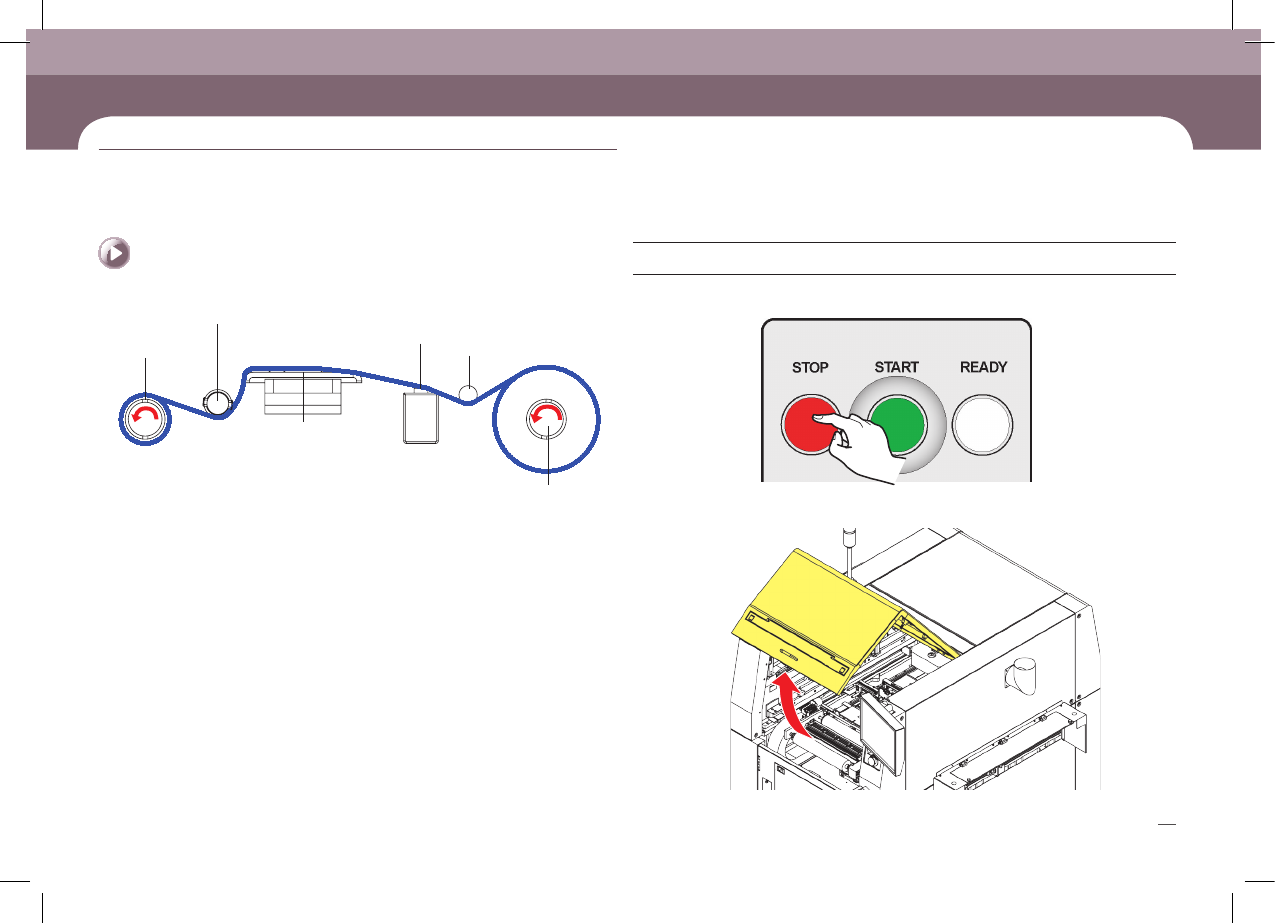
<Winder
上安装了新纸卷
(Paper)
后的状态
>
Air Blower
Vacuum
Paper输送Roller
Paper Winder
Paper Rewinder
Solvent Contact Sponge
1. 按下“STOP”按钮使设备停止运转。
2. 打开正面的Door。
每日检查
Cleaning Paper
的更换
措施
SP1 Maintenance Handbook
31
Chapter 3
High Accuracy & Speed Screen Printer
Chapter 3
每日检查
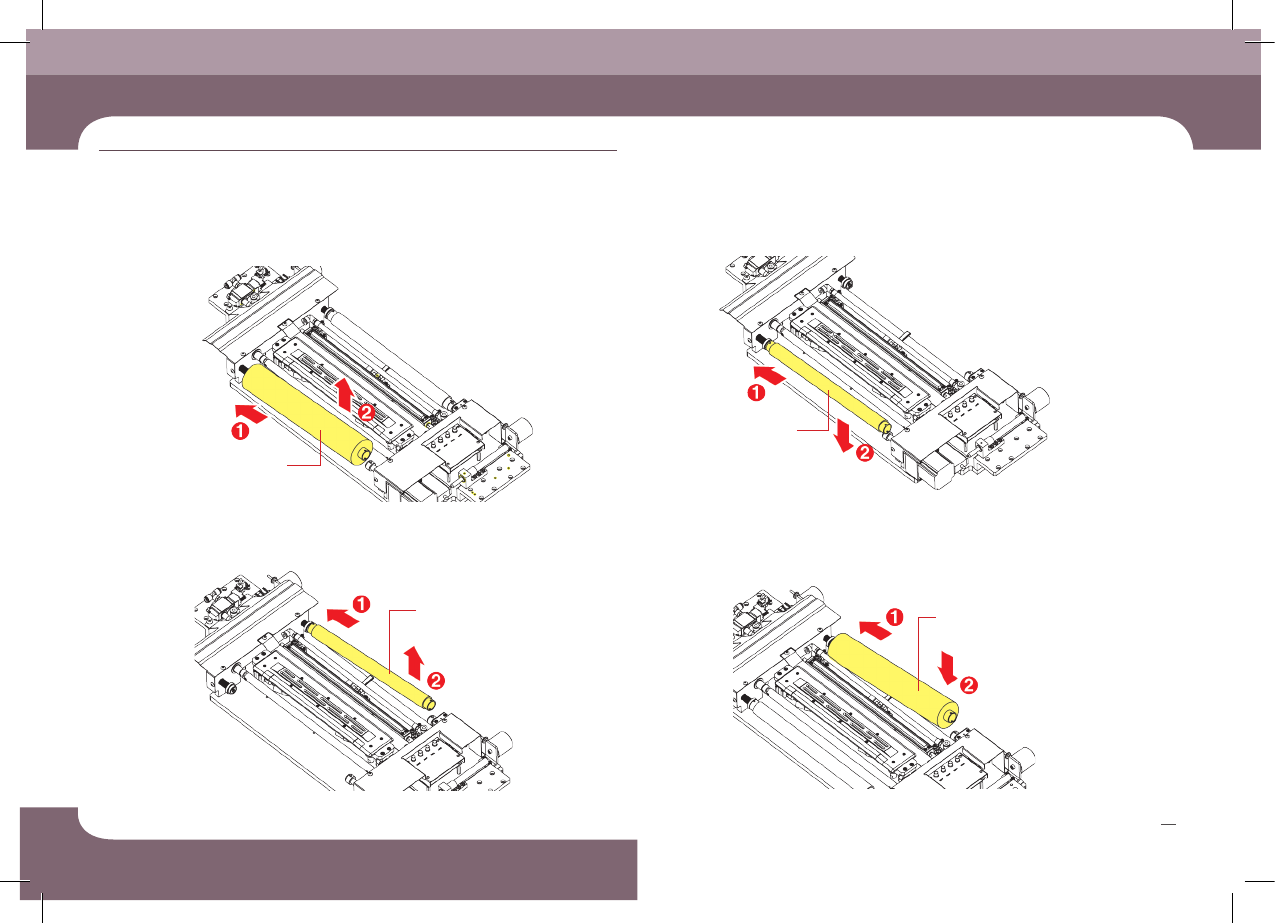
把准备好的Paper组装起来。
Winder侧Paper Roller
拆开Paper Roller。
拆下已经使用的纸卷(Paper)
3. 往箭头方向(1)推Rewinder侧的Paper,朝向反方向(2)倾斜后拆开。 5. 把拆开的Winder侧Paper Roller组装到Rewinder侧。
4. 往箭头方向(1)推Winder侧的Paper,朝向反方向(2)倾斜后拆开。 6. 把新准备好的Paper往箭头方向(1)推,朝向反方向(2)倾斜后组装。
每日检查