SP1 Maintenance Handbook (Chi Ver1.5).pdf - 第31页
SP1 Maintenance Handbook 31 Chap ter 3 High Ac curacy & Speed Screen Printer Chapte r 3 每日 检查 把准 备好 的 P ape r 组 装起 来。 Wi nd er 侧 Pa pe r Ro lle r 拆开 Pa pe r R ol le r。 拆下 已经 使用 的纸卷 (P ap er) 3. 往箭头方 向 (1 ) 推 R ewin d…
SP1 Maintenance Handbook
30
Chapter 3
High Accuracy & Speed Screen Printer
<Winder
上安装了新纸卷
(Paper)
后的状态
>
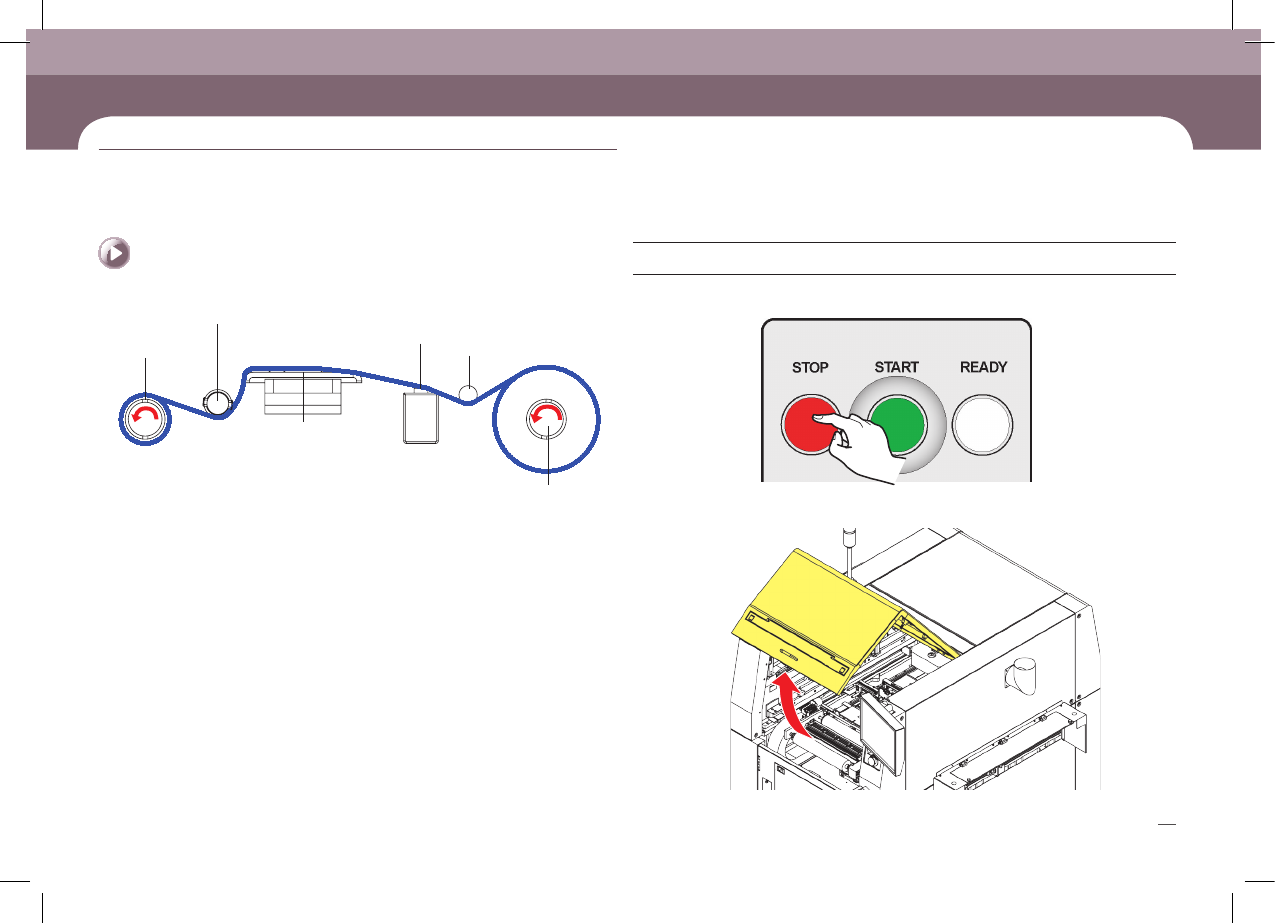
Air Blower
Vacuum
Paper输送Roller
Paper Winder
Paper Rewinder
Solvent Contact Sponge
1. 按下“STOP”按钮使设备停止运转。
2. 打开正面的Door。
每日检查
Cleaning Paper
的更换
措施
SP1 Maintenance Handbook
31
Chapter 3
High Accuracy & Speed Screen Printer
Chapter 3
每日检查
把准备好的Paper组装起来。
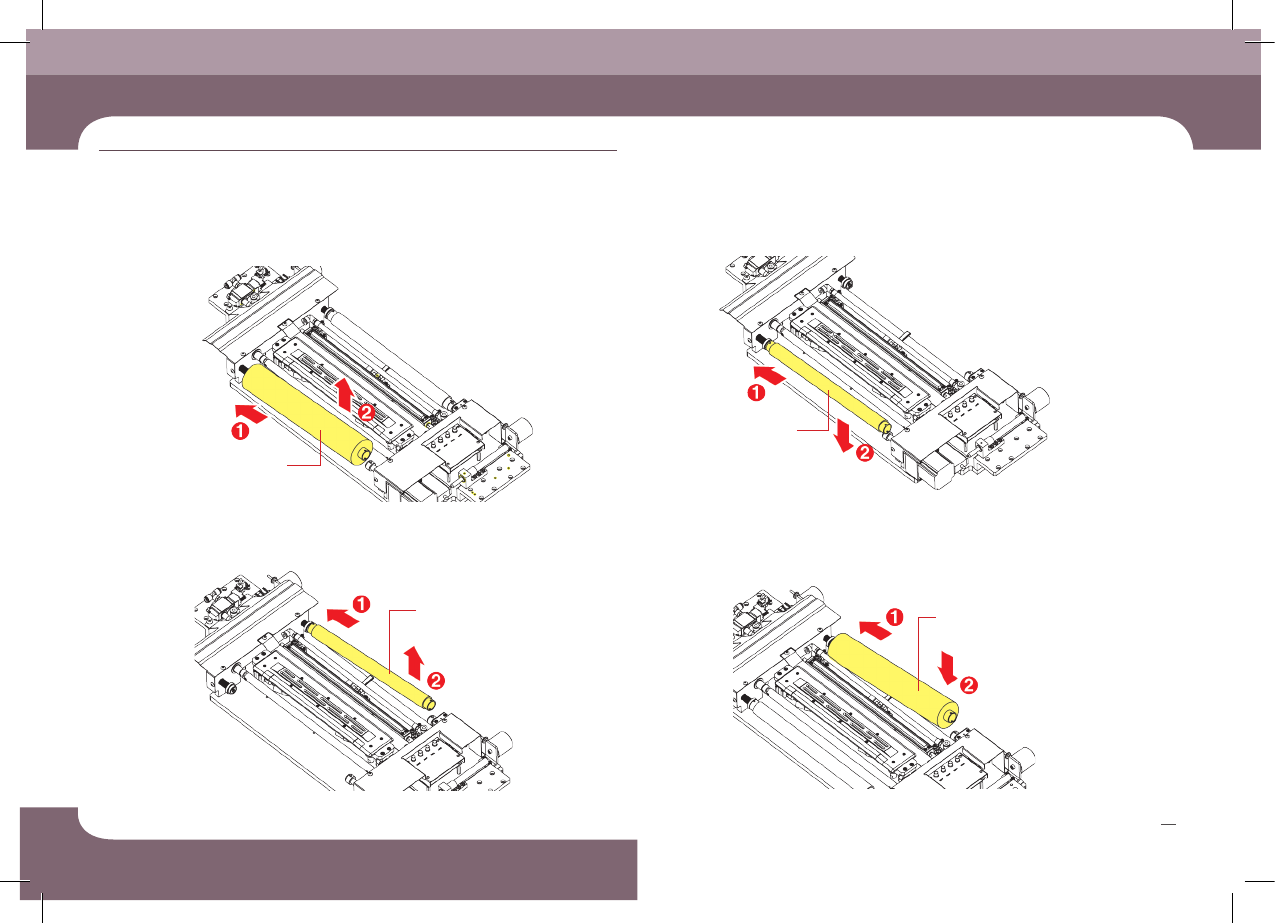
Winder侧Paper Roller
拆开Paper Roller。
拆下已经使用的纸卷(Paper)
3. 往箭头方向(1)推Rewinder侧的Paper,朝向反方向(2)倾斜后拆开。 5. 把拆开的Winder侧Paper Roller组装到Rewinder侧。
4. 往箭头方向(1)推Winder侧的Paper,朝向反方向(2)倾斜后拆开。 6. 把新准备好的Paper往箭头方向(1)推,朝向反方向(2)倾斜后组装。
每日检查
SP1 Maintenance Handbook
32
Chapter 3
High Accuracy & Speed Screen Printer
2.분리방향
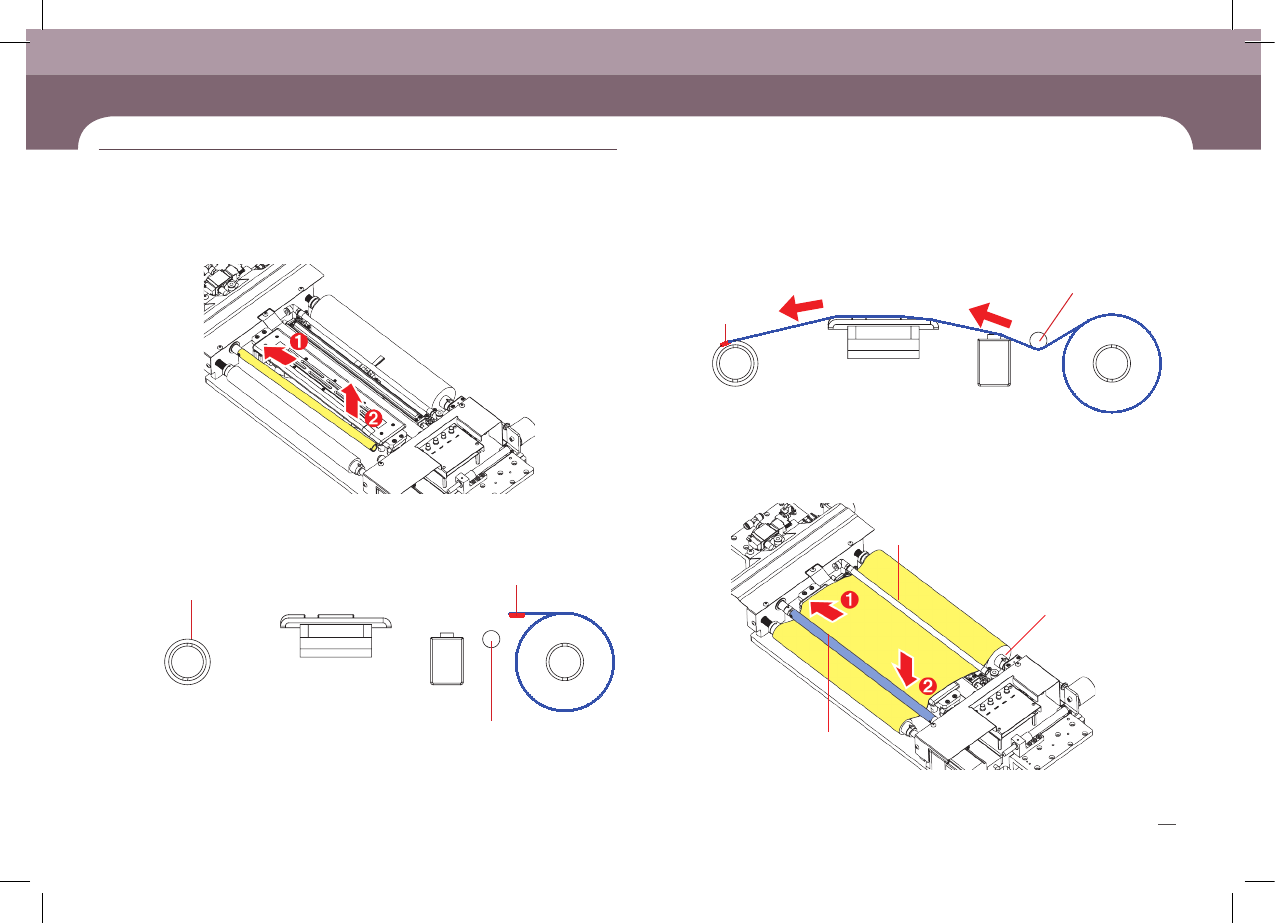
Paper Winder
Air Blower
Paper输送辊(Roller)
清除Paper的粘结带。
Rewinder
Air Blower
Air Blower
Paper释放方向
把粘结带粘贴在
Rewinder表面
上。
7. 往箭头方向(1)推Paper输送Roller,朝相反方向(2)倾斜后拆开。 9. 清除了盖后,把Paper的粘结带面粘贴在Rewinder表面上。
8. 揭开粘附在Paper尾端的粘结带的盖。
10. 把拆下来的Paper输送Roller朝左推(1),对准右孔后(2)重新组装。
每日检查