User Manual - SIPLACE Glue Feedeer - 第41页
4 Operation 4.1 Settings in SIPLACE Pro 10.1 and Higher User Manual SIPLACE Glue Feeder 05/2020 41 The positions and other information about the components in the placement list are shown at Ob- ject Properties . The dia…
4 Operation
4.1 Settings in SIPLACE Pro 10.1 and Higher
40 User Manual SIPLACE Glue Feeder 05/2020
4.1.3 Enabling Gluing in the Placement List
Any one component can occur multiple times on a single board. This is where you define in the
placement list the positions on the board at which a component is to be glued and those positions
at which a component should not be glued.
► Switch over to the main window.
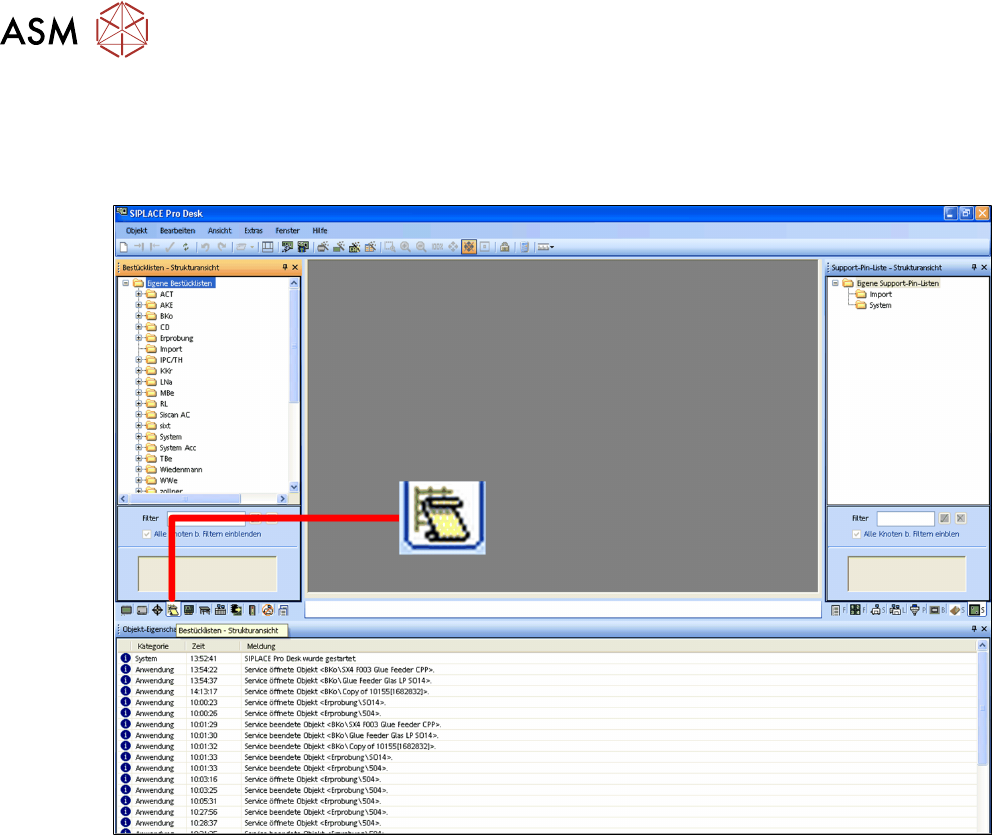
► Click on the Placement list – tree view icon.
The placement list tree view will be shown.
► Select the placement list to be processed.
4 Operation
4.1 Settings in SIPLACE Pro 10.1 and Higher
User Manual SIPLACE Glue Feeder 05/2020 41
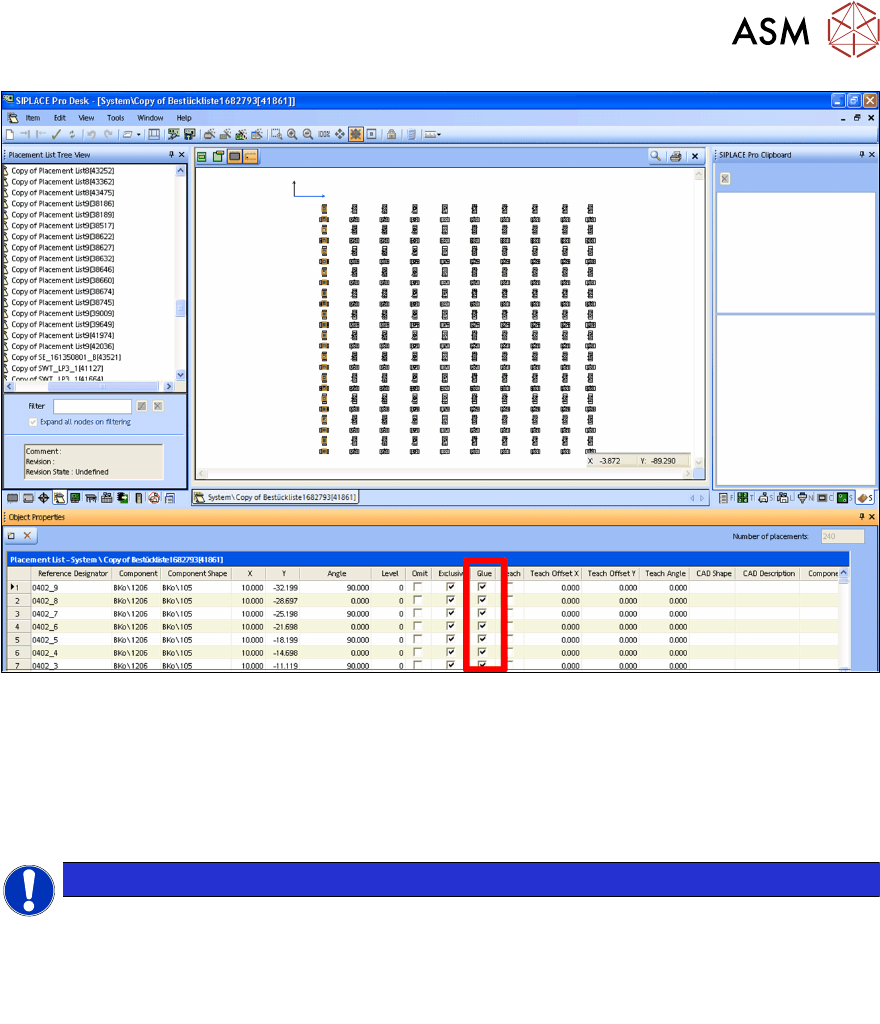
The positions and other information about the components in the placement list are shown at Ob-
ject Properties.
The diagram shows the column Glue marked.
Gluing
By enabling the option in the Glue column, you can define whether the component for each indi-
vidual position is to be glued or not.
NOTICE
Preconditions
You can only glue components if the following information has been recorded in SIPLACE
Pro:
- For the component, you need to specify at least one glue dot model.
-
The component must be released for gluing in its object properties.
4 Operation
4.1 Settings in SIPLACE Pro 10.1 and Higher
42 User Manual SIPLACE Glue Feeder 05/2020
4.1.4 Setting up the Glue Feeder
NOTICE
Only one Glue Feeder per placement head.
Please note that only one Glue Feeder can be configured for each placement head.
► Switch over to the main window.
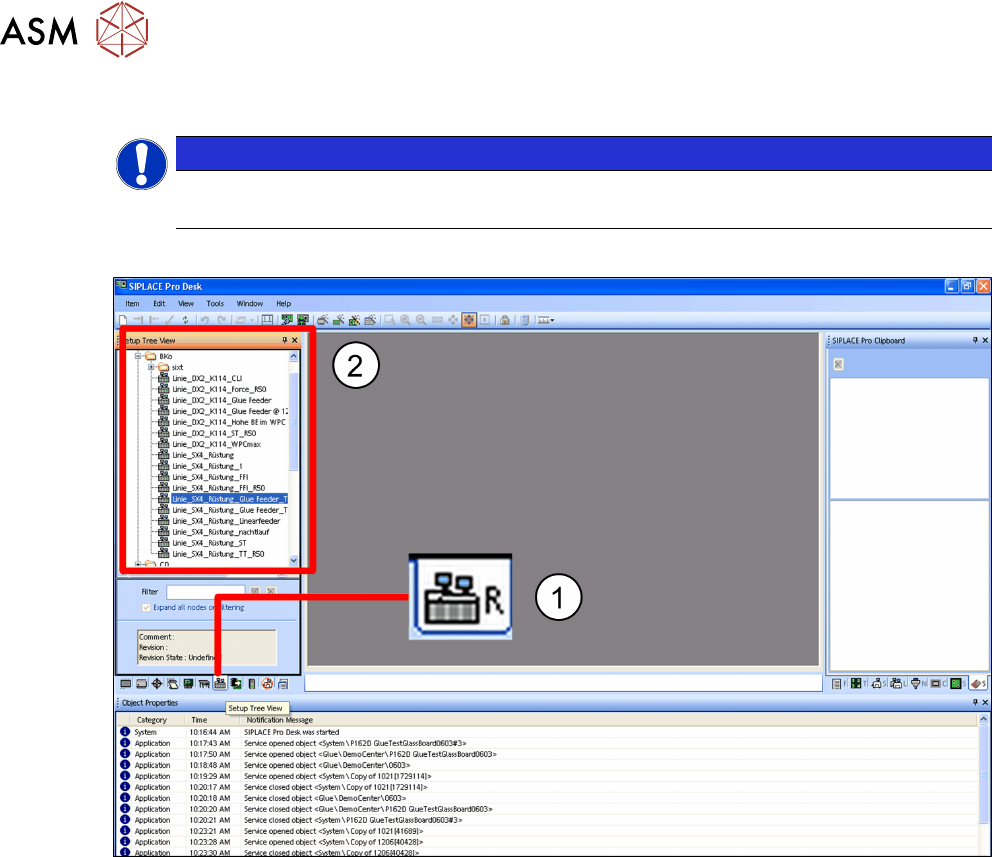
► Click on the Setups – tree view icon.(1)
The tree view for the setups will be shown. (2)
► In the tree view, click on the setup which you want to edit.