User Manual - SIPLACE Glue Feedeer - 第43页
4 Operation 4.1 Settings in SIPLACE Pro 10.1 and Higher User Manual SIPLACE Glue Feeder 05/2020 43 The selected setup will be shown. ► In the Object Properties for the setup, select the location at which you want to inst…
4 Operation
4.1 Settings in SIPLACE Pro 10.1 and Higher
42 User Manual SIPLACE Glue Feeder 05/2020
4.1.4 Setting up the Glue Feeder
NOTICE
Only one Glue Feeder per placement head.
Please note that only one Glue Feeder can be configured for each placement head.
► Switch over to the main window.
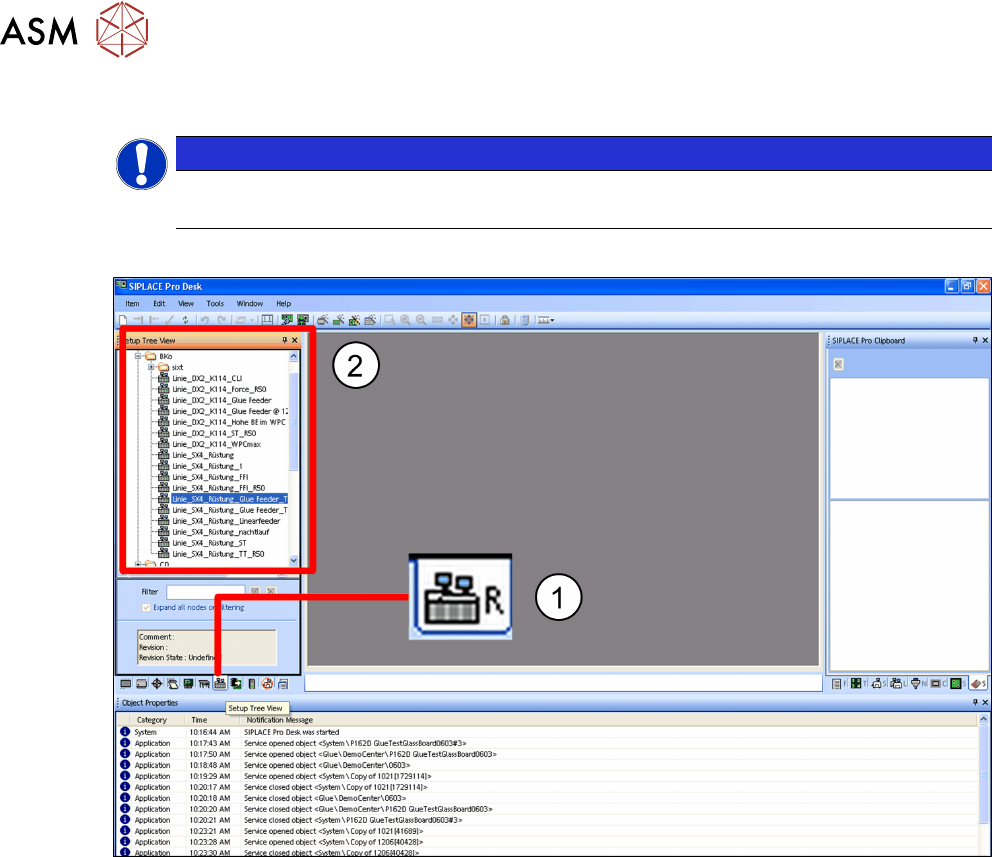
► Click on the Setups – tree view icon.(1)
The tree view for the setups will be shown. (2)
► In the tree view, click on the setup which you want to edit.
4 Operation
4.1 Settings in SIPLACE Pro 10.1 and Higher
User Manual SIPLACE Glue Feeder 05/2020 43
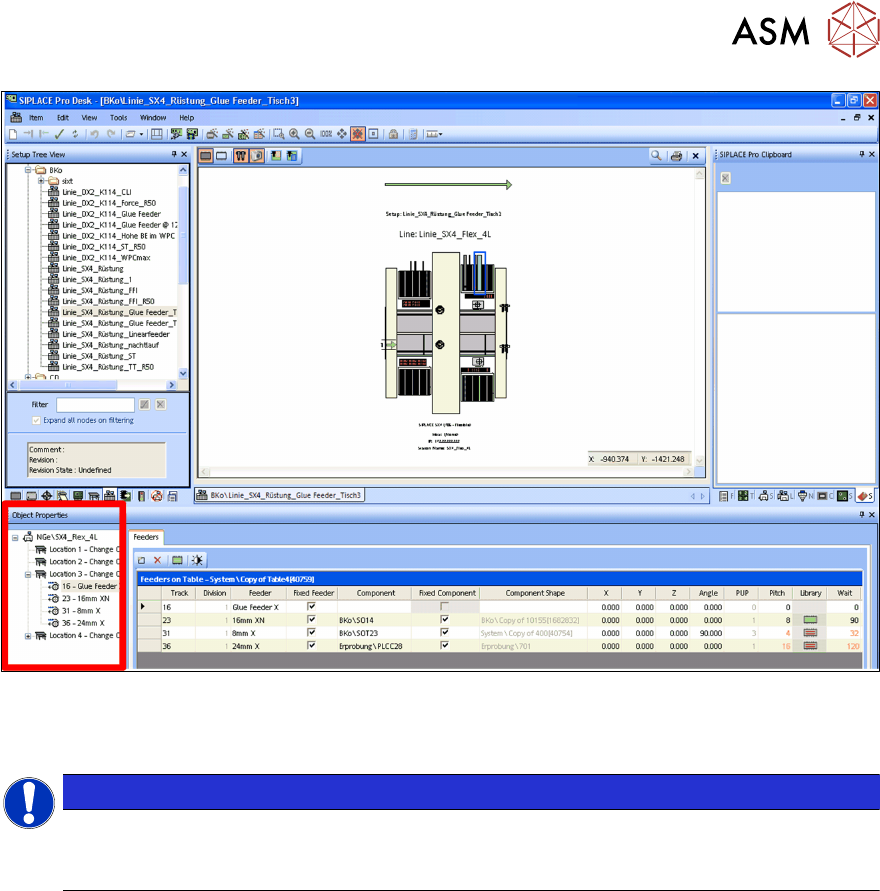
The selected setup will be shown.
► In the Object Properties for the setup, select the location at which you want to install the
Glue Feeder.
NOTICE
Accessibility
When selecting the location, bear in mind that the Glue Feeder and the components to be
glued must both be reachable by the same placement head.
4 Operation
4.1 Settings in SIPLACE Pro 10.1 and Higher
44 User Manual SIPLACE Glue Feeder 05/2020
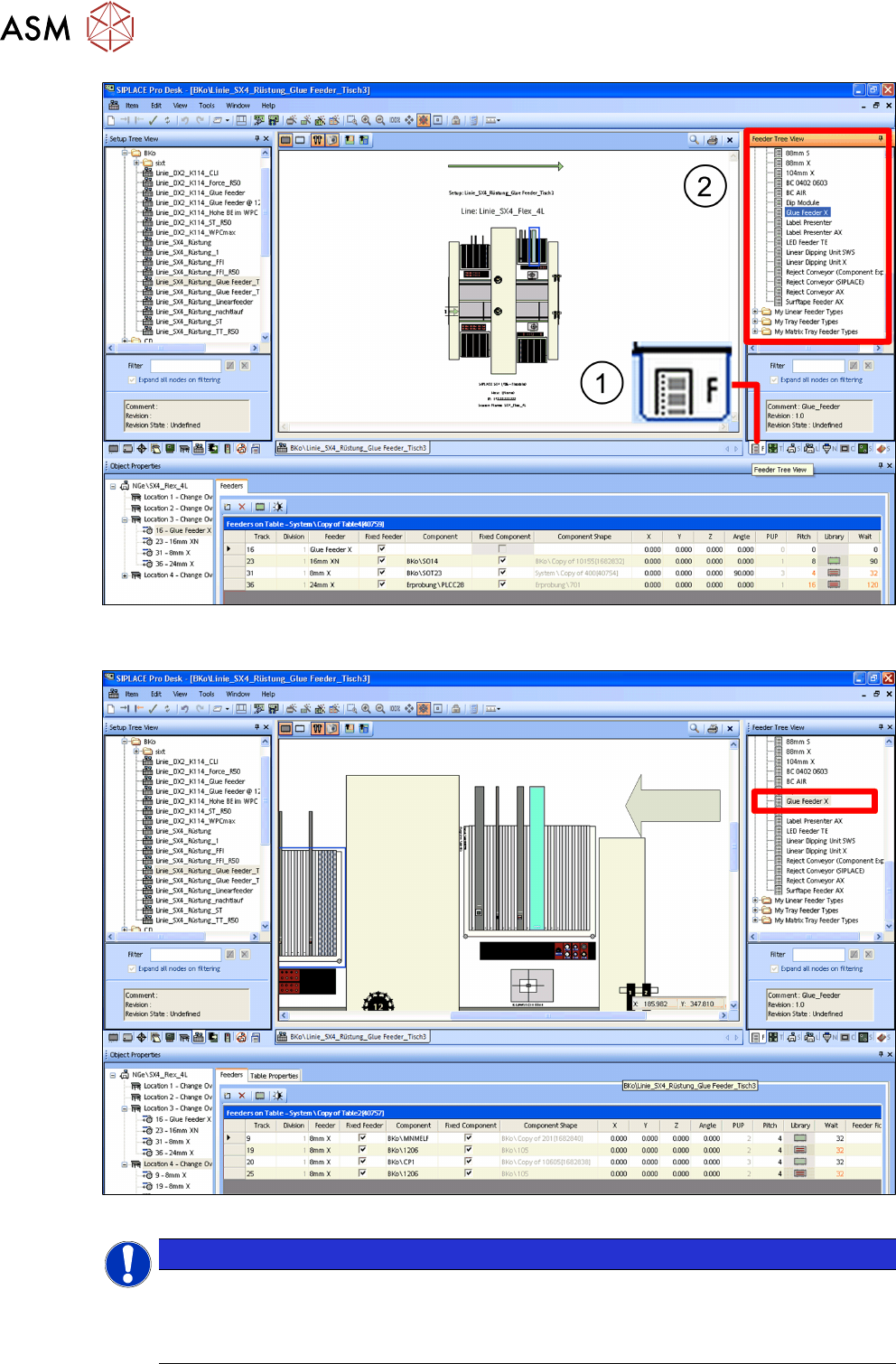
► Click on the Feeders – tree view icon.(1)
The tree view for the feeders will be shown.(2)
► Select the Glue Feeder from the tree view and drag&drop this to the selected location.
NOTICE
Blocked tracks on either side
The number of location tracks on either side of the Glue Feeder which are blocked from use
will vary according to the machine used. Try to position the Glue Feeder as near to the cen-
ter of the location as possible.