User Manual - SIPLACE Glue Feedeer - 第52页
4 Operation 4.2 Individual Functions in Stations Software 706.1 and Higher 52 User Manual SIPLACE Glue Feeder 05/2020 ► Click on the Glue Settings tab. (1) ► Click on ... . (2) The dialog box for editing the nominal te…
4 Operation
4.2 Individual Functions in Stations Software 706.1 and Higher
User Manual SIPLACE Glue Feeder 05/2020 51
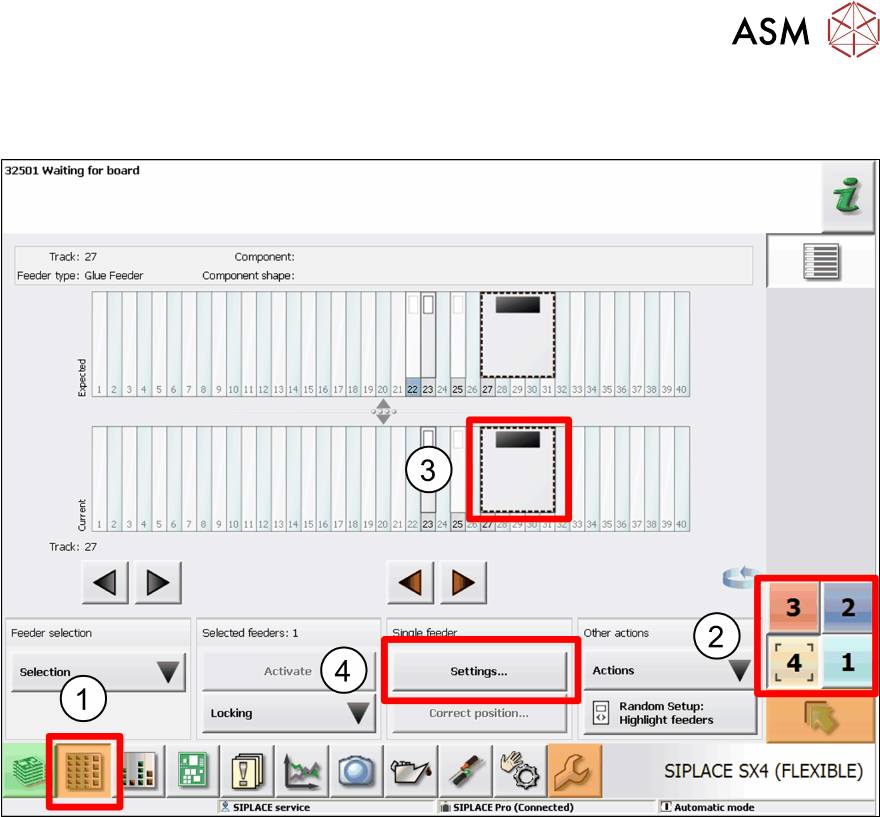
4.2.4 Setting the Temperature
To set the temperature, proceed as follows:
► Click on the Feeders, Components and Nozzles ... icon.(1)
► Select the location at which the Glue Feeder has been set up.(2)
► Mark the Glue Feeder.(3)
► Click on Settings.(4)
4 Operation
4.2 Individual Functions in Stations Software 706.1 and Higher
52 User Manual SIPLACE Glue Feeder 05/2020
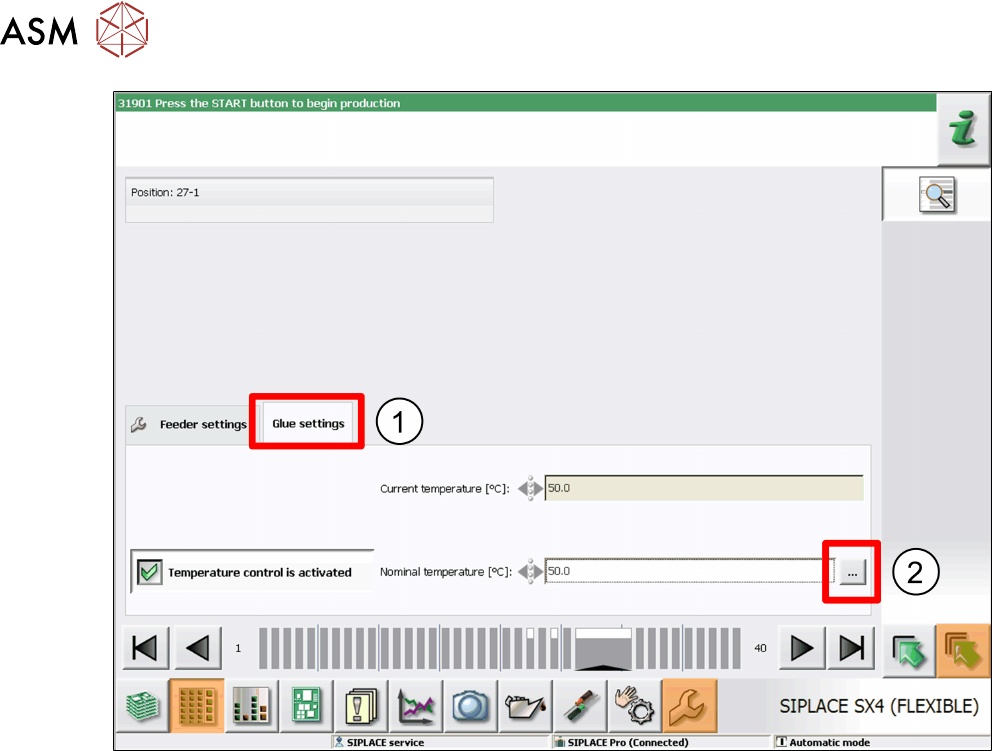
► Click on the Glue Settings tab.(1)
► Click on ... .(2)
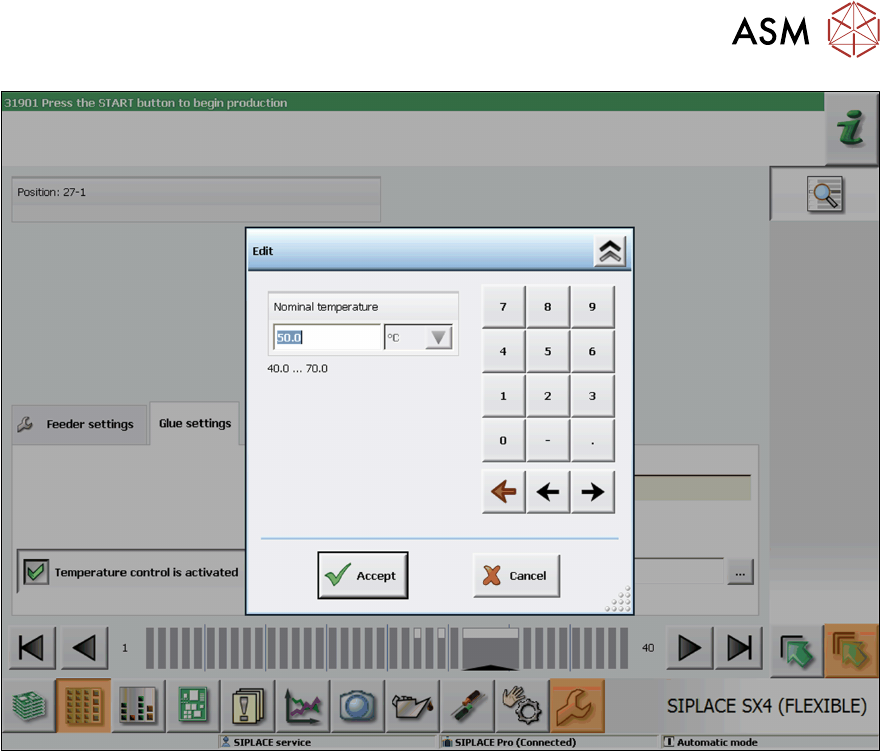
The dialog box for editing the nominal temperature will be shown.
4 Operation
4.2 Individual Functions in Stations Software 706.1 and Higher
User Manual SIPLACE Glue Feeder 05/2020 53
► Use the numeric keys to set the required nominal temperature.
► Click on Accept to save the setting.