User Manual - SIPLACE Glue Feedeer - 第53页
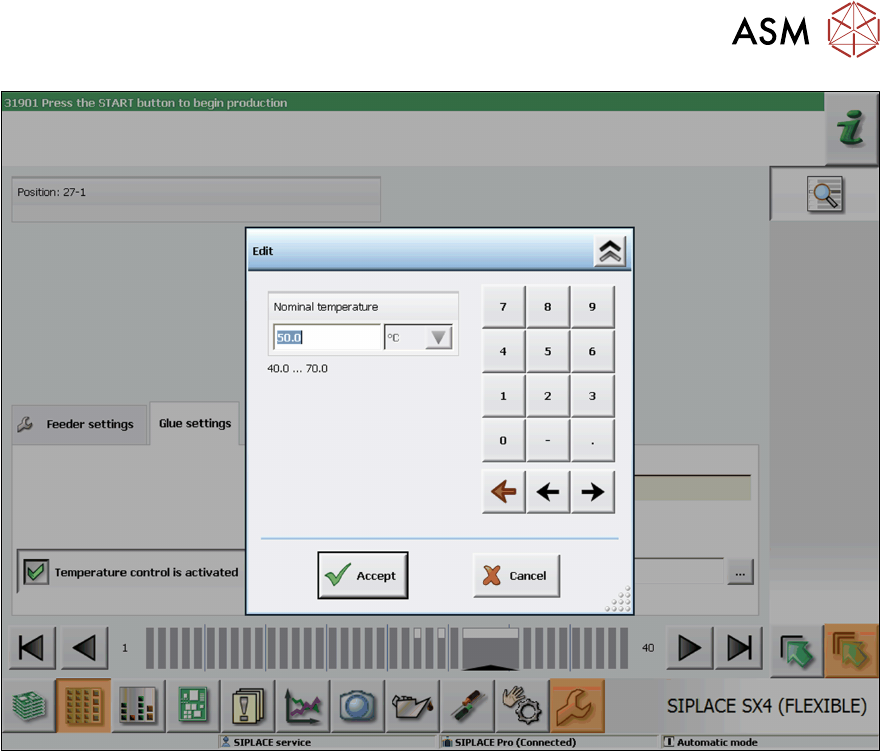
4 Operation 4.2 Individual Functions in Stations Software 706.1 and Higher User Manual SIPLACE Glue Feeder 05/2020 53 ► Use the numeric keys to set the required nominal temperature. ► Click on Accept to save the setting.
4 Operation
4.2 Individual Functions in Stations Software 706.1 and Higher
52 User Manual SIPLACE Glue Feeder 05/2020
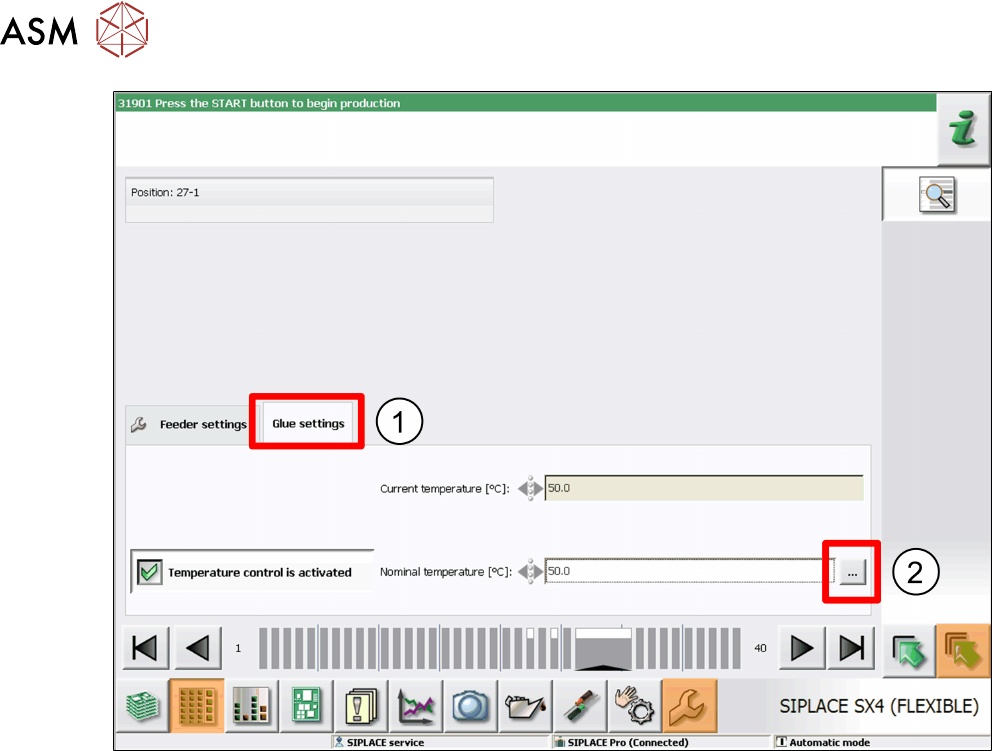
► Click on the Glue Settings tab.(1)
► Click on ... .(2)
The dialog box for editing the nominal temperature will be shown.
4 Operation
4.2 Individual Functions in Stations Software 706.1 and Higher
User Manual SIPLACE Glue Feeder 05/2020 53
► Use the numeric keys to set the required nominal temperature.
► Click on Accept to save the setting.
4 Operation
4.2 Individual Functions in Stations Software 706.1 and Higher
54 User Manual SIPLACE Glue Feeder 05/2020
The glue is warmed up via a heating function fitted to the nozzle. This heating function is normally
enabled when a board with components requiring gluing is moved into the placement area. The
heating is switched on and remain active for 10 minutes. It remains active for an additional 10
minutes for each board moved into the placement area.
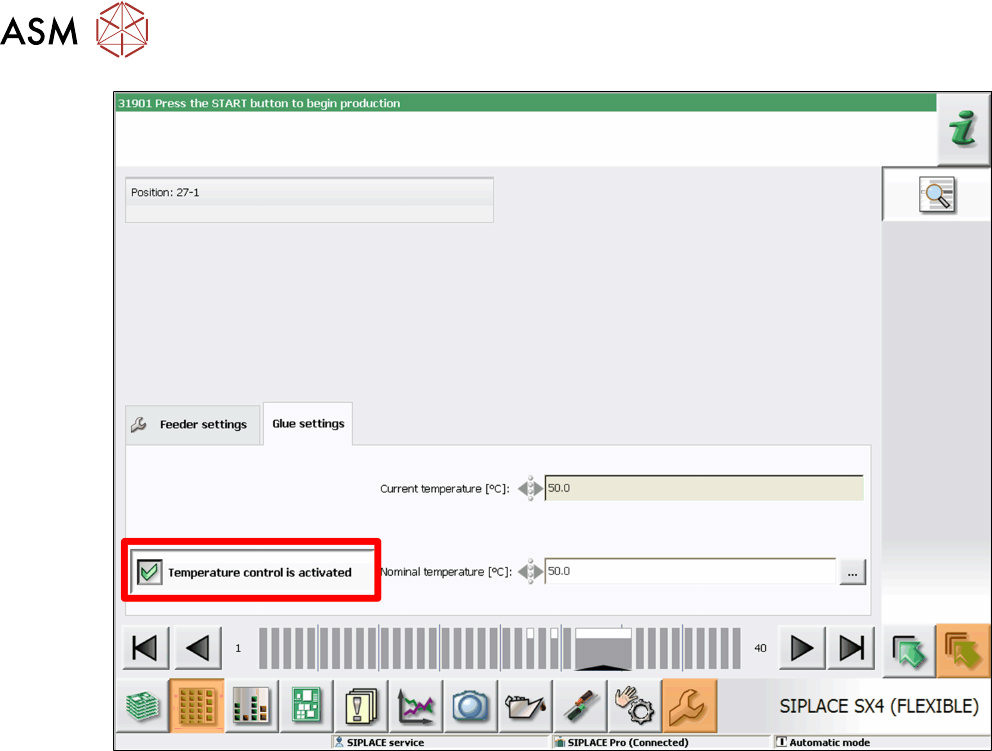
► For immediate warming up of the glue and to avoid waiting periods after moving in the board,
enable the option Temperature Control is Activated
.