User Manual - SIPLACE Glue Feedeer - 第54页
4 Operation 4.2 Individual Functions in Stations Software 706.1 and Higher 54 User Manual SIPLACE Glue Feeder 05/2020 The glue is warmed up via a heating function fitted to the nozzle. This heating function is normally e…
4 Operation
4.2 Individual Functions in Stations Software 706.1 and Higher
User Manual SIPLACE Glue Feeder 05/2020 53
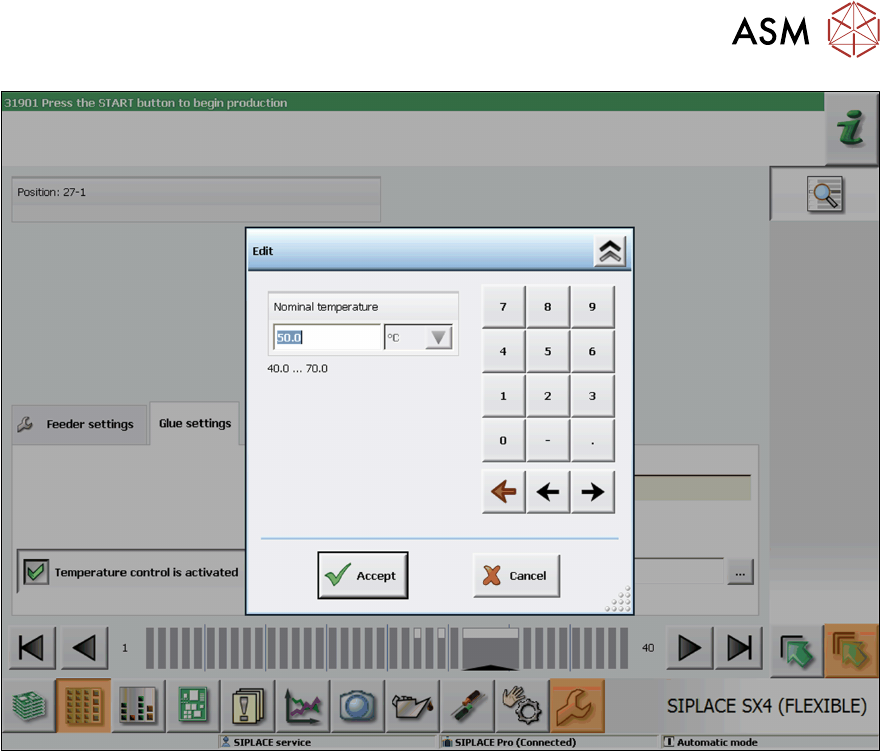
► Use the numeric keys to set the required nominal temperature.
► Click on Accept to save the setting.
4 Operation
4.2 Individual Functions in Stations Software 706.1 and Higher
54 User Manual SIPLACE Glue Feeder 05/2020
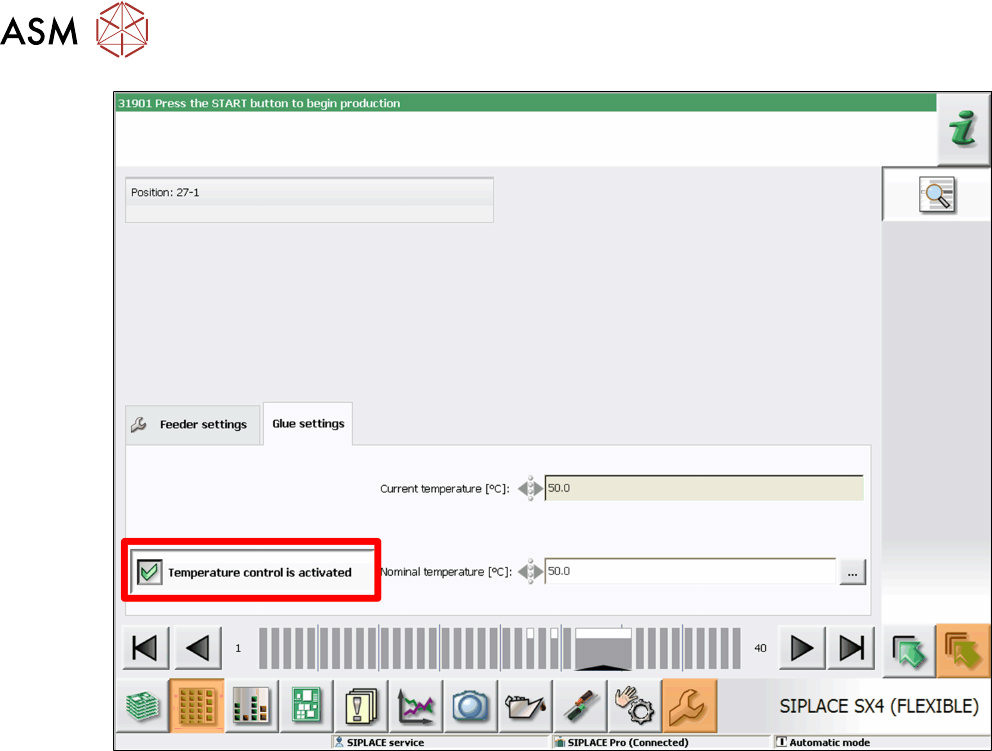
The glue is warmed up via a heating function fitted to the nozzle. This heating function is normally
enabled when a board with components requiring gluing is moved into the placement area. The
heating is switched on and remain active for 10 minutes. It remains active for an additional 10
minutes for each board moved into the placement area.
► For immediate warming up of the glue and to avoid waiting periods after moving in the board,
enable the option Temperature Control is Activated
.
4 Operation
4.2 Individual Functions in Stations Software 706.1 and Higher
User Manual SIPLACE Glue Feeder 05/2020 55
4.2.5 Managing Parameter Sets
NOTICE
Access privileges
In order to use this function, you need access to the Service level. This access privilege is
checked when you open the function.
The parameter sets are used to manage the settings with which the Glue Feeders on this station
should process the components to be placed.
The parameter sets contain the following information:
●
Diameter of each glue dot
– The distance between the components and the dispenser nozzle
– The number of shots used to make the glue dot.
●
The cycle time between 2 shots.
●
The glue temperature to be used for all glue dots.
●
The interval at which the dispenser nozzle is to be checked for contamination.
To manage parameter sets, proceed as follows:
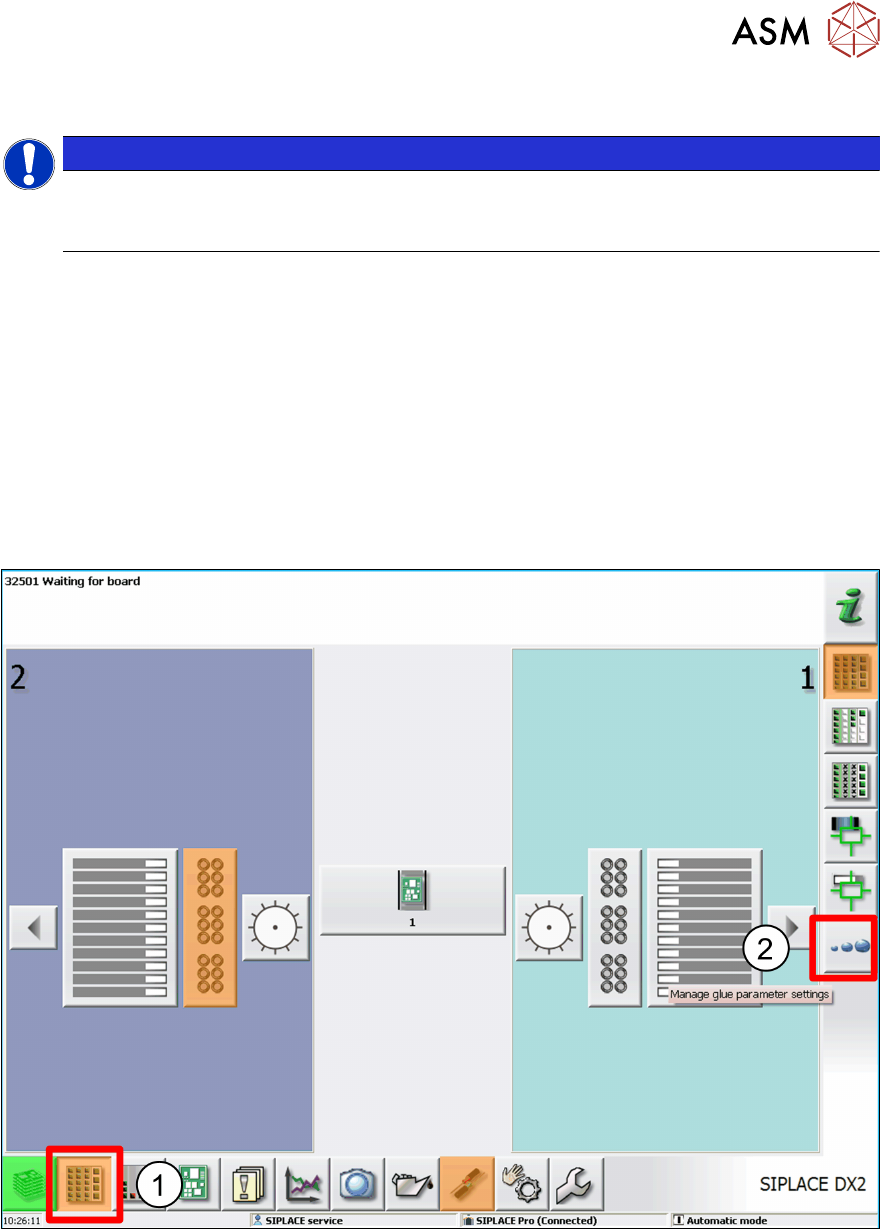
► Click on the Feeders, Components and Nozzles ... icon (1).
► Click on Manage Glue Parameter Settings. (2)
An overview of the existing parameter sets will be shown.