User Manual - SIPLACE Glue Feedeer - 第58页
4 Operation 4.2 Individual Functions in Stations Software 706.1 and Higher 58 User Manual SIPLACE Glue Feeder 05/2020 4.2.6 Applying Glue for Testing Equipment required ● Safety cover (The new version of the safety cover…
4 Operation
4.2 Individual Functions in Stations Software 706.1 and Higher
User Manual SIPLACE Glue Feeder 05/2020 57
4.2.5.1 Editing Parameter Sets
NOTICE
Protected parameter sets
The protected standard parameter sets, easily identifiable by their padlock icon in the Pro-
tected) column, can be copied and the copies can be changed. The protected standard
parameter sets themselves can not be changed.
To create a new parameter set, copy the existing parameter set and then change it to suit your re-
quirements.
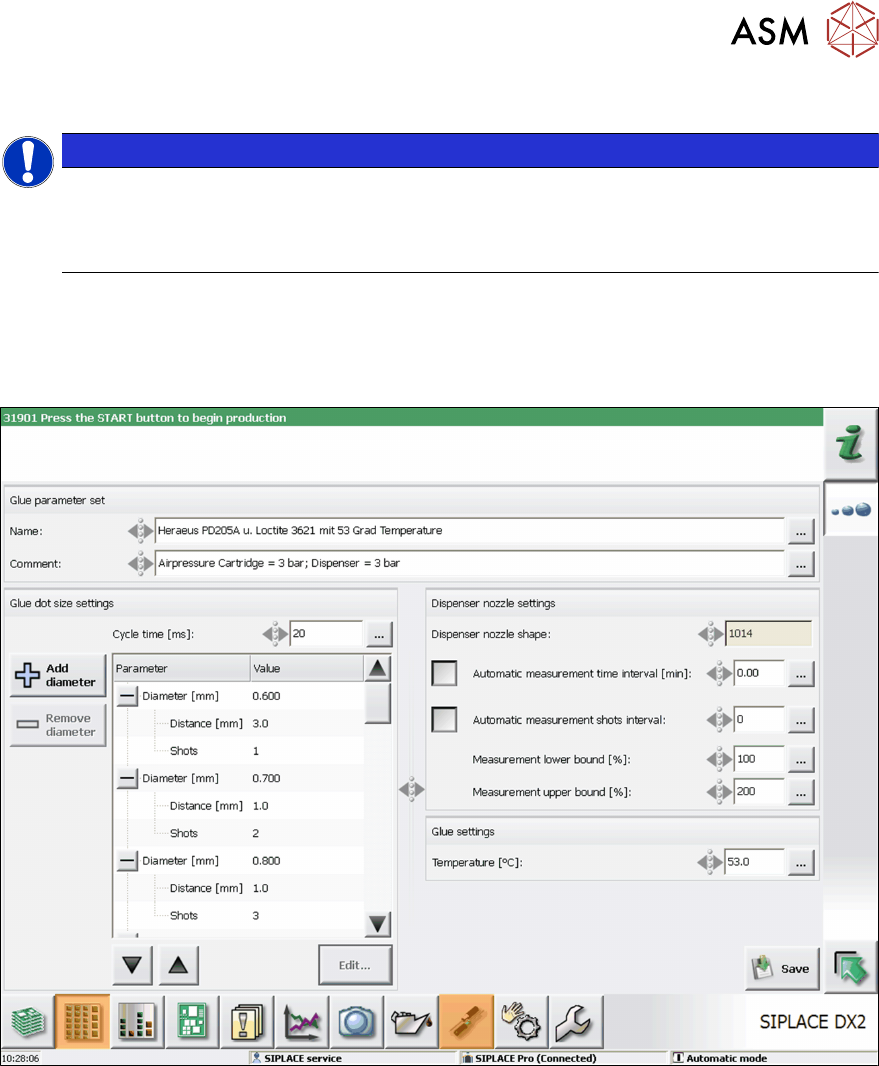
To change a parameter set, mark it and then click on Edit.
The following dialog will be shown:
This dialog is used to define any special settings which you want to use for all Glue Feeders e.g.
for a certain glue type or special application.
The parameter sets are used to control the distance between the components and the dispenser
nozzle plus the amount of shots to be used to realize glue dots of different diameters. You can also
set the cycle time between the shots for all glue dots and the interval for checking the dispenser
nozzle for contamination.
For a detailed description of this dialog, refer to the Online Help.
General procedure:
► Assign a suitable name to the parameter set.
► Adjust the predefined parameter set to suit your requirements.
► To save the parameter set, click on Save.
4 Operation
4.2 Individual Functions in Stations Software 706.1 and Higher
58 User Manual SIPLACE Glue Feeder 05/2020
4.2.6 Applying Glue for Testing
Equipment required
●
Safety cover
(The new version of the safety cover is made of black metal.)
●
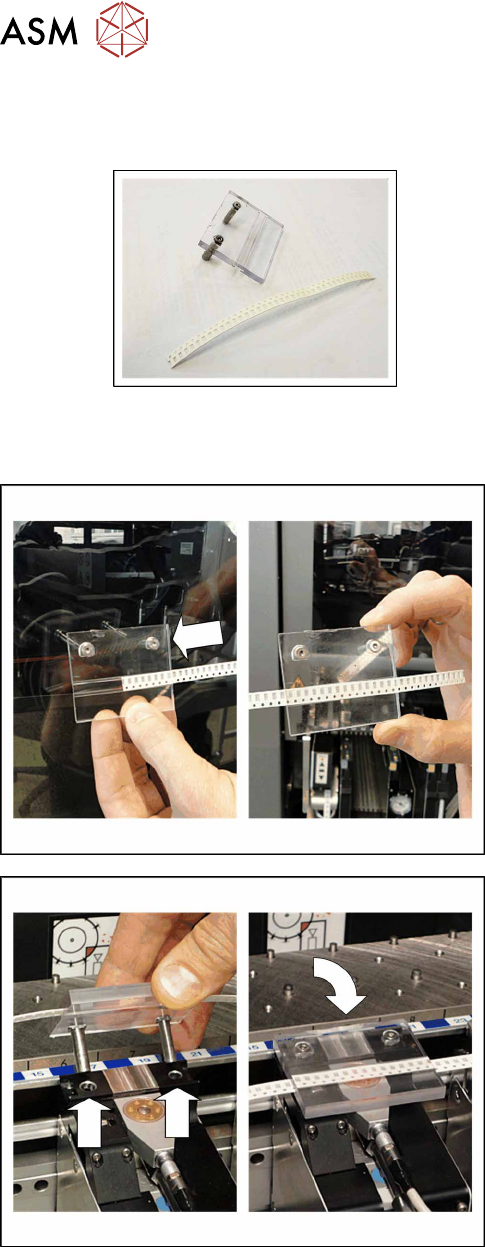
8mm paper tape
► Push the paper tape into the safety cover as
shown in the diagram.
► Open the machine cover.
► Push the gantry back.
► Position the safety cover over the dispenser
nozzle of the Glue Feeder, as shown in the dia-
gram.
To start the gluing procedure at the station software, proceed as follows:
4 Operation
4.2 Individual Functions in Stations Software 706.1 and Higher
User Manual SIPLACE Glue Feeder 05/2020 59
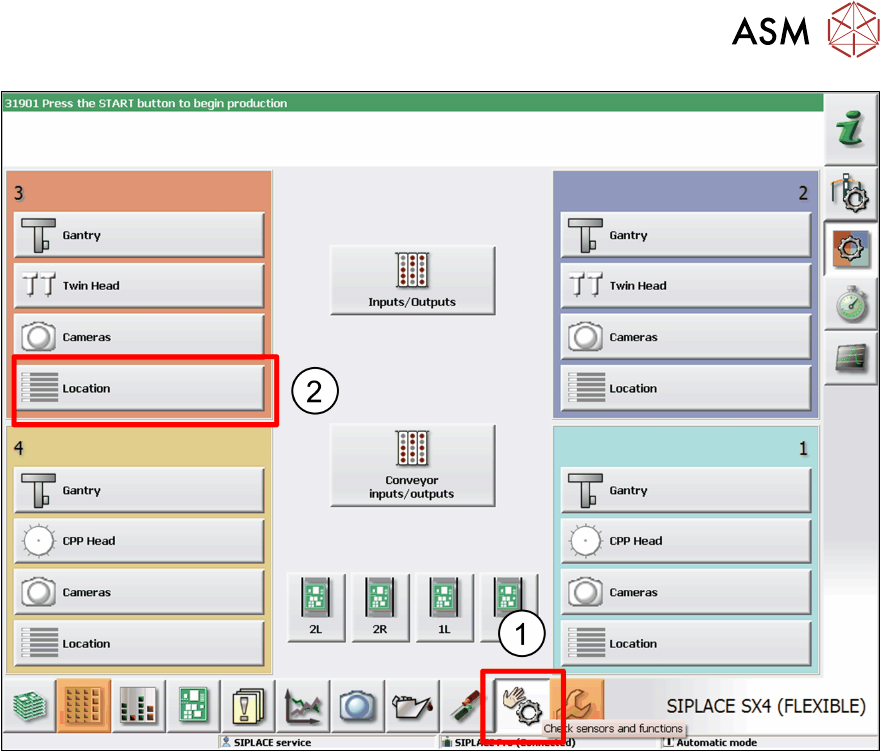
► Click on the icon Check Sensors and Function. (1)
The menus for the various locations will be shown.
► Click on the location at which the Glue Feeder has been set up. (2)