User Manual - SIPLACE Glue Feedeer - 第61页
4 Operation 4.2 Individual Functions in Stations Software 706.1 and Higher User Manual SIPLACE Glue Feeder 05/2020 61 ► If necessary, you can also change the nominal temperature of the glue. To do this, go to Settings , …
4 Operation
4.2 Individual Functions in Stations Software 706.1 and Higher
60 User Manual SIPLACE Glue Feeder 05/2020
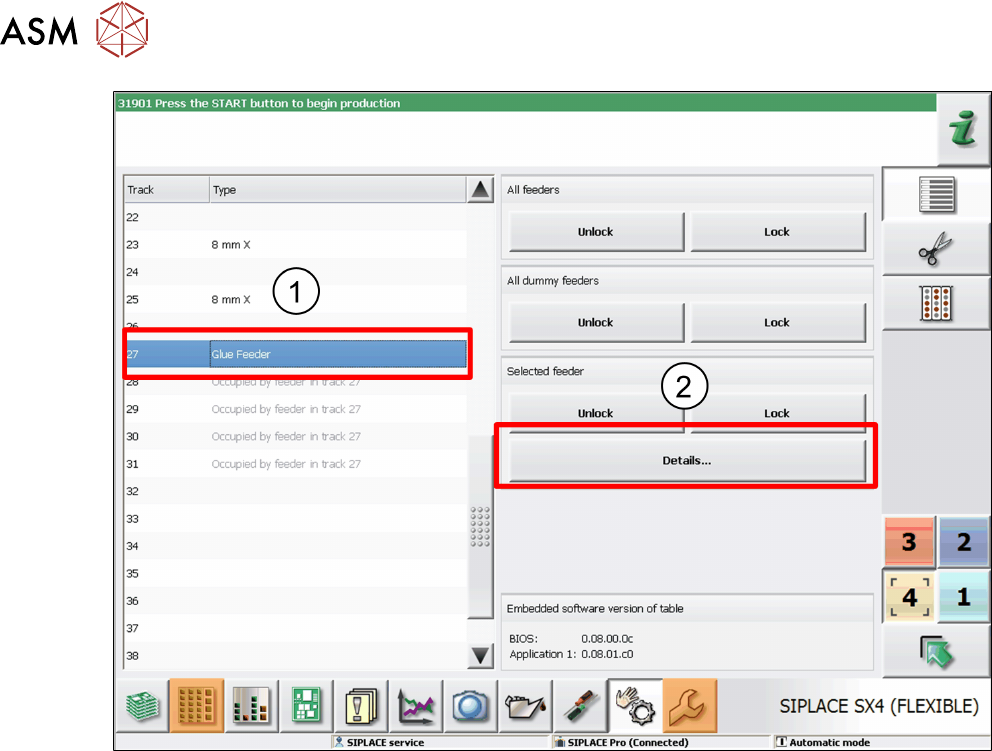
► Go to the track overview on the left and mark the entry Glue feeder. (1)
► Then click on Details... . (2)
4 Operation
4.2 Individual Functions in Stations Software 706.1 and Higher
User Manual SIPLACE Glue Feeder 05/2020 61
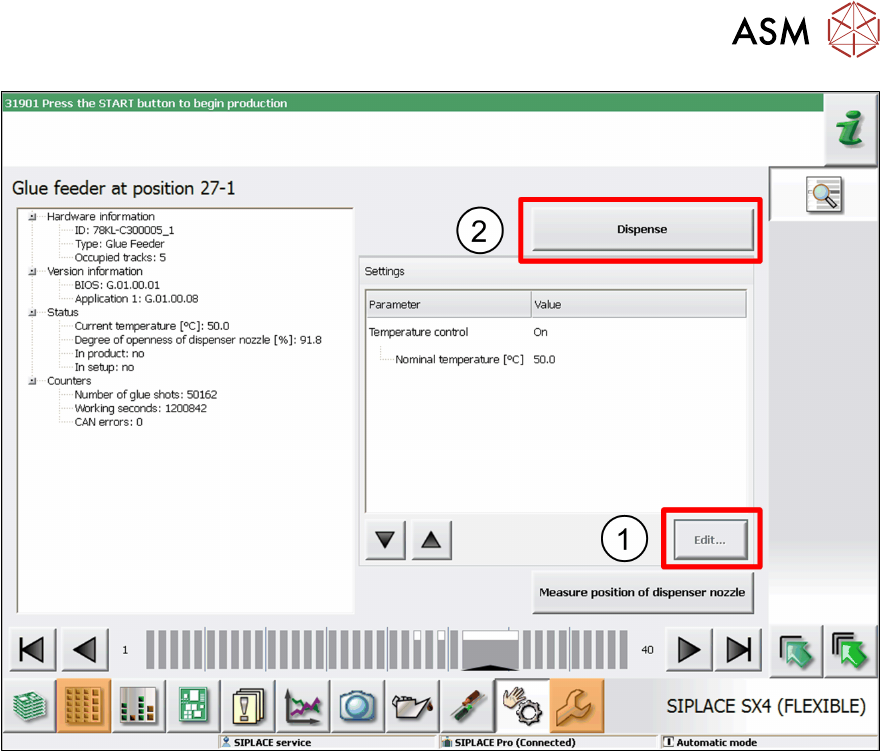
► If necessary, you can also change the nominal temperature of the glue.
To do this, go to Settings
, mark the entry Nominal Temperature and then click on Edit. (1)
Adjust the temperature as required in the dialog box shown and then click on Accept.
► To test the glue, click on Dispense. (2)
4 Operation
4.2 Individual Functions in Stations Software 706.1 and Higher
62 User Manual SIPLACE Glue Feeder 05/2020
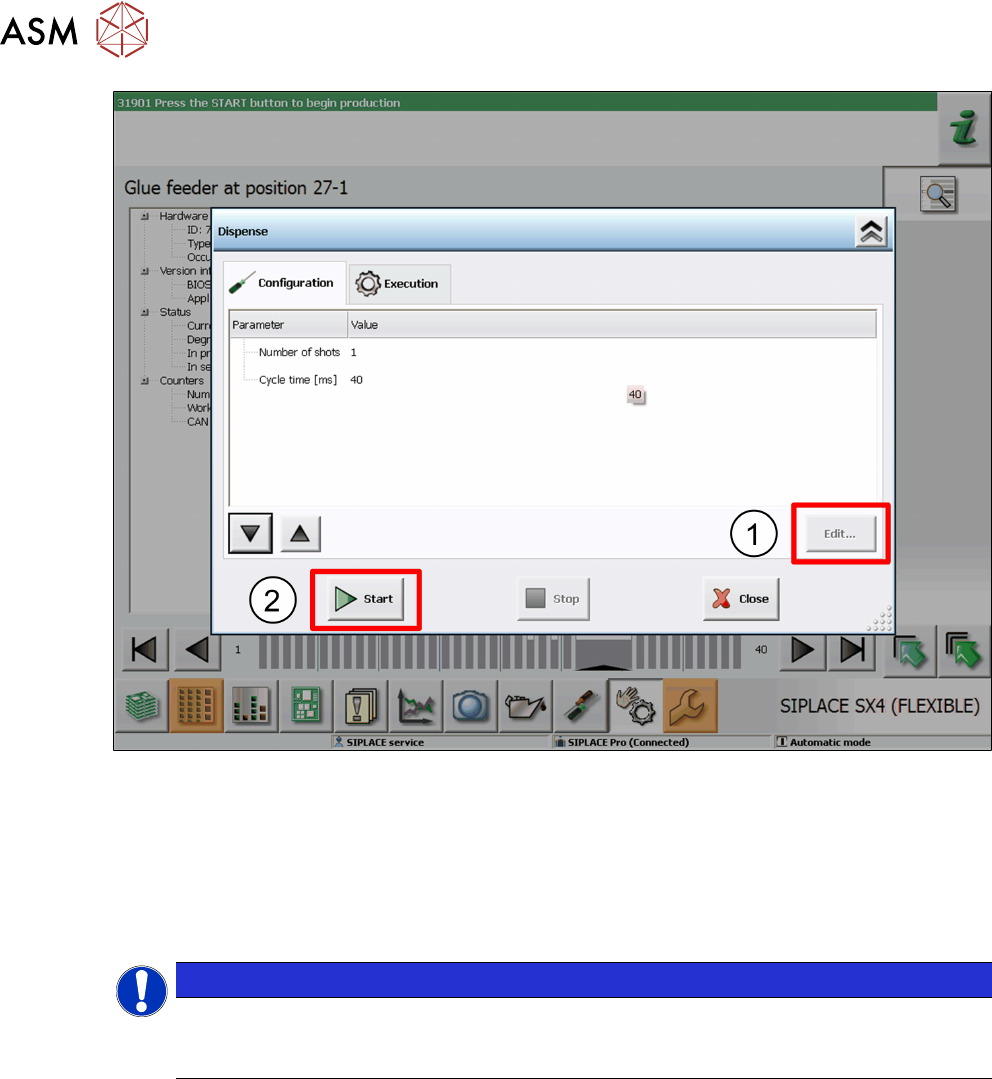
► This dialog allows you to change the number of glue dots and the cycle time (in milliseconds).
Select the parameters to be changed and click on Edit
. (1)
Set the value as required in the dialog shown and then click on Accept.
► To test the glue, click on Start. (2)
The glue will be applied to the paper tape.
► Take the safety cover off the Glue Feeder and check the test result.
You can repeat this procedure as often as you need.
NOTICE
Removing the safety cover
Once the tests have been completed, remove the safety cover from the Glue Feeder and
close the machine cover.