User Manual - SIPLACE Glue Feedeer - 第8页
1 Introduction 1.3 Other instructions 8 User Manual SIPLACE Glue Feeder 05/2020 1.3 Other instructions 1.3.1 Environmentally-friendly disposal of materials and components Our products are manufactured using only material…
1 Introduction
1.2 Operational Safety
User Manual SIPLACE Glue Feeder 05/2020 7
1.2.2 Safety Concept
As the glue is "shot" upwards, personal safety measures must be observed. These measures vary
according to the operating mode, as follows:
●
Operation inside the machine
●
Operation outside the machine or when the machine cover is open
1.2.2.1 Operation Inside the Machine
In this operating mode, the control signal for switching on the supply voltage to the solenoid valve,
which provides the compressed air for the jet valve, is issued by the machine safety circuit i.e. the
valve is switched off when the machine cover is open, thereby preventing application of the glue.
Once you have closed the cover, you need to wait until the operating temperature has been re-
stored again, before glue can be applied. This can take between 1 second up to 1 minute, depend-
ing on how long the cover was opened for.
The glue feeder is connected to the machine safety circuit via a cable. An adapter cable with Y
connector for looping through the safety circuit is provided with the glue feeder for this purpose.
The feeder end of the cable is the same for all machines and this is plugged into the machine-spe-
cific part of the cable. This cable can be plugged into the safety circuit of any machine, in the area
served by the distributor. A retrofit guide for all machine types is provided.
1.2.2.2 Operation Outside the Machine or when the Machine Cover is Open
You will need to dispense glue via the feeder control panel for test and setup purposes. As this is
generally performed outside the machine or when the machine cover is open (e.g. at an external
setup location or a Single Slot EDIF), you will need to attach a special cover onto the jet valve. A
sensor is used to test the presence of this cover. If the cover has been fitted into place, the sensor
will authorize activation of the solenoid valve supply voltage, which then provides compressed air
to the jet valve.
For safety reasons, in the event of a defective sensor, the voltage supply will not be released and
the signal for "cover removed" will be present. As the station software also evaluates this signal,
the "cover removed" signal could still be sent although the cover is in place i.e. there is a risk of a
head crash.
CAUTION
Risk of head crash
When the cover is in place, make sure that the machine axes do not move or, if already
moving, stop them immediately, as the cover protrudes into the travel range of the place-
ment head.
1.2.3 Safety Features
Safety circuit and safety cover
The integration of the glue feeder into the safety circuit of the machine ensures that, when the
machine cover is open, the glue feeder can only dispense glue if the safety cover is fitted correctly
into place on the jet valve. This is an important safety measure which safeguards the operator from
being hit by a shot of glue and injured.
NOTICE
Safety cover
The safety cover is only recognized when the machine is switched on.
CAUTION
With external voltage supply
When using the glue feeder together with an external voltage supply e.g. Single Slot EDIF
or docking station, make sure that the glue feeder is NEVER connected to the machine
safety circuit!
1 Introduction
1.3 Other instructions
8 User Manual SIPLACE Glue Feeder 05/2020
1.3 Other instructions
1.3.1 Environmentally-friendly disposal of materials and components
Our products are manufactured using only materials and parts that can be easily separated and
disposed of in an environmentally-friendly way.
NOTICE
Observe the applicable regulations
The company operating the system has sole responsibility for the proper, environmentally-
friendly disposal of machines, working materials, consumable materials and wear parts.
► Please observe your national statutory provisions for waste disposal and environ-
mental protection.
1.3.2 Use of original accessories and spare parts
Only use original spare parts and authorized accessories. The use of other parts will affect safety
and will invalidate the liability for any consequential damage.
1.3.3 ESD guidelines
1.3.3.1 What does ESD mean?
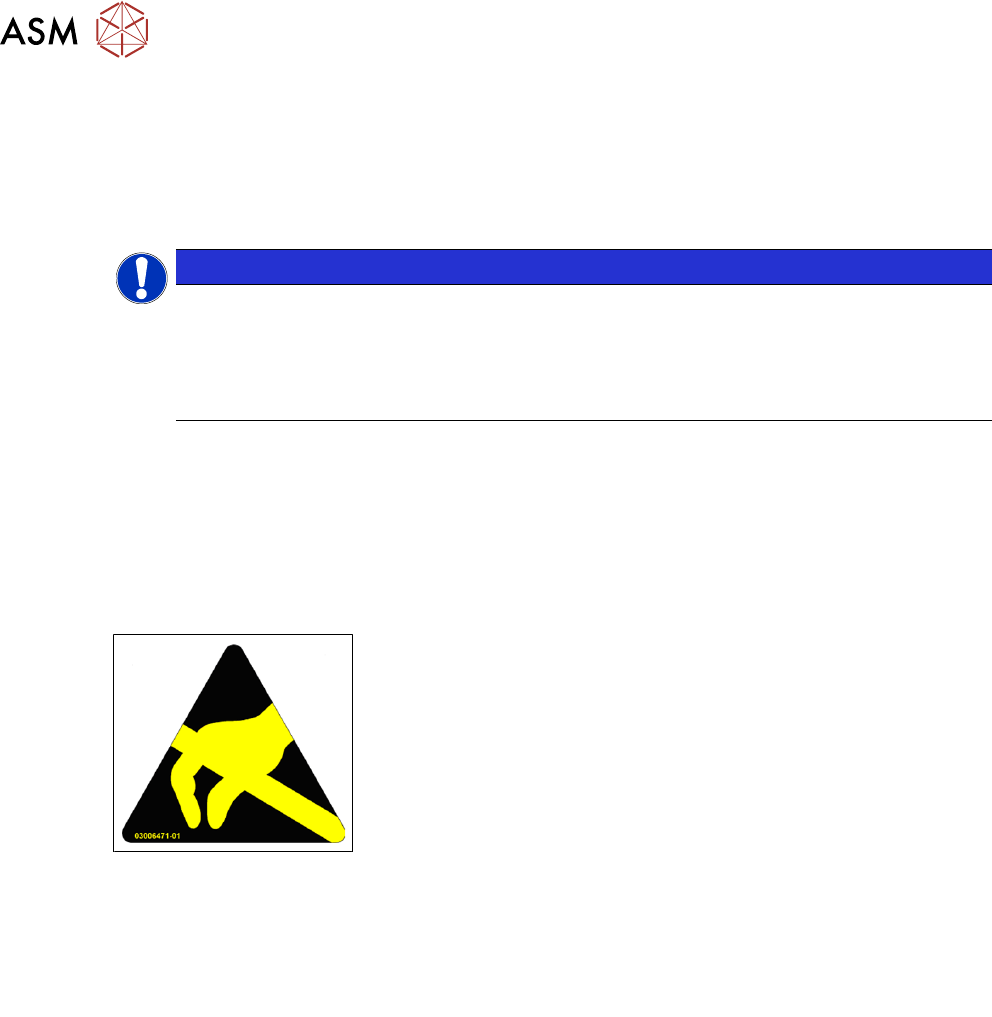
Fig.1: ESD label
Almost all of the modules in use today are equipped with highly integ-
rated Metal-Oxide-Semiconductor (MOS) blocks and components.
The manufacturing techniques used mean that these electronic com-
ponents are extremely sensitive to overvoltage and thus to electro-
static discharge.
The abbreviation for such modules is "ESD" (Electrostatic Sensitive
Device). "ESD" is used internationally. The following symbol on cab-
inet rating plates, racks or packaging indicates that components
which are sensitive to electrostatic discharge have been used and
thus that the modules concerned are also touch-sensitive.
ESDs can be destroyed by voltages and power levels that are far below the level that can be per-
ceived by humans. Such voltages occur if a person touches a component or module without
earthing themselves. Components that are exposed to such overvoltages do not generally appear
to be defective immediately - incorrect behavior starts after the component or module has been in
operation for some time.
1.3.3.2 Important measures to protect against static charging
► Most plastics can easily become charged and must therefore be kept away from at-risk com-
ponents.
► Always ensure that people, the workplace and packaging are safely earthed when handling
electrostatic sensitive components.
1.3.3.3 Handling ESD modules
As a general rule: Only touch electronic modules if you must carry out work on the modules. In that
case, make sure that you do not touch the pins or printed conductors when you pick up flat mod-
ules.
Only touch components if you are earthed by one of the following measures:
●
You are wearing an ESD wristband.
●
You are wearing ESD shoes.
●
You are wearing ESD shoe earthing strips on an ESD floor.
Immediately before you touch an electronic module, discharge your own body by touching a con-
ductive and earthed object (such as unpainted parts of a switch cabinet, a water pipe, etc.).

1 Introduction
1.3 Other instructions
User Manual SIPLACE Glue Feeder 05/2020 9
Do not allow modules with chargeable and highly insulating materials to touch one another, e.g.
plastic films, insulating table surfaces or items of clothing made from synthetic fibers.
Always place the modules on a conductive surface (table with an ESD coating, conductive ESD
foam, ESD bag or container).
Do not move the assemblies near to data view devices, monitors or television units. Keep a min-
imum distance of 10 cm to monitors.
1.3.3.4 Measurements and modifications to ESD modules
Only perform measurements on modules if one of the following conditions is fulfilled:
●
You are using an earthed measuring device (e.g. via PE conductors).
●
You are using a potential-free measuring device and discharge the measuring head before
the measurement (e.g.by touching an unpainted metal part of the controller casing).
► Always use an earthed soldering iron if you carry out any soldering work.
1.3.3.5 Dispatching ESD modules
► Always store modules and components in conductive packaging (e.g. metallized plastic bags
or metal sleeves) and dispatch them in conductive packaging
► If the packaging is not conductive, place the modules in a conductive envelope before pack-
aging. Use conductive expanded rubber, ESD bags, domestic aluminum foil or paper, for
example. NEVER use plastic bags or film.
► If the module has integral batteries, ensure that the conductive packaging does not touch or
short circuit the battery terminals and, if necessary, first cover the terminals with insulating
tape or material.
1.3.4 SIPLACE on the World Wide Web (WWW)
Log in to our SIPLACE® homepage at http://www.asm-smt.com.
You can choose between the German and English version.
The different sections contain information about our products, services and contact persons.
In addition, registered customers can also access the MySIPLACE user group. Here, you can
access special information about our placement systems, e.g.:
●
Technical documentation
●
Technical information
●
Spare parts lists
Registration for the MySIPLACE user group is very simple:
► Click on MyASM and then on Registrieren.
► Fill in the registration form and send it off to us.
Soon afterwards, you will receive your access authorization with user name and password.