IT Feeder Manual-45Series(English V2.0)Ver5.pdf - 第30页
Samsung Intelligent Feeder System 1.4.6. Part count m odification dialog box There are cases where the user wants to m odify the part count by the num b er of components discarded during feeder reel change. When the <…

IT Feeder System
1-17
<(Part)Description> character string box
Displays the description on the Part from the searched reel information if there is any.
<1st Reel> group box
In case the remaining reel is connected with another reel containing the same parts
during operation, the information concerning the remaining reel is displayed.
<2nd Reel> group box
Displays the information on the reel connected to the 1
st
reel.
<Barcode> character string box
Displays the currently entered barcode.
<Registered> Character string box
Displays the initial registration date and time of the part reel from the searched reel
information.
<Last Updated> character string box
Displays the latest update date and time of the searched reel information.
<Count> character string box
Displays the latest part count of the part reel from the searched reel information.
<(Reel)Description> character string box
If there is any description on the part reel in the searched reel information, it is
displayed.
<Modify…> button
Displays the dialog box to change the part count. The part count can be changed in
consideration of the number of components discarded during reel change.
icon
Displays whether the part reel of the barcode entered is registered in the database. If it
is registered, the icon is displayed in green, if not, a message telling “Reel code is not
registered” is displayed on the screen and the icon is displayed in yellow.
If another barcode is not entered within 10 seconds after the Feeder program ends, the
Local Feeder Programming dialog box ends automatically.
Machine Feeder Program procedure
① Install the part reel on the feeder to program.
② Enter the barcode of the part reel. Input can be done by a barcode reader or
through the manual input dialog box
③ The Programming dialog box is displayed on the screen as in [Figure 1-19].
④ When the Feeder is installed in the desired slot, the Feeder Slot Number and
Feeder Type are displayed and programming ends.
⑤ When the feeder is programmed normally, the reel icon flashes.
⑥ If another barcode is not entered within 10 seconds, the dialog box ends
automatically.
Samsung Intelligent Feeder System
1.4.6. Part count modification dialog box
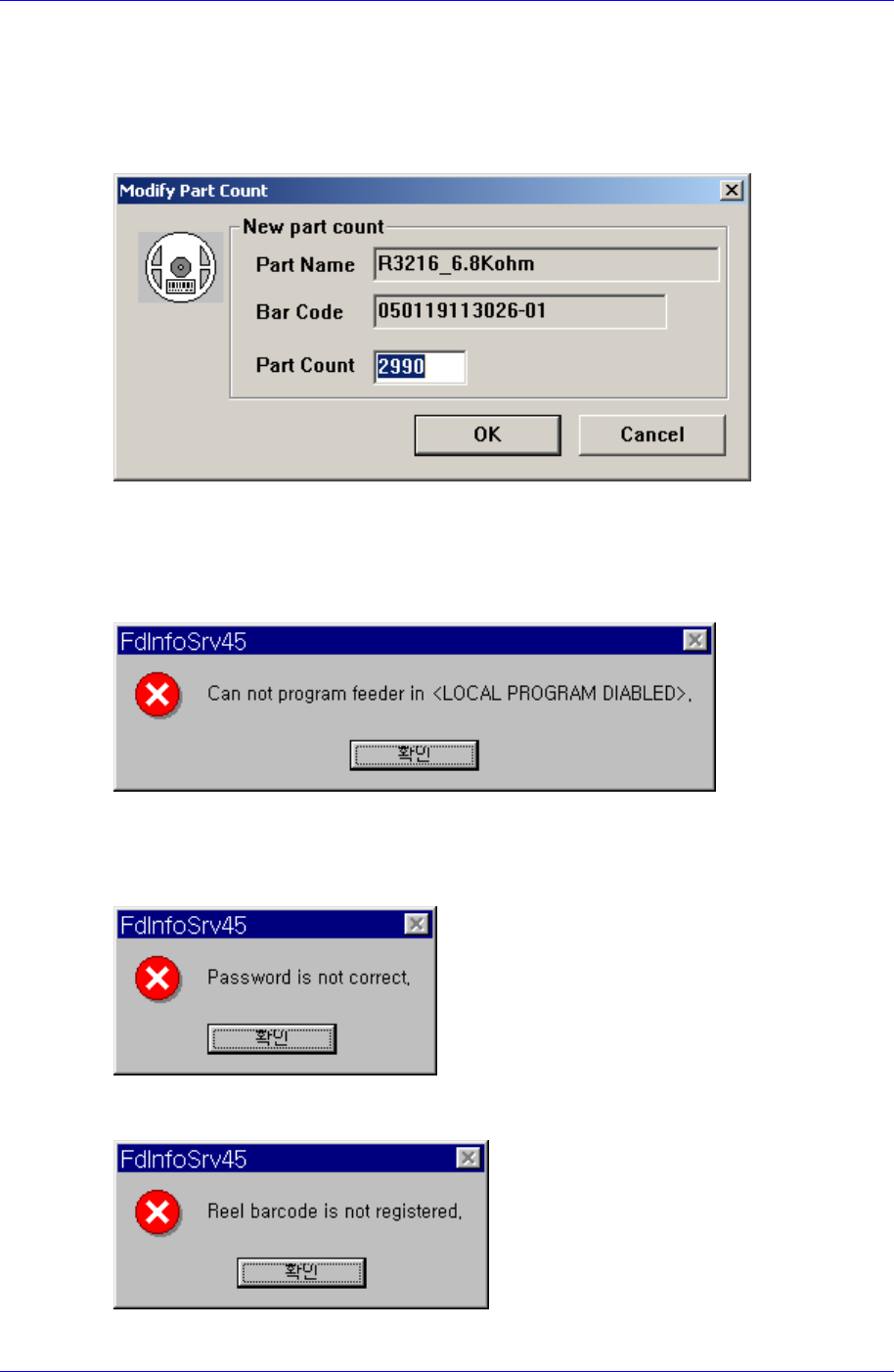
There are cases where the user wants to modify the part count by the number of
components discarded during feeder reel change. When the <Modify..> button in [Figure
1-19] is clicked on, the part count modification box is displayed on the screen as in
[Figure 1-20].
Figure 1-20. Part count modification dialog box (Decrement mode)
Modification can be made by entering the number of remaining parts directly.
1.4.7. Message box
The above message box is displayed when a barcode is entered in a status where the
equipment is set for no feeder-programming. If the user wants to replace components in
the feeder, change the “Local Feeder Programming” status to “Enable” in the FIS
environment setup.
To set the FIS environment, a password is needed. If the password entered does not
coincide with the set password, the above error message is displayed.
When a barcode entered is not registered in the database, the above error message is
1-18
IT Feeder System
1-19
displayed. Barcodes can be read wrongly due to damages to barcodes or wrong key in
during direct input. In the former case, reissue barcodes in the Part Station or enter them
manually.
A barcode that is not generated by the Part Station can not be read. In this case, register
the reel in the Part Station first and use it.
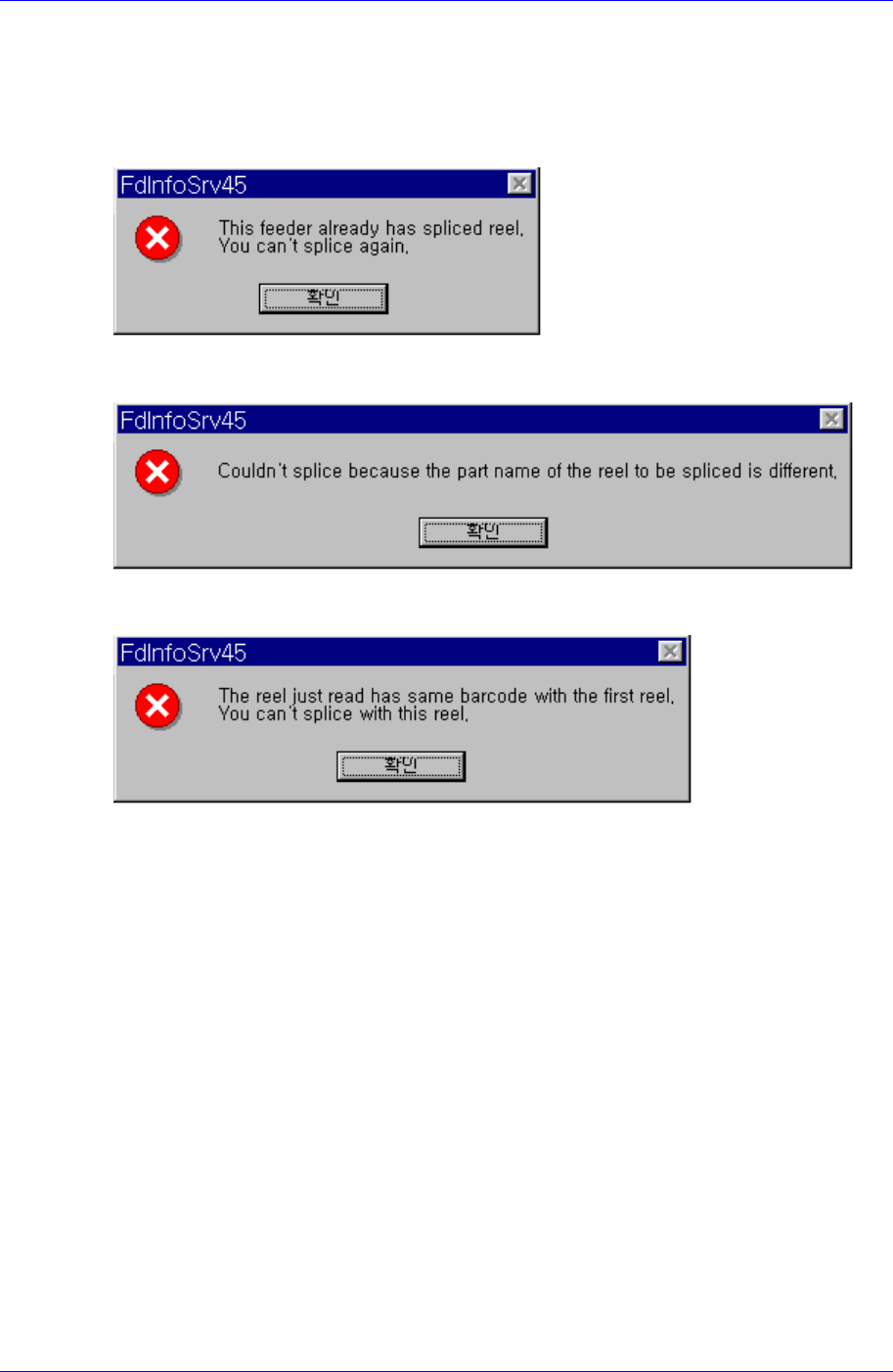
When splicing the selected feeder, if it has been already spliced, the message as above is
displayed.
When performing splicing in the Splicing Screen Configuration, it appears if the 2
nd
reel
code is not identical.
When performing splicing in the Splicing Screen Configuration, it appears if the 2
nd
reel
code is identical.