wire-bonder.pdf - 第23页
WEST•BOND MODEL 454647E SER IES INSTRUCTION MANUAL 17 INSTALLATION Adjusting the Camera Focus The camera focu s is set at the facto ry before ship ment. Unfortuna tely, the bumping and jarring that the machine encounters…
WEST•BOND MODEL 454647E SERIES INSTRUCTION MANUAL
16
INSTALLATION
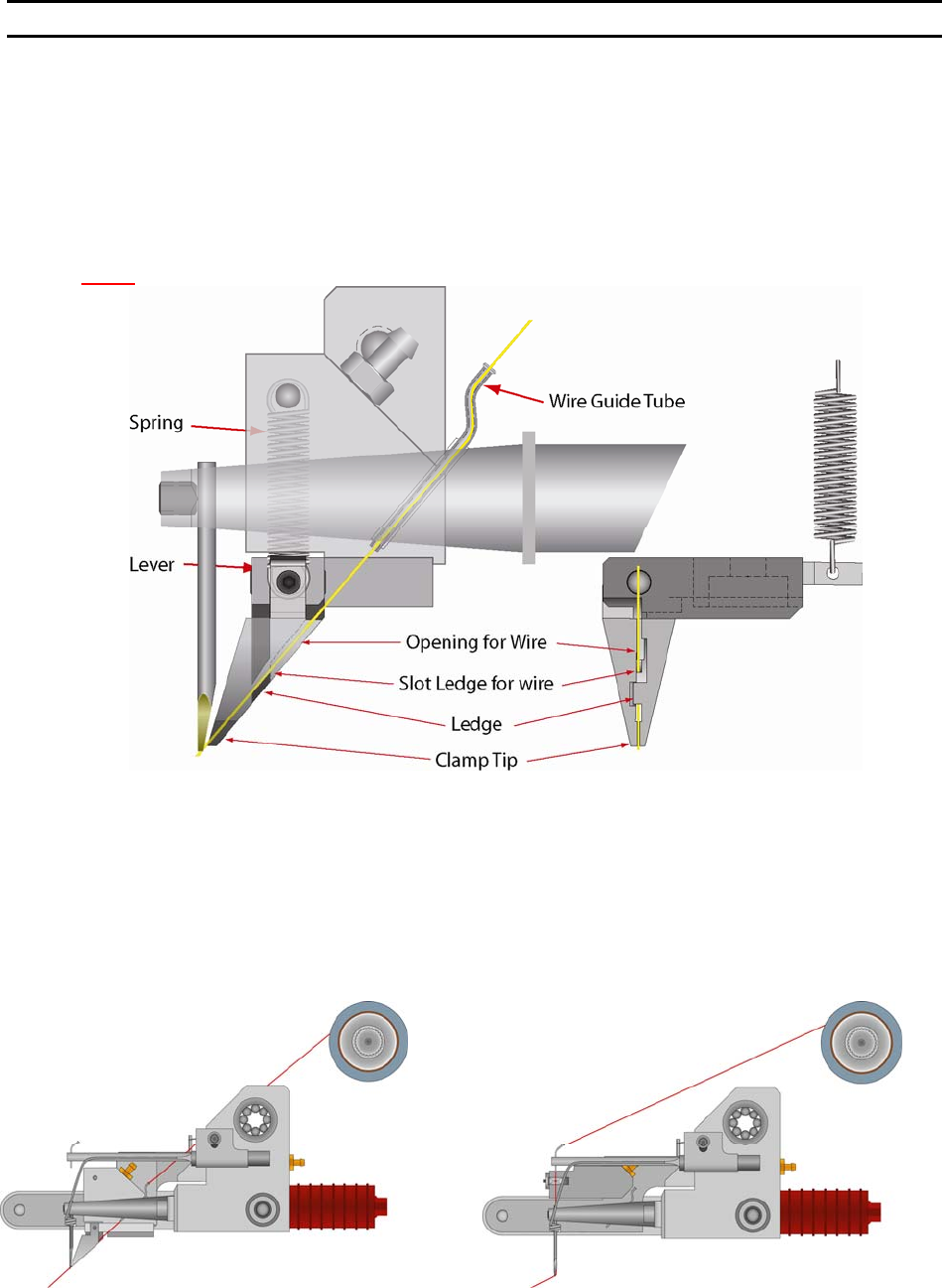
Installing the Bonding Wire
The 454647E is equipped with a standard ½” Ball Bearing Spool Mount. Slide the ½” spool over the
Spool Mount such that the wire de-spools over the top (counter-clockwise when viewed from the right
side). Carefully route the wire through guides, transducer, clamps and bonding tool. With the 45° Bonding
head, the wire runs through guide tube, which runs through the transducer. From the home menu, press 6
on the keypad to manually open and thread the clamp blades making sure that the clamps fully capture
the wire.
N
OTE! The wire needs to be above the wire guide in the back side of clamp blades.
The guide tube for the 90° has a single bend for adding a slight drag to the wire. Because of these
bends, it is necessary to “inch” the wire through by holding the tweezers close to the Guide Tube. When
the wire is visible below the Guide Tube, pull the wire through. Turn on the machine power. Press the “6”
key, for T
HREAD and BOND-OFF mode, to open the Clamp Blades. (Air must be connected and active as
the clamp open and close functions are operated by air.) Thread the wire through the Clamp Blades, then
through the Bonding Tool. To Close or Open the Clamp Blades, press the “6” Key, or to feed more wire
through the tool, Press the “A” key, (For more information on threading the tool see page 33.) The
bonding wire should be positioned according to the drawings below.
WEST•BOND MODEL 454647E SERIES INSTRUCTION MANUAL
17
INSTALLATION
Adjusting the Camera Focus
The camera focus is set at the factory before shipment. Unfortunately, the bumping and jarring that the
machine encounters during shipment may upset this delicate adjustment. A slight adjustment may be
required to bring the camera back into factory specifications. Below you will find a detailed set of
instructions to effect this adjustment. W
EST•BOND recommends reading all of the steps prior to attempting
any adjustment. This is to familiarize the operator with the camera configuration, allowing for a quicker
and more effective adjustment process. If you encounter any difficulties or have any questions, feel free
to contact W
EST•BOND or your local factory representative technical support for help.
S
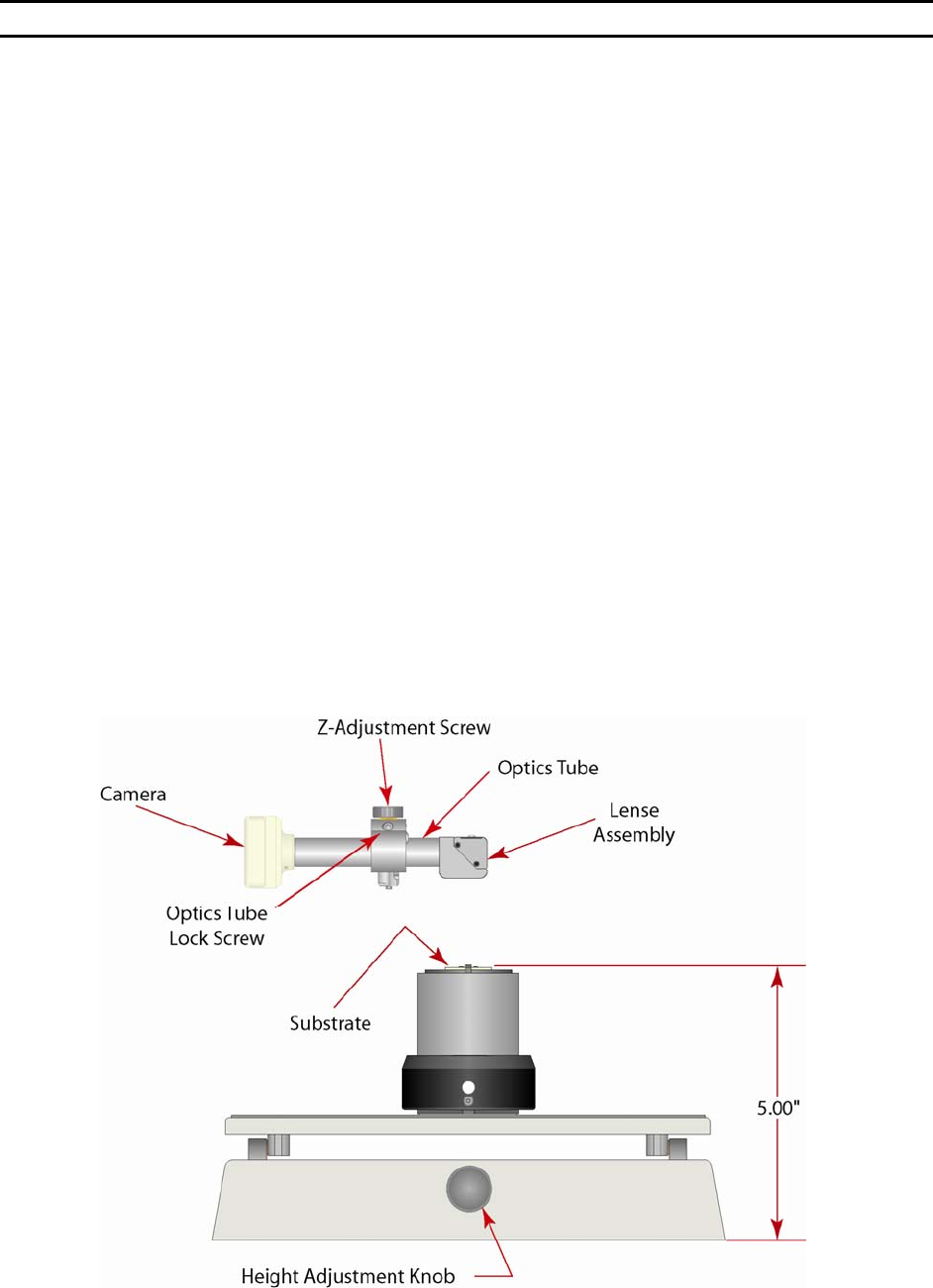
TEP 1 - SETTING THE WORK HEIGHT
Place the package (a.k.a. the part to be bonded) upon its workholder and refer to page 28 to correctly set
the W
ORK HEIGHT. When this is properly set, there will be a 5 inch differential between the bottom edge of
the platform and the top of the bonding surface.
S
TEP 2 – INCH DOWN AND BOND OFF
From the home menu (A
LIGN BOND MENU) press key 6 to go to the THREAD AND BOND menu. Using the G
key, look into the microscope, inch down onto your work surface, and bond off. In this mode all of the
machine’s brakes will lock in order to keep the bonding surface underneath the camera eye.
S
TEP 3 – ADJUSTING CAMERA HEIGHT
Loosen the Thumb Nut
1
/
4
to
1
/
2
of a turn. This nut simply locks up the camera adjustment and it is not
necessary to loosen it excessively. Located in the top of the adjustment block, above the T
HUMB NUT is
the CAMERA Z-ADJUSTMENT SCREW. Insert a
1
/
8
” Allen wrench and turn slowly while observing the bonding
surface in the monitor. Turning this screw clockwise will raise the camera assembly while counter-
clockwise will lower it. Once the optimum focus is achieved, lock down the thumb nut and press the A
key. Bond off again and set the crosshairs.
WEST•BOND MODEL 454647E SERIES INSTRUCTION MANUAL
18
INSTALLATION
Adjusting the Camera Focus
STEP 4 – SETTING THE CROSSHAIRS
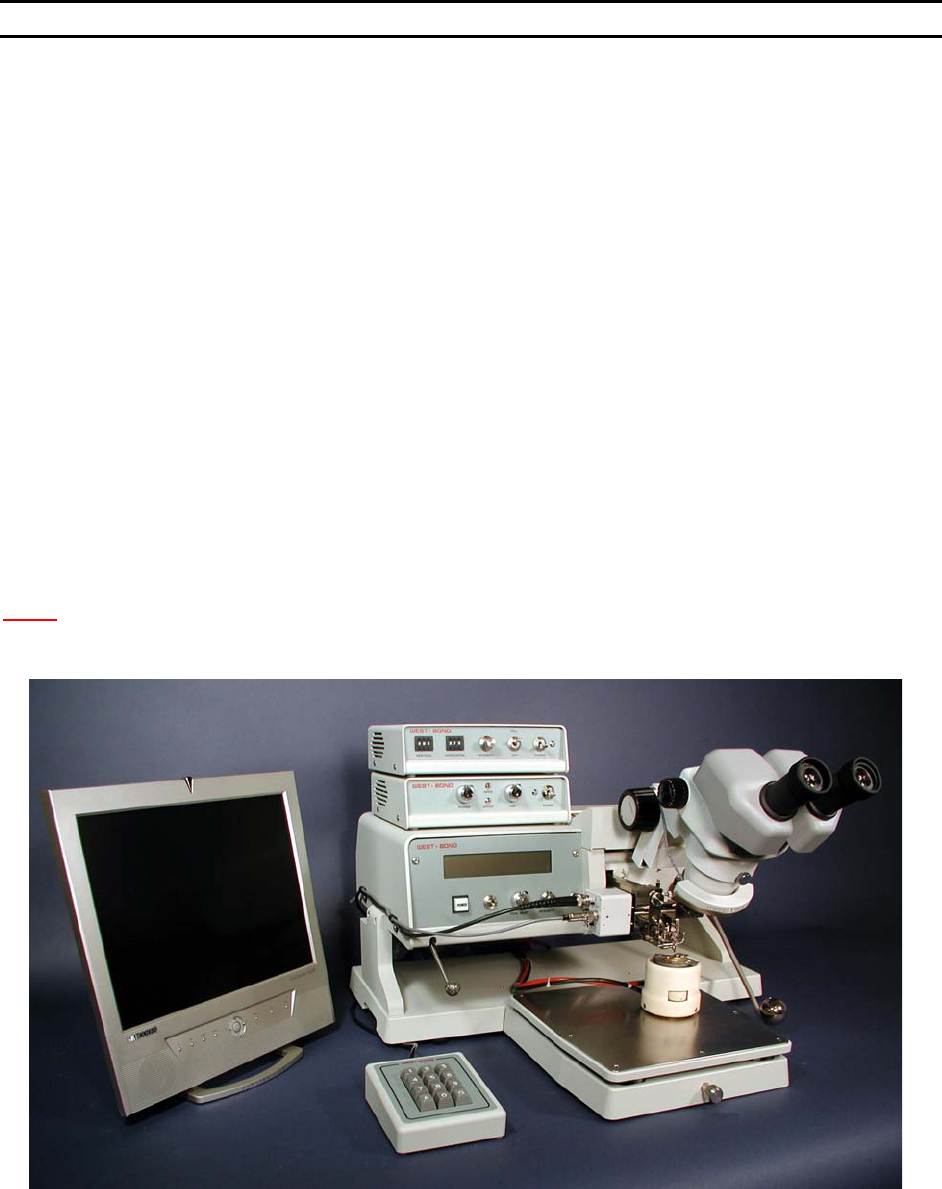
Use the digi-switches on the crosshair generator to move the crosshairs up and down or left and right. If
the bond did not stick then the operator may choose to bond again by pressing the A key or, if everything
is correct, key G may be pressed to accept the crosshair settings. If the bond is outside of the camera
screen it may be necessary to adjust the camera position and bring the bond back into the center of the
screen.
S
TEP 5 – ADJUSTING CAMERA POSITION
First, using the digi-switches on the crosshair generator set the cross hairs to target directly in the center
or lower center of the screen (placement of the crosshairs in the lower center of the screen will allow the
operator to see both first and last bond if they are close together). Next, ensure that the camera head is
square with the body of the camera. Looking from the right side of the machine you can look down the
side of the camera head and the camera body. If these two are not square with each other the onscreen
image may appear to be rotated in comparison to the image seen through the microscope.. Once these
two are aligned, locate the D
UTCH KEY SCREW holding the OPTICS TUBE ASSEMBLY. Insert a
7
/
64
” Allen
wrench into the socket head screw and loosen
1
/
2
turn. Do Not Remove This Screw! When this screw is
loosened it will allow the optics tube to rotate and slide left and right. Using these two adjustable axis
position the crosshairs over the bond. Snug down the D
UTCH KEY SCREW. Do not over tighten this screw.
At this point it may be necessary to readjust the focus as outlined in step 3. If the focus is ok, then bond
off again and make any small final adjustments to the crosshairs.
N
OTE! This is a delicate procedure that may require a bit of finesse and patience. Once this
camera is properly set up, a re-adjustment need not be performed unless the camera
head is knocked or jarred.
The 454647E is now ready for operation. Please refer to the next section to understand several
important aspects of successful wire bonding with the 454647E.
² ² ²