wire-bonder.pdf - 第79页
WEST•BOND MODEL 454647E SER IES INSTRUCTION MANUAL 73 ADVANCED PROGRAMMING Edit Type From this menu option, the operator ca n edit the number of wires in a type or change the C RITICAL B OND of the current type. TYPE EDI…
WEST•BOND MODEL 454647E SERIES INSTRUCTION MANUAL
72
ADVANCED PROGRAMMING
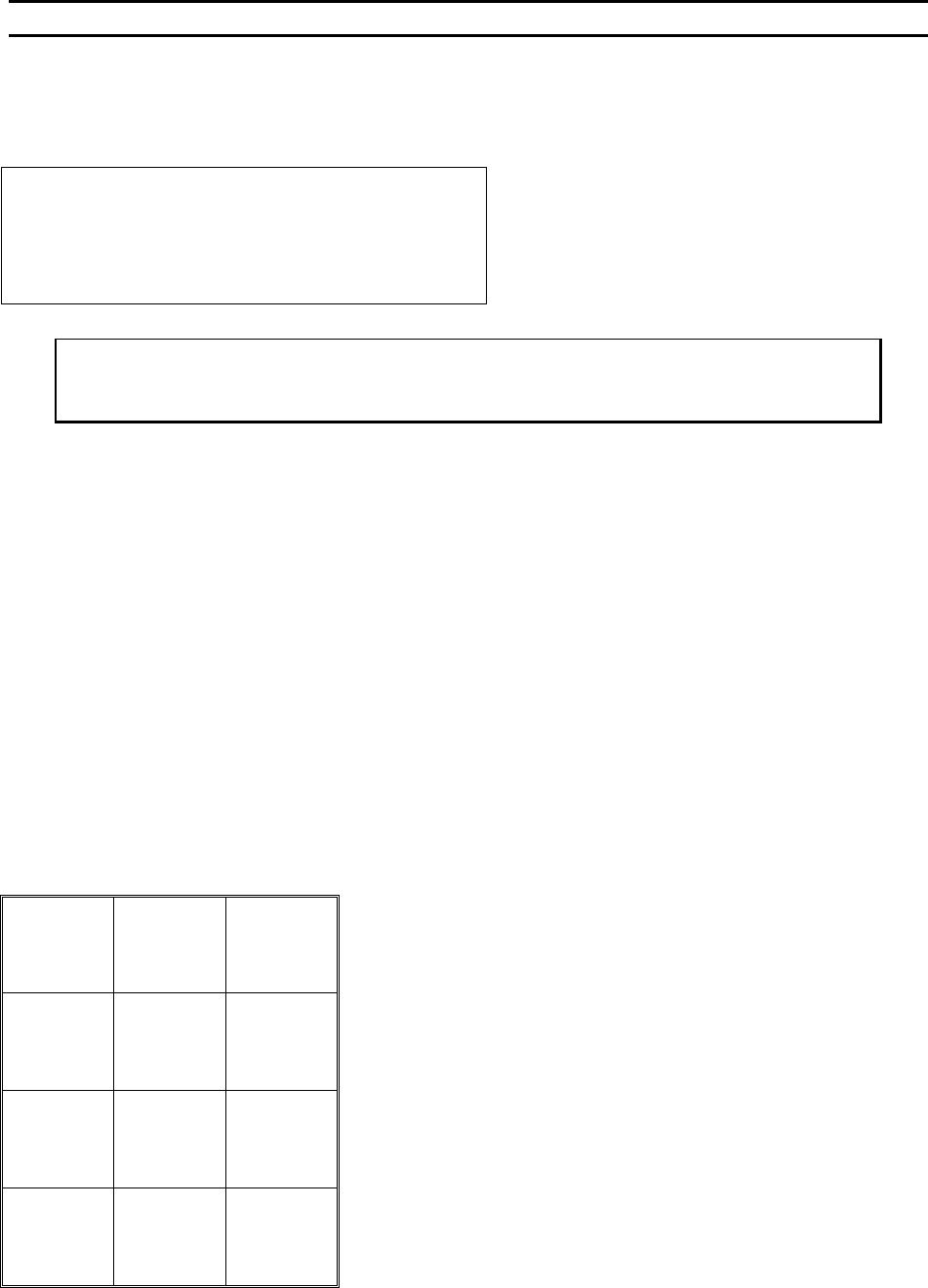
Delete Type
This option allows the operator to delete one type from the end of the wire type list.
DELETE TYPE
DELETE TYPE 3 of 3:
Are you sure?
A=No
(This type has 2 bonds.) G=Yes
To call “Delete Type ”
From the H
OME menu press 4 (EDIT), 9 (TYPE EDIT), and then press 0 (DELETE TYPE)
Key Format:
Previous
Menu
1
2
Home
3
4
5
6
7
8
9
Previous
Menu
A
0
Delete
this type
G
WEST•BOND MODEL 454647E SERIES INSTRUCTION MANUAL
73
ADVANCED PROGRAMMING
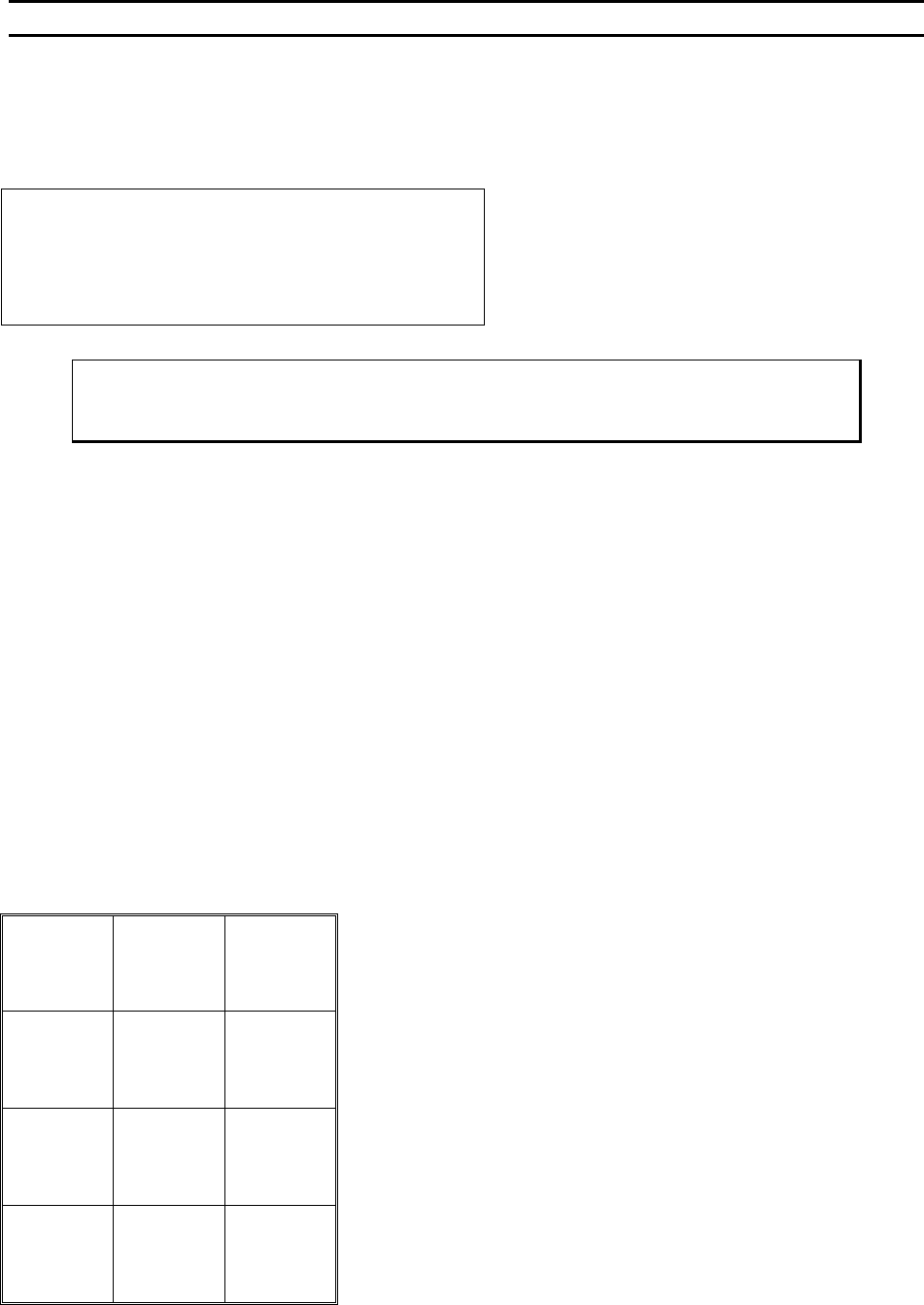
Edit Type
From this menu option, the operator can edit the number of wires in a type or change the CRITICAL BOND
of the current type.
TYPE EDIT MENU
Device 2 of 30: Type 1 of 3
4=# of wires
7=Critical bond
A=Prev menu G=Sequence
To Call “Edit Type” Menu
From the H
OME menu press 4 (EDIT), 9 (TYPE EDIT), and then press 4 (EDIT TYPE).
Key Format:
Previous
Menu
1
Go To
Device/Type
2
Home
3
Edit
# of wires
4
5
6
Critical
bond
7
8
9
Previous
Menu
A
0
Sequence
G
WEST•BOND MODEL 454647E SERIES INSTRUCTION MANUAL
74
ADVANCED PROGRAMMING
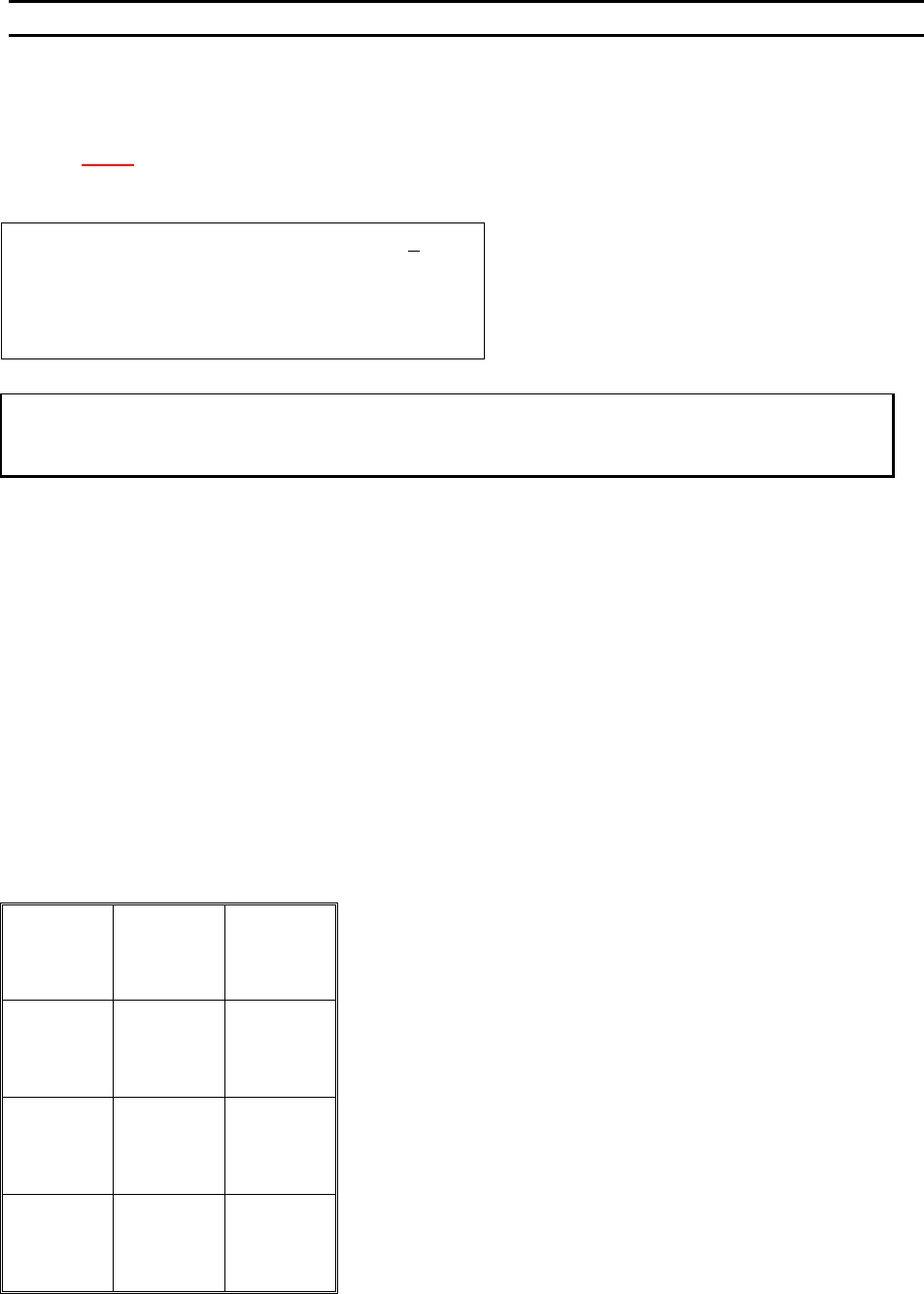
Edit Number of Wires
This enables the operator to specify how many wires are in a specific type.
N
OTE! When the number of wires in a type is 0, the machine will bond the
specified type indefinitely, or until it is interrupted and changed by the user.
EDIT NUMBER OF WIRES
Device 2 Type 3: Edit # of WIRES: 2
4=Key in 5=Increase
7=Prev type 8=Type 1 9=Next type
A=Prev option 0=Decrease G=Next option
To Call “Edit Number of Wires”
From the H
OME menu press 4 (EDIT), 9 (WIRE TYPE EDIT), 4 (EDIT TYPE), and then 4 (# OF WIRES)
Key Format:
Previous
Menu
1
Go To
Device/Type
2
Home
3
Key In
4
↑
Increase
5
6
Previous
type
7
Type 1
8
Next type
9
Previous
Option
A
↓
Decrease
0
Next option
G