wire-bonder.pdf - 第94页
WEST•BOND MODEL 454647E SER IES INSTRUCTION MANUAL 88 ADVANCED PROGRAMMING Edit Loop Motion The most effective way to evaluate the necessary c hanges required for proper looping, or bond position, of the bonding programs…
WEST•BOND MODEL 454647E SERIES INSTRUCTION MANUAL
87
ADVANCED PROGRAMMING
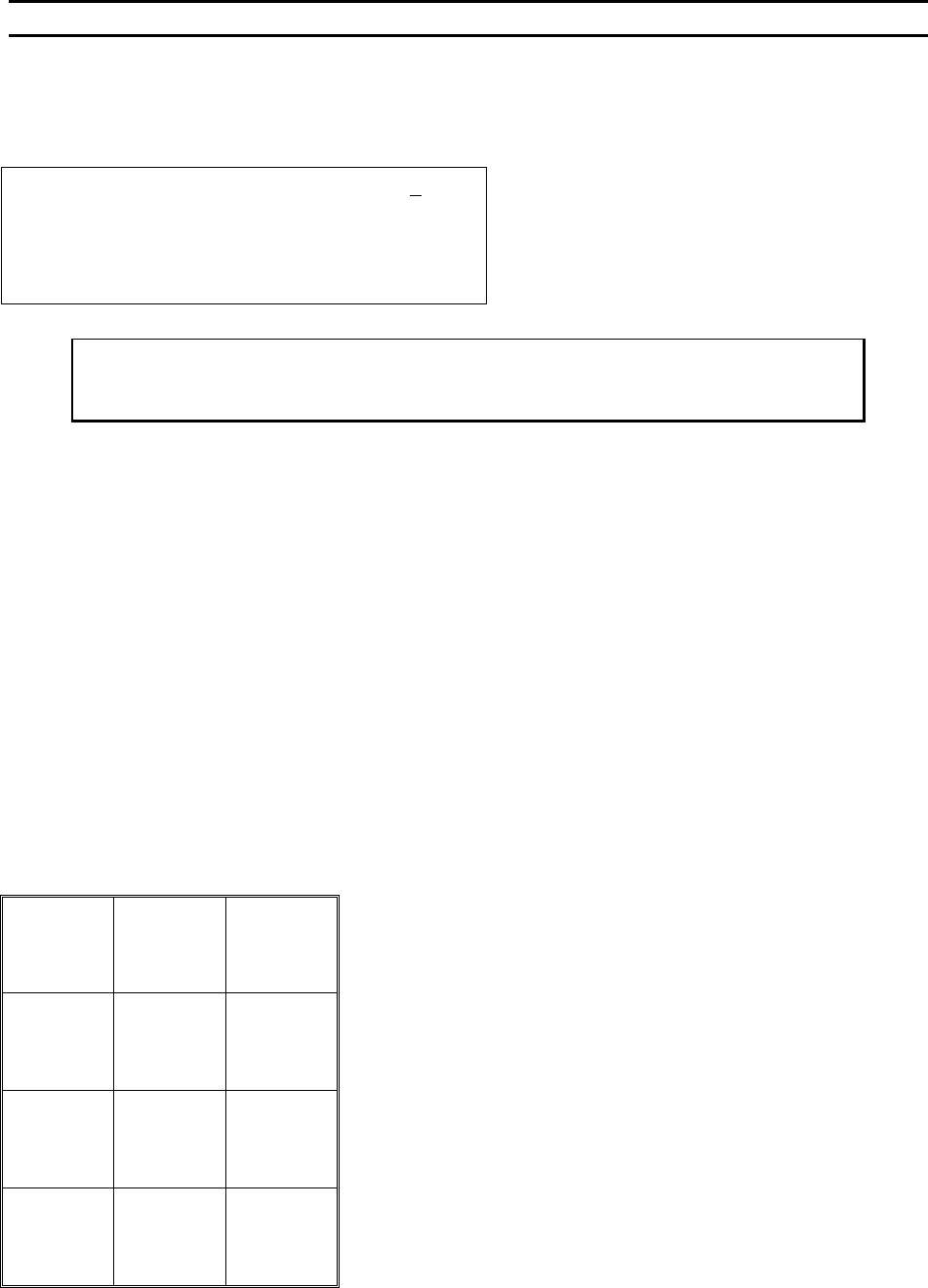
Edit Number of Bonds
This option allow the operator to specify the number of bonds for the specified wire type. (Maximum of 5)
NUMBER OF BONDS
Device 2 Type 3: Edit # of Bonds: 5
4=Key in 5=Increase
7=Prev type 8=Suggest 9=Next type
A=Prev menu 0=Decrease G=Next option
To edit “# of Bonds”:
From the H
OME menu press 4 (EDIT), A (BOND EDIT), and then 5 (# OF BONDS)
Key Format:
Previous
Menu
1
Go To
Device/Type
2
Home
3
Key in
4
↑
Increase
5
6
Previous
bond
7
Suggest
8
Next bond
9
Previous
Menu
A
↓
Decrease
0
Next option
G
WEST•BOND MODEL 454647E SERIES INSTRUCTION MANUAL
88
ADVANCED PROGRAMMING
Edit Loop Motion
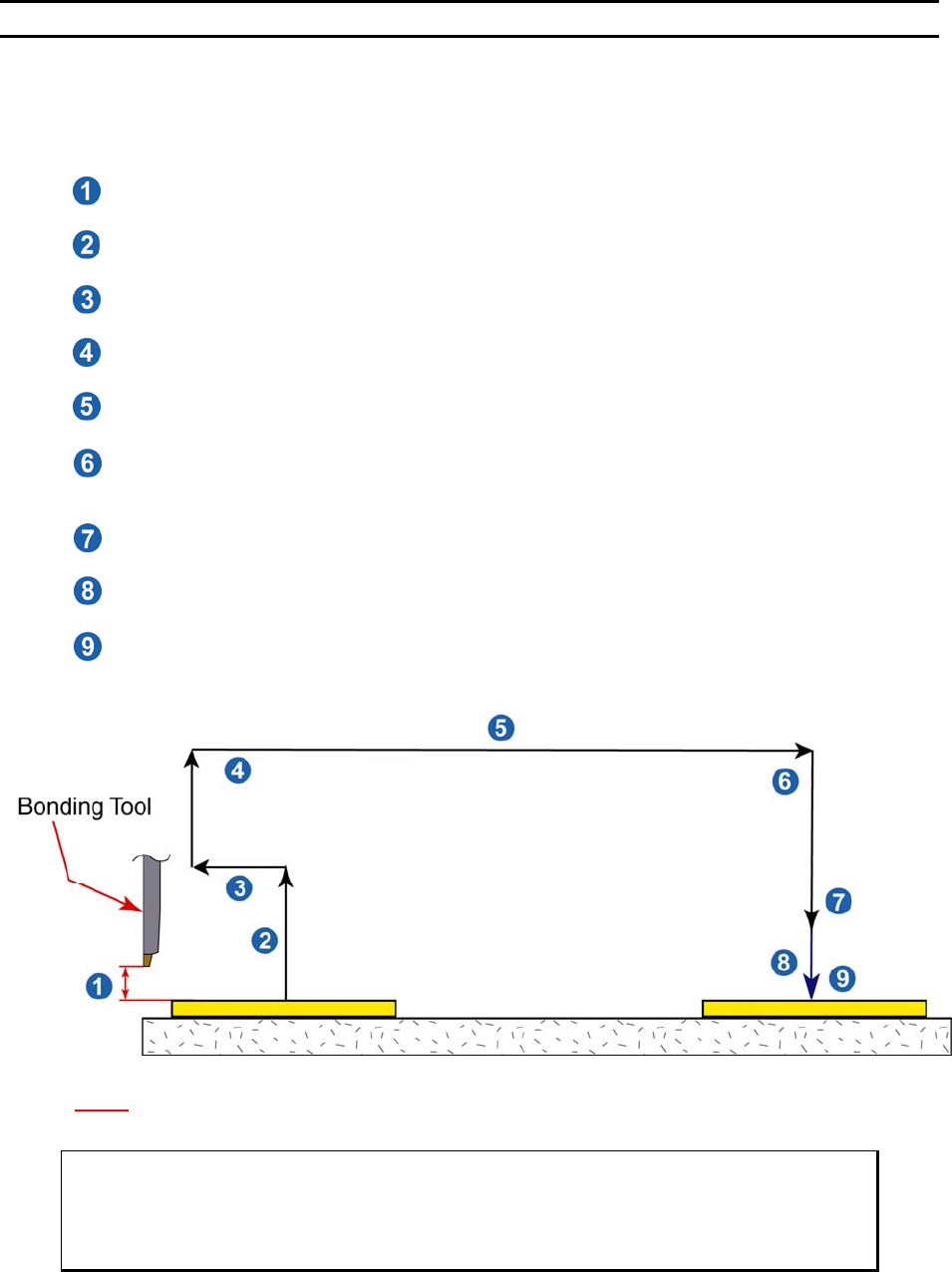
The most effective way to evaluate the necessary changes required for proper looping, or bond position,
of the bonding programs wire structure is to actually begin bonding with the 454647E’s default values.
Bond only one wire at a time; if the loop shape is not as desired, edit one or more of the following data:
4. Edit S
EARCH ELEVATION for top (Bond 1 Only)
An elevation at which the operation can visually place the bond.
5. Edit Z-B
EFORE-Y (Before bond 2)
An elevation used prior to backbend to aid in creating proper loop shape.
6. Edit B
ACKBEND (Before bond 2)
A step backward to aid in loop shape.
7. Edit L
OOP ELEVATION (Before bond 2)
The maximum elevation at which the tool rise to create loop.
8. Edit Y-O
FFSET for Bond 2 (1
st
Adjustment)
The distance from 1
st
to 2
nd
bond in Y motor steps.
9. Edit C
LOSE CLAMP AT LOOP HEIGHT (Before bond 2) 4500E ONLY
Option as to whether the clamps are to stay open or close prior to 2
nd
search elevation.
This will also help determine loop shape.
10. Edit S
EARCH ELEVATION Before bond 2 (below loop)
An elevation at which the operation can visually place the bond.
11. Edit Y-O
FFSET for Bond 2 (Final Adjustment)
The distance from 1
st
to 2
nd
bond in Y motor steps. Final placement.
12. Edit C
LOSE CLAMP AT SEARCH (Before bond 2) 4500E ONLY
Option as to whether the clamps are to stay open or close prior to 2
nd
bond. This will also
help determine loop shape.
N
OTE! 1 Z Micro-Step = 0.000208 inch = 0.208 mil = 5.2832 microns.
1 Y Micro-Step = 0.000208 inch = 0.208 mil = 5.2832 microns.
ϑ To call “Edit Loop Motion”
From the H
OME menu press 4 (EDIT), 0 (LOOP MOTION) and then G to step Tool
Head through the bonding motion or press 4 to E
DIT individual looping parameters.
WEST•BOND MODEL 454647E SERIES INSTRUCTION MANUAL
89
ADVANCED PROGRAMMING
Edit Loop Menu
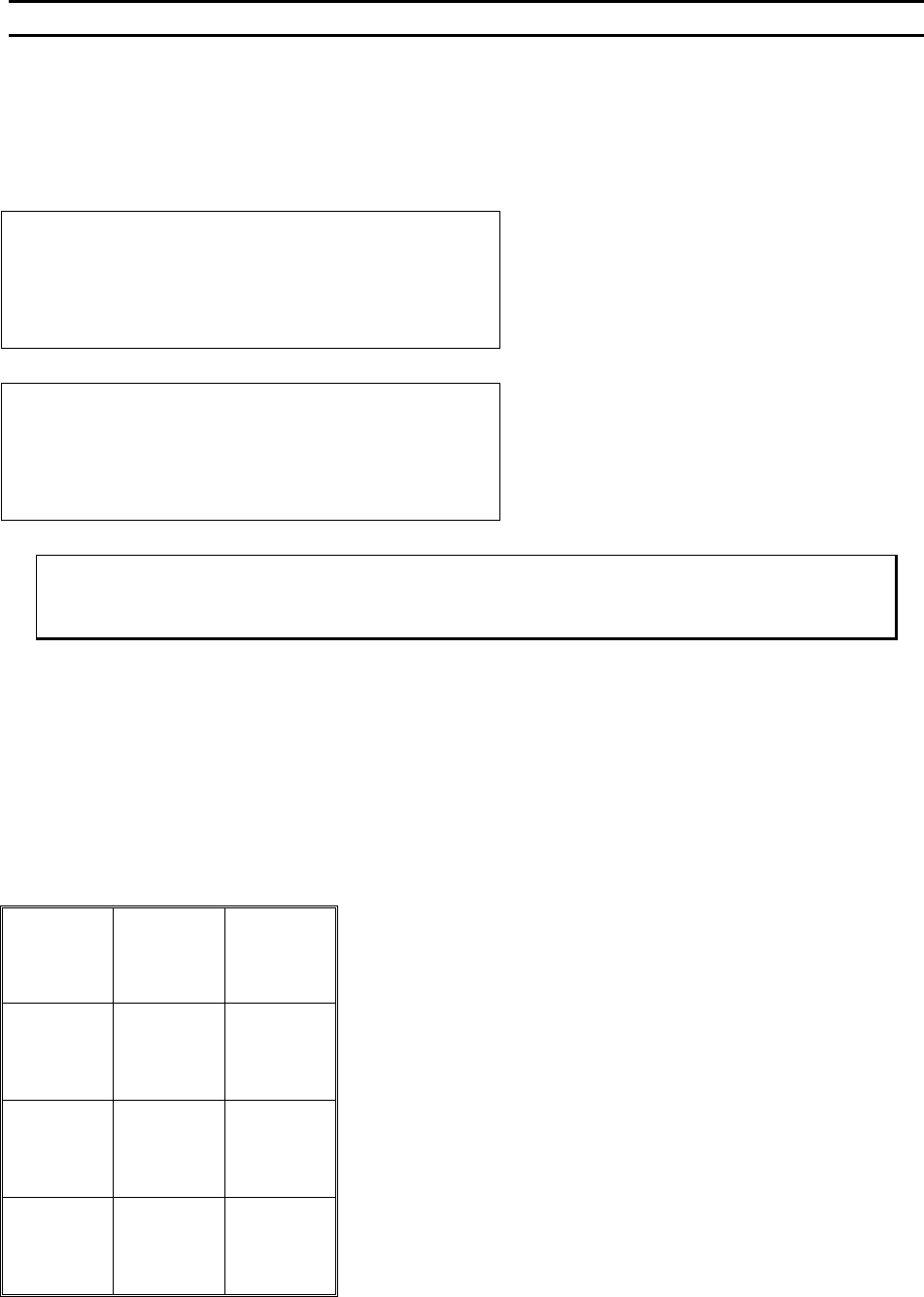
The operator can set up the machine’s loop shape in one of two ways. From the main EDIT LOOP MENU
key G can be pressed and the machine will walk the operator through all of the loop shape settings. Or, if
key 4 is selected, the user can modify each setting individually.
EDIT LOOP MENU 4=Loop Edit
Device 1, Type 1: (2 Bonds)
-> LOOK IN MICROSCOPE,
SELECT BOND 1 AND PRESS G WHEN READY
G = Sequence through each of the items listed
in the screen shot below
4 = For more advanced users- allows operator
to change the loop settings individually.
LOOP EDIT: Type 1 of 1
4=Search 5=Z-Before-Y 6=Backbend
7=Loop elev 8=Y offset 9=Clamp mode
A=Home menu 0=Loop pull G=Nudge-up
The Clamp Mode feature is only available in
the 4500E mode.
ϑ To call “Loop Menu”
From the H
OME menu press 4 (EDIT), 0 (EDIT LOOP MOTION), and then press 4 (LOOP EDIT).
Key Format:
Escape
1
Go To
Device
2
Home
3
Search
4
Z-Before-Y
5
Backbend
6
Loop
Elevation
7
Y-Offset
8
Clamp
Mode
9
Home
Menu
A
Loop
Pull
0
Nudge-up
G