00194703_Setup Selection Assistant Setup Center RF.pdf - 第18页
SIPLACE Setup Center RF 2.1 - Tools Installation Manual - Setup Selection Assistant Step 6: Inserting the Reci pes into a Production Schedule This step guides through how to insert t he recipe s into a production sched u…
Installation Manual - Setup Selection Assistant SIPLACE Setup Center RF 2.1 - Tools
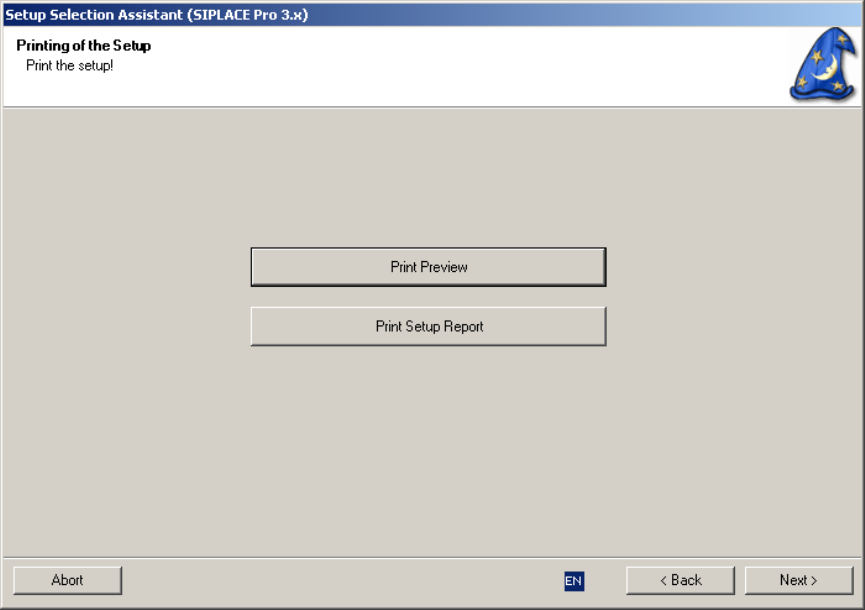
Step 5: Printing the Setup
This step supports the printout of the setup which is intended to guide the setup operator to build the
physical setup:
Figure 8 "Setup Printout" page
17 of 20
-
SIPLACE Setup Center RF 2.1 - Tools Installation Manual - Setup Selection Assistant
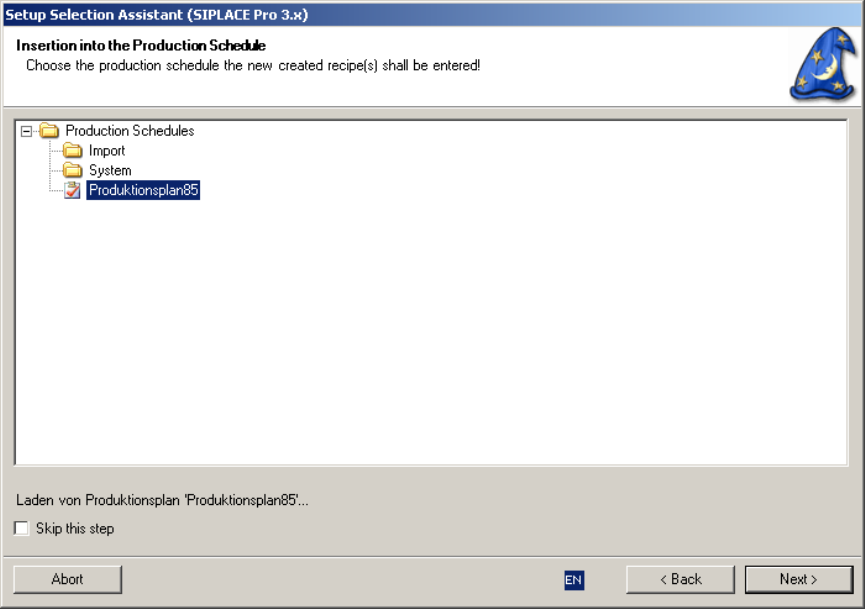
Step 6: Inserting the Recipes into a Production Schedule
This step guides through how to insert the recipes into a production schedule:
Figure 8 "Insert Recipes into Production Schedule" page
Select a production schedule and select “Next” to enter the recipes of the job into the production schedule
making them immediately available for download.
It is recommended to have one production schedule for each line.
If a recipe does already exist in the production schedule it is not entered twice.
Step 7: Finish
You can now choose, if you want to end Setup Selection Assistant or if you want to cycle to the first
assistant step again.
18 of 20
Installation Manual - Setup Selection Assistant SIPLACE Setup Center RF 2.1 - Tools
19 of 20
-