Eaton 9155 8-15 kVA.pdf - 第22页
UPS 8 – 15 kV A, 230V 50/60 Hz output User ’ s Guide 1 022403 Revision D 22 W ar ning! If an inter nal batt ery str ing is installed and already connect ed to the t erminal bloc k ther e is a danger of a lethal electr ic…
UPS 8 – 15 kVA, 230V 50/60 Hz output
User’s Guide
1022403
Revision D
21
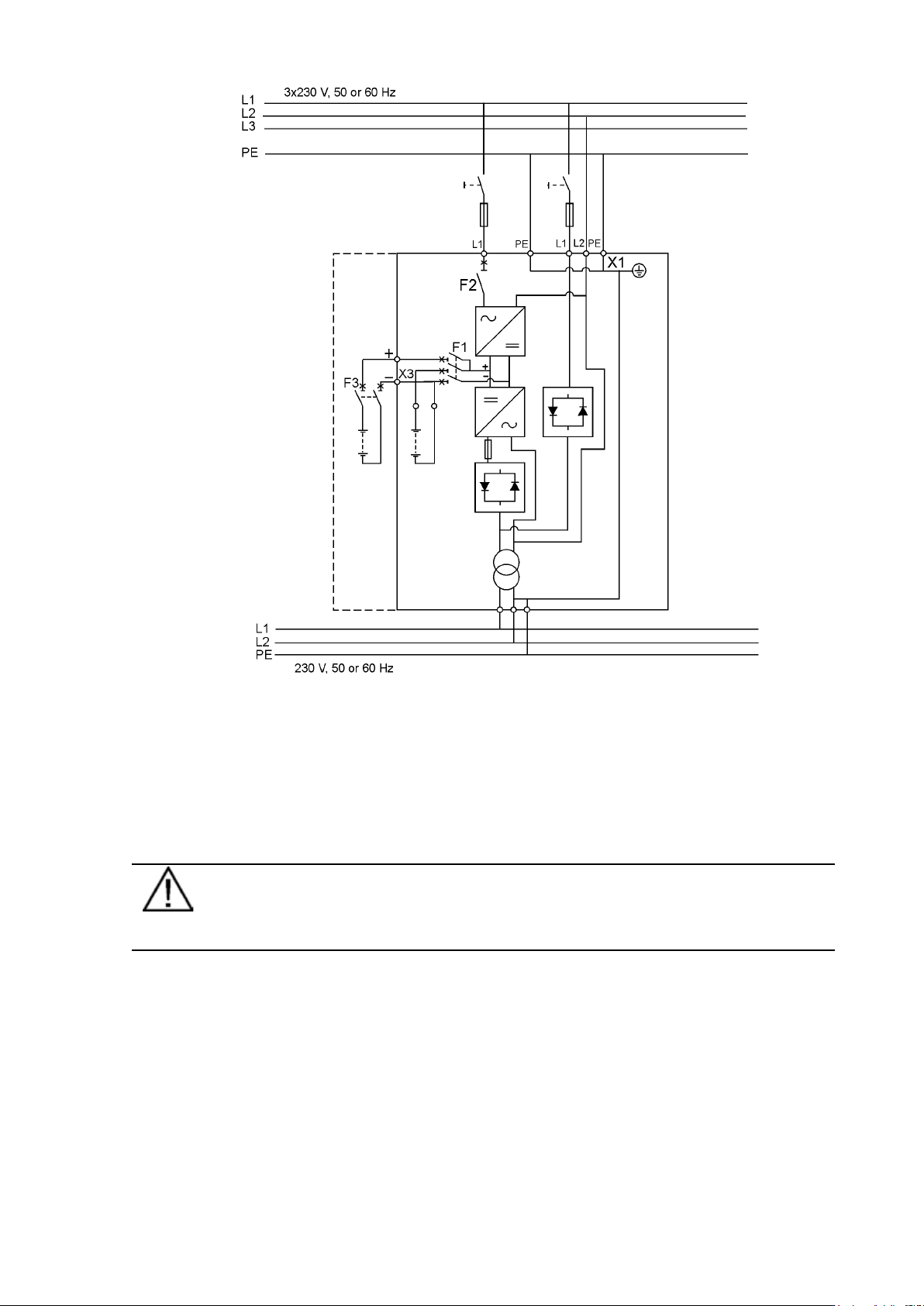
Figure 23. Wiring diagram of UPS ST-model (1-ph rectifier), (Norway)
External Battery Cabinet (EBC) installation procedure
The installation procedure is as follows:
1. The EBC is recommended to place next to the UPS unit.
Note!
Do not place EBC on the UPS unit.
2. The required minimum distance for UPS unit and EBC is ten millimetres, which is also
required distance between two EBCs.
3. Turn F1 battery breaker from the UPS unit in OFF position.
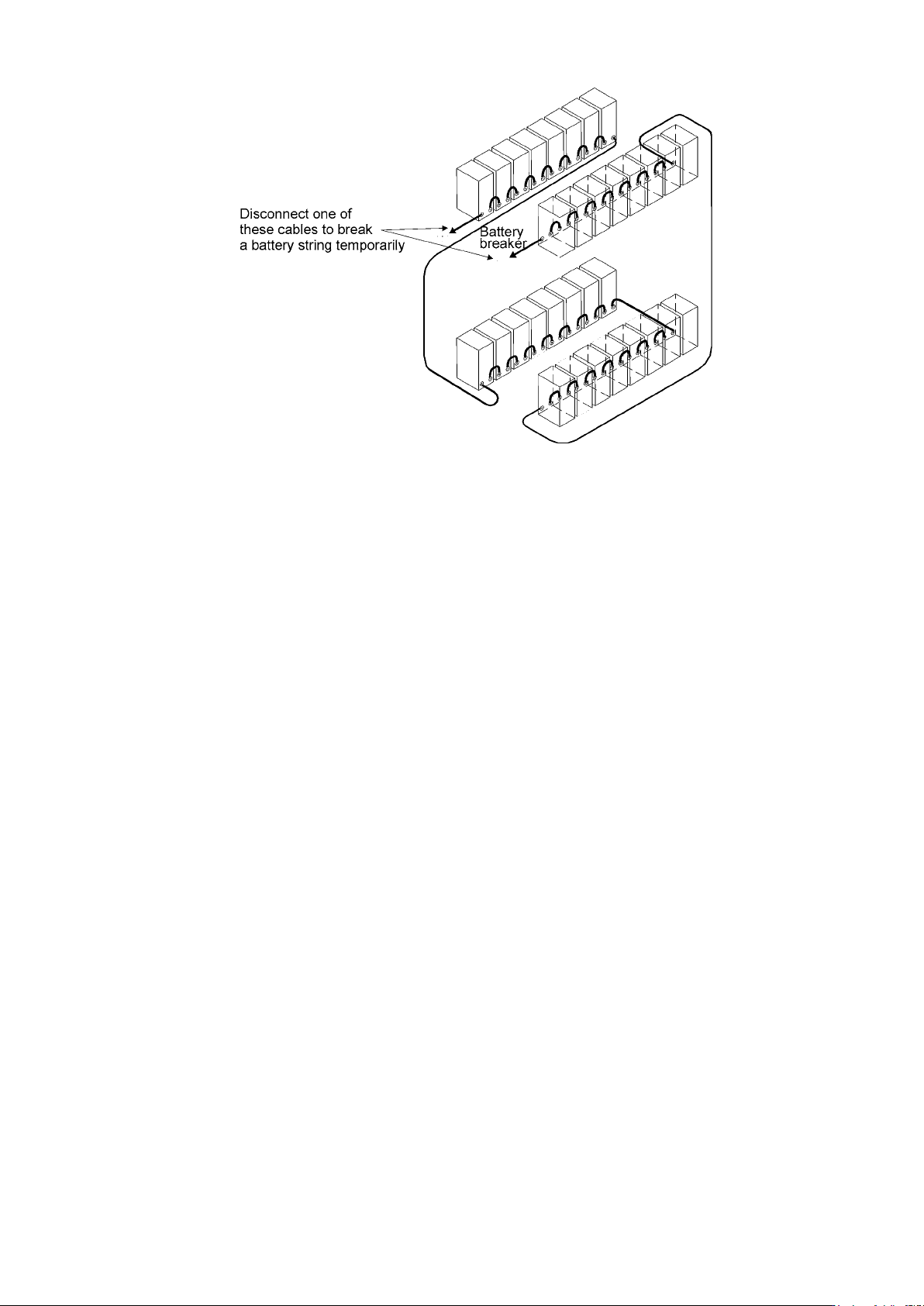
4. Check that the circuit breaker F3 of the EBC is in the OFF position. To minimise safety risk
disconnect one of the cable (+ or -) from battery string to break a battery circuit. Do not
remove the safety wire of the circuit breaker before all the wires are connected and the
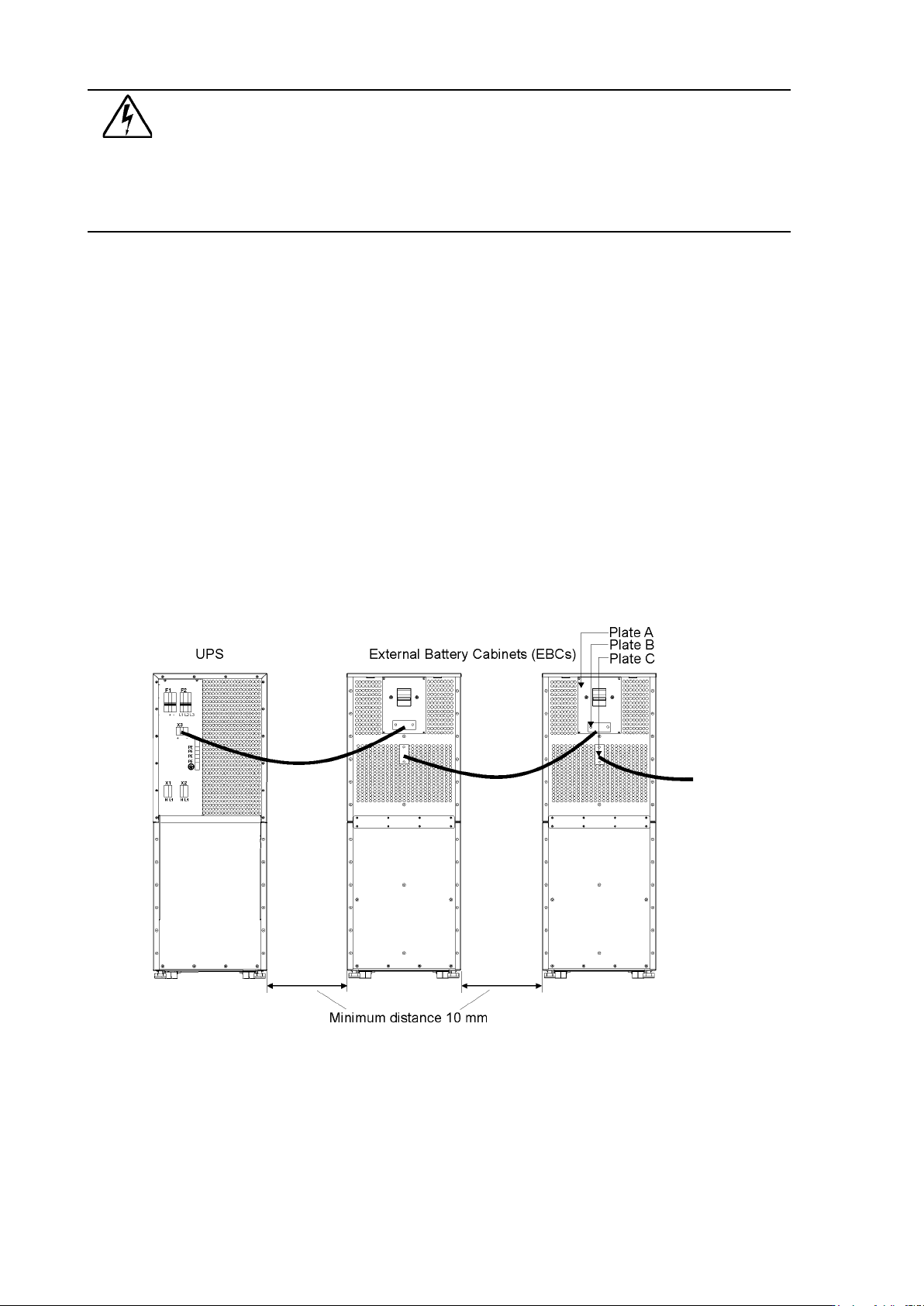
installation of the whole system is ready. Remove plate A (See figure below.) on the rear
side of the EBC to connect cables to EBC’s terminal block X6. Bring cables outside from the
EBC by removing the cover plate B. Place the plate A back to the original position and use
cover plate B as a cable clamp.
Note!
Site wiring fault must be
disabled from LCD
User Settings menu.
UPS 8 – 15 kVA, 230V 50/60 Hz output
User’s Guide
1022403
Revision D
22
Warning!
If an internal battery string is installed and already connected to the terminal block
there is a danger of a lethal electric shock. Turn F1 battery breaker from the UPS
unit to OFF position and measure the voltage across the terminals to be 0 (zero)
before any operations with terminal X3.
5. If the system consists two or more EBC connect first the EBCs parallel as follows:
a) Connect the cables to second EBC in the same way as guided in point four (4) of this
installation procedure.
b) Remove the cover plate C of the first EBC and connect cables to terminal block X6. Use the
cover plate C as a cable clamp.
6. When all the EBCs are connected parallel, make sure that F1 battery breaker is in OFF
position before connecting cables to terminal block X3 of the UPS unit. Otherwise the
terminal block X3 is live. To be on the safe side, measure the voltage across the terminals to
be 0 (zero).
7. After installation connect disconnected battery cables to strings, check that the removed
plates on right positions, remove safety wires from circuit breakers and turn breakers of
EBCs and the UPS to ON position.
8. Finally change the Number of 32 pcs. battery strings from User Settings. SETTINGS ->
USER SETTINGS -> NUMBER OF BATTERY STRINGS.
Figure 24. Connection of UPS and External Battery Cabinets
UPS 8 – 15 kVA, 230V 50/60 Hz output
User’s Guide
1022403
Revision D
23
Figure 25. To minimise safety risk remove + or - cable from battery string before connecting UPS and
EBCs.