Eaton 9155 8-15 kVA.pdf - 第48页
UPS 8 – 15 kV A, 230V 50/60 Hz output User ’ s Guide 1 022403 Revision D 48 Car ry out the following procedure to eac h UPS you want to have in system 1 . T urn the bat tery and input circuit breaker s to ON position. 2.…
UPS 8 – 15 kVA, 230V 50/60 Hz output
User’s Guide
1022403
Revision D
47
Note!
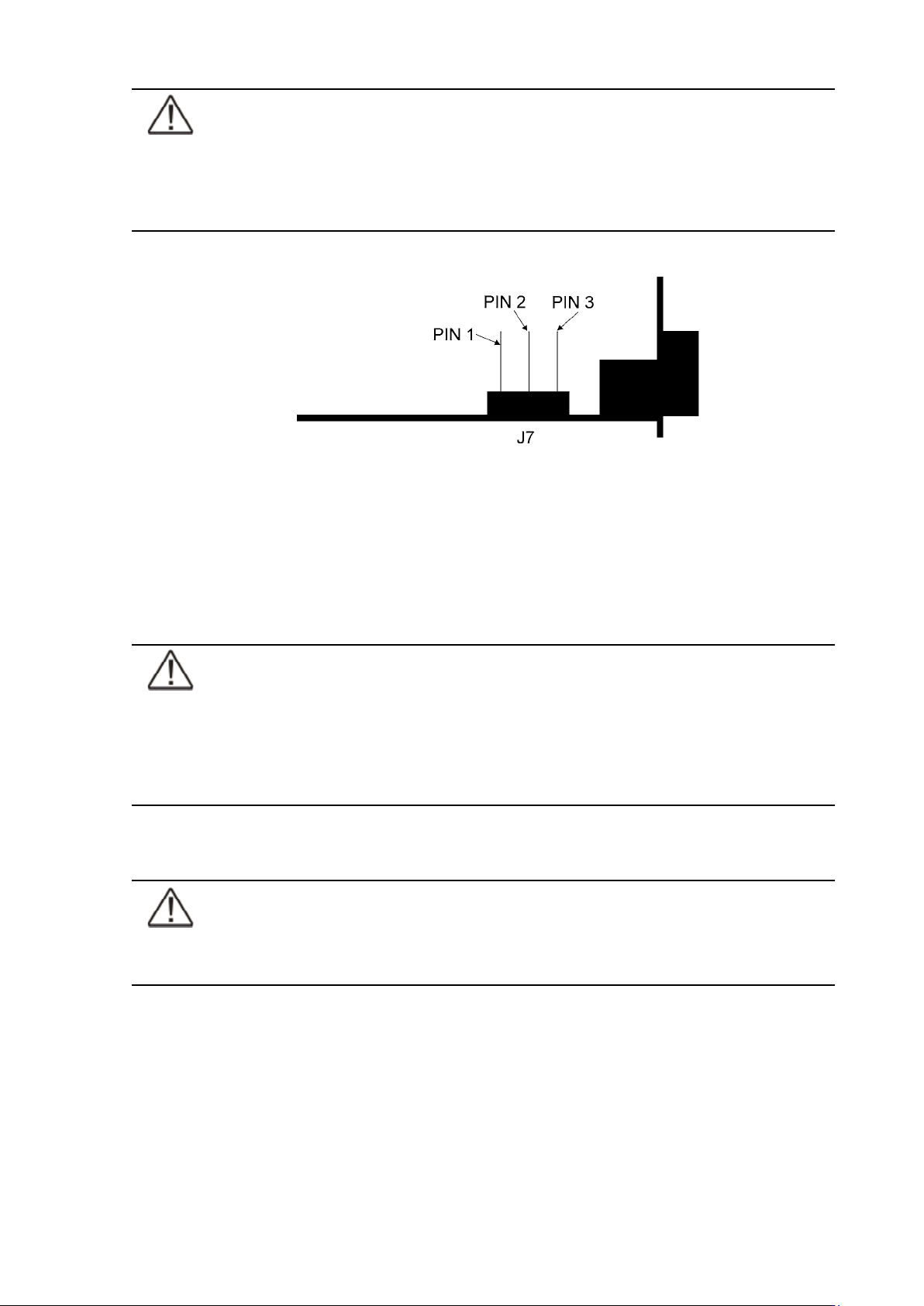
XSlot Hot Sync card has built-in termination resistor enabled by a jumper J7. The
default jumper setting without termination resistor is J7: Pin 2-3. The first and the
last UPS modules should have the termination resistor enabled by connecting Pins
1 and 2 with the jumper J7.
Figure 51. XSlot HotSync card and jumper settings: Resistor ON: PIN 1 and PIN 2 connected, No
resistor: PIN 2 and PIN 3 connected (default setting)
Parallel operations
Start-up
Note!
Before start-up make sure that UPS installations have been carried out correctly
and ground connections of both UPS units and parallel module have been
connected. Check also that the XSlot Hot Sync cards are installed correctly
and the communication line between UPSs is connected according to figure
Communication cabling wiring.
When installation is completed correctly the start procedure can be started.
Note!
If some settings are changed from User settings the same changes need to be done
separately to all of the UPSs in the system.
UPS 8 – 15 kVA, 230V 50/60 Hz output
User’s Guide
1022403
Revision D
48
Carry out the following procedure to each UPS you want to have in system
1. Turn the battery and input circuit breakers to ON position.
2. UPS will enter a stand-by mode and starts to charge batteries with a cooling fan
operational. Output is without the voltage in the stand-by mode.
3. Push any key of the control panel to enable the functions of the LCD screen
4. Select unit number in parallel system: Unit #1, Unit #2, Unit #3 or Unit #4. Select:
SETTINGS -> USER SETTINGS -> PARALLEL OPERATION SETTINGS -> PARALLEL UNIT
NUMBER
5. Select minimum units to support load: 0-4. Select: SETTINGS -> USER SETTINGS ->
PARALLEL OPERATION SETTINGS -> MINIMUM UNITS TO SUPPORT LOAD
Do the following item (item 6) only for one UPS, which belongs to the system
6. Return to main menu and select TURN SYSTEM ON
All the UPSs shall check their internal functions, synchronize to bypass and start to supply the
load.
Note!
After the first start the load sharing of the system needs to be calibrated. Before
starting the calibration the system needs to support some load.
7. Select: SETTINGS -> USER SETTINGS -> PARALLEL OPERATION SETTINGS -> START AUTO
CALIBRATION
Shutdown
While system is running and UPSs are supporting load, there are two different ways to perform
a shutdown. The user can select either to shutdown the whole system or only one UPS.
1. Select TURN SYSTEM OFF from the main menu => All the UPSs in the system will go to
stand-by mode.
2. Select TURN UPS OFF => Only the selected UPS will go to stand-by mode.
When UPS is in stand-by mode it still charges its batteries and uses cooling fans. Stand-by
mode possibles a fast restart. If some UPS or all the UPSs in the system need to be shutdown
completely, proceed to item 3.
3. Select TURN UPS OFF and press and hold
¿ button for 5 seconds. There shall be an
indication sound during the hold.
4. UPS shall do a shutdown routine.
5. Turn the battery and input circuit breakers to off position to finalise the shutdown
procedure.
UPS 8 – 15 kVA, 230V 50/60 Hz output
User’s Guide
1022403
Revision D
49
10 Recycling the used UPS or batteries
Before scrapping UPS or its battery cabinet, the battery bank must be removed. Local
requirements must be followed in battery recycling or discard. The removal of batteries is
allowed only by authorised service personnel due to high energy and voltage.
Do not discard waste electrical or electronic equipment in the trash.
For proper disposal, contact your local collecting/recycling/reuse or hazardous waste center and
follow the local legislation.
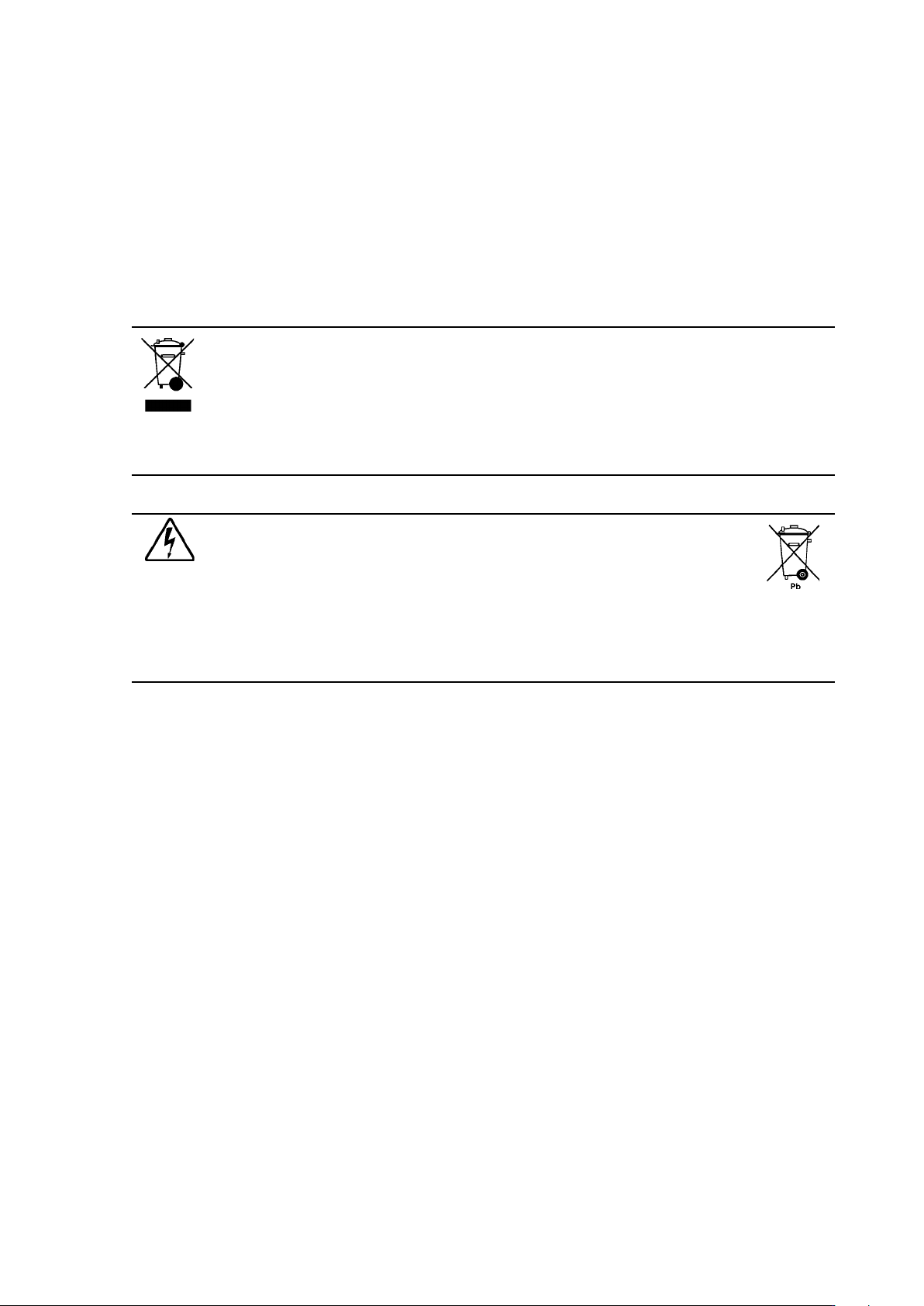
These symbols indicate on a product:
Use proper local collecting centers meeting local legislation when handling waste
of electrical and electronic equipment.
Warning!
HAZARDOUS MATERIALS. Batteries may contain HIGH VOLTAGES, and
CAUSTIC, TOXIC and FLAMMABLE substances. Batteries can injure or kill people
and damage equipment if used improperly. DO NOT DISCARD unwanted batteries
or battery material in the public waste disposal system. Follow ALL applicable, local
regulations for storage, handling and disposal of batteries and battery materials.