OCP-02502-G - 第11页
VITRONICS REFLOW SOLDERING SYSTEMS EM 02502- G 15-Nov-00 (c) PAGE Operator’s Manual 10 PASSWORD Login / Logout When first starting the Oven Operating Software, the Operator can “Login” with the assigned name and password…
VITRONICS REFLOW SOLDERING SYSTEMS
EM 02502-G 15-Nov-00 (c) PAGE Operator’s Manual
9
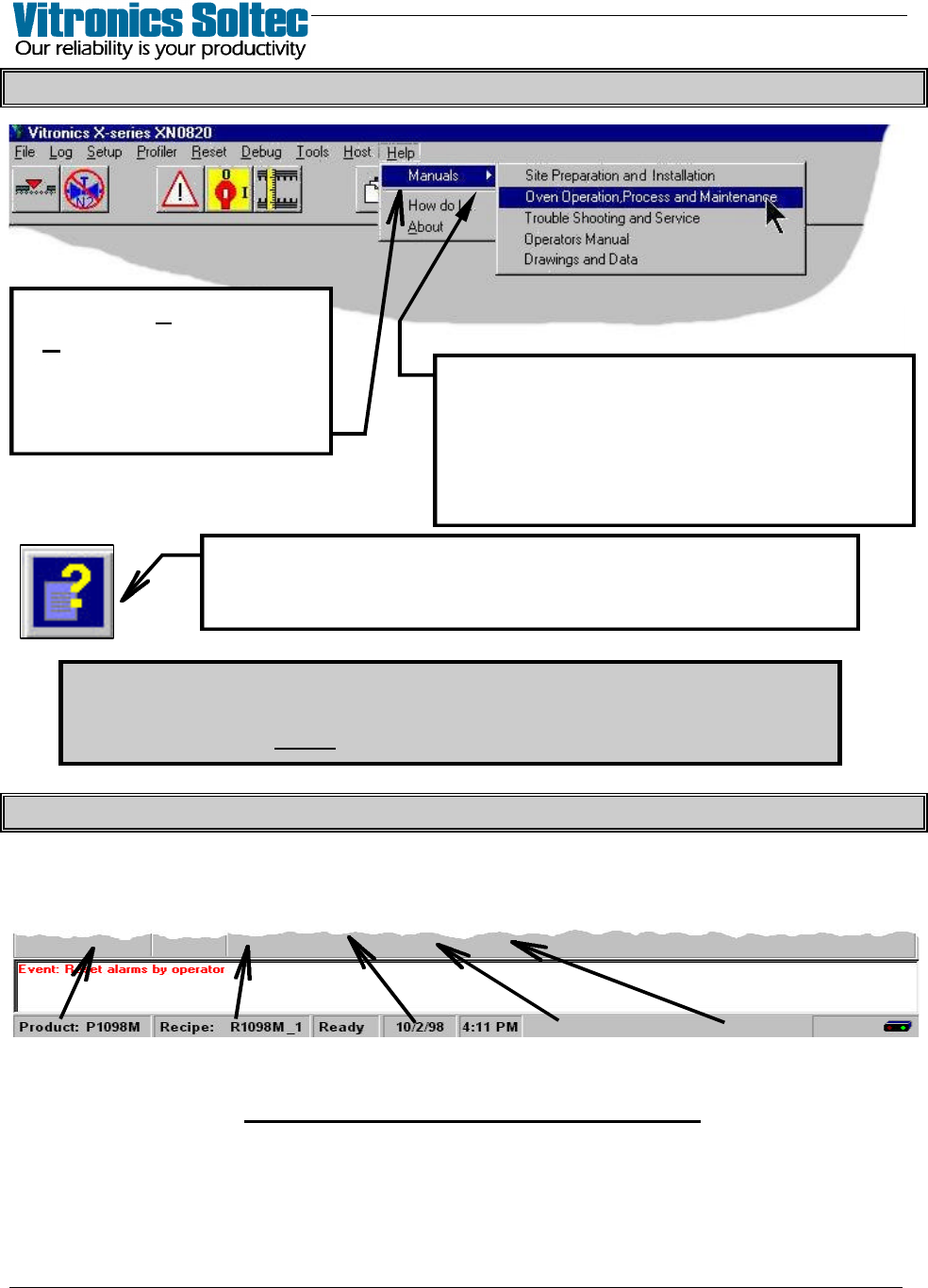
PULL-DOWN MENU ( and getting “Help” )
The password requirements for Menu Items can be turned on/off…
Select: “Files”, then “Access Control”
(A password is always required to change any password requirement)
OVEN STATUS BAR (At Bottom Of Screen)
Active Product, Active Recipe, Oven Status, Today’s Date, Present Time
(click on the items displayed in the Status Bar to Edit them)
OVEN STATUS BAR INFORMATION
When an Item in the Pull-Down Menu is
chosen, more selections are presented.
The small arrow-head after a selection
indicates that more choices will be found
in the Menu at the next level down.
Select “Help”, then
“Manuals” to review Oven
Manuals and schematics.
(Pages can be printed if
printer is connected)
Selecting this Symbol will display “Help” about
the topic where the symbol appears.
VITRONICS REFLOW SOLDERING SYSTEMS
EM 02502-G 15-Nov-00 (c) PAGE Operator’s Manual
10
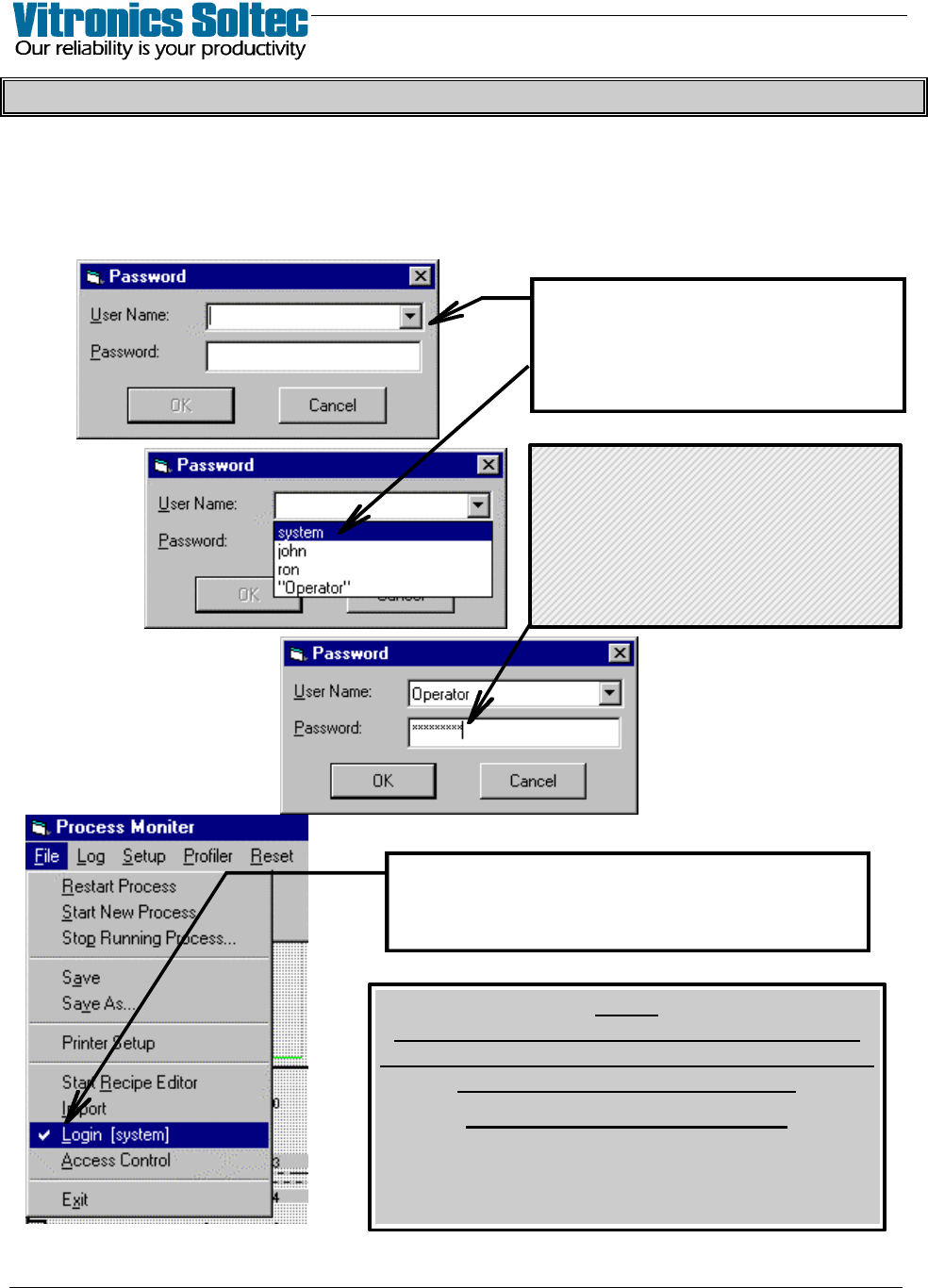
PASSWORD Login / Logout
When first starting the Oven Operating Software, the Operator can “Login” with the
assigned name and password to avoid continually entering the password for each operator
initiated action.
“Login” is accomplished by Selecting “File”, then “Login”,
to display the Password Dialogue Box:
Your name can be typed in the
“User Name” box … or selecting
the “t” will display the names of all
of the “operators”.
The check-mark (4) and this operator’s name
indicates that “system” has logged in.
(Select “Login” again to “Logout”)
NOTE
FAILURE TO "LOGOUT" LEAVES RESTRICTED
PARTS OF THE PROGRAM OPEN TO TAMPERING
BY UNAUTHORIZED PERSONNEL.
ALWAYS LOGOUT !!!!
(After 10 minutes without any keyboard/mouse
activity, the Program will automatically
“Logout” for you)
Type in your Password,
select “OK” to complete “Login”
If Password is changed,
be sure to record it.
( Lost Passwords cannot be
recovered )
VITRONICS REFLOW SOLDERING SYSTEMS
EM 02502-G 15-Nov-00 (c) PAGE Operator’s Manual
11
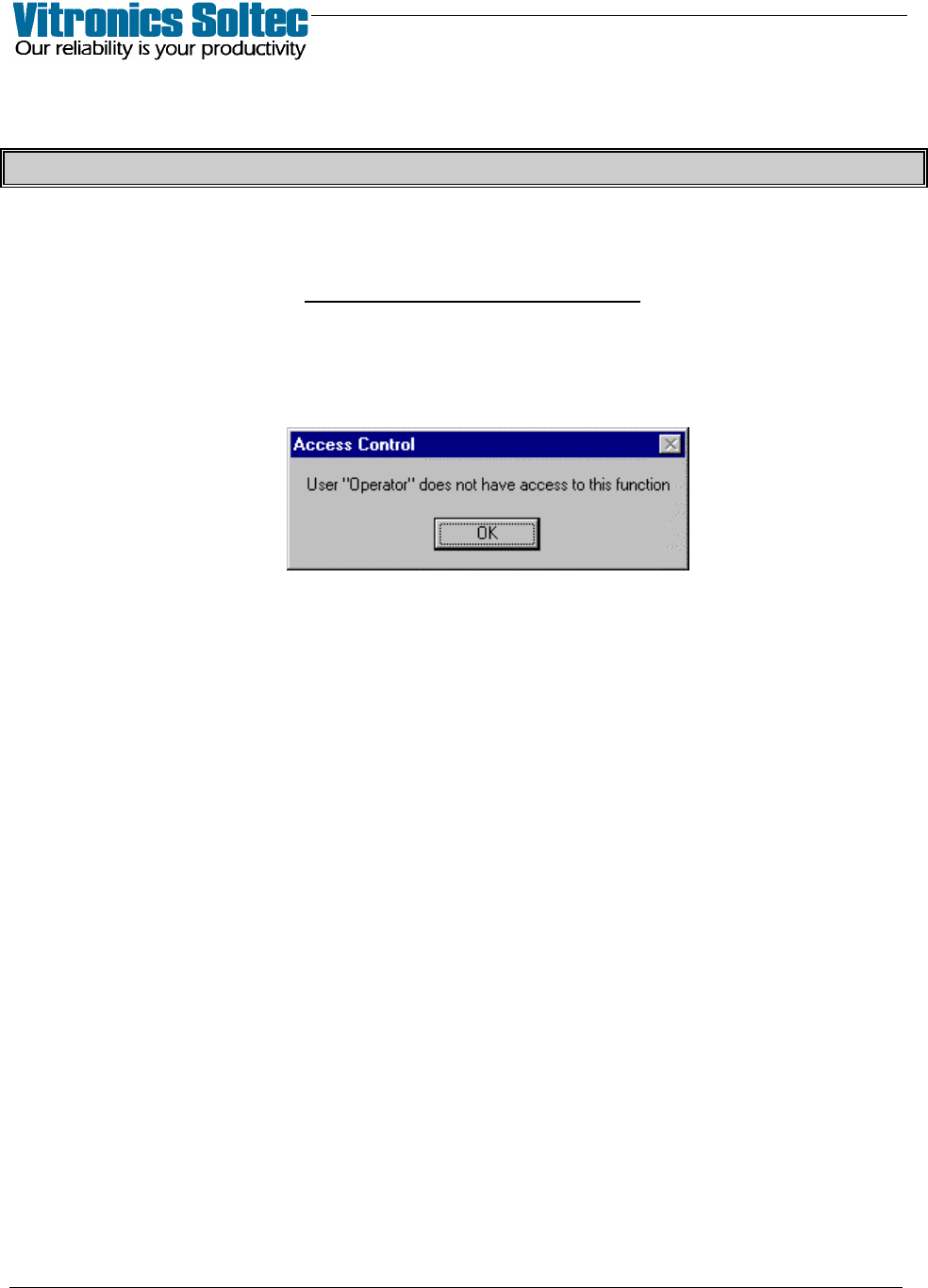
OVEN FUNCTION ACCESS
During Oven operation, if the user, (“Operator”) selects a function for which
Operator Access Is not Allowed ,
the following will display: