OCP-02502-G - 第12页
VITRONICS REFLOW SOLDERING SYSTEMS EM 02502- G 15-Nov-00 (c) PAGE Operator’s Manual 11 OVEN FUNCTION ACCESS During Oven operation, if the user, (“Operator”) selects a function for which Operator Access Is not Allowed , t…
VITRONICS REFLOW SOLDERING SYSTEMS
EM 02502-G 15-Nov-00 (c) PAGE Operator’s Manual
10
PASSWORD Login / Logout
When first starting the Oven Operating Software, the Operator can “Login” with the
assigned name and password to avoid continually entering the password for each operator
initiated action.
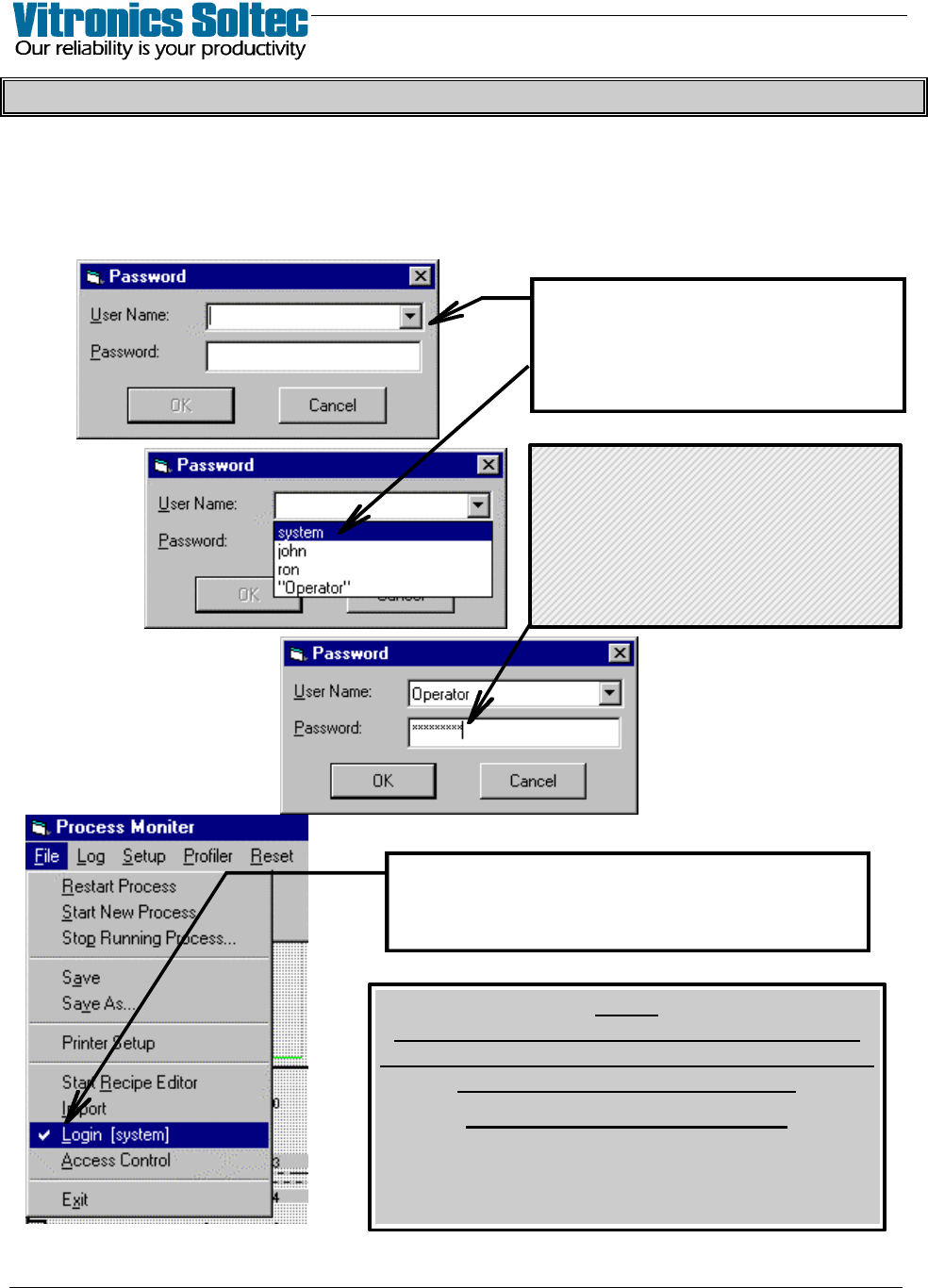
“Login” is accomplished by Selecting “File”, then “Login”,
to display the Password Dialogue Box:
Your name can be typed in the
“User Name” box … or selecting
the “t” will display the names of all
of the “operators”.
The check-mark (4) and this operator’s name
indicates that “system” has logged in.
(Select “Login” again to “Logout”)
NOTE
FAILURE TO "LOGOUT" LEAVES RESTRICTED
PARTS OF THE PROGRAM OPEN TO TAMPERING
BY UNAUTHORIZED PERSONNEL.
ALWAYS LOGOUT !!!!
(After 10 minutes without any keyboard/mouse
activity, the Program will automatically
“Logout” for you)
Type in your Password,
select “OK” to complete “Login”
If Password is changed,
be sure to record it.
( Lost Passwords cannot be
recovered )
VITRONICS REFLOW SOLDERING SYSTEMS
EM 02502-G 15-Nov-00 (c) PAGE Operator’s Manual
11
OVEN FUNCTION ACCESS
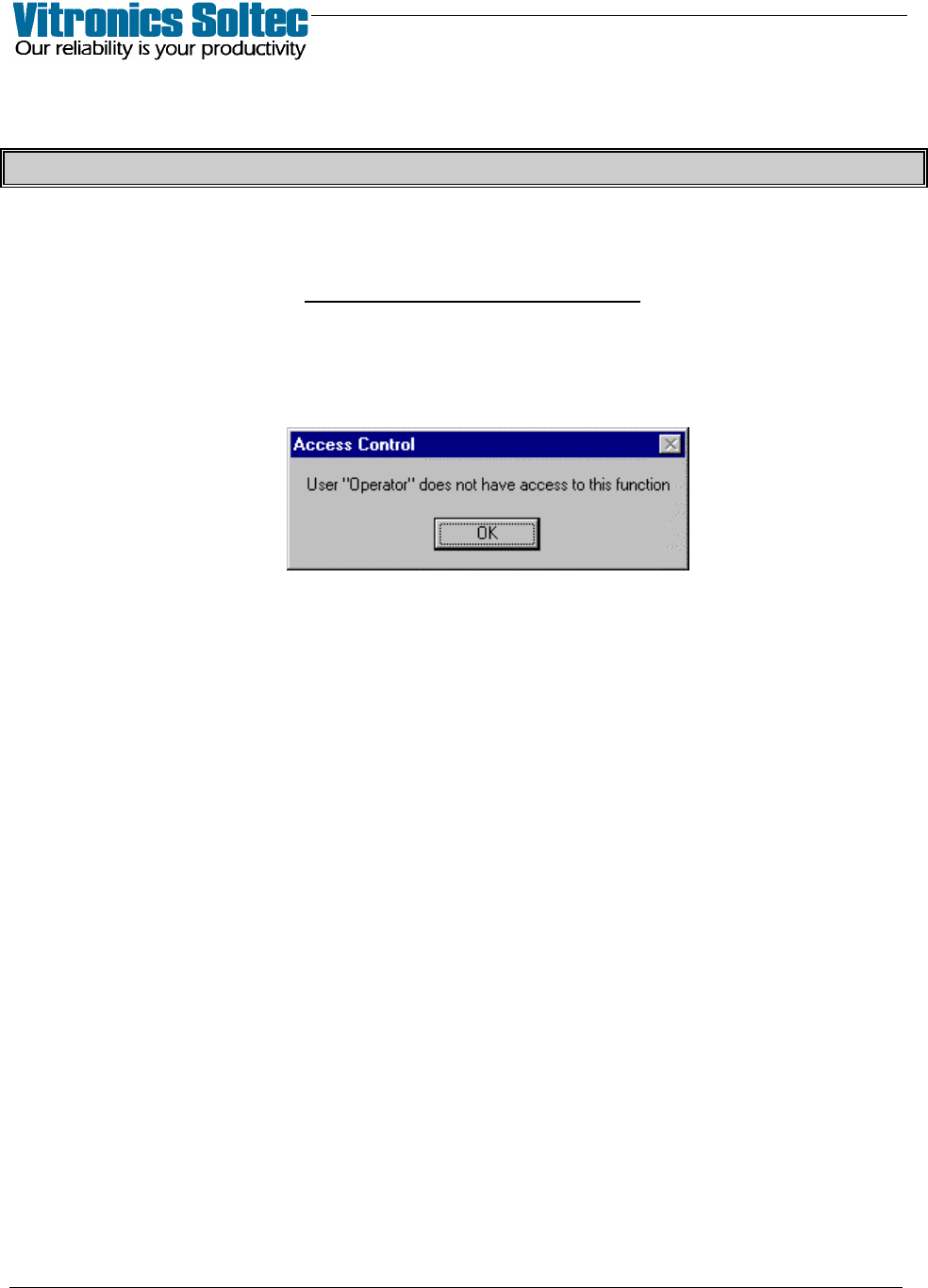
During Oven operation, if the user, (“Operator”) selects a function for which
Operator Access Is not Allowed ,
the following will display:
VITRONICS REFLOW SOLDERING SYSTEMS
EM 02502-G 15-Nov-00 (c) PAGE Operator’s Manual
12
ICONS (Screen Graphics Symbols)
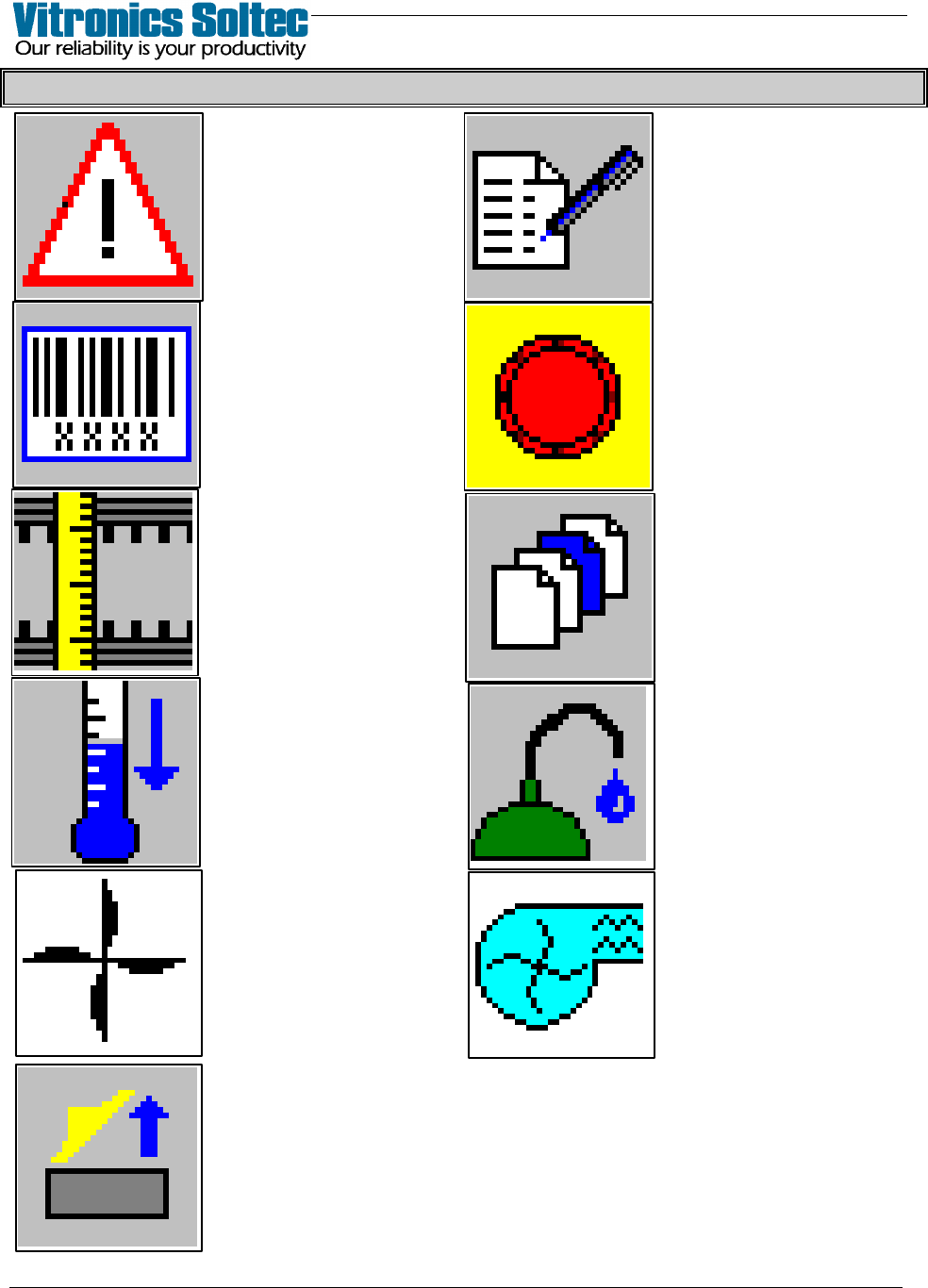
SELECT TO EDIT
RECIPE WHILE
RUNNING
SELECT TO VIEW ALL
CURRENT ALARMS
E-STOP IS ACTIVATED
BARCODE
MODE
OPERATIONAL
SELECT TO DISPLAY
RAIL WIDTH
DIALOQUE BOX
SELECT PRODUCT
or
RECIPE
SELECT FOR
LUBRICATION
SYSTEM STATUS
SELECT TO
ACTIVATE “QUICK
COOL-DOWN”
INDICATES WHEN
OVEN EXHAUST
OPERATING
IS “ON”
INDICATES WHEN
CELL FANS
ARE “ON”
(CONTROLLED)
INDICATES WHEN
HOOD IS
“OPEN”