TR7007M_SII_Hardware_en_v1-0-1.pdf - 第55页
Test Research, Inc. TR7007M SII User Guide – Hardware 45 8 A UTOM ATIC C ONVEYOR W IDTH A DJUSTMENT 8.1 Architecture and Fu nction The Automatic Conveyor W idth Adjustment function all ows the conveyor width to be adjust…
Test Research, Inc.
44 TR7007M SII User Guide – Hardware
Address
Data
LED1&LED2
00 80
01
LED1-off & LED-2-off
00 81
01
LED1-on & LED-2-off
00 82
01
LED1-off & LED-2-on
00 83
01
LED1-on & LED-2-off
Figure 91: Channel Trigger Variation
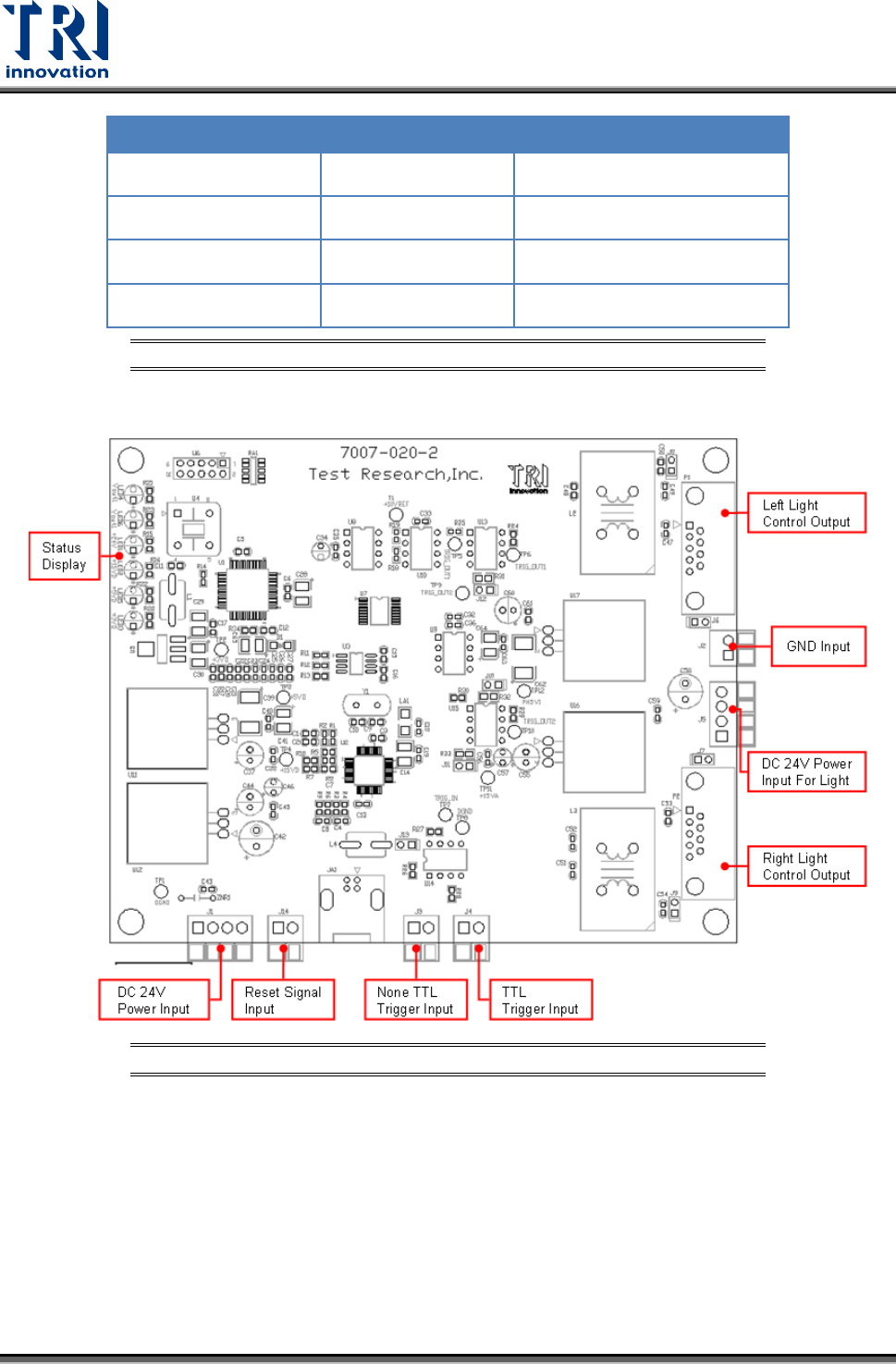
7.4 7007-020-2
Figure 92: 7007-020-2 Introduction

Test Research, Inc.
TR7007M SII User Guide – Hardware 45
8 AUTOMATIC CONVEYOR WIDTH ADJUSTMENT
8.1 Architecture and Function
The Automatic Conveyor Width Adjustment function allows the conveyor width to be adjusted
directly through the HCI buttons. During programming the conveyor width adjustment results
can be recorded in the main program, so the next time the program is launched it will
automatically adjust the conveyor width to the previously stored location.
The Motor Driver DIP Switch should be set to points 1 and 2.
8.2 Wiring Diagram
For System Wiring Diagrams, please refer to the separate Wiring
Diagram manual.
8.3 Automatic Conveyor Width Settings
For configuring the PLC, please refer to Section 3.1.3 Other Settings Page 1 – AUTO
Adjustment.