TR7007M_SII_Hardware_en_v1-0-1.pdf - 第56页
在线预览 TR7007M_SII_Hardware_en_v1-0-1.pdf PDF 文档。

Test Research, Inc.
TR7007M SII User Guide – Hardware 45
8 AUTOMATIC CONVEYOR WIDTH ADJUSTMENT
8.1 Architecture and Function
The Automatic Conveyor Width Adjustment function allows the conveyor width to be adjusted
directly through the HCI buttons. During programming the conveyor width adjustment results
can be recorded in the main program, so the next time the program is launched it will
automatically adjust the conveyor width to the previously stored location.
The Motor Driver DIP Switch should be set to points 1 and 2.
8.2 Wiring Diagram
For System Wiring Diagrams, please refer to the separate Wiring
Diagram manual.
8.3 Automatic Conveyor Width Settings
For configuring the PLC, please refer to Section 3.1.3 Other Settings Page 1 – AUTO
Adjustment.
Test Research, Inc.
TR7007M SII User Guide – Hardware 47
9 SERVICE
9.1 PC/PLC Connection
First confirm that the main program has begun testing. If not running, start the program and
repeat a test of the PLC. If there is still a problem, launch the main program and the PLC I/O
TEST to test the system manually and see if the I/O is operating normally (the settings and
procedure are as the figures below). If there is still no response, carry out Step 2 and Step 3
to examine the wiring and system. If manual testing shows that everything is normal, check
the program version or contact support personnel for assistance.
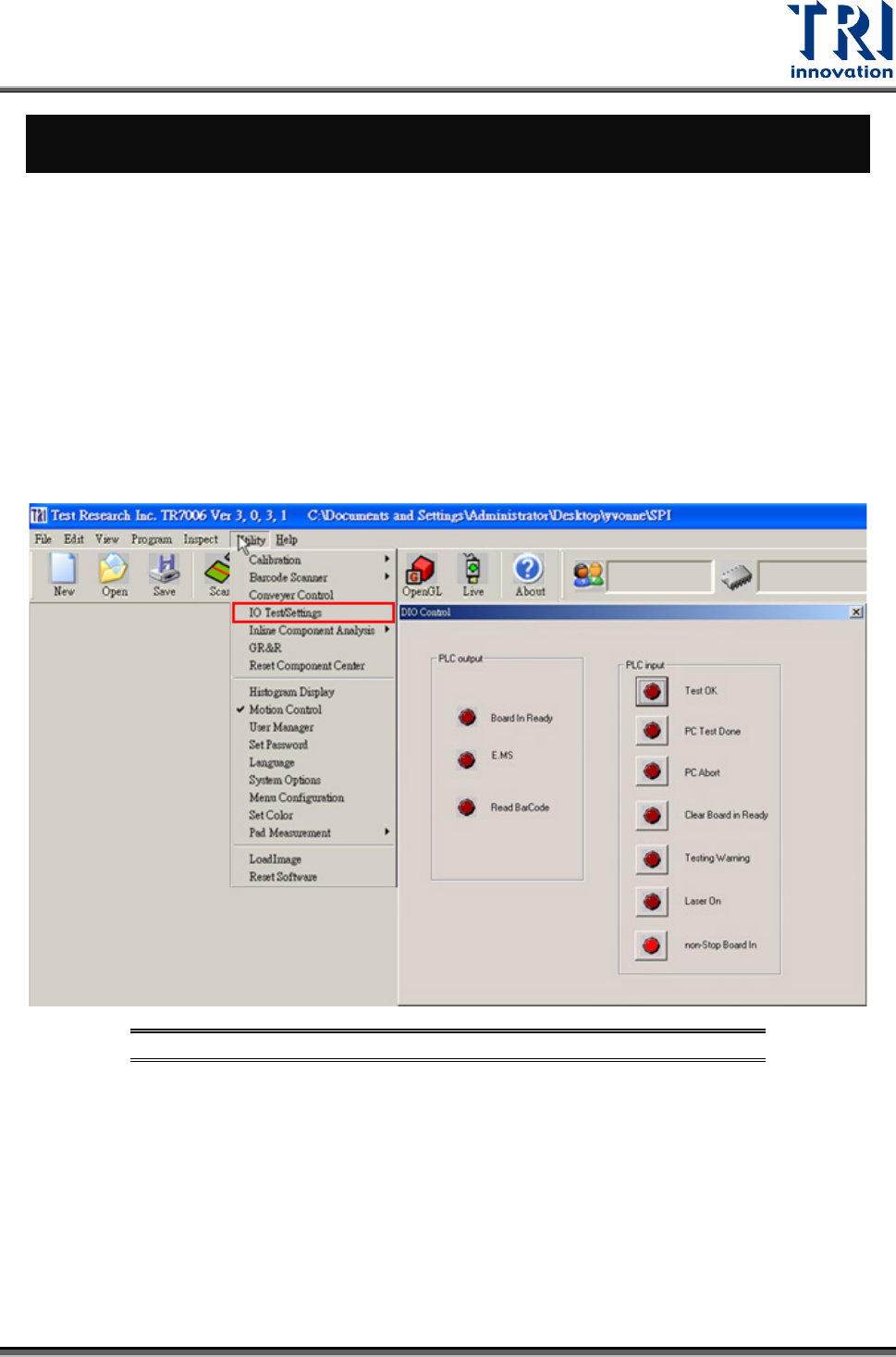
9.1.1 Open the PC I/O Testing Display
Click on [D
IAGNOSTIC > MACHINE I/O TEST] to start the I/O testing process (refer to the
following figure).
Figure 93: Selecting Machine I/O Test