TR7007M_SII_Hardware_en_v1-0-1.pdf - 第59页
Test Research, Inc. TR7007M SII User Guide – Hardware 49 9.1.3 Testing Method After opening the PC and PLC I /O Testing display, tick the PC output to see i f the re i s a response from PLC input. Press on P LC output to…
Test Research, Inc.
48 TR7007M SII User Guide – Hardware
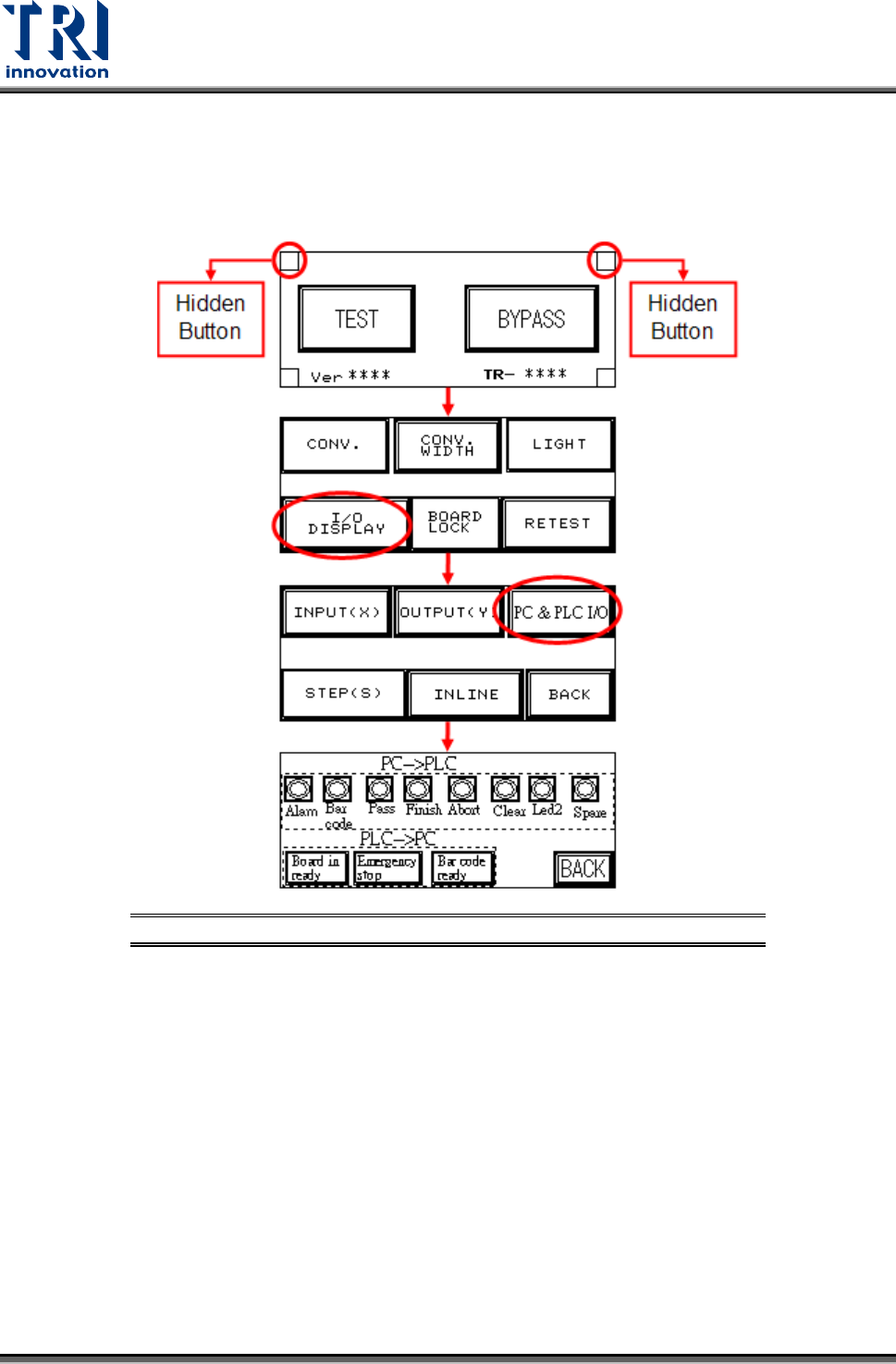
9.1.2 Open the PLC I/O Testing Display.
Follow the procedure below to open the PLC I/O Testing display. Both hidden buttons must
be pressed simultaneously.
Figure 94: Open PLC I/O Test Display
Test Research, Inc.
TR7007M SII User Guide – Hardware 49
9.1.3 Testing Method
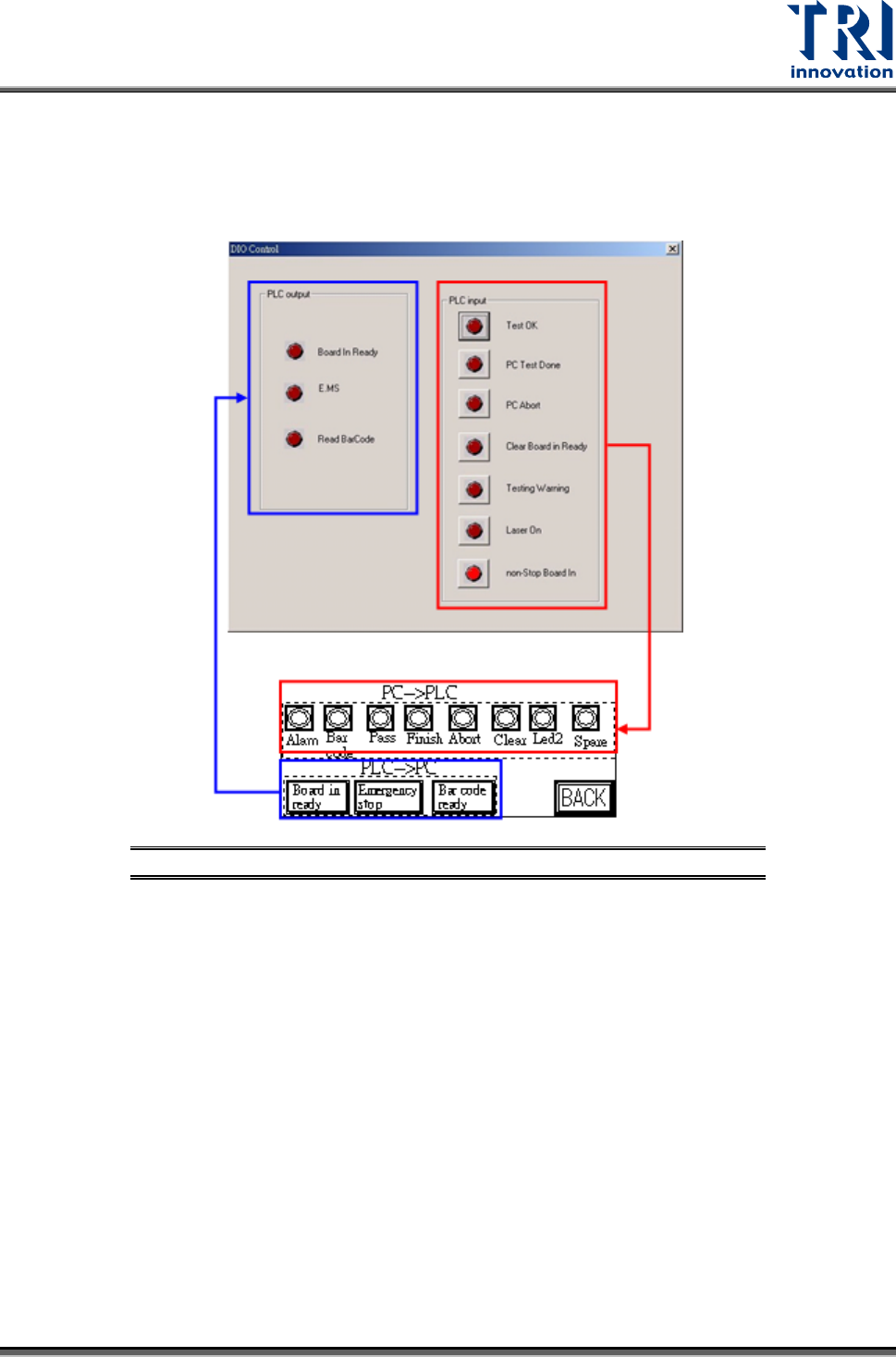
After opening the PC and PLC I/O Testing display, tick the PC output to see if there is a
response from PLC input. Press on PLC output to see if there is a response at PLC input.
Figure 95: Test PC & PLC Output
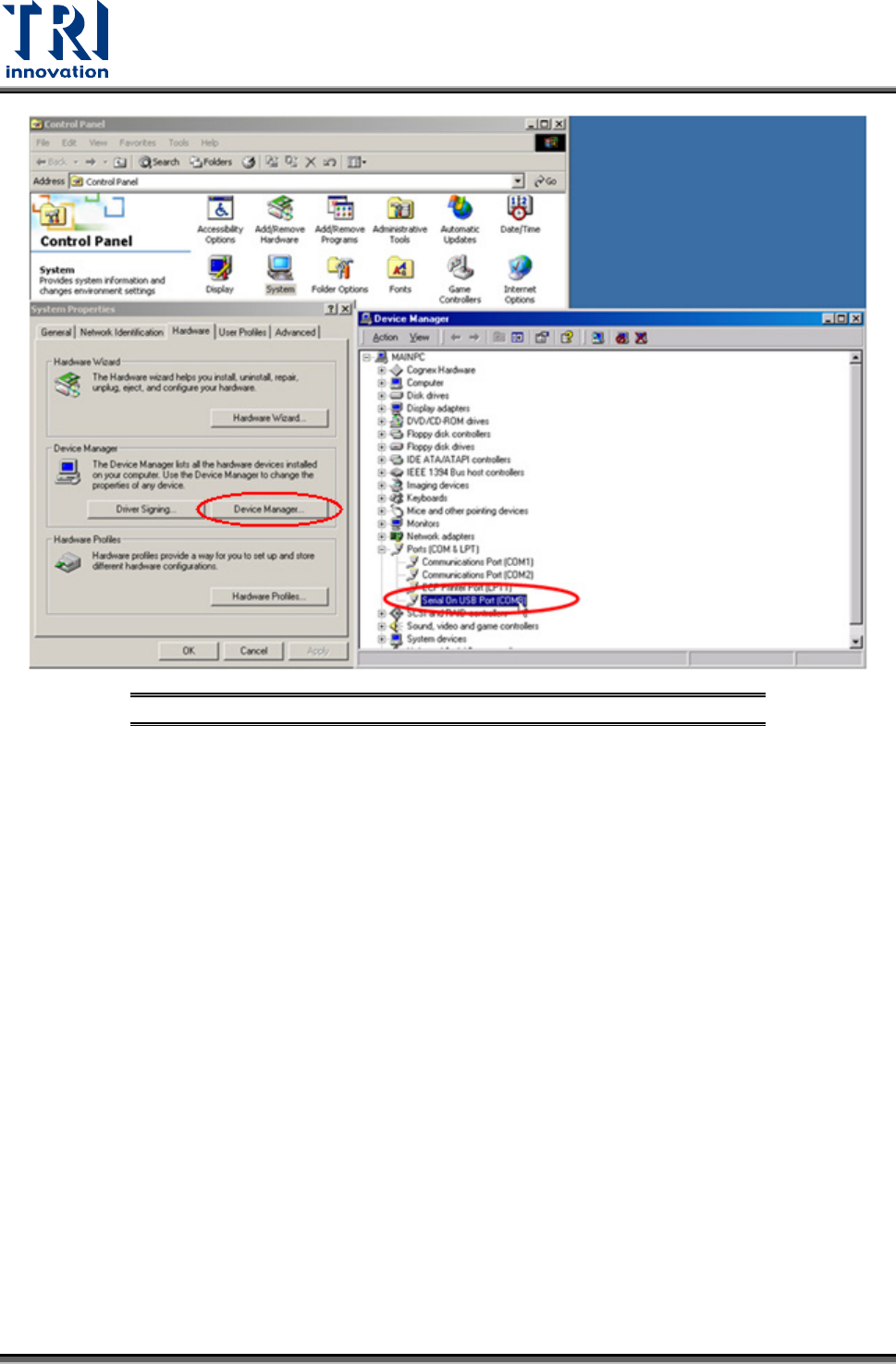
9.1.4 System Configuration:
Check [C
ONTROL PANEL > SYSTEM > HARDWARE > DEVICE MANAGER > PORT] to check if the
USB to RS-232 (COM8) device is operating normally.
Test Research, Inc.
50 TR7007M SII User Guide – Hardware
Figure 96: Check Port Status in Device Manager