TR7007M_SII_Hardware_en_v1-0-1.pdf - 第84页
Test Research, Inc. 74 TR7007 M SII User Guide – Hardware 4) Connection Status for Expansion Device s Once the system connection has been es tablished and all devices have been identi f ied, the EzLink program will indic…
Test Research, Inc.
TR7007M SII User Guide – Hardware 73
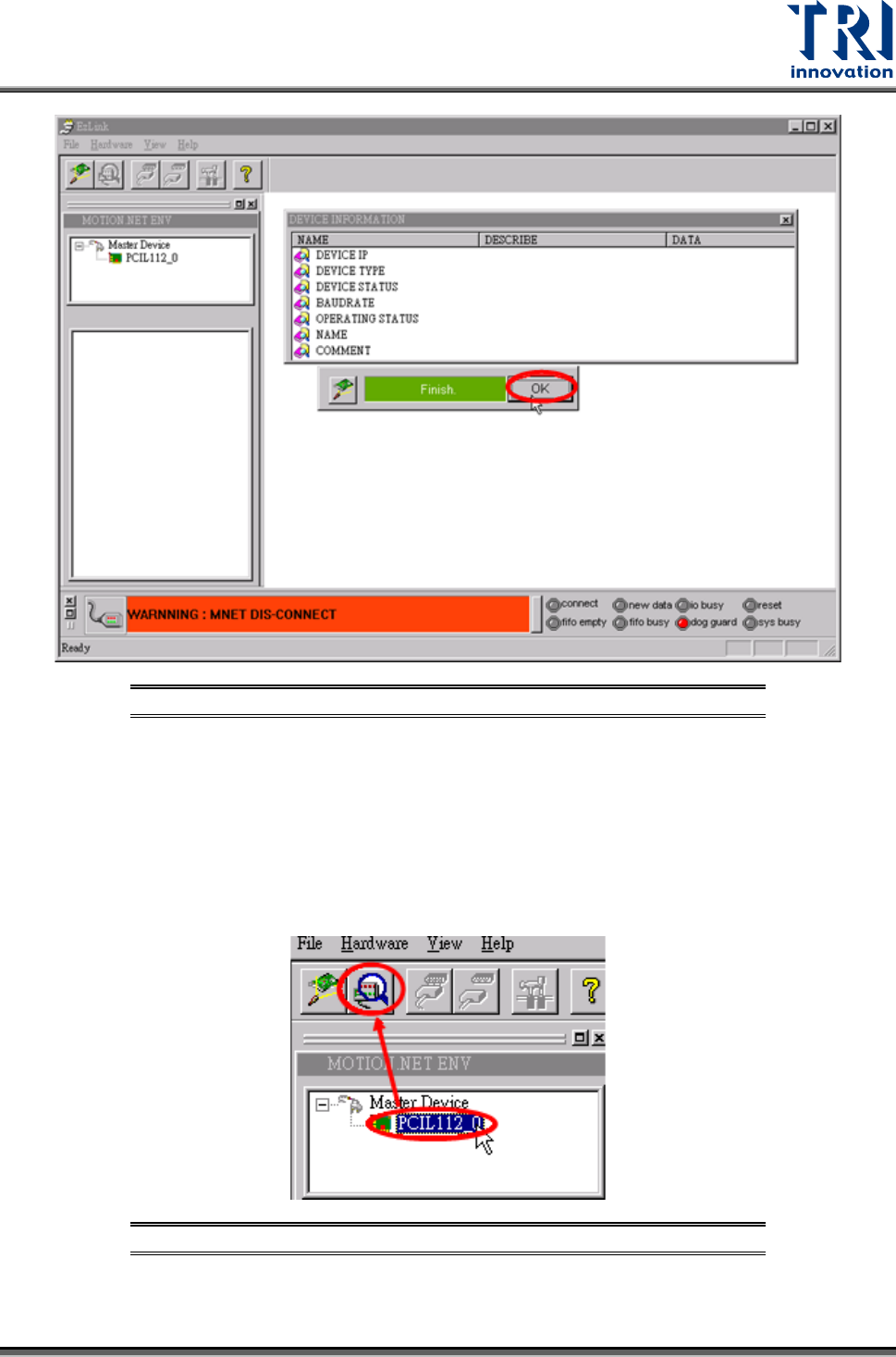
Figure 112: Finish Finding DSP Card
3) Scanning for Extension Devices
Once the entire system connection is established successfully, the program will scan for all
extension devices to identify the total quantity, current status, availability, and the
characteristics of these devices.
Refer to the following figure. Select [PCIL112_0] under the Master Device then press
[REFLASH RING] to search all Slave Module of X axis.
Figure 113: EzLink Scan Device Screen
Test Research, Inc.
74 TR7007M SII User Guide – Hardware
4) Connection Status for Expansion Devices
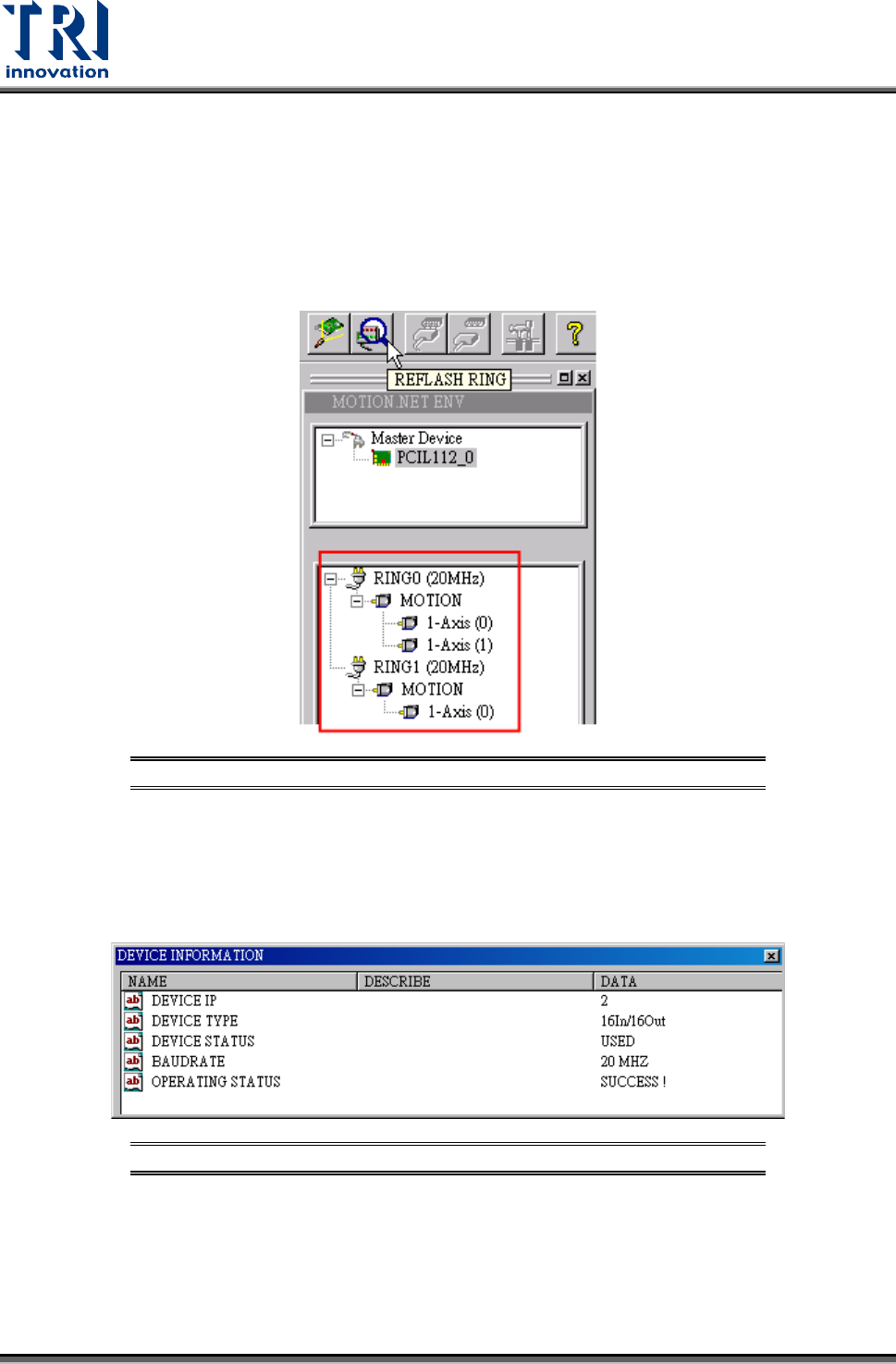
Once the system connection has been established and all devices have been identified, the
EzLink program will indicate the current connection and allocation status for all devices,
which can be seen in the device listing window as shown in the figure below.
If the axis numbers of Ring0 and Ring1 are reversed, check if the X and Y connectors on the
DSP card are properly connected.
Figure 114: EzLink Device List Screen
Clicking on a device from the device list will display its related information as shown in the
picture below.
The displayed information includes the IP number, device type, working status, connection
baud rate, and the operating status.
Figure 115: EzLink Device Information Screen
5) Connecting to the Extension Devices
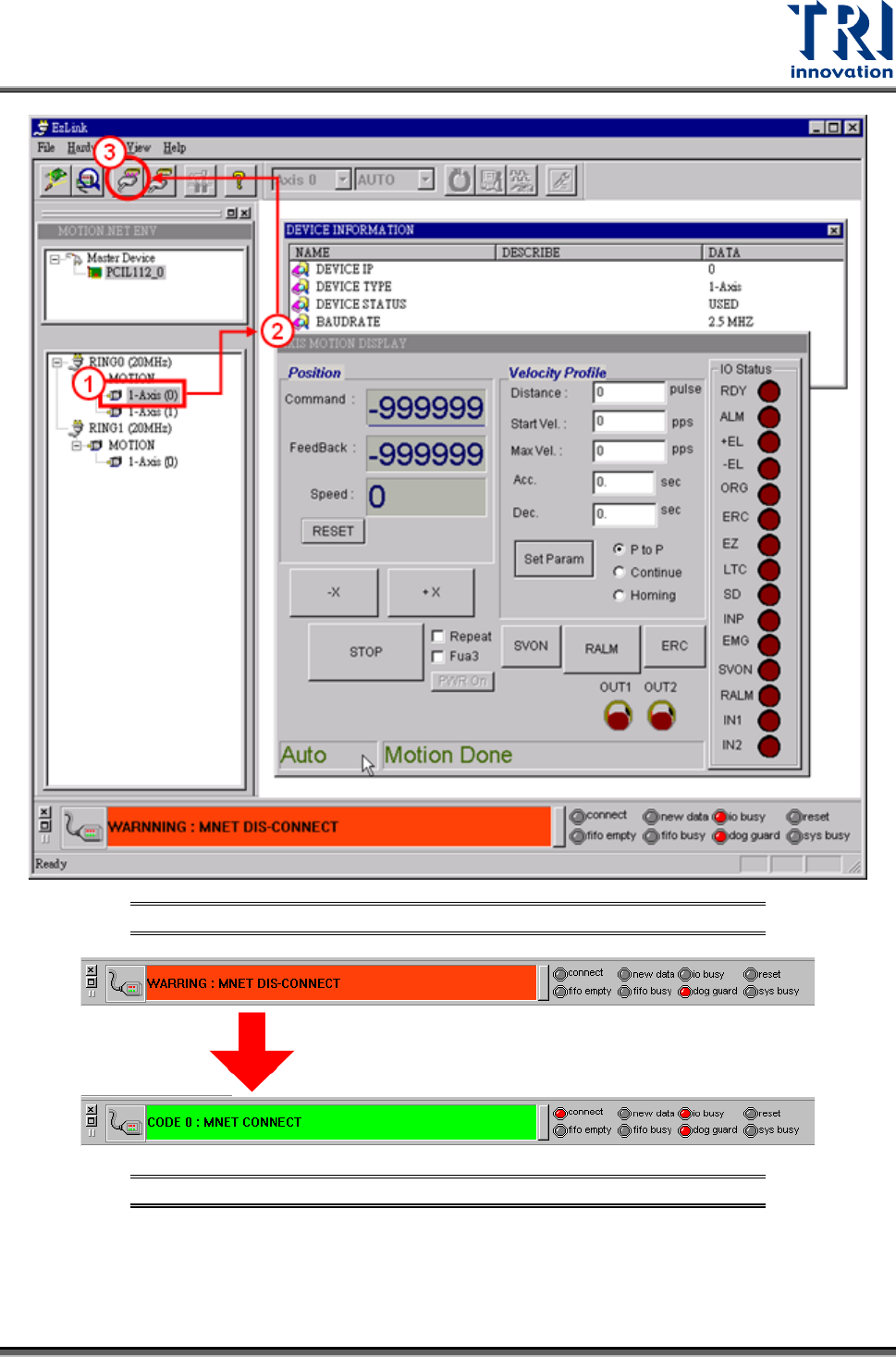
Once the EzLink program finishes the scanning for Master devices, it will activate all the
master devices and attempt to establish connection to the associated extension devices. The
connection status is indicated at the bottom of the window. The changes during the
connection process are illustrated below.
Test Research, Inc.
TR7007M SII User Guide – Hardware 75
Figure 116: EzLink Scan Screen
Figure 117: EzLink Disconnect/Connect Status Screen
6) Loading Parameters