TR7007M_SII_Hardware_en_v1-0-1.pdf - 第91页
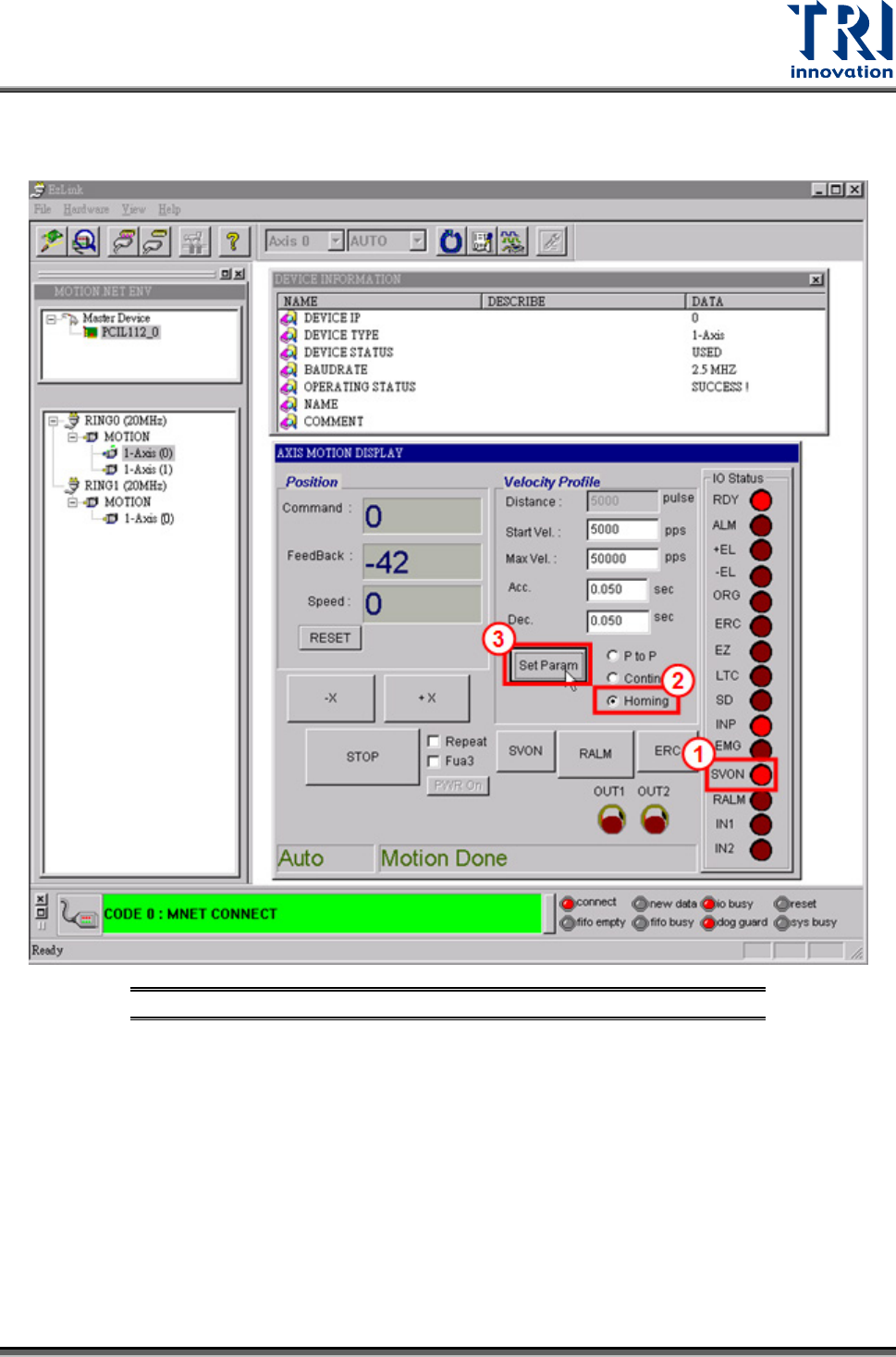
Test Research, Inc. TR7007M SII User Guide – Hardware 81 B. Refer to t he following figure. Confirm the servo is on [S VON ], select [Homing], t hen press [Set Param] to w rit e the parameter. Figure 124 : Homing Test Pr…
Test Research, Inc.
80 TR7007M SII User Guide – Hardware
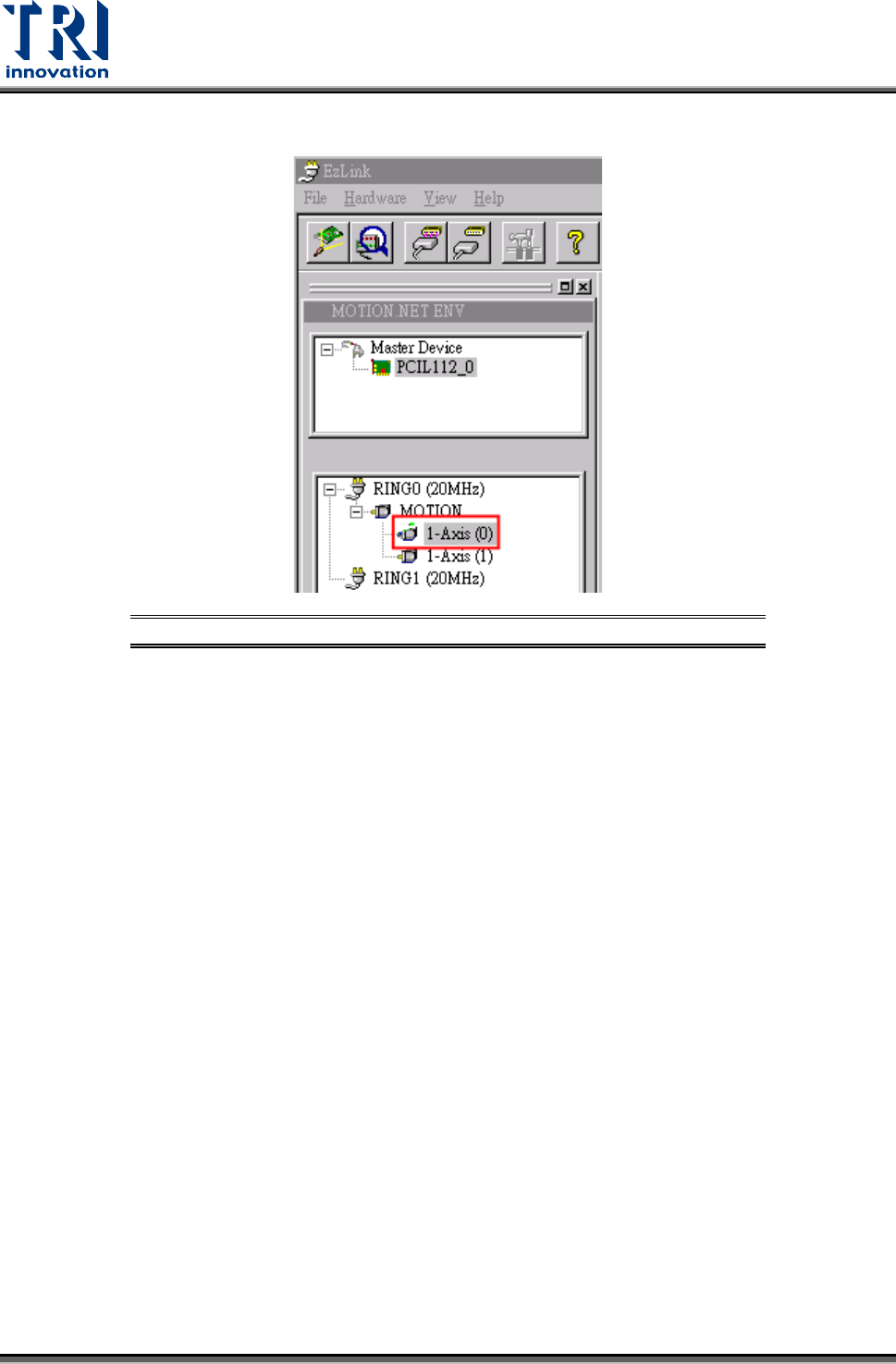
A. Select the particular axis to test.
Figure 123: Select Axis for Servo Homing Test
Test Research, Inc.
TR7007M SII User Guide – Hardware 81
B. Refer to the following figure. Confirm the servo is on [SVON], select [Homing], then
press [Set Param] to write the parameter.
Figure 124: Homing Test Procedure
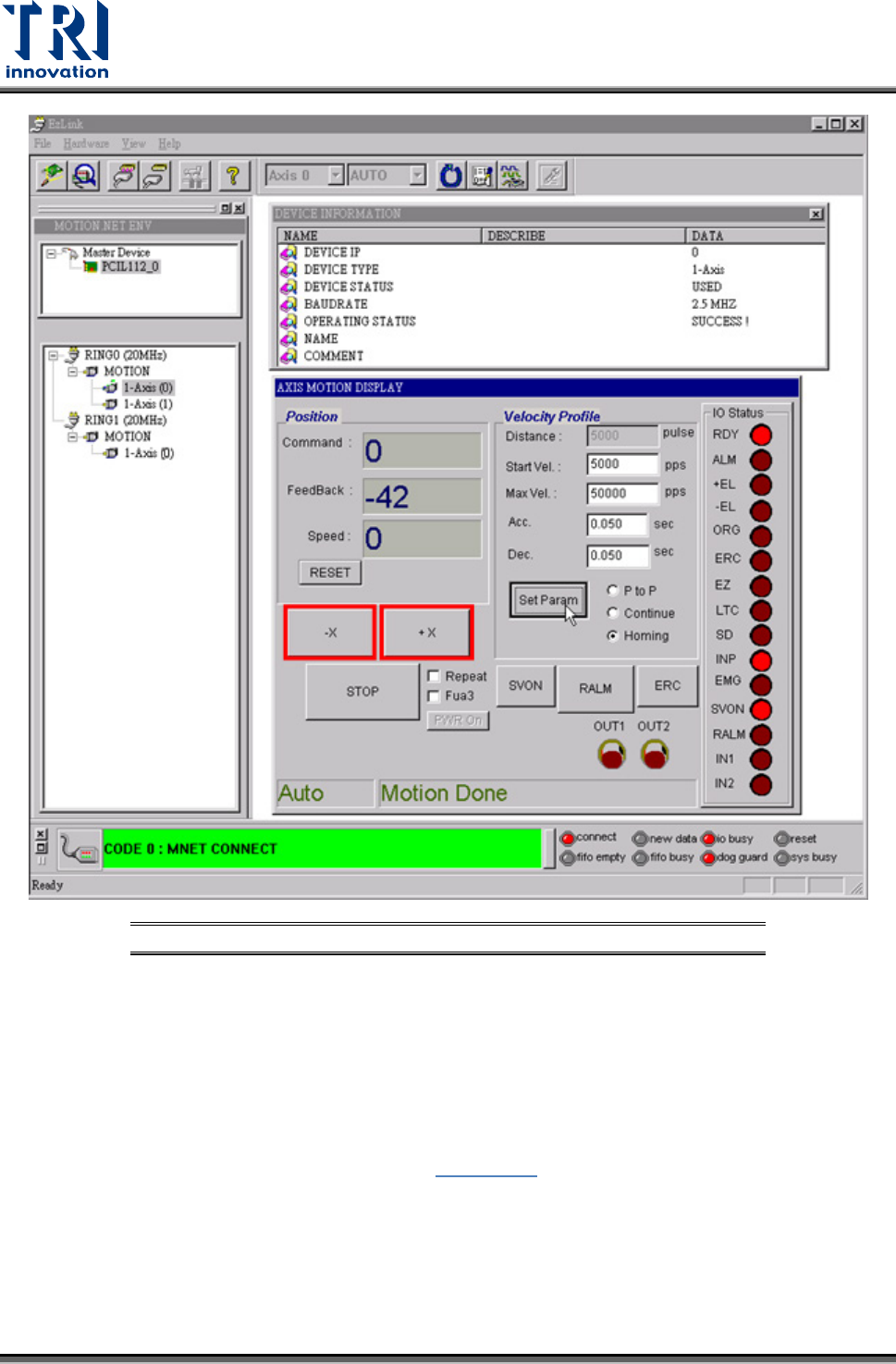
C. Click [+X] to move right until touching the [+EL] limit sensor. Click [-X] to move left
until touching the [-EL] limit sensor. [Command] and [Feedback] should change when
the X-Y Table is moving and the reading should be quite close. Refer to the figure
below.
Test Research, Inc.
82 TR7007M SII User Guide – Hardware
Figure 125: Homing Test
11) Test the Y axis motion by using the same procedure as above.
9.7 PLC ERROR
If the PLC’s ERROR light is lit, please check if this was caused by procedure. If not, restart
and re-test. If the error persists, please inquire with the appropriate personnel. For an
explanation of the PLC indicator light refer to Figure 127
Status Indicator LEDs.