00198654-01_UM_Nozzle_Cleaning_Station_EN - 第45页
4 Setting up and commissioning 4.5 Setting up the nozzle cleaning station User Manual SIPLACE Nozzle Cleaning Station 09/2019 45 4.5.1.2 Fitting the tip cleaning module The assembly of the tip cleaning modules can be don…
4 Setting up and commissioning
4.5 Setting up the nozzle cleaning station
44 User Manual SIPLACE Nozzle Cleaning Station 09/2019
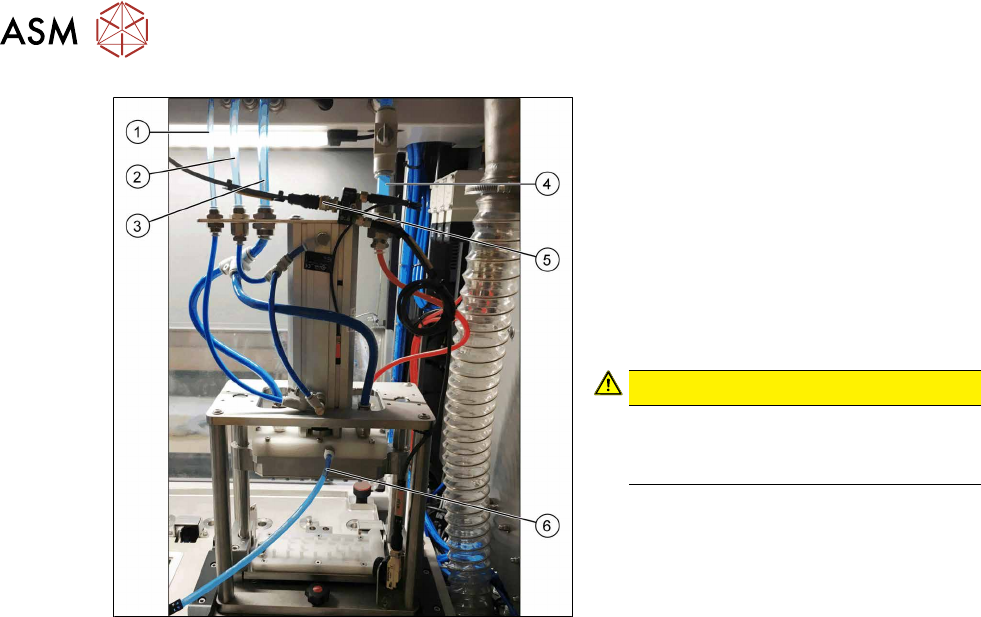
Fig.29: Connections
► Plug in the compressed air supply(1),
(2) and (3) at the top left.
► Plug in the connection (4) for the sup-
ply of the cleaning agent.
► Plug in the connector to the sensor(5)
to detect the nozzle magazine and
secure it in position.
► Plug in the bypass / drainage(6) at the
back of the applicator.
CAUTION!
Prevent leakage
Make sure that all pneumatic and li-
quid connections are firmly in place.
.
4 Setting up and commissioning
4.5 Setting up the nozzle cleaning station
User Manual SIPLACE Nozzle Cleaning Station 09/2019 45
4.5.1.2 Fitting the tip cleaning module
The assembly of the tip cleaning modules can be done from the front of the NCS and requires no
additional tools.
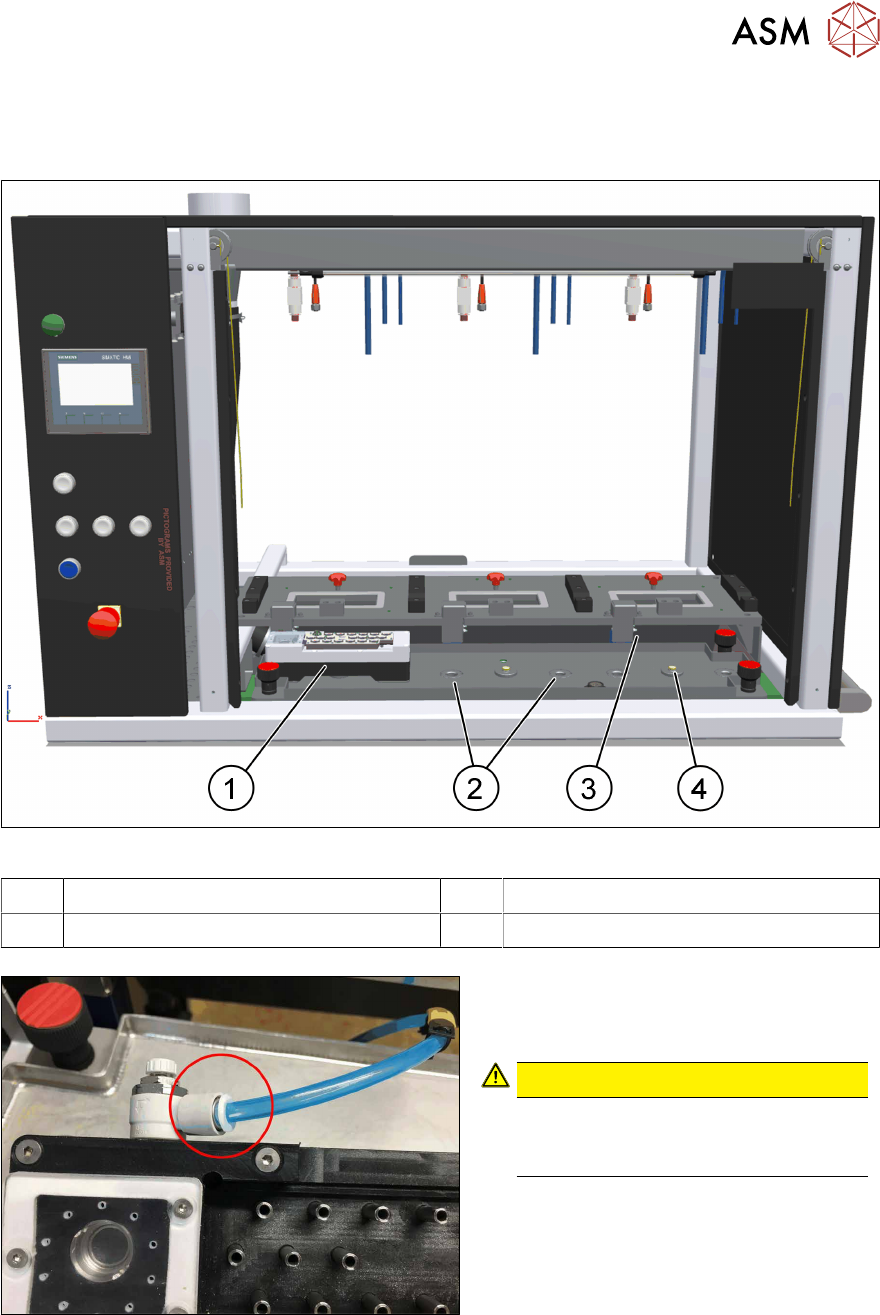
Fig.30: NCS - tip cleaning cell
1 Tip cleaning module 2 Drainage and fixing of the module
3 Supply of the cleaning solution 4 Sensor for module recognition
Fig.31: Connection
► Plug in the connection for the supply of
the cleaning agent.
CAUTION!
Prevent fluid injection
Make sure that all connections carry-
ing liquid are firmly in place.
.
4 Setting up and commissioning
4.5 Setting up the nozzle cleaning station
46 User Manual SIPLACE Nozzle Cleaning Station 09/2019
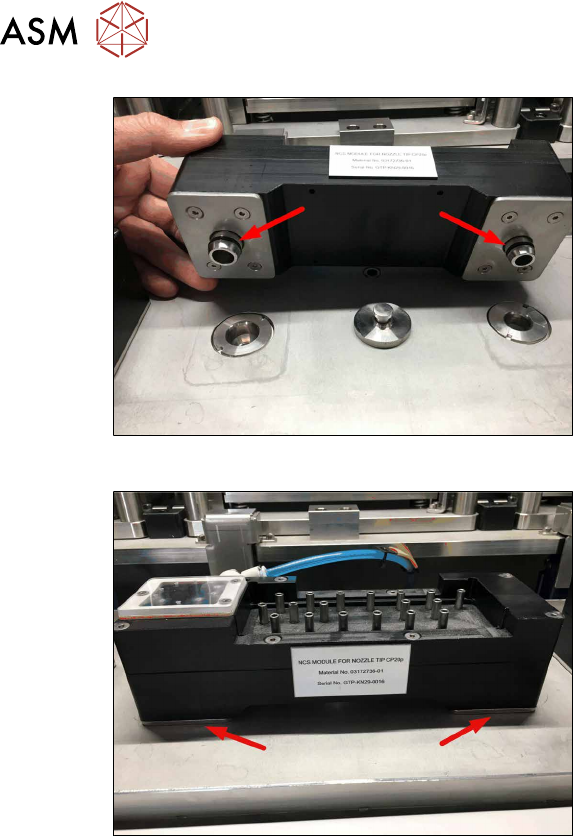
Fig.32: O-rings
► Dampen the o-ring at the left and right
with water.
► Position both connector over the drain
holes in the base plate.
Fig.33: Module on base plate
► Turn the module and push it firmly in
place so the underside sits plane on
the base plate.