00198654-01_UM_Nozzle_Cleaning_Station_EN - 第58页
7 The HMI operating panel 7.5 Parameter setting screens 58 User Manual SIPLACE Nozzle Cleaning Station 09/2019 7.4.3 Heater controls In the heater menu both tip cleaning and shaft cleaning heating can be activated provid…
7 The HMI operating panel
7.4 Manual control screens
User Manual SIPLACE Nozzle Cleaning Station 09/2019 57
7.4.1 Example of a tip cleaning screen
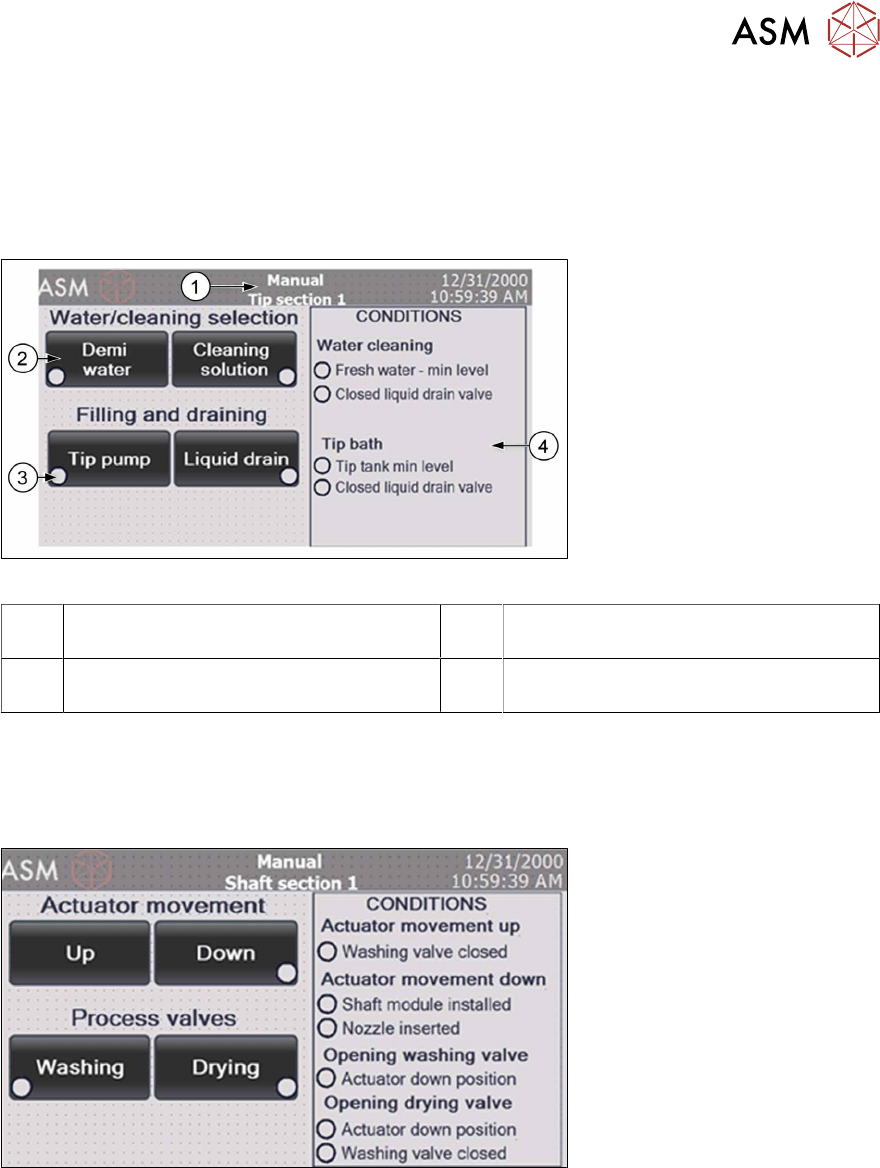
The manual control is only enabled when applicable conditions have been met. This prevents the
machine from inadvertent damage or flooding by operator's manual actions. The conditions to be
met to enable a specific function are listed in the right-hand part of the screen.
In the tip section screen, you can run the fluid cycle (demi or cleaning agent), drain or fill the tip
cleaning module reservoir and start the fluid circulation pump (tip pump).
Fig.44: NCS - HMI tip cleaning manual control screen
1 Manually controlled processing section
name
2 Component operation buttons
3 Component activation indicator 4 List of conditions for activating the com-
ponents
7.4.2 Example of a shaft cleaning screen
The shaft cleaning menu is similar to the tip cleaning menu. You can manually move the actuator,
open the cleaning or the drying valve. The shaft cleaning valve and the drying valve can only be
opened with the actuator in the down position and they cannot be opened simultaneously.
Fig.45: NCS - HMI shaft cleaning manual control screen
7 The HMI operating panel
7.5 Parameter setting screens
58 User Manual SIPLACE Nozzle Cleaning Station 09/2019
7.4.3 Heater controls
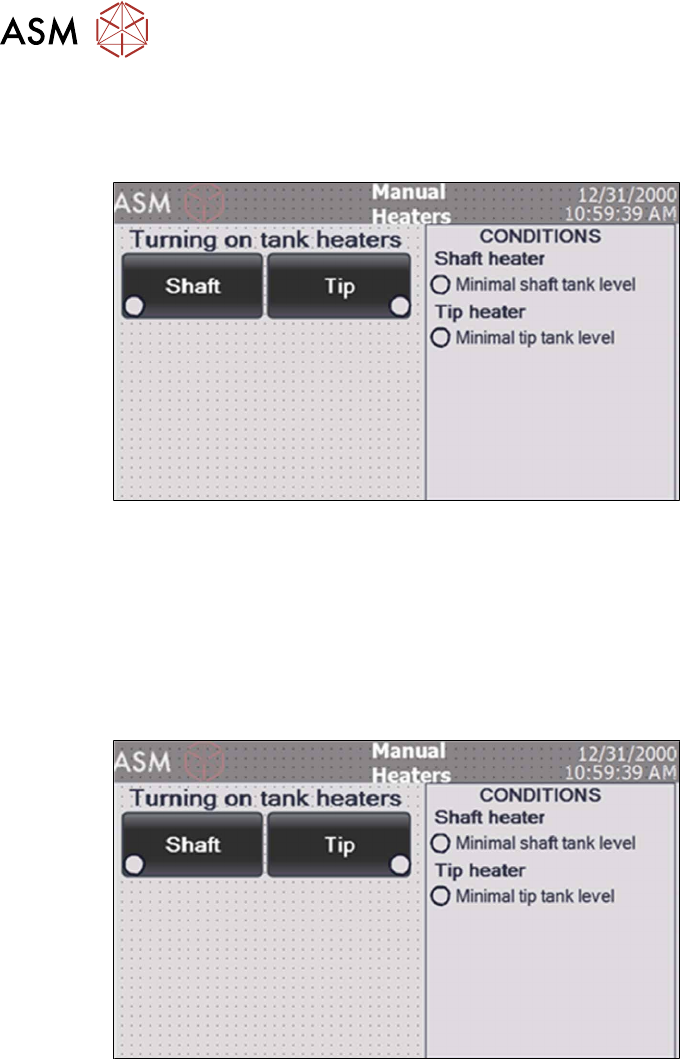
In the heater menu both tip cleaning and shaft cleaning heating can be activated provided there is
sufficient liquid in the container.
Fig.46: NCS - HMI heating manual control screen
7.5 Parameter setting screens
Pressing "Parameters" on the MENU screen opens the processing cycle parameter settings. The
parameter screen requires process engineer access rights. Upon pressing parameters, the HMI op-
erating panel prompts you to enter the correct security password.
The screen enables access to the settings of the processing times and the processing bath (tank)
temperature settings.
Fig.47: NCS - HMI parameter settings screen
7 The HMI operating panel
7.5 Parameter setting screens
User Manual SIPLACE Nozzle Cleaning Station 09/2019 59
7.5.1 Tanks temperatures screen
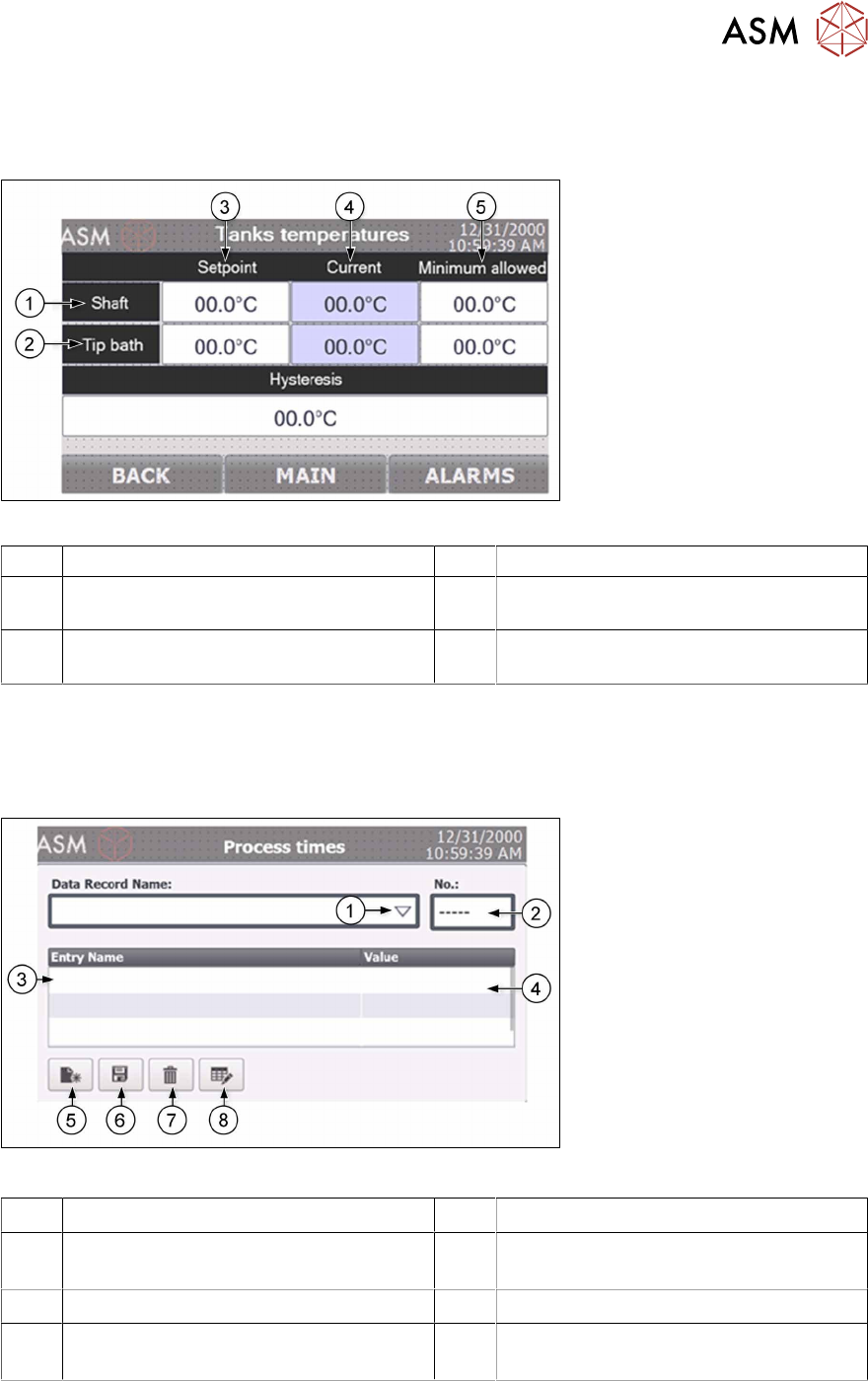
The tank heater temperature screen provides an overview on the temperatures in the tip and shaft
cleaning container and allows to adapt them.
Fig.48: NCS - HMI temperatures screen
1 Shaft cleaning parameter section 2 Tip cleaning parameter section
3 Setpoint defines the temperature to be
reached
4 Current shows the actual temperature
values in the container (read only)
5 Minimum allowed defines the threshold
from when the machine starts working
7.5.2 Process times screen
The Process time screen provides the possibility to generate up to 150 unique cleaning process
program combinations. The process engineer may add and name programs and upload them to
the PLC's main software.
Fig.49: NCS - HMI process times screen
1 Drop down to list existing programs 2 Number of the currently edited program
3 Parameter names 4 Parameter value (after click on the input
field
5 Create new program 6 Save the current program settings
7 Delete the selected program 8 Change the name of the selected pro-
gram