00193893-04.pdf - 第101页
SIPLACE HF Series Head Reconfiguration Kits 2 Retrofit in structions - SIPLACE HF seri es head reconfiguration kits 05/2006 Edition 101 : Plug in the two connectors. 2 2 : Clip on the strain relief pushbutton. : Attach t…
2 Retrofit instructions - SIPLACE HF series head reconfiguration kits SIPLACE HF Series Head Reconfiguration Kits
05/2006 Edition
100
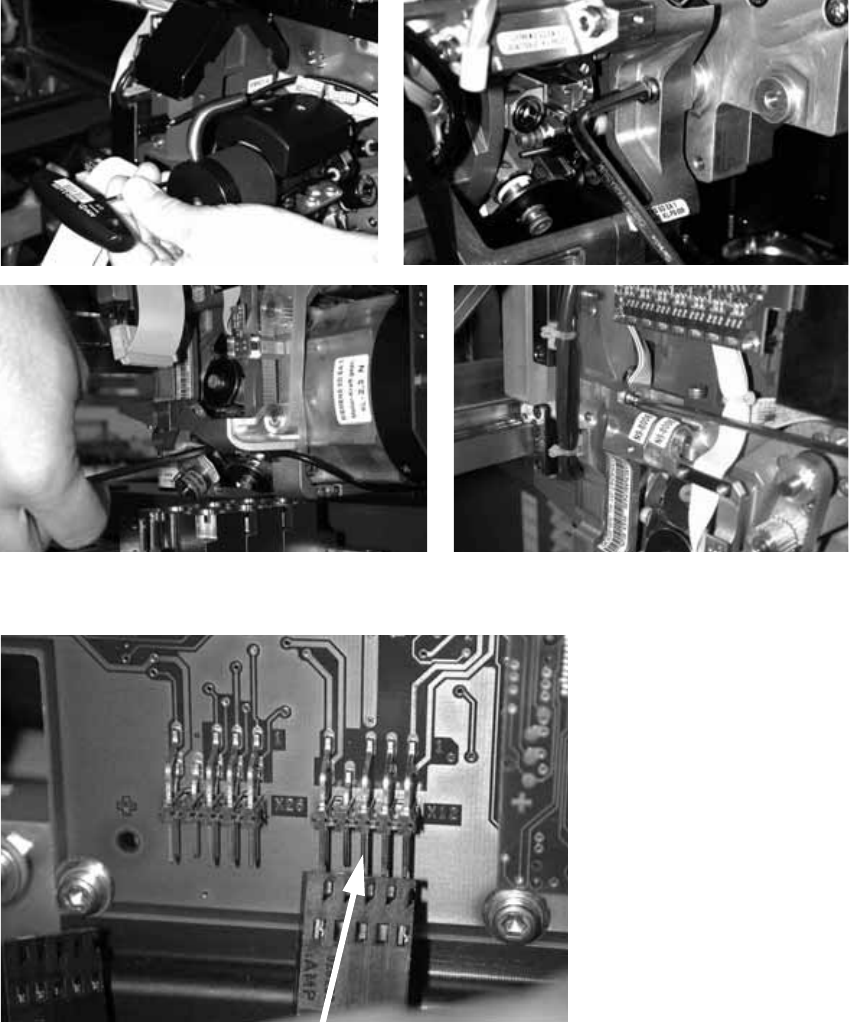
: Fit the placement head and fix in place with four screws.
Make sure that the screws are of the right length.
With screws two and three, you should first remove one sleeve to make the screws more ac-
cessible.
2
: Plug in the connectors for the DP axis.
2
2
2
SIPLACE HF Series Head Reconfiguration Kits 2 Retrofit instructions - SIPLACE HF series head reconfiguration kits
05/2006 Edition
101
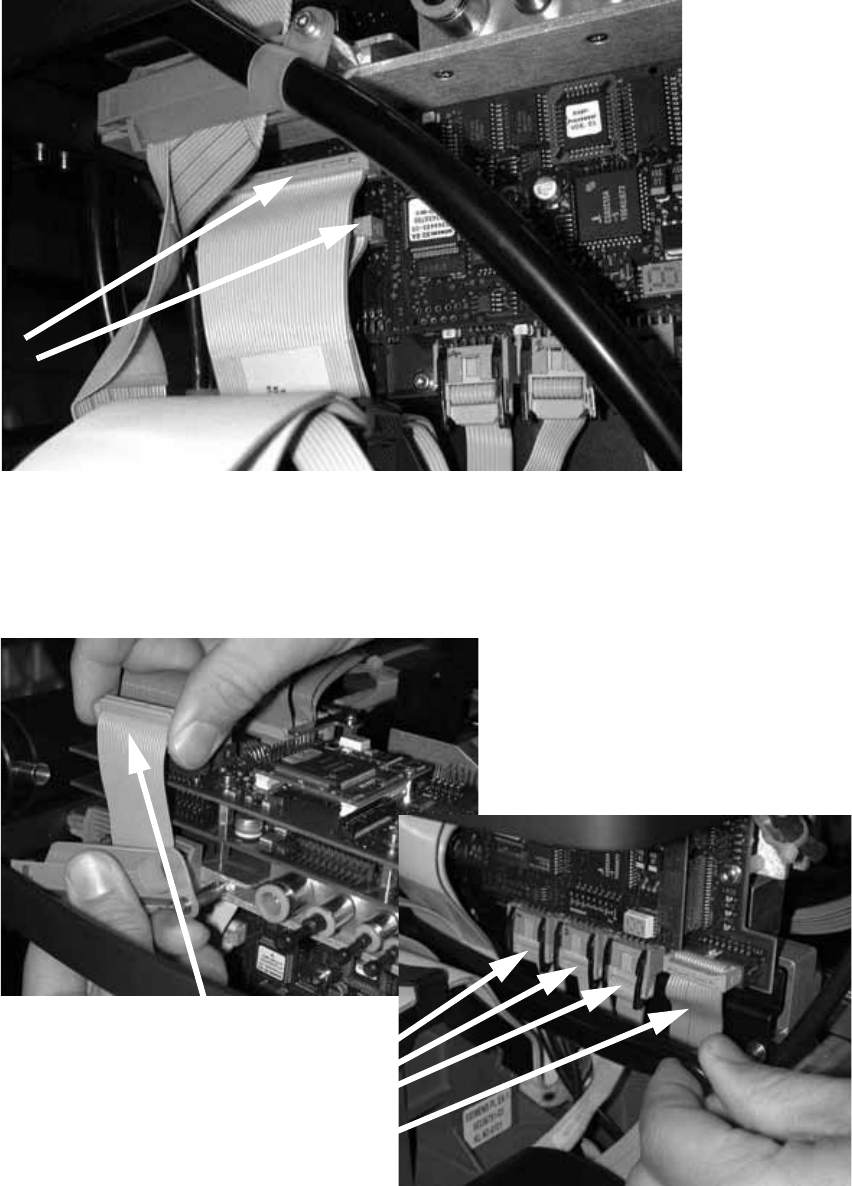
: Plug in the two connectors.
2
2
: Clip on the strain relief pushbutton.
: Attach the camera cable and the four other cables in the photograph below.
2
2 Retrofit instructions - SIPLACE HF series head reconfiguration kits SIPLACE HF Series Head Reconfiguration Kits
05/2006 Edition
102
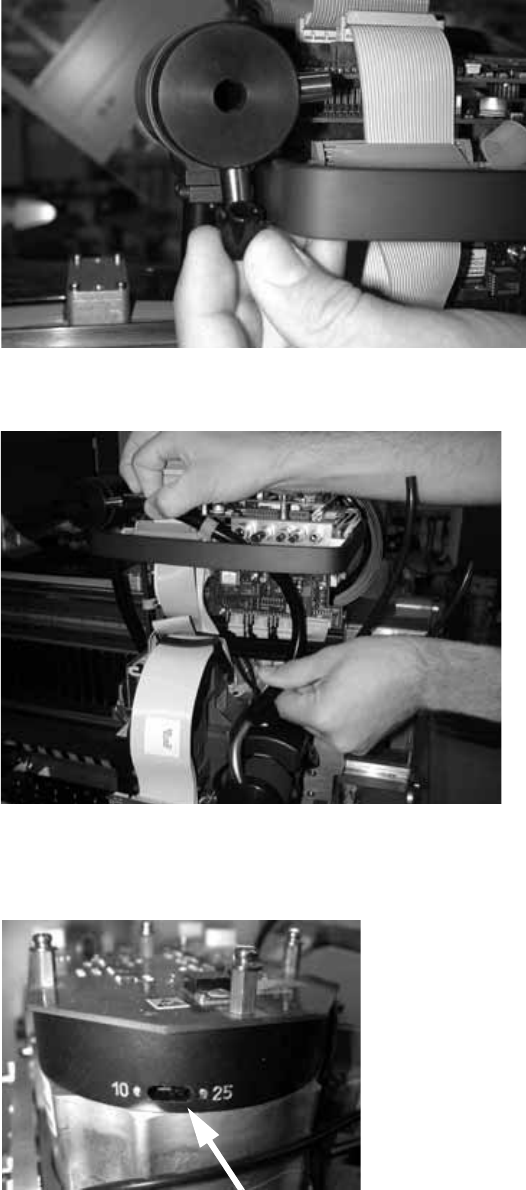
: Attach the plug to the exhaust air damper.
2
: Connect the top and bottom hoses.
2
: Set the star resolution switch to 25.
The switch can be found underneath the placement head.
2