00193893-04.pdf - 第64页
2 Retrofit instructions - SIPLACE HF series head re confi guration kits SIPLACE HF Series Head Reconfiguration Kits 05/2006 Edition 64 2.4.4 Converting the nozzle changer 2 : Remove the waste tape chute. 2 : Loosen the f…
SIPLACE HF Series Head Reconfiguration Kits 2 Retrofit instructions - SIPLACE HF series head reconfiguration kits
05/2006 Edition
63
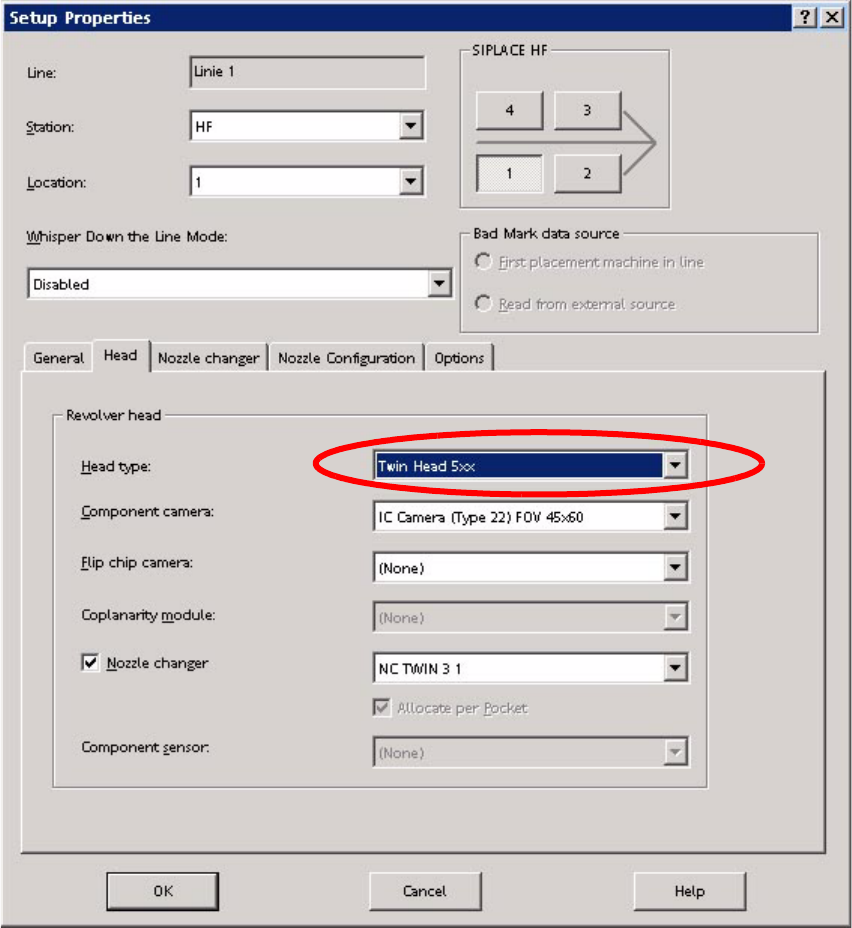
2.4.3 Configuring the TwinHead with SIPLACE Pro
: Enter the TwinHead in the "Set-up Properties" dialog.
2
2
: Reoptimize the set-up in SIPLACE Pro.
2
: Switch the placement machine off at the main switch.
2 Retrofit instructions - SIPLACE HF series head reconfiguration kits SIPLACE HF Series Head Reconfiguration Kits
05/2006 Edition
64
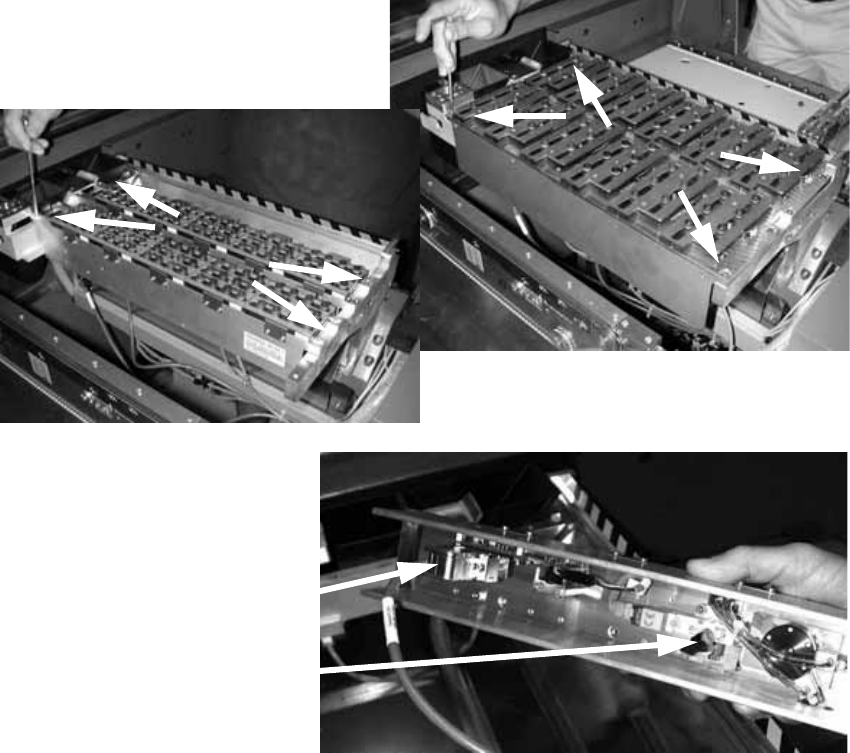
2.4.4 Converting the nozzle changer
2
: Remove the waste tape chute.
2
: Loosen the four screws on the nozzle changer of the C&P head and remove the head.
: Disconnect the cable and the compressed air hose.
2
2
: Use a blanking Y piece to seal off the compressed air hoses to the nozzle changer (or use ca-
ble ties, if necessary).
2
2
2
Cable
Compressed air connector
SIPLACE HF Series Head Reconfiguration Kits 2 Retrofit instructions - SIPLACE HF series head reconfiguration kits
05/2006 Edition
65
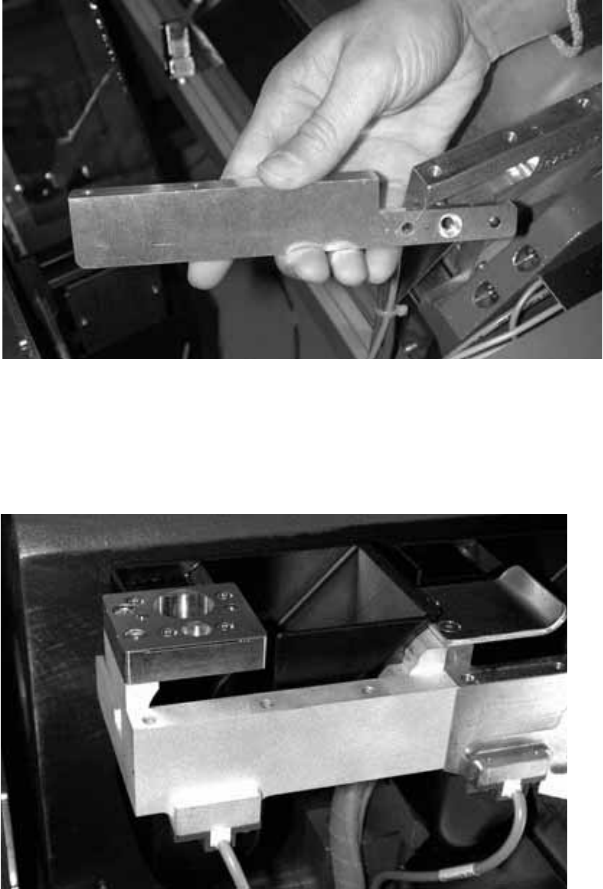
: Carefully push the nozzle changer extension inwards and then remove. Be careful, the exten-
sion is very fragile.
2
2
: If you wish to fit an FC camera, you should also remove the nozzle changer extension on the
inside of the placement machine.
2
2
2
2
2
2
2