00193893-04.pdf - 第65页
SIPLACE HF Series Head Reconfiguration Kits 2 Retrofit in structions - SIPLACE HF seri es head reconfiguration kits 05/2006 Edition 65 : Carefully push the nozzle chang er extension inwards and th en remove. Be carefu l,…
2 Retrofit instructions - SIPLACE HF series head reconfiguration kits SIPLACE HF Series Head Reconfiguration Kits
05/2006 Edition
64
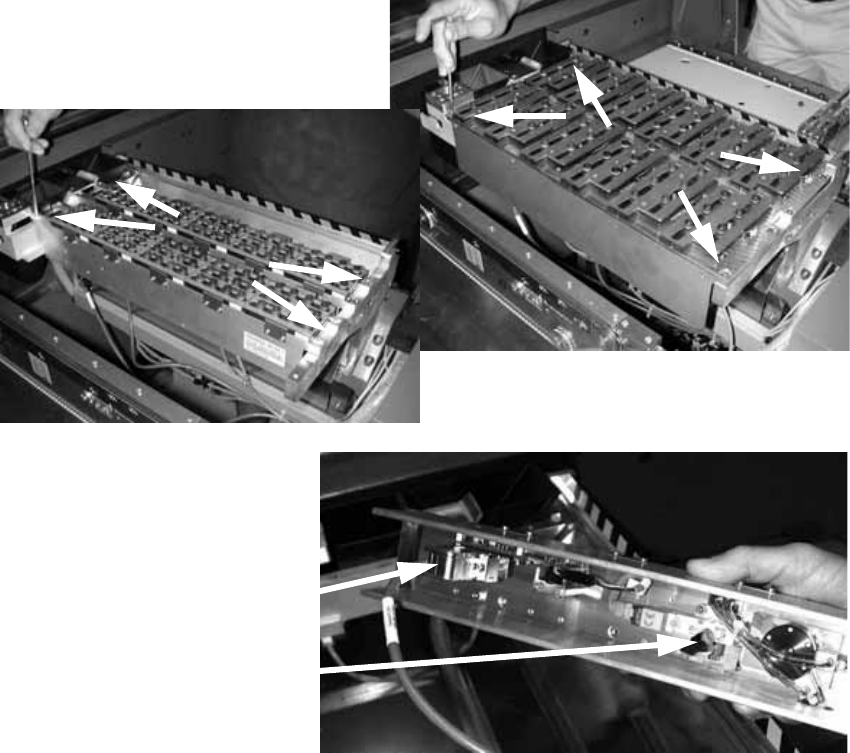
2.4.4 Converting the nozzle changer
2
: Remove the waste tape chute.
2
: Loosen the four screws on the nozzle changer of the C&P head and remove the head.
: Disconnect the cable and the compressed air hose.
2
2
: Use a blanking Y piece to seal off the compressed air hoses to the nozzle changer (or use ca-
ble ties, if necessary).
2
2
2
Cable
Compressed air connector
SIPLACE HF Series Head Reconfiguration Kits 2 Retrofit instructions - SIPLACE HF series head reconfiguration kits
05/2006 Edition
65
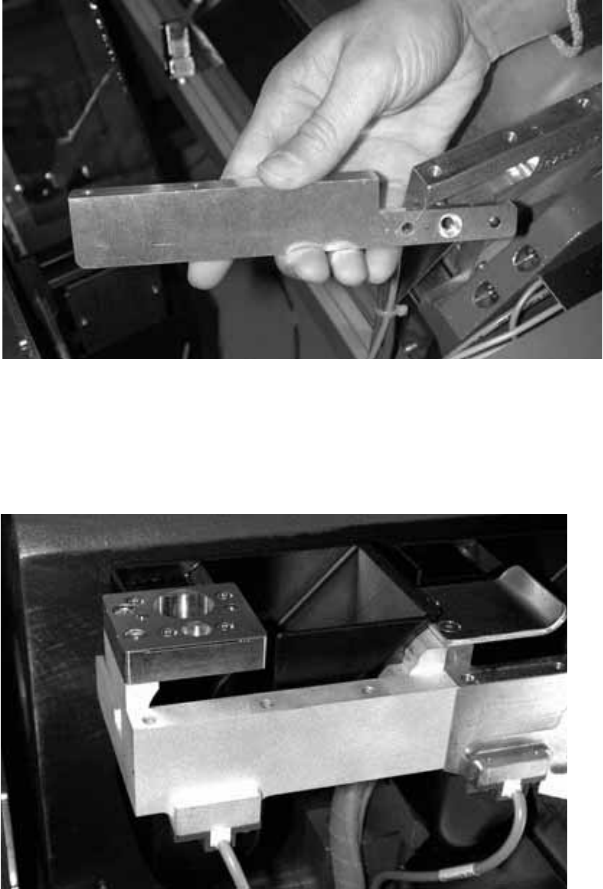
: Carefully push the nozzle changer extension inwards and then remove. Be careful, the exten-
sion is very fragile.
2
2
: If you wish to fit an FC camera, you should also remove the nozzle changer extension on the
inside of the placement machine.
2
2
2
2
2
2
2
2 Retrofit instructions - SIPLACE HF series head reconfiguration kits SIPLACE HF Series Head Reconfiguration Kits
05/2006 Edition
66
2.4.5 Installing the cameras
Carry out this item only if there is no vision control unit installed in the affected distributor. 2
Installing the vision control unit 2
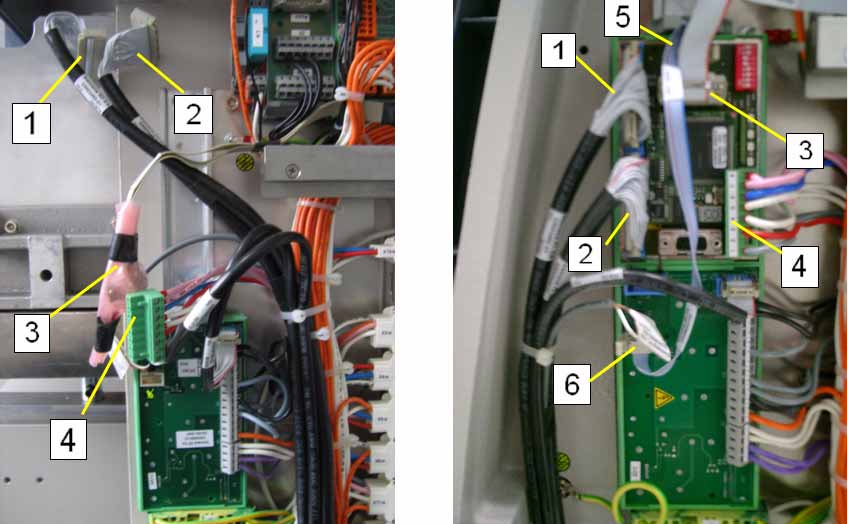
: Check whether all the required cables are present (see photograph on the left).
– Component camera cables (1 + 2)
– CAN bus cable (3)
– Power supply (4)
– HF cable: Vision Flash (included with the retrofit kit)
: Fit the vision control unit (see photograph on the right).
: Plug in the cables (see the photograph on the right and the diagram below).
– Component camera cable on X4 and X5 (1 + 2) (note the cable labeling)
– CAN bus cable on X2 (3)
– Power supply on X9 (4)
– Plug in the Vision Flash cable X3 (5) and X6 (6) for the vision DC/DC converter (main dis-
tributor) or the vision DC distributor (sub-distributor)
: When downloading the TwinHead firmware, also install the vision firmware.
2