00193893-04.pdf - 第74页
2 Retrofit instructions - SIPLACE HF series head re confi guration kits SIPLACE HF Series Head Reconfiguration Kits 05/2006 Edition 74 : Detach the two cables sh own in the photograph below . 2 2 : Unplug the connector f…
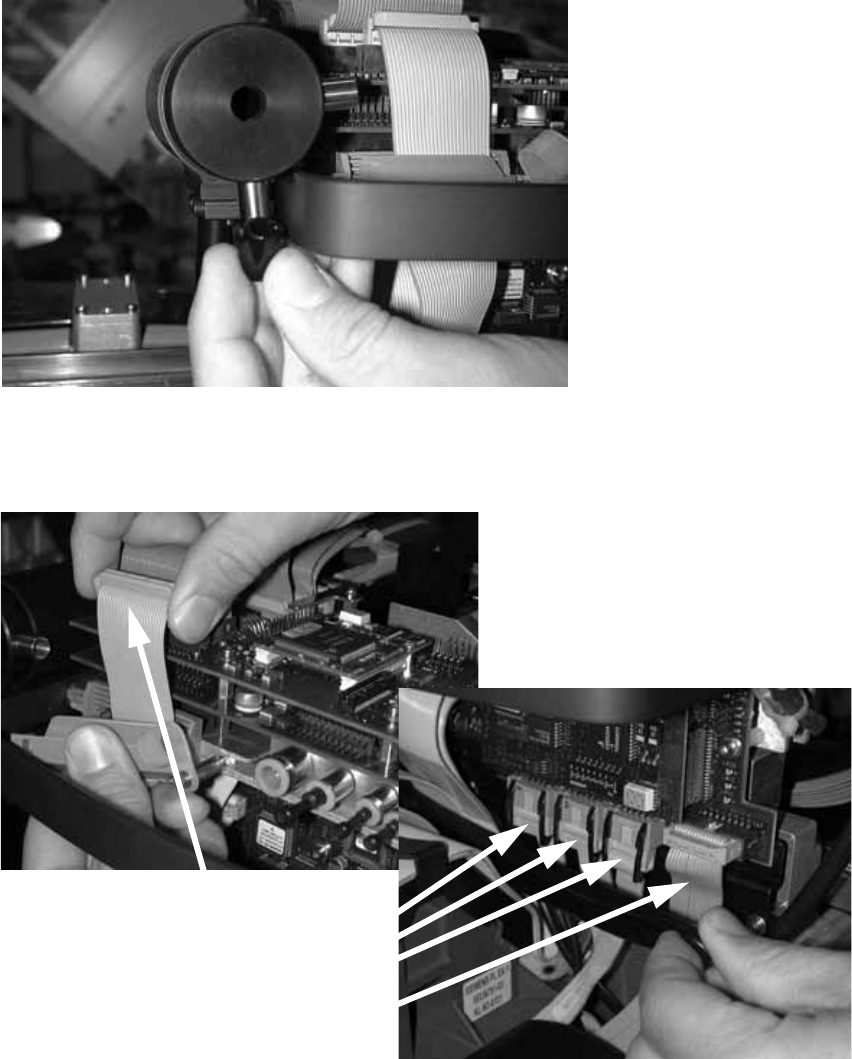
SIPLACE HF Series Head Reconfiguration Kits 2 Retrofit instructions - SIPLACE HF series head reconfiguration kits
05/2006 Edition
73
: Remove the plug on the exhaust air damper.
2
2
: Detach the camera cable and the four other cables in the photograph below.
2
2
: Release the pushbutton and remove the strain relief over the cables.
2
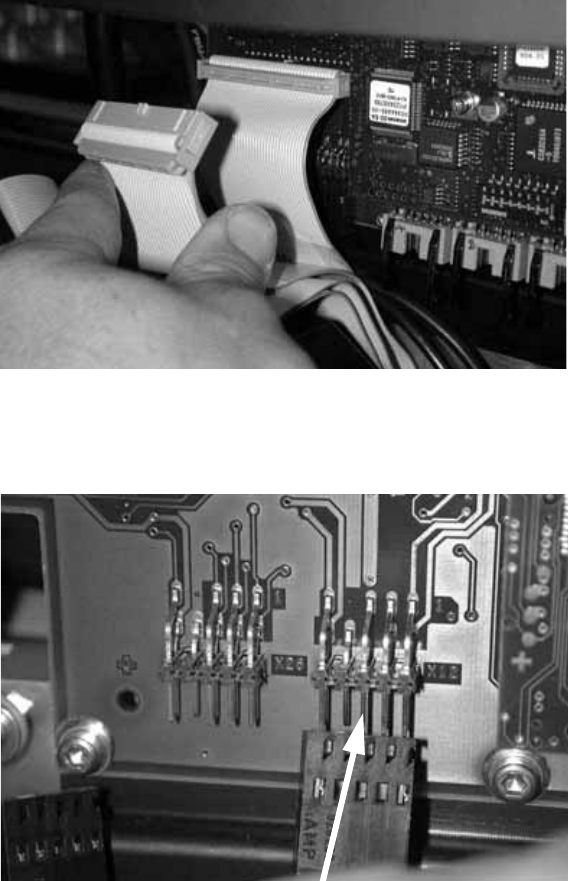
2 Retrofit instructions - SIPLACE HF series head reconfiguration kits SIPLACE HF Series Head Reconfiguration Kits
05/2006 Edition
74
: Detach the two cables shown in the photograph below.
2
2
: Unplug the connector for the DP axis (see photograph below).
2
2
2
2
2
2
2
2
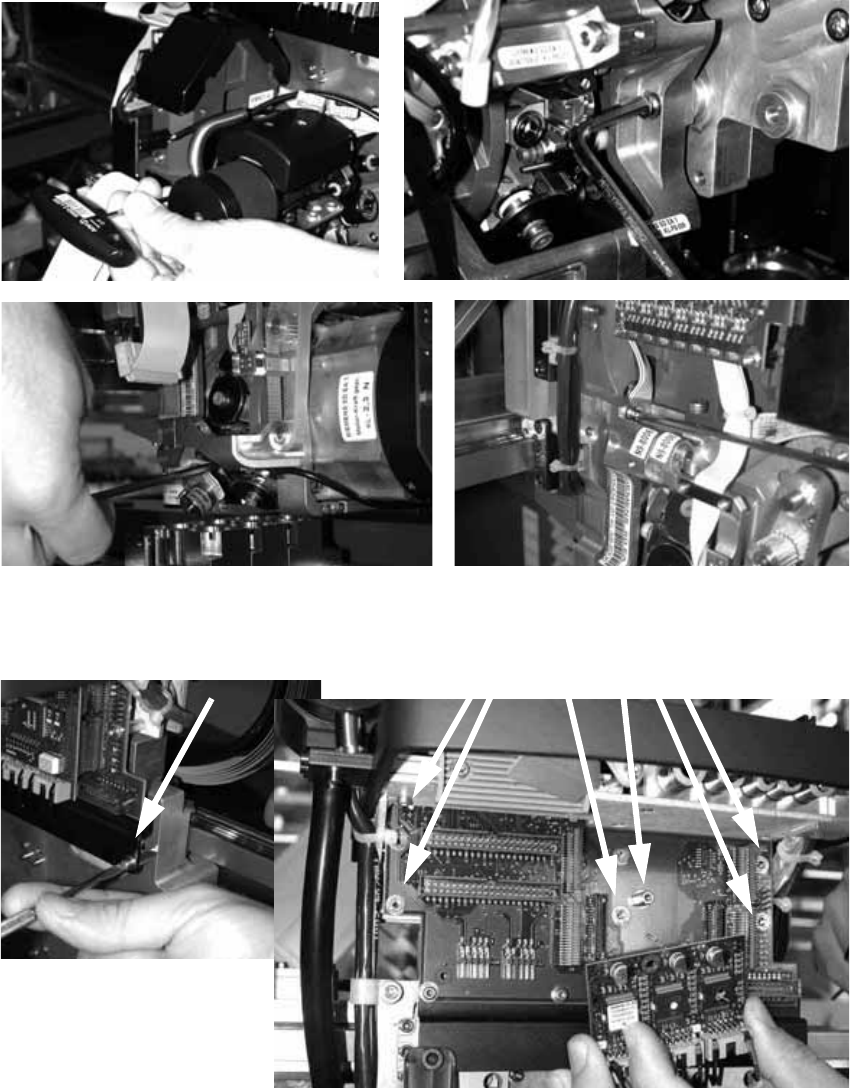
SIPLACE HF Series Head Reconfiguration Kits 2 Retrofit instructions - SIPLACE HF series head reconfiguration kits
05/2006 Edition
75
: Loosen the four screws used to fix the placement head.
With screws two and three, you should first remove one sleeve to make the screws more ac-
cessible.
2
: Loosen the screws on the rail below the head adapter board and the screws of the head ad-
apter board, and then remove both the large and the small board.
2
2