00193893-04.pdf - 第87页
SIPLACE HF Series Head Reconfiguration Kits 2 Retrofit in structions - SIPLACE HF seri es head reconfiguration kits 05/2006 Edition 87 2.5.2 Configuring the C&P head with SIPLACE Pro : Enter the C&P head in the &…
2 Retrofit instructions - SIPLACE HF series head reconfiguration kits SIPLACE HF Series Head Reconfiguration Kits
05/2006 Edition
86
2.5 Converting from TwinHead to C&P head
: Switch the placement machine on at the main switch.
2
: Run the machine until it is empty and set down the nozzles.
: Dock the component trolley out of the placement machine.
2.5.1 Configuring the C&P head using the machine configuration wizard
: Start the machine configuration wizard: Start--> Programs --> Machine Configuration Wizard
or
Start SITEST and select "Settings --> Machine Configuration".
: Set the new placement head and the cameras and nozzle changers in the machine configura-
tion wizard.
2
: Switch the placement machine off at the main power switch.
2
2
2
2
2
2
2
2
2
2
2
2
2
2
2
2
SIPLACE HF Series Head Reconfiguration Kits 2 Retrofit instructions - SIPLACE HF series head reconfiguration kits
05/2006 Edition
87
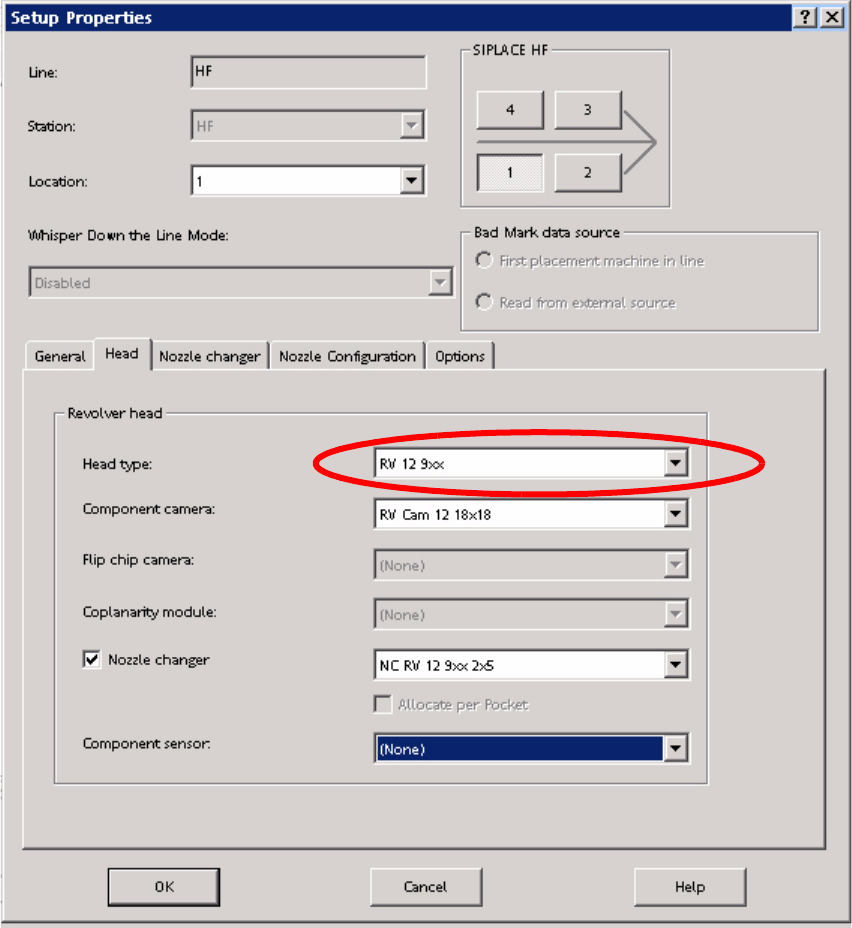
2.5.2 Configuring the C&P head with SIPLACE Pro
: Enter the C&P head in the "Set-up Properties" dialog.
2
2
: Reoptimize the set-up in SIPLACE Pro.
2
2 Retrofit instructions - SIPLACE HF series head reconfiguration kits SIPLACE HF Series Head Reconfiguration Kits
05/2006 Edition
88
2.5.3 Converting the nozzle changer / removing the cameras
2
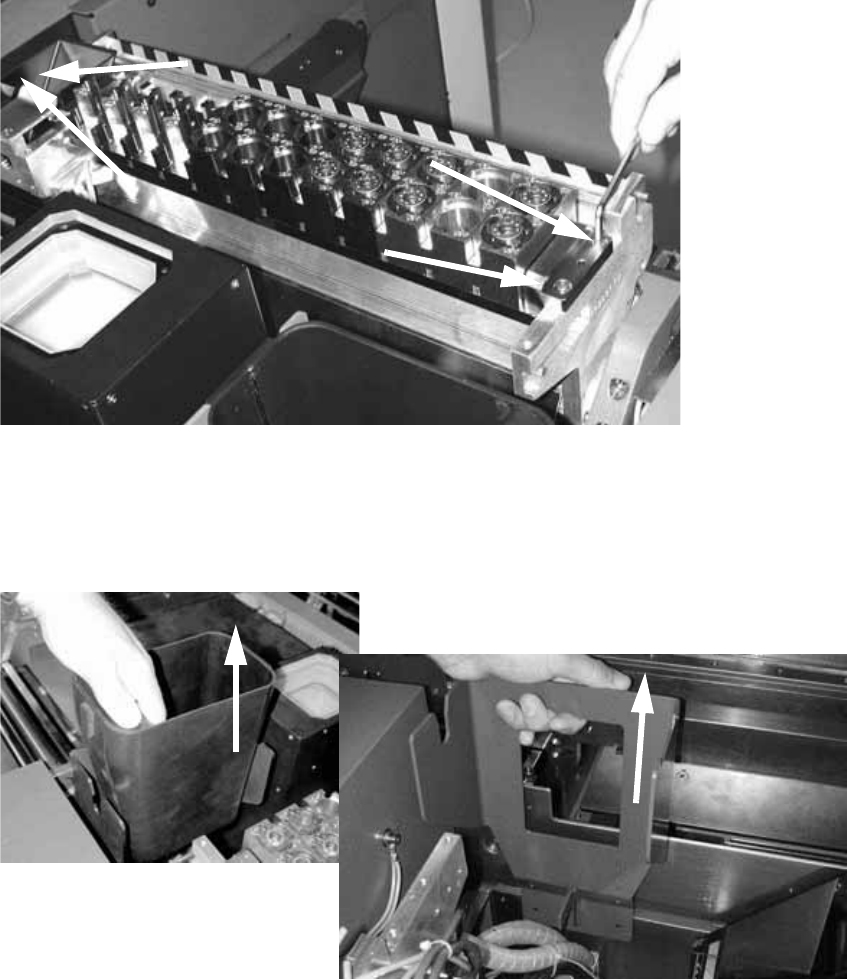
: Remove the waste tape chute.
2
: Loosen the four M4 screws on the nozzle changer of each TwinHead and remove the head.
2
2
: Remove the large reject bin for the TwinHead.
: Loosen the two screws (M5) on the TwinHead reject bin mount and pull the bin out.
2
2