00193893-04.pdf - 第88页
2 Retrofit instructions - SIPLACE HF series head re confi guration kits SIPLACE HF Series Head Reconfiguration Kits 05/2006 Edition 88 2.5.3 Converting the nozzle changer / removing the cameras 2 : Remove the waste tape …
SIPLACE HF Series Head Reconfiguration Kits 2 Retrofit instructions - SIPLACE HF series head reconfiguration kits
05/2006 Edition
87
2.5.2 Configuring the C&P head with SIPLACE Pro
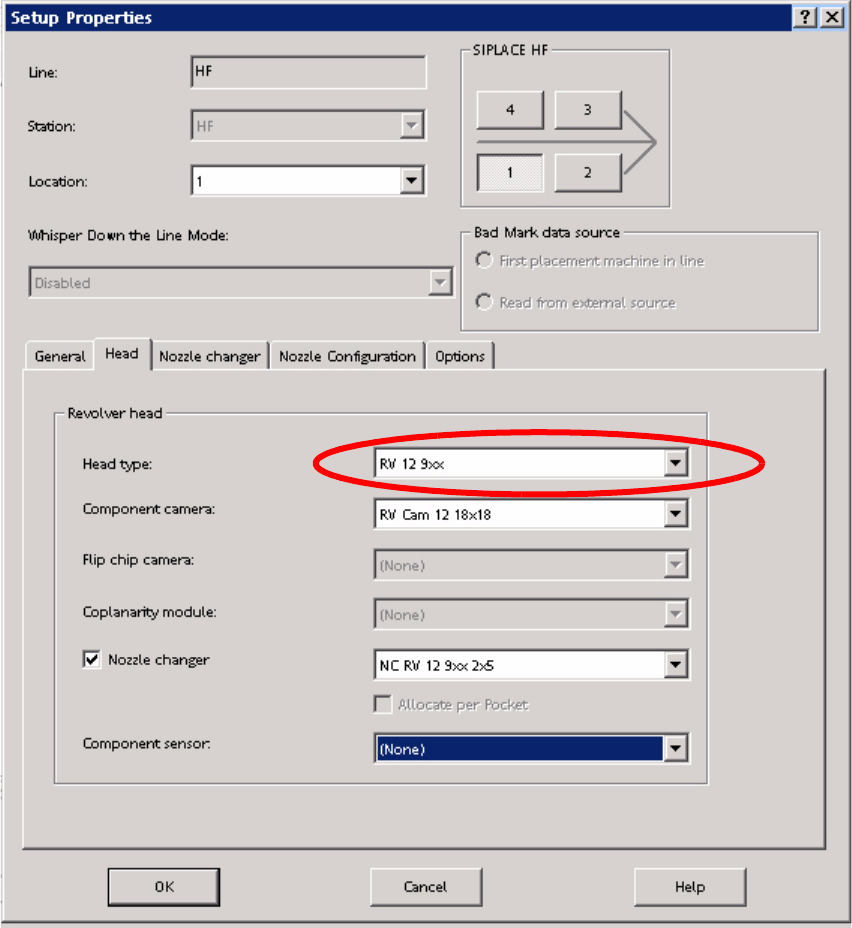
: Enter the C&P head in the "Set-up Properties" dialog.
2
2
: Reoptimize the set-up in SIPLACE Pro.
2
2 Retrofit instructions - SIPLACE HF series head reconfiguration kits SIPLACE HF Series Head Reconfiguration Kits
05/2006 Edition
88
2.5.3 Converting the nozzle changer / removing the cameras
2
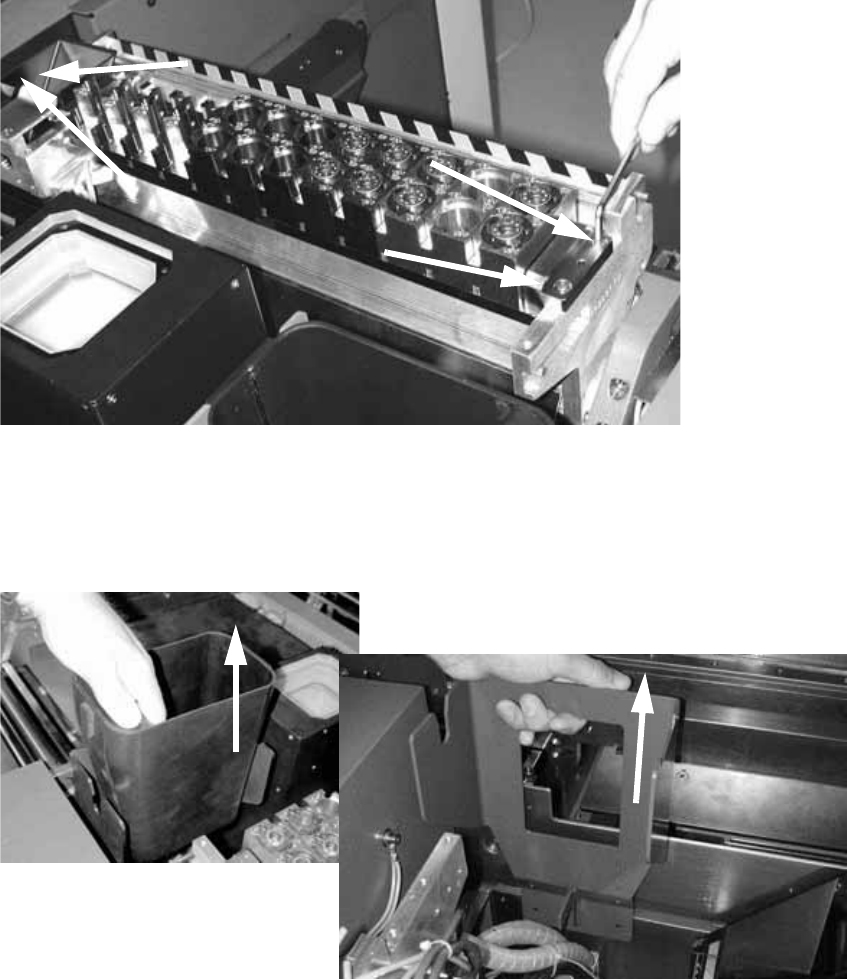
: Remove the waste tape chute.
2
: Loosen the four M4 screws on the nozzle changer of each TwinHead and remove the head.
2
2
: Remove the large reject bin for the TwinHead.
: Loosen the two screws (M5) on the TwinHead reject bin mount and pull the bin out.
2
2
SIPLACE HF Series Head Reconfiguration Kits 2 Retrofit instructions - SIPLACE HF series head reconfiguration kits
05/2006 Edition
89
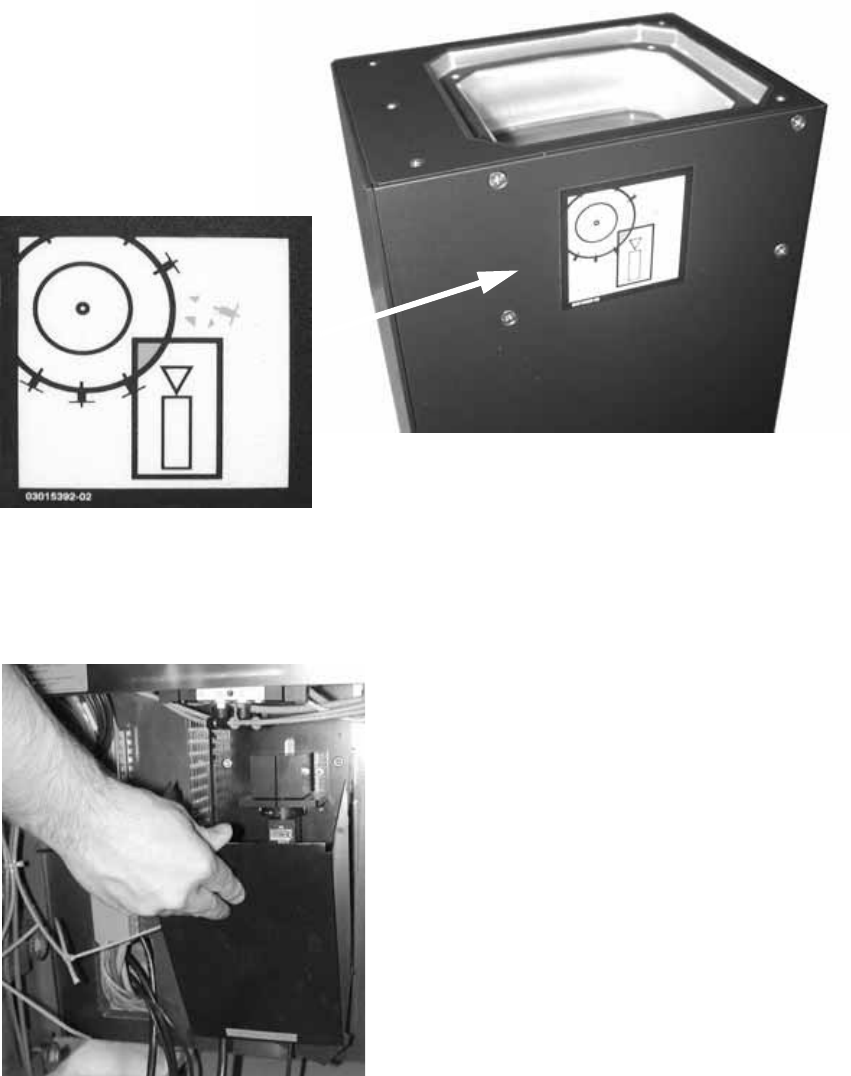
: Remove the body of the IC camera.
: Attach the Risk of head crash warning label to the body of the IC camera (if it is not already
attached).
2
2
: Remove the supporting frame for the IC camera from the base plate by folding it up, and then
pulling it up and out.
2
2