0771445_7708_Mar2018_077144500.pdf - 第3页
Model 7708 M ultiplexer M odule Instructions for use w ith DAQ6510 077144500 / April 2018 3 Wiring procedure Use the following proce dure to m ake connections to th e 7708 module. Mak e all connections us ing the correct…
Model 7708 Multiplexer Module Instructions for use with DAQ6510
2 077144500 / April 2018
The 7708 includes the following features:
▪ DC and AC voltage measurement
▪ Two-wire or four-wire resistance measurements (automatically pairs switches for four-wire
measurements—n + 20)
▪ Temperature applications (RTD, thermistor, thermocouple)
▪ Built-in cold junction reference
▪ Screw terminal connections
The 7708 can be used with the DAQ6510 data acquisition instrument.
If you are using this switching module with the 2700, 2701, or 2750, please see the Model 7708 40-
Channel Differential Multiplexer with Automatic CJC User's Guide, Keithley Instruments document
number PA-744.
Connections
Connection and wiring procedures in this document are intended for use by qualified
personnel only. Do not perform these procedures unless qualified to do so. Failure to
recognize and observe normal safety precautions could result in personal injury or death.
Do not exceed the maximum specifications for the 7708 module. Refer to the specifications
provided in the data sheet. Failure to recognize and observe normal safety precautions could
result in personal injury or death.
Model 7708 Multiplexer Module Instructions for use with DAQ6510
077144500 / April 2018 3
Wiring procedure
Use the following procedure to make connections to the 7708 module. Make all connections using the correct
wire size (up to 20 AWG).
All wiring must be rated for the maximum voltage in the system. For example, if 1000 V is
applied to the front terminals of the instrument, the switching module wiring must be rated
for 1000 V. Failure to recognize and observe normal safety precautions could result in
personal injury or death.
Equipment needed:
▪ Flat-blade screwdriver
▪ Cable ties
To wire the 7708 module:
1. Make sure all power is discharged from the 7708 module.
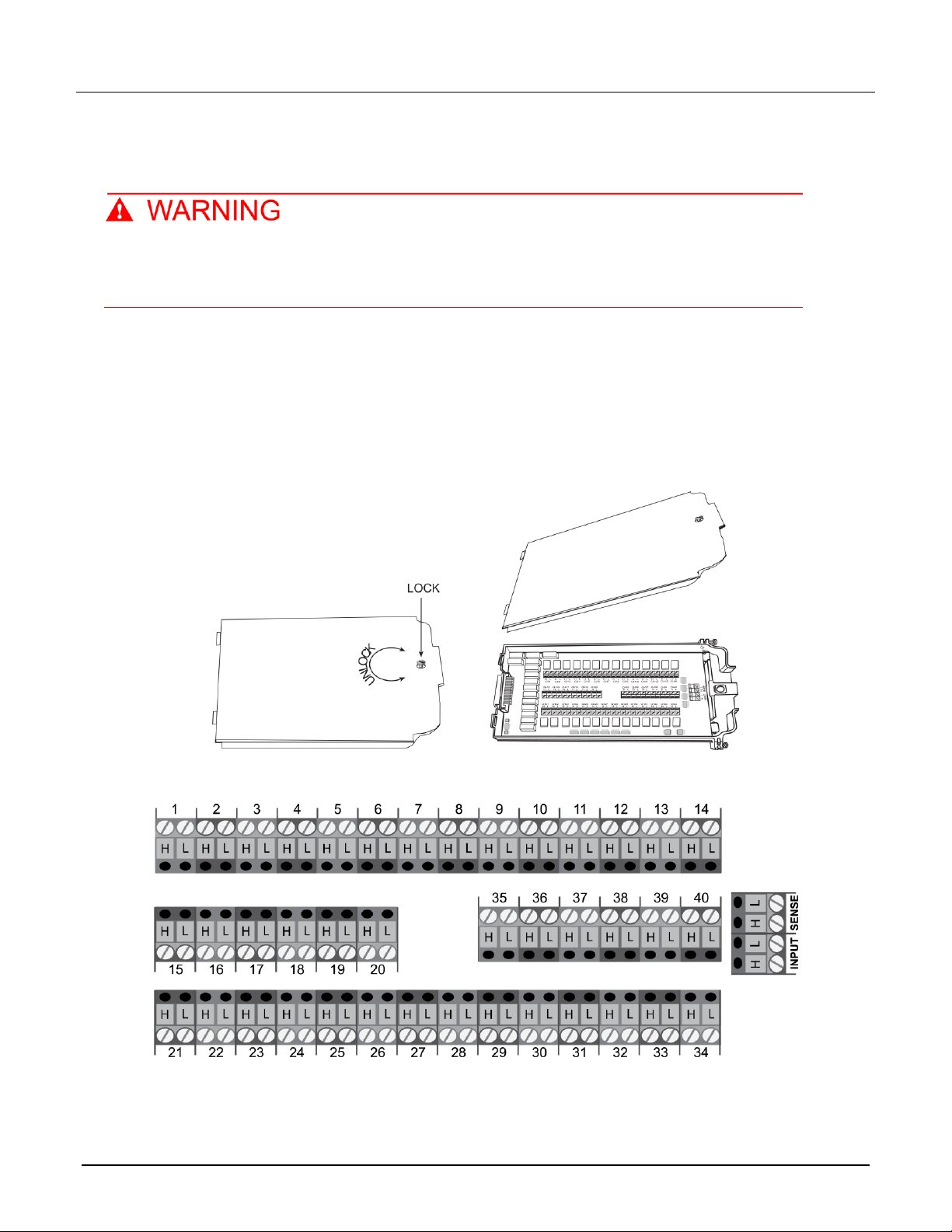
2. Using a screwdriver, turn the access screw to unlock and open the cover.
Figure 2: Screw terminal access
3. Using a small flat-blade screwdriver, loosen terminal screws and install wires as needed. Channel
designations for the screw terminals are shown in the following figure.
Model 7708 Multiplexer Module Instructions for use with DAQ6510
4 077144500 / April 2018
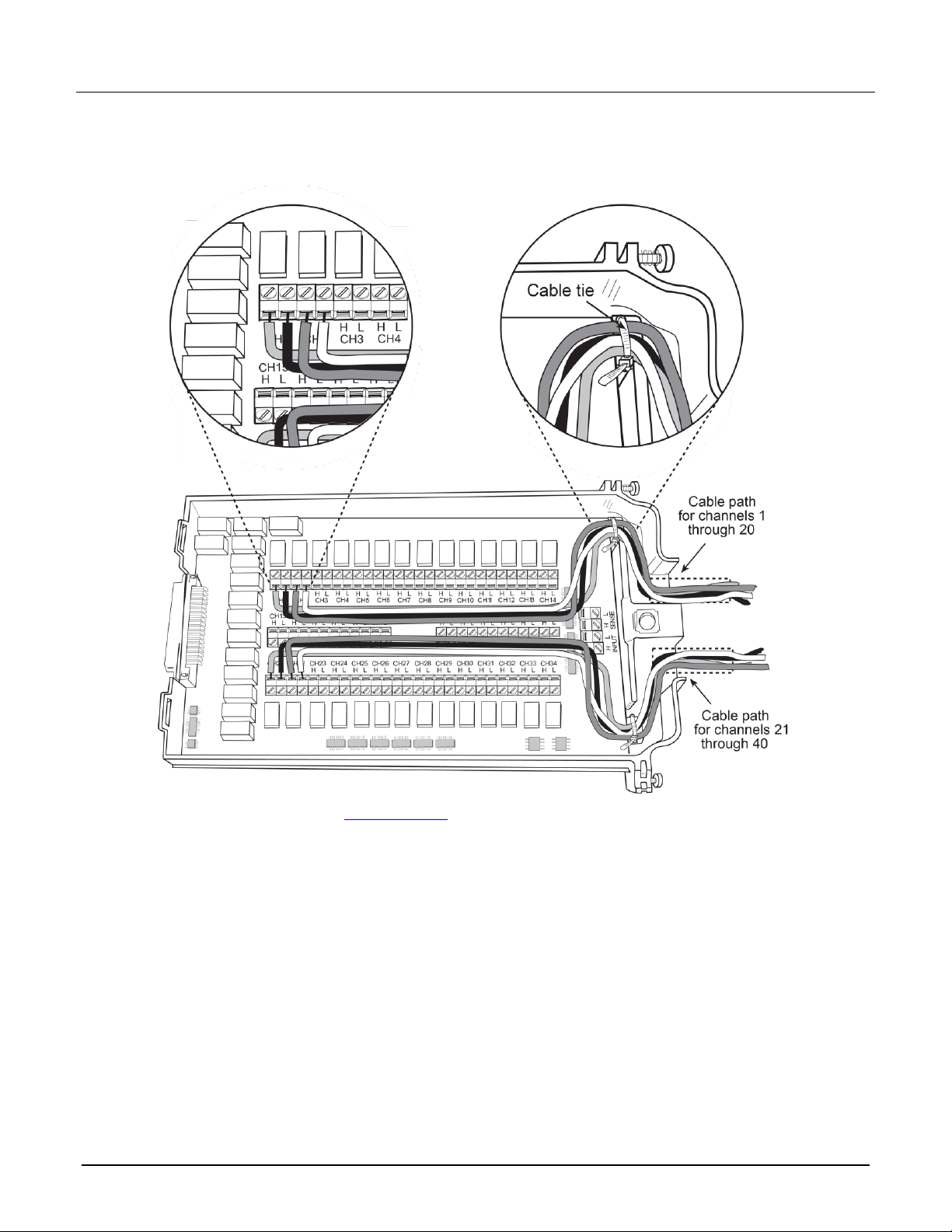
4. Route wire along the cable path and secure with cable ties as shown. The following figure shows
connections to channels 1 and 2.
Figure 3: Wire dressing
5. Record the connections in the Connection log (on page 8).
6. Close the cover.
7. Using a screwdriver, press in the access screw and turn to lock the cover.